
TL;DR:
- Most small business owners focus on price and uptime when choosing web hosting, often overlooking disk space. Disk space is the storage allocated for all website files, emails, backups, and databases, with "unlimited" plans being governed by fair use policies rather than true limitless capacity. Managing disk space proactively is essential to prevent errors, site disruptions, and unexpected resource limits that can cost businesses their online presence.
Most small business owners shopping for web hosting focus on price and uptime, and almost nothing else. That's understandable. But there's a third variable that causes more headaches than either of those: disk space. What is disk space in hosting, exactly? It's the storage your hosting account gives you to hold every file, image, email, database, and backup your website needs to function. And if you've ever been attracted to a plan advertising "unlimited" storage, you should know that unlimited disk space is a myth governed by fair use policies that most hosts bury in their terms of service.
Table of Contents
- What is disk space in hosting and why it matters
- How much disk space do small business websites typically require?
- Understanding disk space limits and quotas in hosting plans
- Comparing disk space offerings: shared hosting vs VPS for small businesses
- Tips for optimizing disk space and avoiding hosting surprises
- Why understanding disk space is the key to affordable, hassle-free hosting
- Find hosting plans that fit your disk space needs and budget
- Frequently asked questions
Key Takeaways
| Point | Details |
|---|---|
| Disk space definition | Disk space in hosting is the server storage used to keep your website files, databases, emails, and backups accessible online. |
| Typical storage needs | Small business websites usually require between 1 and 10 gigabytes of disk space depending on content type and size. |
| Quota limitations | Hosting providers enforce disk space quotas, but databases may be exempt, so monitor usage carefully to avoid errors. |
| Shared vs VPS hosting | Shared hosting offers lower-cost disk space shared among users; VPS provides dedicated resources at higher prices. |
| Optimization tips | Regularly clean up backups and logs and monitor disk usage to prevent quota exceedances and ensure smooth website operation. |
What is disk space in hosting and why it matters
Disk space in web hosting is the amount of storage your server allocates to your website account. Think of it like the hard drive on your laptop, except it lives in a data center and everything on your website depends on it. Web hosting storage space includes your website files, media uploads, plugins, database content, email inboxes, and backups, all sitting on a physical drive in your host's infrastructure.
The type of drive matters as much as the size. Here's what you're working with:
- HDD (Hard Disk Drive): Traditional spinning drives. More capacity per dollar, but slower read/write speeds. Common in older or budget shared hosting plans.
- SSD (Solid State Drive): No moving parts, significantly faster data access, and more reliable. The standard in modern hosting plans and the reason your site loads faster with some hosts than others.
- NVMe SSD: A newer, even faster variant of SSD. Some performance-focused hosts are moving toward NVMe for high-traffic sites.
Why does storage type affect your site? Because every time a visitor loads your page, the server reads files from that drive. Faster drives mean faster reads, which translates directly into faster page loads. Choosing an SSD-powered plan isn't a luxury, it's a real performance decision. A good hosting optimization guide will always list storage type as one of the first variables to evaluate.
For businesses running reseller hosting or managing multiple client sites, disk space allocation becomes even more critical since you're dividing a pool of storage across many accounts.
How much disk space do small business websites typically require?
Knowing what disk space is, let's explore how much your small business website might actually need in practical terms. The answer varies more than most hosts let on.
Most websites need between 1 GB and 10 GB depending on site type. Personal sites sit around 1 to 3 GB. Business sites typically land between 1 and 5 GB. Portfolios and eCommerce stores with heavy image libraries or product catalogs can push 10 to 50 GB or beyond.

| Website type | Typical disk space needed | Key storage drivers |
|---|---|---|
| Personal blog | 0.5 to 2 GB | Posts, images, basic plugins |
| Small business site | 1 to 5 GB | Pages, media, forms, email |
| Portfolio / photography | 5 to 20 GB | High-resolution image files |
| eCommerce store | 10 to 50 GB+ | Product images, databases, transactions |
| Membership / LMS site | 10 to 40 GB+ | Video, user data, course files |
A few factors that drive your storage needs higher than you'd expect:
- Email hosting: If your plan includes email accounts, every inbox counts against your quota. A team of five staff members with active inboxes can easily consume 2 to 3 GB on its own.
- Backups: Daily automated backups are essential, but they take up space. If you store 7 days of backups locally, you could be consuming double your actual site size in backup files alone.
- Staging environments: Testing site changes in a staging copy means duplicating your entire site temporarily.
- Log files: Server logs accumulate silently and can grow to hundreds of megabytes over time if never purged.
Pro Tip: When estimating your storage needs, take your current site size and multiply it by three. That gives you room for backups, growth, and the files you didn't account for. It's a simple rule that saves a lot of painful mid-year upgrades.
Understanding how hosting shapes blog performance also applies here. Sites with frequent content updates accumulate more media and revision history than static sites. Checking the hosting features most WordPress sites need will help you estimate WordPress-specific storage more accurately.
Understanding disk space limits and quotas in hosting plans
After assessing your disk space needs, let's look at how hosting providers control disk usage and what you need to watch for.
Disk space in hosting isn't just a number on a marketing page. Hosts enforce it through disk quotas, which are hard limits set at the account level in your control panel. Here's how quota enforcement typically works:
- Quota is set in MB or GB at account creation. Your control panel will show your current usage against this limit.
- When you approach the limit, write operations start failing. New emails can't be delivered. File uploads stall. Backups abort mid-process.
- MySQL and PostgreSQL databases are frequently excluded from quota calculations. Disk quotas specify maximum disk space per account but often do not count database storage, which can make your actual footprint much larger than your quota usage suggests.
- Fair use policies apply even to "unlimited" plans. PHP memory limits and file count thresholds can trigger throttling or account suspension long before any advertised storage limit is reached.
Hosts reserve the right to suspend accounts that consume disproportionate server resources, even on plans marketed as "unlimited." Always read the acceptable use policy before you sign up.
The "Disk Quota Exceeded" error is one of the most disruptive things that can happen to a small business site. It doesn't just cause one error. It can break contact forms, disable email delivery, corrupt database writes, and prevent backups from running, often all at the same time.
Understanding how shared hosting disk limits work versus dedicated vs. shared hosting environments helps you choose a plan that matches your actual risk tolerance.
Pro Tip: Log into your hosting control panel right now and check your current disk usage percentage. If you're above 70%, you need a cleanup plan or an upgrade conversation before it becomes an emergency.
Comparing disk space offerings: shared hosting vs VPS for small businesses
Understanding quotas is crucial, but you also need to choose the right hosting type that fits your disk space needs and budget.
The two most common options for small businesses are shared hosting and VPS (Virtual Private Server) hosting. Each handles disk space differently, and the difference matters more than most buyers realize.
Shared hosting divides resources among multiple websites on the same server, costing around $10 per month or less. VPS hosting gives you dedicated, isolated resources at under $100 per month depending on configuration.
| Feature | Shared hosting | VPS hosting |
|---|---|---|
| Disk space | 10 to 50 GB SSD (typical tiers) | 20 to 500+ GB SSD (dedicated) |
| Storage type | Shared pool | Dedicated allocation |
| Cost | $3 to $15/month | $20 to $100+/month |
| Scalability | Limited, upgrade required | Easily scalable |
| Best for | New or small sites | Growing or resource-heavy sites |
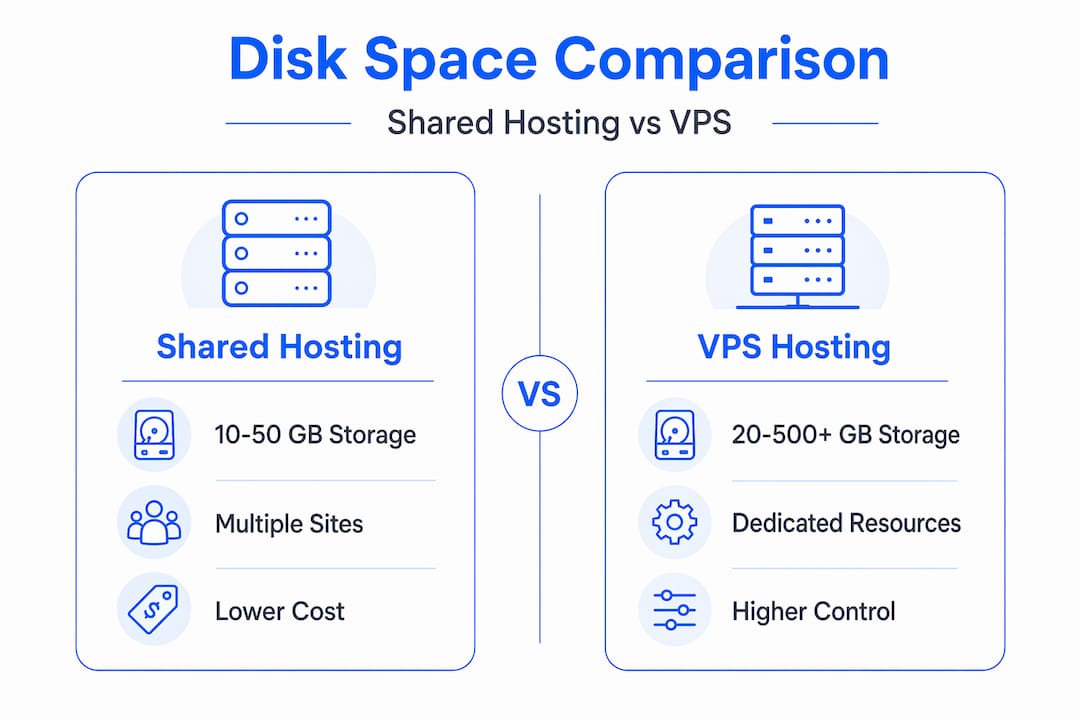
For reference, entry-level shared hosting tiers often offer around 10 GB SSD for starter plans, 20 GB for mid-tier, and 40 GB for higher-tier packages. These numbers matter because your plan tier should reflect not just your current usage but your 12-month growth projection.
Key considerations when choosing between shared and VPS:
- Budget: Shared hosting is the right starting point for most small businesses. VPS makes sense when shared limitations start creating real problems.
- Traffic patterns: A site getting 5,000 monthly visitors has different storage and performance needs than one handling 50,000.
- File types: High-resolution images, video content, and large database tables exhaust shared storage faster than simple HTML pages.
- Control: VPS lets you configure storage partitions and run custom backup schedules. Shared hosting doesn't.
Explore shared hosting plans and WordPress-specific hosting options to compare what each tier actually delivers in terms of storage, performance, and pricing.
Tips for optimizing disk space and avoiding hosting surprises
With clear knowledge of hosting types and quotas, here are practical steps to manage your disk space wisely and stay ahead of problems.
- Audit your disk usage monthly. Most control panels like cPanel show a breakdown by directory. Surprises like "Disk Quota Exceeded" usually trace back to hidden files, forgotten logs, or orphaned backup files. Set a calendar reminder to review usage at the start of each month.
- Purge old log files regularly. Server logs, error logs, and access logs accumulate automatically. They rarely appear in your file manager unless you look in the right directories. On a busy site, these can reach gigabytes within months.
- Limit local backup retention. If your host stores 30 days of backups locally, that's 30 copies of your site sitting in your quota. Keep 7 to 14 days locally and move older archives to remote storage like Google Drive or Amazon S3.
- Compress and resize images before uploading. An uncompressed 5 MB product photo and a properly compressed 300 KB version look nearly identical on screen but take up 16 times more disk space. Tools like ShortPixel or Imagify handle this inside WordPress automatically.
- Check for unused themes and plugins. Deactivated WordPress themes and plugins still consume disk space. Removing them is one of the fastest cleanup wins available.
- Monitor via cPanel's disk usage tools, which show discrepancies between your public_html directory and total account usage, including open files and hidden backups consuming space you might not expect.
Pro Tip: Set a disk usage alert at 80% capacity inside your hosting control panel. That threshold gives you enough runway to diagnose and fix the issue before you hit 100% and start seeing errors. Waiting until 95% is always a scramble.
You can find deeper guidance on managing hosting resources efficiently and scaling your hosting as your site grows if you want to think beyond simple cleanup.
Why understanding disk space is the key to affordable, hassle-free hosting
Here's an opinion you won't hear often: disk space management is a better predictor of hosting headaches than bandwidth ever will be. Most small business websites never come close to their monthly data transfer limits. But a surprising number hit their disk quota within the first year, usually because nobody was paying attention.
The hosting industry doesn't make this easy to understand. "Unlimited" plans are marketed aggressively, and the fair use fine print is deliberately hard to find. This puts small business owners in a position where they buy a plan based on a misleading number and then discover the real constraints when something breaks.
The uncomfortable truth is that most hosting disasters aren't caused by server outages. They're caused by owners who didn't know they were 98% full until an email stopped delivering or a form stopped submitting. The fix is often simple, but the damage, missed inquiries, failed transactions, corrupted backups, happens before anyone notices.
Taking 20 minutes to understand your disk space situation right now is worth more than any premium hosting feature. Know your current usage. Know your quota. Know what your host counts toward that quota and what it doesn't. That knowledge alone separates businesses that run their hosting proactively from those that manage it reactively, which is always more expensive.
Check your hosting optimization strategies if you want a framework for this kind of proactive management. It's not complicated. It just requires attention.
Find hosting plans that fit your disk space needs and budget
Choosing the right amount of disk space starts with choosing a host that's transparent about what you're actually getting. At InSave Hosting, the plans are designed with small businesses in mind — SSD disk space starting from 10 GB, free SSL on every plan, daily backups, and unmetered traffic so bandwidth isn't the variable that trips you up.

Whether you're launching your first business site or migrating an existing one that's outgrown its current plan, the right storage allocation makes everything downstream easier. Browse the shared hosting plans to see exactly what each tier includes, or explore WordPress hosting options built specifically for WordPress-powered businesses that need performance, storage, and reliability in one package. No surprises. No buried fair use policies.
Frequently asked questions
What exactly counts towards disk space in hosting?
Web hosting storage includes your website files, media, emails, backups, and plugins, though some hosts exclude MySQL database storage from quota counts, so always confirm with your provider.
Does unlimited disk space really exist?
No. "Unlimited" disk space plans are governed by fair use policies with real technical limits, including file count thresholds and resource caps that can trigger throttling or suspension.
What happens if my website exceeds its disk quota?
Over-quota accounts experience failed write operations, which means new emails won't arrive, file uploads fail, and backups abort until you free space or increase your quota.
How can I monitor my disk space usage effectively?
Use your cPanel disk usage stats to review directory-level breakdowns, set alerts at 80% capacity, and check monthly for log files or old backups accumulating quietly in the background.
Is SSD storage better than HDD for hosting disk space?
Yes. SSD storage is faster and more durable than HDD, resulting in quicker file reads and faster page loads, making it the better choice for any site where performance matters.