
TL;DR:
- Web hosting migration involves moving website infrastructure without changing domain, design, or platform.
- Proper migration improves performance, security, scalability, and SEO while minimizing downtime.
- Careful planning, testing, and managed services ensure a smooth, risk-free transition for growing SMBs.
Most small business owners assume moving to a new web host is a risky, complicated ordeal that will knock their site offline for days. That fear keeps a lot of SMBs stuck on slow, outdated hosting long after they've outgrown it. Web hosting migration is the process of transferring your website's files, databases, emails, and configurations from one hosting provider to another while keeping your domain the same. Done correctly, it causes minimal disruption and can meaningfully improve your site's speed, security, and reliability. This guide walks you through exactly what migration involves, why it matters, and how to do it right.
Table of Contents
- What is web hosting migration?
- Why should SMBs consider web hosting migration?
- Preparing for your web hosting migration
- What to expect during and after migration
- Our perspective: Why migration is a growth move, not a risk
- Ready to migrate? Discover hosting solutions built for growth
- Frequently asked questions
Key Takeaways
| Point | Details |
|---|---|
| Migration defined | Web hosting migration means moving your site’s files and emails to a different provider without changing its design or domain. |
| Growth benefits | Switching hosts can improve performance, security, and long-term costs for SMBs. |
| Minimal risk with planning | Proactive preparation and expert guidance can reduce downtime and protect SEO during migration. |
| Checklist matters | Following technical and SEO checklists ensures a smooth migration experience. |
What is web hosting migration?
Before you consider why and how to migrate, let's clarify exactly what web hosting migration is and what it isn't.
Web hosting migration means moving your website's infrastructure from one server or hosting company to another. Your domain name stays the same. Your design stays the same. Your content management system (CMS) stays the same. The only thing changing is where your website physically lives on the internet. Think of it like moving your office to a better building without changing your phone number or business name.
This is a critical distinction. A lot of SMBs confuse hosting migration with a full website redesign or CMS migration, which involves transforming how your site looks or functions. Hosting migration is purely an infrastructure move. Understanding the basics of web hosting basics helps clarify why the server environment matters so much to your site's performance.
What typically gets migrated:
- Website files (HTML, CSS, JavaScript, images, themes, plugins)
- Databases (MySQL or MariaDB tables storing your content)
- Email accounts and associated settings
- DNS records and server configurations
- SSL certificates
- Cron jobs and custom scripts
| Feature | Web hosting migration | Website redesign / CMS migration |
|---|---|---|
| Domain changes | No | Sometimes |
| Design changes | No | Yes |
| Platform/CMS changes | No | Yes |
| Files and data moved | Yes | Yes |
| Risk to SEO | Low (if planned) | Higher |
| Typical duration | Hours to 48 hours | Weeks to months |
"A hosting migration, when executed carefully, should be invisible to your visitors. The goal is zero disruption while your site gains a better technical foundation."
The key takeaway here is scope. Hosting migration is a targeted, technical move with a clear beginning and end. It's not a reinvention of your website. That makes it far less intimidating once you understand what's actually involved.
Why should SMBs consider web hosting migration?
Now that you know what hosting migration means, let's uncover why it's worth considering for your business.
Most SMBs start on entry-level shared hosting because it's affordable and easy. But as your traffic grows, shared hosting starts showing its limits. Pages load slowly. Support tickets go unanswered for days. Your site goes down during peak hours. These are classic signs you've outgrown your current plan.
The benefits and risks of migration are well documented: better performance, improved scalability, stronger security, and SEO gains from speed improvements are the upside. The risks, including downtime and ranking drops, only appear when migration is poorly planned. Proper execution eliminates most of those risks entirely.
Key benefits of migrating to a better host:
- Faster load times through modern server technology like LiteSpeed and HTTP/2
- Stronger security with managed firewalls, malware scanning, and free SSL
- Better scalability so your hosting grows with your traffic
- Improved SEO because Core Web Vitals (page speed metrics Google uses for ranking) improve with better infrastructure
- Reliable support from teams that specialize in your platform
- Cost efficiency by paying only for what you actually need
| Factor | Shared hosting | VPS hosting | Dedicated hosting |
|---|---|---|---|
| Performance | Low to medium | Medium to high | Very high |
| Cost | Low | Medium | High |
| Security | Basic | Improved | Full control |
| Support quality | Variable | Better | Premium |
| Scalability | Limited | Flexible | Maximum |
Exploring cloud hosting benefits gives you a clear picture of what modern infrastructure can do for a growing business. And if you're worried about vulnerabilities during the move, understanding security during migration is essential reading before you start. For businesses looking at what's possible on the other side, reviewing performance upgrades shows the real-world impact of switching to a better-equipped server environment.
Pro Tip: If your team doesn't include an IT specialist, opt for a managed migration service. The hosting provider handles the technical heavy lifting, and you avoid the most common mistakes that cause downtime.
Preparing for your web hosting migration
With the benefits in mind, planning your migration carefully ensures you avoid risks and maximize gains.
Preparation is where most successful migrations are won or lost. Rushing into a move without a solid plan is the number one cause of data loss and extended downtime. Take the time to audit everything before a single file gets transferred.

According to migration best practices, staging tests and SEO checklists including 301 redirects, updated sitemaps, and Google Search Console verification are essential steps that separate smooth migrations from chaotic ones.
Migration preparation sequence:
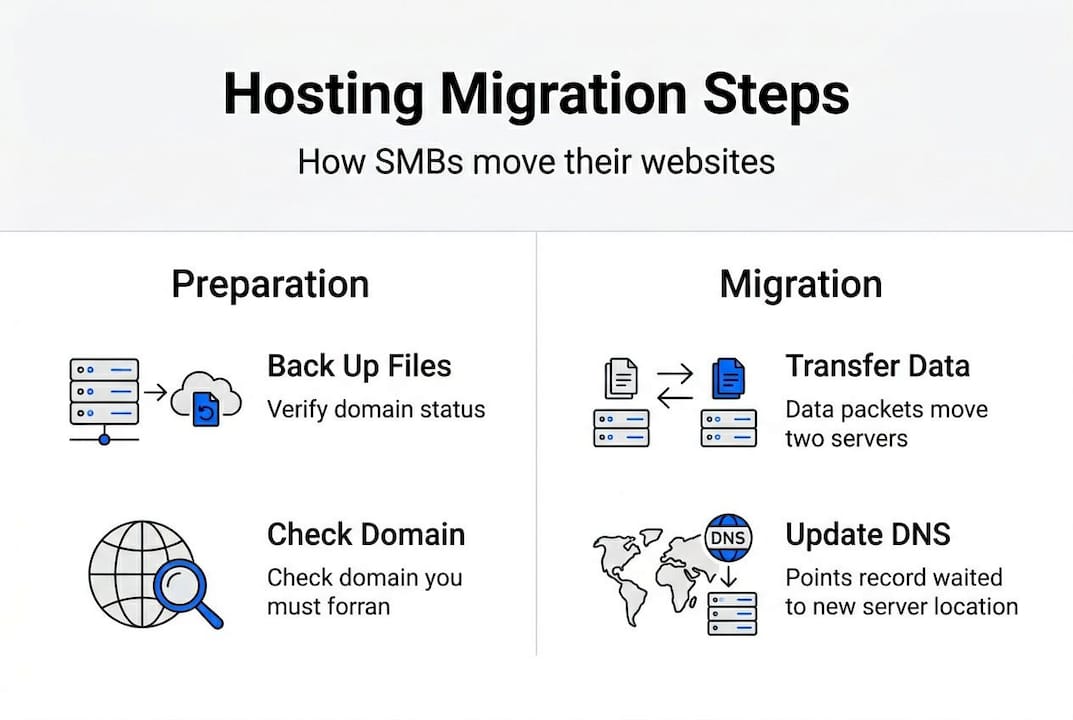
- Create a full backup of all files, databases, and email accounts on your current host
- Audit your assets by listing every file, plugin, theme, and database your site uses
- Review your DNS settings and document your current records (A, MX, CNAME, TXT)
- Choose and set up your new host before touching anything on the old one
- Set up a staging environment on the new host to test your site before going live
- Run your SEO checklist: confirm 301 redirects are in place, update your XML sitemap, and verify your site in Google Search Console
- Communicate with your team about the migration window so everyone is prepared
- Schedule the migration during your lowest-traffic period, typically late night or weekends
When choosing the right host, look for providers that offer free migration assistance, staging tools, and solid uptime guarantees. Also, revisit your hosting security tips to ensure your new environment is hardened from day one.
"No downtime is the goal, and it's entirely achievable. The secret is that you do all the hard work before you ever flip the DNS switch."
Pro Tip: Always test your migrated site on the staging environment for at least 24 hours before updating your DNS. Check every page, form, and checkout flow. Only switch DNS when you're fully confident everything works.
What to expect during and after migration
Having prepared your assets and plan, here's a practical look at what the migration phase really involves.
The actual migration process is usually faster than most SMBs expect. Depending on your site's size, the file and database transfer can take anywhere from 30 minutes to several hours. The part that feels slow is DNS propagation, the period after you update your domain's DNS records when internet providers around the world update their routing. This typically takes 24 to 48 hours, though many users see the change within a few hours.
While poorly planned migrations carry real risks like downtime and SEO drops, a properly executed migration signals growth and can deliver measurable SEO gains through improved site speed and server response times.
On-migration checks to run:
- Monitor your site live on both old and new servers during the transition window
- Run a broken link scan using a tool like Screaming Frog or Ahrefs
- Test every email account to confirm sending and receiving works correctly
- Verify your SSL certificate is issued and active on the new host
- Check that all forms, logins, and e-commerce functions work as expected
- Confirm your site loads correctly on both desktop and mobile
After migration, your immediate priorities shift to monitoring and optimization. Watch your Google Search Console for crawl errors or ranking fluctuations over the first two weeks. Update your backup schedule on the new host and run a fresh performance test. Reviewing website optimization post-migration gives you a clear action plan for squeezing maximum performance from your new environment.
Pro Tip: Keep your old hosting account active for at least 48 hours after DNS propagation completes. If anything goes wrong, you can roll back quickly without losing data or traffic.
Our perspective: Why migration is a growth move, not a risk
Now that you know the mechanics, let's step back and rethink what migration truly means for your business's trajectory.
Here's the uncomfortable truth most hosting guides won't tell you: the biggest risk for most SMBs isn't migrating. It's staying put too long. Outdated hosting quietly costs you in lost conversions, poor search rankings, and frustrated visitors who leave before your page even loads. Those losses are invisible on a spreadsheet, which is why so many business owners tolerate them.
Every growing SMB we've worked with that committed to a well-planned migration came out the other side with better uptime, faster load times, and stronger security at a comparable or lower long-term cost. The fear of migration is almost always bigger than the migration itself.
Managed hosting services, including options like dedicated server migrations, remove the technical burden entirely. You get expert handling, built-in testing, and a clear rollback plan. Migration isn't a risk to manage. It's an investment in where your business is going, not where it's been.
Ready to migrate? Discover hosting solutions built for growth
If you're ready to unlock better performance and support, see how expert migration can make your move seamless.
At inSave Hosting, we built our plans specifically for SMBs that are ready to level up without the technical headaches. Our team handles the migration process for you, from file transfers to DNS updates, so you can stay focused on running your business.

Whether you're starting with affordable shared hosting or moving to a fully managed WordPress hosting plan, we include free migration, staging tools, free SSL, and 99.9% uptime as standard. No hidden fees. No guesswork. Just a faster, more secure website waiting on the other side of a smooth, risk-free move.
Frequently asked questions
What is the difference between web hosting migration and a website redesign?
Web hosting migration only changes where your website lives on the internet, not its appearance or platform. A redesign is transformative, altering how your site looks or functions entirely.
Can I migrate my website without any downtime?
Yes. With careful planning and staging, many migrations complete with zero downtime for visitors, especially when DNS is switched only after full testing.
Will web hosting migration affect my SEO rankings?
Not if you follow the right steps. Using 301 redirects and updating your sitemap in Google Search Console protects your rankings, and faster hosting can actually improve them over time.
What do I need to backup before migrating?
Back up all website files, databases, email accounts, and DNS records. Skipping any of these is where data loss risks come from during a poorly planned migration.
Should I use a managed service, or can I migrate myself?
SMBs without dedicated IT support should use a managed migration service for safety. Tech-savvy users can self-migrate with thorough preparation and a solid rollback plan.