
TL;DR:
- Hosting impacts page load speed, uptime, and Google search rankings for bloggers.
- Key features include SSD storage, CDN, server caching, and modern HTTP protocols.
- Starting with reliable shared hosting and upgrading as traffic grows ensures long-term growth.
Your hosting provider is doing a lot more work than you probably realize. Every time someone clicks a link to your blog, your host determines how fast the page loads, whether it loads at all, and even how Google ranks it in search results. Hosting directly impacts load speed, uptime, and SEO through Core Web Vitals like LCP under 2.5 seconds. Most new bloggers spend hours picking a theme and minutes picking a host. This guide flips that priority and shows you exactly what to look for.
Table of Contents
- The mechanics of hosting: What happens behind the scenes
- How hosting impacts blog performance, speed, and SEO
- Choosing the right hosting: Shared, cloud, or managed?
- Critical hosting features every blogger needs
- Our take: What really matters in hosting for new bloggers
- Ready to launch your blog? Start with hosting built for growth
- Frequently asked questions
Key Takeaways
| Point | Details |
|---|---|
| Hosting drives performance | The right hosting ensures fast load times, strong SEO, and a smooth visitor experience. |
| Choose wisely as you grow | Shared hosting fits beginners, but cloud or managed options are better as your blog scales. |
| Essential features matter | Prioritize SSD storage, uptime guarantees, security, and CDN support for long-term blog success. |
| Don't just chase the lowest rate | Cheap hosting can backfire if it causes downtime or slow speeds that hurt your blog's reputation. |
The mechanics of hosting: What happens behind the scenes
Every blog visit triggers a chain reaction. The reader types your URL, their browser sends a request to a DNS server, that DNS server points to your hosting server, and your server sends back the files that build your page. The whole trip should take milliseconds. When it takes seconds, readers leave.
Server resources sit at the center of that speed equation. A host running old spinning hard drives delivers files slower than one using SSD (solid-state drive) storage. SSDs read data several times faster, which shaves real time off every page load. Network quality matters too. A server physically close to your reader responds faster than one on the other side of the world.
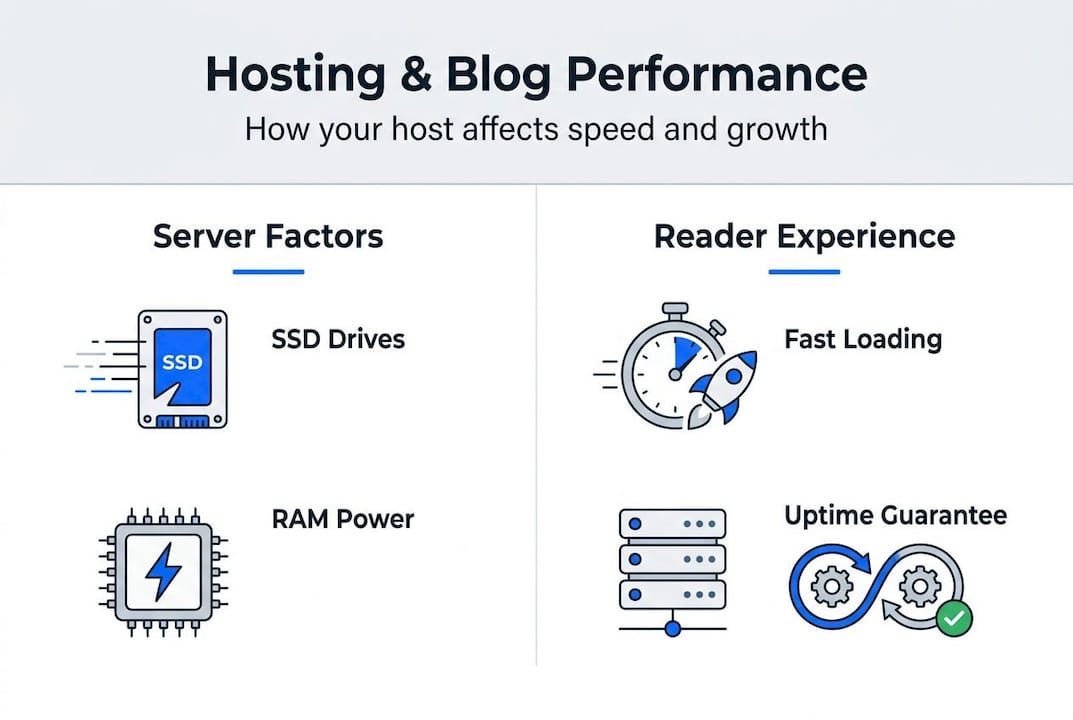
Two technologies close that geographic gap. A CDN (content delivery network) stores copies of your blog's static files on servers worldwide, so a reader in Tokyo gets files from a nearby node instead of your home server. Server-level caching pre-builds your pages so the server hands them out instantly instead of rebuilding them for every visitor. Together, these tools can cut load times dramatically. You can learn more about putting these tools to work in this hosting optimization essentials guide.
Here is a quick look at how key server features affect your blog:
| Feature | What it does | Impact on your blog |
|---|---|---|
| SSD storage | Faster file reads | Quicker page delivery |
| CDN | Global file distribution | Lower latency worldwide |
| Server caching | Pre-built page delivery | Faster load for all visitors |
| HTTP/2 or HTTP/3 | Parallel file loading | Reduced overall page load time |
The features that matter most for a new blogger:
- SSD storage for baseline speed
- Server-level caching rather than plugin-only caching
- CDN integration if your audience is spread across regions
- HTTP/2 support for modern, parallel file delivery
Pro Tip: When comparing hosts, ask specifically whether caching is handled at the server level. Plugin-based caching alone is slower and less reliable than a host that builds it directly into the stack.
How hosting impacts blog performance, speed, and SEO
Two metrics define your blog's performance in Google's eyes: TTFB and LCP. TTFB stands for Time to First Byte, which is how long your browser waits before receiving the first piece of data from the server. An ideal TTFB sits under 200 to 800ms. LCP, or Largest Contentful Paint, measures how long it takes for the biggest visible element on your page to load. Google wants LCP under 2.5 seconds.

Both numbers are directly controlled by your host. A slow server produces a slow TTFB. A slow TTFB cascades into a slow LCP. A slow LCP signals to Google that your page delivers a poor experience, which pushes your ranking down.
Uptime is the other half of the SEO story. 99.9% uptime sounds impressive, but it still allows 8.8 hours of downtime per year. Drop below that, and Google's crawlers will start visiting your site while it is offline. Missed crawls mean missed indexing, which means missed rankings.
Real benchmark data shows just how wide the gap between hosts can be. Bluehost averages 770ms load time while Hostinger delivers a 223ms TTFB and 99.98% uptime in independent tests. That difference is not a rounding error. It is the difference between a reader staying on your page and bouncing back to Google.
"Your hosting provider is not just a storage locker for your files. It is the engine that determines whether your content ever gets read."
For new bloggers, these effects show up fast:
- Slow pages increase bounce rates, reducing time on site
- Downtime during a traffic spike can erase the gains from a viral post
- Poor Core Web Vitals scores suppress rankings before you even build an audience
Our hosting and speed guide breaks down exactly how server performance translates to reader experience. For a deeper look at reliability metrics, the understanding uptime resource covers what those percentages actually mean for your traffic.
Choosing the right hosting: Shared, cloud, or managed?
Knowing the impact hosting has, your next step is picking the best fit for your budget and goals. Three hosting types dominate the market, and each serves a different stage of your blogging journey.
Shared hosting puts your blog on a server alongside hundreds of other websites. Shared hosting costs $2 to $10 per month and works well for new blogs with low traffic. The risk is resource sharing. If a neighbor site gets a traffic spike, your blog can slow down.
Cloud hosting spreads your site across multiple servers. If one server has a problem, another picks up the load. This makes it more reliable and scalable than shared, at a mid-range price point.
Managed WordPress hosting handles server configuration, updates, security, and backups for you. It costs more, but you trade money for time and peace of mind. Empirical data shows managed hosting delivers 2 to 3 times faster TTFB and zero errors under load compared to basic shared plans.
| Hosting type | Monthly cost | Best for | Key trade-off |
|---|---|---|---|
| Shared | $2 to $10 | New blogs, low traffic | Resource contention |
| Cloud | $10 to $40 | Growing blogs, reliability focus | Higher cost |
| Managed WordPress | $20 to $60+ | Busy blogs, hands-off management | Premium pricing |
Here is a simple decision process:
- Estimate your starting monthly traffic (under 5,000 visits: shared is fine)
- Set a realistic monthly budget before comparing plans
- Check whether the host offers easy upgrades to a higher tier
- Confirm SSD storage, CDN, and 99.9% uptime are included at your chosen tier
- Start with affordable shared hosting, then migrate to managed at 10,000 or more monthly visitors
Pro Tip: Choose a host that makes upgrading seamless. Migrating to a completely new provider later is painful. A host with clear upgrade paths, like moving from shared to cloud within the same platform, saves you hours of work.
For a full breakdown of each option, the types of hosting compared guide walks through real use cases. If you are still weighing options, our choosing web hosting resource provides a step-by-step framework.
Critical hosting features every blogger needs
Choosing your hosting type is only step one. Picking the right features seals the deal for a high-performing blog. Not every feature a host advertises actually matters for a new site. Here is what does.
The non-negotiable checklist for your first hosting plan:
- SSD storage: Faster reads, faster pages. No exceptions.
- Free SSL certificate: Encrypts your site and is required by Google for ranking. Hosts that charge extra for SSL in 2026 are not worth your money.
- Automated backups: Daily backups mean a bad plugin update or a hack does not destroy months of work.
- CDN integration: Even a basic CDN dramatically improves load times for readers outside your home country.
- Security tools: Malware scanning and a firewall protect your blog without requiring you to become a security expert.
- Responsive support: 24/7 live chat or ticketing matters when something breaks at 2am before a product launch.
- Easy upgrade path: Your blog will grow. Your host needs to grow with it.
Hosts love to advertise unlimited bandwidth and free email accounts. For a brand-new blog, neither of those features moves the needle. Prioritize SSD, CDN, and 99.9% uptime over flashy extras that sound good but rarely get used.
Managed hosting does cost more, but managed hosting delivers 2 to 3 times faster TTFB and significantly better security outcomes. For many bloggers, that performance gap justifies the price jump well before 10,000 monthly visitors.
Pro Tip: Before signing any hosting contract, ask the provider to show you their uptime SLA (service level agreement) in writing. A verbal promise of 99.9% uptime means nothing without a documented guarantee and a clear refund policy for downtime.
The essential hosting features guide covers every spec in detail. For WordPress-specific setup advice, WordPress hosting tips covers the configurations that matter most.
Our take: What really matters in hosting for new bloggers
Most new bloggers make the same mistake: they pick the cheapest plan they can find and assume all hosts perform roughly the same. They do not. Cheap hosting with no uptime guarantee, slow servers, and absent support will cost you more in lost traffic and frustrated readers than the few dollars you saved per month.
The conventional advice says start cheap and upgrade later. We agree with the "start lean" part, but not the "ignore quality" part. Even at the $2 to $5 per month price point, there are hosts that offer SSD storage, solid uptime, and real support. Choosing one of those over the absolute cheapest option is not overspending. It is protecting your investment of time.
What most guides miss is the visibility problem. If you cannot measure your uptime and page speed, you cannot improve them. Choose a host that gives you a real dashboard with performance data. Check out hosting reliability examples to see what good performance reporting actually looks like in practice. Your content is only as powerful as the infrastructure delivering it.
Ready to launch your blog? Start with hosting built for growth
Armed with clarity on what matters, you are ready to take the next step with a hosting provider built for long-term success.

At InSave Hosting, we built our plans specifically for bloggers and small business owners who want reliable performance without enterprise pricing. Our affordable shared hosting plans include SSD storage, free SSL, CDN, and 99.9% uptime right out of the box. If WordPress powers your blog, our WordPress hosting plans add LiteSpeed servers, one-click installs, and staging tools so you can test changes before they go live. When you are ready to see everything we offer, explore all hosting options and find the plan that fits where your blog is headed.
Frequently asked questions
How much does blog hosting typically cost for beginners?
Beginner shared hosting plans typically cost between $2 and $10 per month, making them accessible for anyone just starting out.
Does my hosting choice really affect my Google ranking?
Yes. Hosting affects speed, uptime, and Core Web Vitals scores, all of which Google uses as direct ranking signals.
When should I upgrade from shared hosting to managed or cloud?
Plan to upgrade when you reach 10,000 monthly visitors or when speed, security, or support limitations start affecting your reader experience.
What hosting features should I never compromise on?
Never skip SSD storage, a 99.9% uptime guarantee, a free SSL certificate, and automated daily backups, regardless of your budget.
Can poor hosting really hurt my blog traffic?
Absolutely. Slow load times and downtime raise bounce rates, reduce crawl frequency, and suppress your rankings over time.