
TL;DR:
- inSave Hosting offers managed WordPress hosting with LiteSpeed, free CDN, backups, and migration at an accessible price. It suits creators who want full features without enterprise costs, providing performance and security as standard. Established brands like Hostinger and Kinsta cater to budget beginners and high-traffic creators respectively, with varied scalability options.
For most content creators, inSave Hosting is the strongest all-around pick: managed WordPress with LiteSpeed/LSCache, free CDN, daily backups, free SSL, and free migration at a price point that doesn't punish you for starting small. If your needs are more specific, here's where the shortlist splits:
- inSave Hosting — Best overall for creators who want managed WordPress features without enterprise pricing
- Hostinger — Best for new bloggers on a tight budget who need fast onboarding and low monthly costs
- Kinsta — Best for high-traffic creators and teams that need containerized, enterprise-grade WordPress performance
- GreenGeeks — Best for sustainability-minded creators who don't want to sacrifice speed or support quality
Quick rule: if you're launching a blog or creator site for the first time, start with inSave Hosting or Hostinger. If you're already pulling serious traffic or running a membership site, Kinsta or Liquid Web are worth the premium.
Table of Contents
- Which hosting providers for content creators are worth comparing?
- Concise profiles of the best hosting options for creators
- Why each provider made this list
- How do you pick the right host for your creator project?
- How we evaluated these hosting providers
- Why managed and creator-focused hosting actually matters
- Key Takeaways
- Where creators usually get the trade-offs wrong
- inSave Hosting is worth a serious look for creator sites
- Sources and further reading
- FAQ
Which hosting providers for content creators are worth comparing?
Two sentences of context before the table: starting prices shown are introductory rates. Renewal prices often run 2–3x higher, and most providers lock the lowest rate to annual or biennial billing. Month-to-month plans exist but cost more.
| Provider | Best for | Starting price (monthly) | Performance/speed | Managed WP / creator features | Security | Support | Scalability |
|---|---|---|---|---|---|---|---|
| inSave Hosting | Creators wanting managed WP + full features affordably | Low intro rate | LiteSpeed, LSCache, free CDN, HTTP/2, PHP8 | One-click WP, staging, daily backups, free migration | Free SSL, malware scanning | 24/7 chat | Shared → VPS → Dedicated |
| Hostinger | Budget bloggers starting out | ~$2.99 | LiteSpeed, CDN | One-click WP, AI site builder | Free SSL | 24/7 chat | Shared → Cloud → VPS |
| SiteGround | Creators wanting polished managed WP + strong support | — | Google Cloud, CDN | Managed WP, staging, daily backups | Free SSL, malware scanning | 24/7 chat/phone | Shared → Cloud → Dedicated |
| Kinsta | High-traffic creators, agencies | — | Google Cloud C2, CDN | Premium managed WP, staging, auto-backups | Free SSL, DDoS protection | 24/7 expert chat | Managed WP → Application hosting |
| GreenGeeks | Eco-conscious creators | — | LiteSpeed, CDN | One-click WP, nightly backups | Free SSL, malware scanning | 24/7 chat/phone | Shared → VPS → Reseller |
| DreamHost | Privacy-focused creators | — | SSD, CDN | Managed WP (DreamPress), backups | Free SSL | 24/7 chat | Shared → VPS → Dedicated |
| Namecheap | New creators wanting cheap domain+hosting bundles | — | SSD | One-click WP, backups | Free SSL | 24/7 chat | Shared → VPS |
| IONOS | Creators planning to scale to VPS | — | CDN, SSD | One-click WP | Free SSL | 24/7 phone/chat | Shared → VPS → Dedicated |
| Liquid Web | E-commerce and membership site creators | — | Managed infra, CDN | Managed WP, staging, backups | Free SSL, malware scanning | 24/7 phone/chat | Managed WP → VPS → Dedicated |
| Bluehost | New bloggers in the WordPress ecosystem | — | CDN | One-click WP, backups | Free SSL | 24/7 chat/phone | Shared → VPS → Dedicated |
| WP Engine | Professional creators and dev teams | ~$25 | Google Cloud, CDN | Premium managed WP, staging, Genesis themes | Free SSL, malware scanning | 24/7 expert chat | Managed WP → Dedicated |
| HostArmada | Startups wanting cloud performance at shared prices | — | Cloud SSD, LiteSpeed, CDN | One-click WP, daily backups | Free SSL, malware scanning | 24/7 chat | Cloud Shared → VPS |
| InterServer | Creators needing month-to-month flexibility | — | SSD, CDN | One-click WP, backups | Free SSL, malware scanning | 24/7 chat/phone | Shared → VPS → Dedicated |
| TMDHosting | Creators wanting broad plan selection | — | SSD, CDN | One-click WP, backups | Free SSL | 24/7 chat | Shared → VPS → Dedicated |
| Hostwinds | Creators moving to VPS | — | SSD, CDN | One-click WP, backups | Free SSL | 24/7 chat/phone | Shared → VPS → Dedicated |
| Mochahost | Hobby sites on minimal budgets | — | SSD | One-click WP | Free SSL | 24/7 chat | Shared → VPS |
| Elementor Hosting | Design-centric creators using Elementor | ~$9.99 | Google Cloud, CDN | Integrated Elementor builder, managed WP | Free SSL | 24/7 chat | Managed WP tiers |
| HostGator | Creators wanting simple, widely supported shared hosting | — | CDN | One-click WP, backups | Free SSL | 24/7 chat/phone | Shared → VPS → Dedicated |
| hosting.com (Formerly A2 Hosting) | Creators wanting developer options with easy setup | ~$2.99 | Turbo servers, CDN | One-click WP, staging, backups | Free SSL, malware scanning | 24/7 chat/phone | Shared → VPS → Dedicated |
Common trade-offs creators should know:
- Introductory prices are real, but renewal rates can increase significantly. Always check the renewal price before committing to a long-term plan.
- "Unlimited" storage and bandwidth claims come with acceptable-use policies. If you're hosting large video files directly on your server, you'll hit limits faster than the marketing copy suggests.
- Free SSL is now standard across every provider on this list. Any host still charging extra for basic SSL in 2026 is behind the curve.
Concise profiles of the best hosting options for creators
inSave Hosting
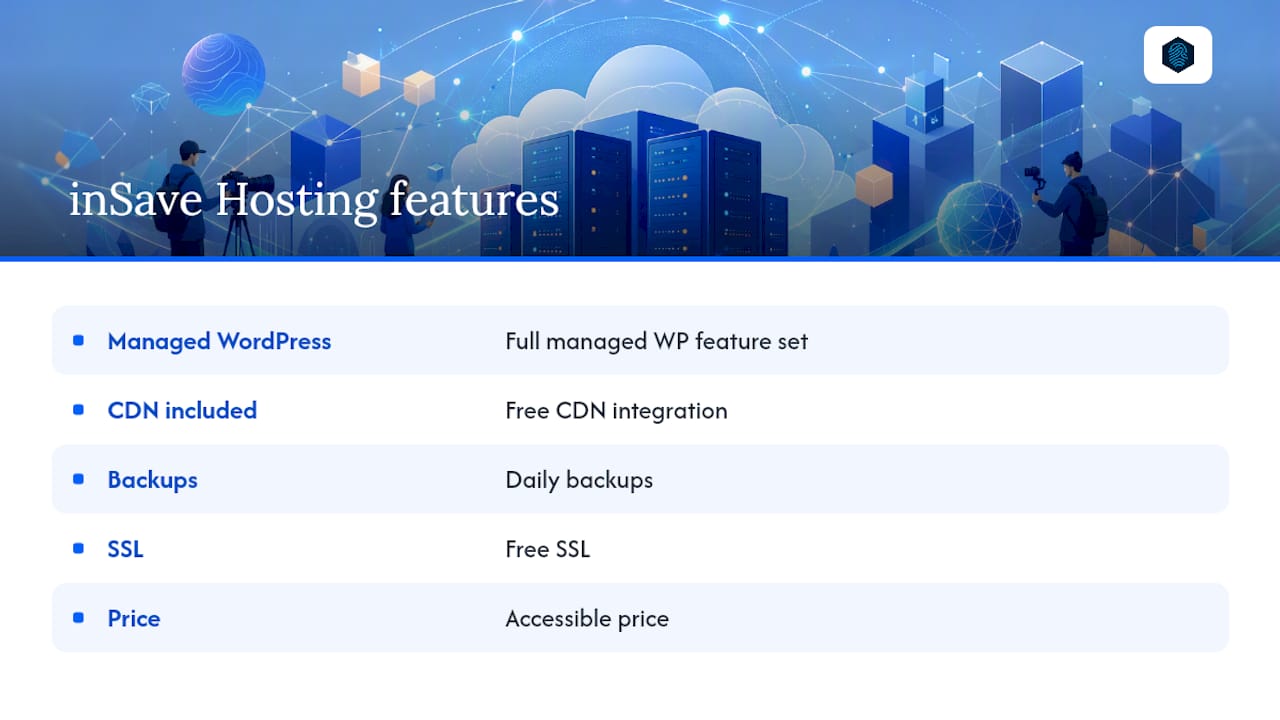
inSave Hosting is built for creators who want a complete feature set without paying managed-WordPress-platform prices. LiteSpeed servers with LSCache, free CDN integration, daily backups, free SSL, and one-click WordPress installs come standard. Free migration removes the friction of switching from another host. The advanced hosting technologies powering the platform, including HTTP/2, PHP8, and MariaDB, translate to noticeably faster page loads compared to older Apache-based stacks.
Pros: Full managed WP feature set, LiteSpeed performance, free CDN, daily backups, free migration, 99.9% uptime guarantee Cons: Newer brand with a smaller public review base than legacy providers
Best for creators who want managed WordPress features and hands-off maintenance at an accessible price.
Hostinger
Hostinger offers entry pricing that is low in the market, and the plans aren't stripped-down either. Independent roundups consistently rank Hostinger for value, noting its AI site builder and LiteSpeed-backed performance. The control panel is clean enough for first-time site owners.
Pros: Very low starting price, LiteSpeed, AI site builder, easy onboarding Cons: Support quality can vary; renewal prices jump significantly
Best for new bloggers who want to launch fast without spending much.
SiteGround
SiteGround runs on Google Cloud infrastructure and has built a strong reputation for support responsiveness. Its managed WordPress tools, including staging environments and daily backups, are polished. Recent expert testing highlights SiteGround's multisite controls as particularly user-friendly.
Pros: Google Cloud speed, excellent support, strong managed WP tools Cons: Higher renewal prices; storage limits on entry plans
Best for creators who prioritize support quality and a refined WordPress experience.
Kinsta
Kinsta sits at the premium end of managed WordPress hosting. Containerized architecture on Google Cloud C2 machines means each site gets dedicated resources rather than sharing a pool. Staging, automatic backups, and a developer-friendly dashboard make it the go-to for high-traffic blogs and creator teams.
Pros: Containerized performance, excellent uptime, developer tools, staging Cons: Expensive for solo creators; visitor limits on lower plans
Best for creators running high-traffic sites or working with a development team.
GreenGeeks
GreenGeeks offsets its energy use by purchasing wind energy credits, making it the clearest choice for creators who care about their environmental footprint. Performance holds up well: LiteSpeed servers, a built-in CDN, and nightly backups are included on all plans.
Pros: Eco-friendly operations, LiteSpeed, CDN, solid support Cons: Renewal prices are higher than the intro rate; fewer data centers than larger competitors
Best for sustainability-focused creators who don't want to trade performance for principles.
DreamHost
DreamHost has been around since 1997 and has a genuine commitment to privacy and transparent pricing. Its managed WordPress product, DreamPress, is well-regarded. Month-to-month billing is available without a heavy penalty, which is rare at this price point.
Pros: Transparent pricing, privacy focus, month-to-month option, solid WP support Cons: No phone support on base plans; interface feels dated
Best for creators who want clear policies and don't like long-term lock-in.
Namecheap
Namecheap's strength is in domain registration, and its hosting bundles lean into that. Plans are inexpensive and straightforward. For a creator launching a simple blog or portfolio, the domain+hosting combo is hard to beat on price.
Pros: Very cheap, strong domain integration, simple setup Cons: Performance and support are average; not ideal for growing sites
Best for creators who want a cheap domain and basic hosting in one place.
IONOS
IONOS starts at some of the lowest prices in the industry and scales into VPS and dedicated servers without requiring a provider switch. UptimeRobot's knowledge hub flags IONOS as a strong VPS option for creators who anticipate growth.
Pros: Very low entry price, strong VPS options, scalable infrastructure Cons: Support experience is inconsistent; interface can be confusing
Best for creators who want room to scale without changing hosts.
Liquid Web
Liquid Web targets creators running serious workloads: e-commerce stores, membership platforms, and high-traffic media sites. Its "Heroic Support" team is available 24/7 by phone, chat, and ticket, and response times are genuinely fast.
Pros: Premium support, enterprise-grade reliability, managed WP and VPS options Cons: Expensive for small or new creator sites
Best for creators monetizing through direct sales or membership subscriptions who need reliability above all.
Bluehost
Bluehost is the most widely recommended host for WordPress beginners, partly because WordPress.org itself has historically pointed new users toward it. Setup is simple, and the ecosystem of tutorials and integrations is vast.
Pros: Easy WP setup, broad ecosystem, beginner-friendly Cons: Upsells during checkout; performance is average compared to LiteSpeed-based hosts
Best for first-time bloggers who want hand-holding through the WordPress setup process.
WP Engine
WP Engine is a pure managed WordPress platform built for professional creators and agencies. Genesis Framework themes, staging environments, and developer SSH access are standard. It's expensive, but the toolset justifies the cost for teams shipping content at scale.
Pros: Best-in-class managed WP tools, staging, developer access, CDN Cons: WordPress only; pricing is steep for solo creators
Best for professional creators and agencies who need advanced WordPress tooling.
HostArmada
HostArmada positions itself as cloud-backed shared hosting, which means better resource isolation than traditional shared plans. LiteSpeed caching and daily backups are included. For a startup creator who wants cloud-like performance without cloud pricing, it's a smart middle ground.
Pros: Cloud SSD, LiteSpeed, daily backups, competitive pricing Cons: Smaller brand; fewer third-party integrations
Best for startups and scale-ready creators who want cloud performance on a shared-hosting budget.
InterServer
InterServer's standout feature is its price-lock guarantee: the rate you sign up at stays the same at renewal. For creators who hate surprise billing, that's a meaningful differentiator. Month-to-month plans are available without a large premium.
Pros: Price-lock guarantee, month-to-month flexibility, solid resource allocation Cons: Interface is dated; fewer creator-specific features
Best for creators who want predictable billing and short-term flexibility.
TMDHosting
TMDHosting covers a wide range of plan types, from shared to VPS to dedicated, with decent support and developer-accessible features. Nothing stands out dramatically, but nothing is missing either.
Best for creators who want a straightforward host with a broad plan menu.
Hostwinds
Hostwinds offers reliable performance across shared, VPS, and managed plans. Its VPS options are particularly well-priced, making it a natural upgrade path for creators who've outgrown shared hosting.
Best for creators ready to move from shared hosting to VPS without a big price jump.
Mochahost
Mochahost has been in the shared hosting space for years with consistently low prices. There's nothing flashy here. For a hobby blog or personal portfolio with minimal traffic, it does the job.
Best for very small creator projects where budget is the only real constraint.
Elementor Hosting
Elementor Hosting bundles the Elementor page builder directly into a managed WordPress environment on Google Cloud. If your entire workflow revolves around Elementor's visual editor, the tight integration removes a layer of setup friction.
Pros: Integrated Elementor builder, Google Cloud performance, managed WP Cons: Locked into the Elementor ecosystem; pricier than generic shared hosting
Best for design-centric creators who build everything in Elementor.
HostGator
HostGator is one of the largest shared hosting providers in the US market. Plans are simple, widely supported, and easy to find tutorials for. Performance is average, but availability and reseller coverage are broad.
Best for creators who want a familiar, widely supported shared hosting option.
hosting.com (Formerly A2 Hosting)
hosting.com (formerly A2 Hosting) offers Turbo server options that deliver faster page loads than standard shared hosting. The platform balances developer-friendly features with a setup process accessible to non-technical creators. UptimeRobot's hosting guide notes A2 Hosting as a strong WordPress option for creators who want performance-oriented shared hosting.
Pros: Turbo server option, developer features, easy setup, staging Cons: Turbo plans cost more; brand transition from A2 Hosting may cause confusion
Best for creators who want developer-grade performance without a fully managed platform.
Statistic callout: Forbes Advisor's hosting roundup evaluated 17 web hosting services across 32 decision factors to identify the best hosts for small businesses, illustrating just how many variables separate a good host from the right host for a specific use case.
Why each provider made this list
- inSave Hosting — Publisher's own managed WordPress platform; included on merit for its LiteSpeed stack, free CDN, daily backups, and creator-friendly pricing
- IONOS — One of the largest hosting companies by market share; strong VPS scalability path
Hosts serving narrow creator niches (Kinsta, WP Engine, Elementor Hosting, Liquid Web) are included because those niches are real and underserved by generic roundups. Broad-audience hosts (Bluehost, HostGator, Hostinger) appear because they dominate beginner creator decisions and deserve honest comparison.
How do you pick the right host for your creator project?
The decision comes down to matching your current traffic and content type to the right feature tier, then checking whether the host can grow with you.
- Estimate your traffic. A new blog under 10,000 monthly visits fits comfortably on shared hosting. Above 50,000, you'll want managed WordPress or a VPS with dedicated resources.
- Assess your media needs. Hosting large video files directly on your server is expensive and slow. If video is central to your content, use a CDN-backed host and offload video to YouTube, Vimeo, or a dedicated media CDN. Read more about how CDN affects speed and cost before deciding.
- Decide on managed WordPress vs. self-managed. Managed WordPress handles updates, security patches, and caching for you. Self-managed is cheaper but requires more hands-on time. Most creators benefit from managed.
- Check backup retention. Daily backups with at least 14-day retention are the minimum. Ask specifically: how many restore points are kept, and can you restore with one click?
- Verify security inclusions. Free SSL, malware scanning, and a web application firewall should come standard. If any of these are paid add-ons, factor that into the real monthly cost.
- Calculate the real renewal price. Divide the total cost of a two-year plan by 24 to get the effective monthly rate. Then look up the month-to-month renewal price. The gap tells you how much you're paying for the discount.
- Test support before you commit. Open a pre-sales chat and ask a technical question: "What caching layers do you use, and how do I purge cache after publishing?" The quality of that answer predicts the quality of support you'll get as a customer.
- Map the scalability path. Confirm that upgrading from shared to VPS or managed hosting doesn't require migrating to a new provider. Staying on one platform saves time and avoids DNS downtime.
Questions worth asking sales or support directly:
- How many days of backups do you retain, and is restoration self-serve?
- How many CDN edge locations do you operate, and are they included on my plan?
- Does free migration cover my database and email, or just files?
- What happens to my site if I exceed the plan's resource limits?
Red flags that should make you pause:
- No daily backups (weekly only is not enough for active creators)
- Renewal prices more than 2.5x the intro rate with no month-to-month option
- Support limited to tickets only, with no live chat
- No clear upgrade path from shared to VPS within the same provider
Pro Tip: Before signing a two-year contract, buy one month at the higher month-to-month rate and actually use the host. Test page load speed with GTmetrix or PageSpeed Insights, open a support ticket, and publish a few posts. One month of real use reveals more than any review.
How we evaluated these hosting providers
Testing a hosting provider for creator use cases means going beyond marketing copy. The evaluation framework used here covers five categories:
| Test category | What we measured | How you can replicate it |
|---|---|---|
| Speed / TTFB | Synthetic time-to-first-byte from US locations using GTmetrix and PageSpeed Insights | Run GTmetrix on a test page immediately after setup |
| Uptime monitoring | 30-day uptime percentage via UptimeRobot free tier | Set a 5-minute monitor on your live URL |
| Support responsiveness | Time to first meaningful response via live chat; quality of technical answers | Open a pre-sales chat with a specific technical question |
| Feature verification | Confirmed presence of: one-click WP, staging, daily backups, free SSL, CDN, malware scanning | Check the plan feature list and confirm in the control panel after signup |
| Pricing transparency | Compared intro vs. renewal rates; checked for hidden fees (domain renewal, SSL add-ons, migration fees) | Search "[provider name] renewal price" before purchasing |
On affiliations: inSave Hosting is the publisher of this article. It appears in this comparison because it genuinely competes on the features that matter to creators: LiteSpeed performance, managed WordPress, free CDN, daily backups, and free migration. Its placement at the top of the table reflects its position as the publisher's recommended pick, not a paid ranking. Every other provider is evaluated on the same criteria.
"By 2026, security and speed are baseline expectations. Hosts that still treat SSL, malware scanning, and CDN as upsells will be at a competitive disadvantage for creator customers." — CNET's web hosting analysis
Why managed and creator-focused hosting actually matters
The shift toward all-in-one creator platforms is real and accelerating. Creators are consolidating their tech stacks: instead of stitching together a host, a CDN, a caching plugin, a backup service, and a security scanner, they want one provider that handles all of it. The trade-off is accepting the platform's feature set rather than customizing every layer.
For most creators, that trade-off is worth it. Time spent on server maintenance is time not spent on content. A host that bundles CDN, SSL, malware scanning, and automated backups removes four recurring maintenance tasks from your workflow. CNET's hosting coverage confirms that these features are now standard expectations, not premium add-ons.
The practical implication: if a host is charging extra for SSL or CDN in 2026, it's pricing against the market. Creators evaluating hosts should treat bundled CDN, free SSL, and daily backups as the floor, not a selling point.
Where the all-in-one model has limits is at the high end. A creator running a large video library, a direct-sales storefront, and a membership community will eventually need tools that no single shared hosting plan covers well. That's when separating concerns, dedicated video hosting, a standalone email marketing platform, and a VPS or managed WordPress plan, makes more sense than forcing everything through one provider.
Statistic callout: WebsitePlanet's 2026 hosting roundup identifies Hostinger for value, IONOS for scalability, and SiteGround for user-friendly multisite controls, reflecting how host strengths vary significantly by creator use case rather than converging on a single winner.
Pro Tip: If you're choosing between an all-in-one creator platform (like Ghost) and a traditional host with WordPress, ask yourself one question: do you need to sell something directly from your site? If yes, a traditional host with WooCommerce gives you more payment flexibility. If you're purely publishing content, an all-in-one platform's lower maintenance overhead often wins. Learn more about scaling content with AI strategies to understand how your hosting choice intersects with content growth.
Key Takeaways
For most content creators, the right host combines managed WordPress, a built-in CDN, daily backups, and free SSL at a price that doesn't require enterprise-level traffic to justify.
| Point | Details |
|---|---|
| Best overall pick | inSave Hosting delivers managed WordPress, LiteSpeed, free CDN, daily backups, and free SSL at an accessible price point. |
| Best budget option | Hostinger offers the lowest entry pricing with LiteSpeed performance and an AI site builder for new creators. |
| Best for high-traffic sites | Kinsta's containerized Google Cloud architecture handles serious traffic without resource contention. |
| Top red flag to avoid | Renewal prices more than 2.5x the intro rate with no month-to-month option signal a pricing trap. |
| Immediate next step | Start on a single-site plan or use a migration offer to test your chosen host before committing to a long-term contract. |
Where creators usually get the trade-offs wrong
Most creators spend too much time comparing introductory prices and not enough time reading renewal terms. A $2.99/month plan that renews at $9.99 costs more over three years than a $5.99 plan that holds its price. InterServer's price-lock guarantee exists precisely because this frustration is widespread.
The managed-versus-control debate is another place where creators overcomplicate the decision. Managed WordPress hosting isn't giving up control. You still have full access to your files, database, and plugins. What you're giving up is the obligation to handle updates, patches, and caching configuration yourself. For a solo creator publishing three times a week, that's not a loss.
The one area where extra cost is genuinely justified: direct monetization. If your site processes payments, runs a membership, or hosts a course, the reliability and support tier of Liquid Web or WP Engine pays for itself the first time a checkout page goes down during a launch. A $25/month managed plan is cheap insurance against a $2,000 launch day failure.

One rule of thumb worth keeping: never sign a two-year hosting contract with a provider you haven't tested for at least 30 days. The month-to-month rate is the price of that insurance. Pay it once, confirm the support and performance meet your standards, then commit to the longer term.
inSave Hosting is worth a serious look for creator sites
If you've read through this comparison and want a host that covers the full creator checklist without requiring a premium budget, inSave Hosting is the practical next step. The platform runs on LiteSpeed servers with LSCache caching, delivers content through a free CDN integration, and includes free SSL, daily backups, and free site migration on its plans. One-click WordPress installation and a 99.9% uptime commitment mean you spend your time publishing, not troubleshooting.

inSave Hosting is the publisher of this article, and it appears here because it competes on the features creators actually use: managed WordPress, LiteSpeed performance, automated daily backups, and hands-off security. That's a transparent disclosure, not a caveat. Check the WordPress hosting plans if managed WordPress is your priority, or browse the shared hosting options for a straightforward starter plan. Both include the core feature set described above.
Sources and further reading
- Best Web Hosting Services 2026 — WebsitePlanet
- 10 Best Web Hosting Services of 2026 — Forbes Advisor
- Best web hosting services — CNET
- Best web hosting services in 2026 — UptimeRobot Knowledge Hub
- 10 Best Web Hosting Services in May 2026 — CyberNews
- The 21 Largest Web Hosting Companies — HostingAdvice
- Creators — Ghost
- inSave Hosting — Web Hosting, Domain Names, WordPress & More
- Content Creator: What It Is and How to Become One — Tipper
FAQ
Which hosting provider is best for content creators in 2026?
inSave Hosting, Hostinger, SiteGround, and Kinsta consistently rank among the best web hosts for creators, covering the full range from budget blogs to high-traffic managed WordPress sites. The right pick depends on your traffic level, budget, and whether you need managed WordPress features.
Is there anything better than GoDaddy for creator sites?
Most creator-focused hosts outperform GoDaddy on value and performance. Hostinger offers lower prices with LiteSpeed speed, SiteGround provides better managed WordPress tools, and inSave Hosting bundles free CDN, daily backups, and free migration that GoDaddy typically charges extra for.
Which provider is best for domain and hosting together in 2026?
Namecheap is the strongest domain-plus-hosting bundle for new creators on a budget, while inSave Hosting covers both domain registration and full-featured hosting with better performance tools for creators who need more than a basic setup.
What should content creators look for in a hosting provider?
Prioritize: managed WordPress support, a built-in CDN, daily backups with easy restoration, free SSL, 24/7 live chat support, and a clear upgrade path to VPS or managed hosting as your audience grows. Renewal pricing transparency is equally important.
Which hosting is best for video content creators?
Video-heavy creators should choose a host with a strong CDN and then offload video files to a dedicated platform like YouTube or Vimeo rather than serving them directly from shared hosting. For the site itself, inSave Hosting, SiteGround, or Kinsta all provide the CDN coverage and performance needed to support a media-rich creator site.