
Which Linux web hosting providers lead the pack in 2026?
Linux web hosting dominates the market for good reason. It powers the majority of websites worldwide, runs open-source software natively, and costs less than Windows-based alternatives. For developers and small business owners who need PHP, MySQL, or WordPress running reliably, a Linux server is almost always the right call.
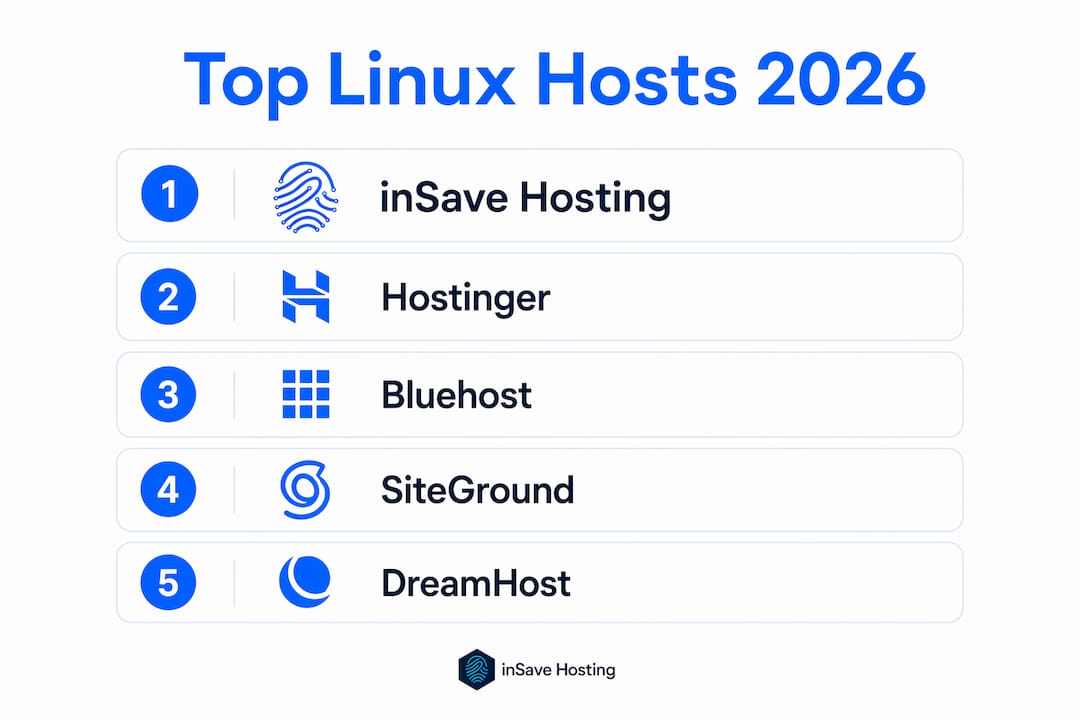
Here is a quick look at the top providers worth your attention this year:
| Provider | Best For | Performance | User-Friendliness | Starting Price |
|---|---|---|---|---|
| inSave Hosting | SMBs, WordPress, speed | LiteSpeed + CDN, 99.9% uptime | Clean, beginner-friendly | Affordable |
| Hostinger | Budget-conscious users | Strong overall | Easy | Low entry price |
| Bluehost | Beginners | Reliable | Very easy | Moderate |
| HostGator | Flexible plans | Solid | Moderate | Low |
| DreamHost | Developers, privacy | Consistent | Moderate | Moderate |
| SiteGround | Speed, support | Fast | Easy | Higher |
| GoDaddy | Domain bundling | Average | Easy | Varies |
Key advantages shared by the best Linux hosting providers:
- Free SSL certificates included with most plans
- cPanel or Plesk control panels for easy site management
- One-click installs for WordPress, Joomla, and other CMS platforms
- Support for PHP, MySQL, Perl, and other open-source technologies
- Scalable paths from shared hosting up to managed Linux VPS servers
Pro Tip: If you run a WordPress site or plan to, prioritize hosts that combine LiteSpeed web server technology with a built-in CDN. The speed difference over standard Apache setups is noticeable from day one.
Table of Contents
- Why Linux hosting gives you a real advantage
- Detailed review of the top Linux hosting providers in 2026
- How to choose Linux hosting that actually fits your needs
- Why inSave Hosting stands out for Linux hosting
- inSave Hosting: affordable Linux hosting built for your site
- FAQ
- Key takeaways
Why Linux hosting gives you a real advantage
Linux hosting works so well for websites because the operating system was built for exactly this kind of workload. It handles multiple simultaneous connections efficiently, stays stable under load, and rarely needs reboots for updates. That last point matters more than most people realize: a server that needs frequent restarts is a server that drops your uptime numbers.
The compatibility story is equally strong. Linux hosting is the natural home for PHP, MySQL, and Perl, which together power the vast majority of content management systems and web applications in use today. WordPress, Drupal, Magento, and countless custom apps all run on this stack without friction. When your hosting environment matches your software stack, you spend less time troubleshooting and more time building.
Security is another area where Linux earns its reputation. The permission model built into Linux makes it harder for a compromised file to affect the rest of the server. Quality Linux hosts layer on top of that with managed firewalls, regular automated backups, and free SSL certificates. Together, these features protect your site and your visitors without requiring you to become a security expert.
Cost is the final piece. Linux is open-source, so hosting providers do not pay licensing fees the way they would for Windows Server. That saving passes through to you in the form of lower plan prices, which is why cheap Linux hosting is genuinely cheap and not just a marketing claim. You get more features per dollar than you would on a comparable Windows plan.
Common features you should expect from any quality Linux host:
- cPanel or Plesk for server and file management
- One-click CMS installations via Softaculous or similar tools
- Email hosting with spam filtering
- SSH access on most mid-tier and higher plans
- Automated daily or weekly backups
- Free CDN integration on performance-focused plans
Detailed review of the top Linux hosting providers in 2026
Choosing the right provider comes down to matching their strengths to your specific situation. Here is how the leading options stack up.
inSave Hosting
inSave Hosting is built specifically for small and medium-sized businesses that want performance without paying enterprise prices. The platform runs on LiteSpeed web server technology combined with LSCache, MariaDB, HTTP/2, PHP8, and free CDN integration. That combination delivers noticeably faster page loads compared to hosts still running standard Apache setups. The 99.9% uptime guarantee is backed by real infrastructure, not just marketing language, and every plan includes a free SSL certificate and one year of free domain registration. Free site migration and staging tools make it practical for businesses moving from another host. For WordPress sites in particular, the managed security features and one-click installation remove a lot of the usual friction.
Hostinger
Hostinger targets users who want solid Linux web server hosting at the lowest possible entry price. Performance is strong for the price point, with good loading speeds and reliable uptime across its shared plans. The control panel is straightforward, and the onboarding process is designed for people who have never managed a hosting account before. It is a reasonable starting point if budget is your primary constraint, though support response times can vary depending on your plan tier.

Bluehost
Bluehost has built its reputation on being approachable. The control panel is genuinely easy to navigate, and the setup process for WordPress is about as frictionless as it gets. It is a natural fit for bloggers, small business owners, and anyone launching their first site who wants hand-holding without sacrificing reliability. Performance is consistent rather than exceptional, which suits most content-focused sites just fine.
HostGator
HostGator offers a wide range of plan types, from shared Linux shared hosting options all the way up to dedicated servers. That flexibility makes it useful for businesses that expect to grow and want to stay with one provider through multiple stages. The base plans are competitively priced, and the 45-day money-back guarantee gives you more time than most competitors to evaluate the service before committing.
DreamHost
DreamHost stands out for its developer-friendly environment and its commitment to privacy. It offers SSH access on all plans, supports custom PHP configurations, and gives you more control over your server environment than most shared hosts allow. The company also has a strong track record on uptime. If you are a developer who wants flexibility without jumping straight to a VPS, DreamHost hits a useful middle ground.
SiteGround
SiteGround competes primarily on speed and support quality. Its infrastructure uses Google Cloud, which gives it a performance edge in certain regions, and its customer support team is consistently rated among the best in the industry. The trade-off is price: SiteGround costs more than most shared Linux hosting options, and renewal rates jump significantly after the first term. It makes sense for businesses where site speed and support access are worth paying a premium for.

GoDaddy
GoDaddy's main strength is convenience, particularly if you are already using it for domain registration. Bundling your domain and hosting in one account simplifies billing and DNS management. Performance is average compared to the other providers on this list, and the upsell pressure during checkout is something to be aware of. For straightforward sites that do not need exceptional speed, it gets the job done.
| Provider | Uptime Claim | Key Tech | Support | Money-Back |
|---|---|---|---|---|
| inSave Hosting | 99.9% | LiteSpeed, LSCache, PHP8 | 24/7 | Yes |
| Hostinger | 99.9% | LiteSpeed | 24/7 chat | 30 days |
| Bluehost | 99.9% | Apache | 24/7 phone/chat | 30 days |
| HostGator | 99.9% | Apache | 24/7 | 45 days |
| DreamHost | — | Nginx/Apache | Chat, email | 97 days |
| SiteGround | 99.9% | Nginx + Google Cloud | 24/7 | 30 days |
| GoDaddy | 99.9% | Apache | 24/7 | 30 days |
Support quality varies more than uptime numbers suggest. Higher-tier providers offer 24/7 expert help across phone, chat, and email. Budget providers often limit phone support or route you through tiered ticket systems that add resolution time. If your site generates revenue, that gap matters.
How to choose Linux hosting that actually fits your needs
The biggest mistake people make when picking a host is optimizing for price alone. Price matters, but a cheap Linux server that goes down during a product launch or a traffic spike costs you far more than the few dollars you saved per month.
Start by matching the hosting type to your traffic and technical needs:
- Shared hosting works well for new sites, blogs, and small business pages with moderate traffic. Resources are shared across accounts, which keeps costs low but limits what you can do during traffic spikes.
- Linux VPS hosting gives you a dedicated slice of a server with guaranteed resources. It is the right move when your site outgrows shared hosting or when you need custom server configurations.
- Managed Linux server plans handle the server administration for you. Ideal for businesses that want the power of a VPS without hiring a sysadmin.
Key features to evaluate before signing up:
- Uptime guarantee: Look for 99.9% or better, backed by a service-level agreement, not just a marketing claim
- Scalability: Can you upgrade from shared to VPS without migrating your entire site?
- Security: Managed firewalls, automated backups, and free SSL should be standard, not add-ons
- Control panel: cPanel and Plesk are the most widely supported; avoid proprietary panels that lock you in
- Support hours and channels: 24/7 live chat is the minimum for any business-critical site
- One-click installs: Softaculous or a similar tool saves hours when setting up WordPress or other CMS platforms
Trial periods and money-back guarantees deserve more attention than they usually get. DreamHost offers 97 days on shared plans, HostGator gives you 45 days, and most other providers offer 30 days. Use that window to actually test the host: run speed checks, open a support ticket to see how fast they respond, and verify that your specific software stack runs without issues.
Pro Tip: Before you commit to any plan, test the host's support by asking a technical question through live chat before you sign up. How fast and how accurately they answer tells you more than any review site.
You can also check out this guide on web hosting scalability to understand when it makes sense to move from shared to VPS or cloud hosting.
Why inSave Hosting stands out for Linux hosting
inSave Hosting is not trying to be everything to everyone. It is built for small and medium-sized businesses that need fast, secure, and affordable Linux hosting without the complexity of managing a server themselves.
The technical foundation is genuinely strong. Running LiteSpeed and LSCache alongside MariaDB, HTTP/2, and PHP8 puts inSave Hosting ahead of hosts still relying on older Apache and MySQL combinations. LiteSpeed handles concurrent connections more efficiently than Apache, which translates to faster response times under load. The free CDN integration extends that speed advantage globally, not just for visitors near the server location.
What sets inSave Hosting apart from many budget providers:
- 99.9% uptime guarantee with real infrastructure backing it
- Free SSL certificate on every plan, including automatic renewal
- One year of free domain registration included
- Free site migration handled by the inSave Hosting team
- Staging environment for testing changes before pushing them live
- Managed security features that protect against common web threats
- Easy WordPress installation and management built into the control panel
The MariaDB database choice is worth noting specifically. MariaDB is faster than standard MySQL for most web workloads and is fully compatible with WordPress and other popular CMS platforms. It is a detail that separates performance-focused hosts from those that just check the minimum requirements box.
For developers, the PHP8 support and HTTP/2 protocol mean your applications run on current standards rather than legacy configurations. For small business owners, the managed security and free migration mean you can move your existing site over without technical headaches.
Pro Tip: If you are migrating from another host, take advantage of inSave Hosting's free migration service. Moving a site yourself risks database errors and downtime. Letting the team handle it keeps your site live throughout the transition.
inSave Hosting: affordable Linux hosting built for your site

Most of the providers on this list do one thing well. inSave Hosting does several things well at a price point that makes sense for small and medium-sized businesses. You get LiteSpeed speed, free SSL, a free domain for the first year, free migration, and a 99.9% uptime guarantee, all without paying the premium that larger, more established brands charge for comparable features.
If you have been running your site on a slow or unreliable host and want to move without the technical hassle, inSave Hosting's free migration service removes the biggest barrier, and the staging environment means you can verify everything works before your visitors see any changes. And because the platform is built around WordPress and open-source technologies, the setup process is straightforward whether you are launching a new site or moving an existing one.
Check out the available shared hosting plans and see which tier fits your traffic and budget. If you need more power down the road, cloud server options are available to scale without switching providers.
FAQ
What is Linux web hosting?
Linux web hosting runs your website on a server using the Linux operating system. It supports PHP, MySQL, and other open-source technologies that power most websites and CMS platforms like WordPress.
Is Linux hosting better than Windows hosting?
For most websites, yes. Linux hosting costs less, runs open-source software natively, and tends to be more stable. Windows hosting is only necessary when your site requires ASP.NET or Microsoft-specific technologies.
What is the difference between shared and Linux VPS hosting?
Shared hosting puts multiple websites on one server with shared resources, which keeps costs low. Linux VPS hosting gives you a dedicated portion of a server with guaranteed resources, better performance, and more control over your configuration.
Does inSave Hosting offer a money-back guarantee?
inSave Hosting offers a money-back guarantee on its plans. Check the specific terms on the shared hosting page for the current policy details before signing up.
What technologies does inSave Hosting use for Linux hosting?
inSave Hosting runs LiteSpeed web server, LSCache, MariaDB, HTTP/2, PHP8, and free CDN integration. These technologies deliver faster page loads and stronger security compared to standard Apache and MySQL setups.
Key takeaways
Linux web hosting is the most cost-effective and compatible foundation for PHP-based websites, and inSave Hosting delivers that foundation with LiteSpeed speed, free SSL, and a 99.9% uptime guarantee at a price that fits small business budgets.
| Point | Details |
|---|---|
| Linux hosting compatibility | Linux natively supports PHP, MySQL, and open-source CMS platforms like WordPress without extra configuration. |
| Security baseline | Quality Linux hosts include managed firewalls, automated backups, and free SSL certificates as standard features. |
| Hosting type matters | Match your plan to your traffic: shared for new sites, VPS for growth, managed Linux server for hands-off control. |
| Money-back guarantees | Most top providers offer 30–97 days to test the service before fully committing. |
| inSave Hosting advantage | inSave Hosting combines LiteSpeed, LSCache, PHP8, free SSL, and a 99.9% uptime guarantee at an SMB-friendly price. |