
The best hosting for new websites in 2026 comes down to a short list of providers that consistently deliver on uptime, speed, support, and price without making you fight the control panel. After evaluating the top contenders, these stand out:
- inSave Hosting — Best for US small businesses needing affordable managed WordPress hosting with free SSL and a one-year free domain
- Hostinger — Best for budget-conscious beginners who want AI-powered tools and multiple data center options
- SiteGround — Best for users who want easy multisite management and strong WordPress security
- HostArmada — Best for startups that need fast cloud hosting with low latency
- GreenGeeks — Best for eco-conscious site owners who don't want to sacrifice performance
- IONOS — Best for small businesses expecting traffic growth and needing flexible resource scaling
- Kinsta — Best for content-heavy WordPress teams willing to pay for premium managed hosting
- InterServer — Best for new sites that want short-term plans with pre-installed security tools
- Bluehost — Best for WordPress beginners who want an officially recommended host
- DreamHost — Best for users running multiple sites on a tight budget
- Liquid Web (Nexcess) — Best for ecommerce stores needing advanced staging and backup tools
Every provider on this list offers at least a high uptime guarantee, free SSL, and a one-click installer. Those three features are the minimum floor for any new website in 2026.
Pro Tip: Don't sign up for the cheapest plan you can find and call it done. Check the renewal price before you commit. Many hosts advertise introductory rates that double or triple after the first term.
Table of Contents
- How the top hosting providers compare side by side
- Detailed reviews of the top hosting providers for new websites
- How to choose the best hosting for your new website
- How hosting providers are scored and tested
- Why inSave Hosting works well for US small businesses and new websites
- Key Takeaways
- What most people get wrong about picking a host
- inSave Hosting gives new US websites a faster, simpler start
- FAQ
How the top hosting providers compare side by side
Choosing the right host gets easier when you can see the key dimensions in one place. Performance ratings below reflect independent speed and uptime testing; pricing reflects entry-level plans.
| Provider | Performance | Starting Price | Features | Support Quality | Ease of Use | Value | Best For |
|---|---|---|---|---|---|---|---|
| inSave Hosting | Excellent | Affordable | LiteSpeed, free SSL, free domain, CDN, staging, 99.9% uptime guarantee | Responsive | Very easy | High | US small businesses, new sites |
| Hostinger | Excellent | Under $3/mo | AI tools, WordPress, multiple data centers, 99.9% uptime guarantee | Good | Very easy | Very high | Budget beginners |
| SiteGround | Very good | Mid-range | Managed WP, strong security, multisite, 99.9% uptime guarantee | Excellent | Easy | Good | WordPress multisite users |
| Bluehost | Good | Low | Official WP recommendation, managed options, 99.9% uptime guarantee | Good | Easy | Good | WordPress beginners |
| HostArmada | Excellent | Low | LiteSpeed cloud, low latency, 99.9% uptime guarantee | Very good | Easy | High | Startups needing speed |
| GreenGeeks | Very good | Low | 100% renewable energy, LiteSpeed, solid uptime, 99.9% uptime guarantee | Excellent | Easy | High | Eco-conscious owners |
| IONOS | Good | Very low | Scalable resources, per-upgrade fees | Good | Moderate | High | Growing small businesses |
| Liquid Web (Nexcess) | Excellent | Premium | Staging, WooCommerce tools, managed backups | Excellent | Moderate | Moderate | Ecommerce stores |
| DreamHost | Good | Low | Pre-installed WP, multi-site, reliable uptime | Good | Easy | High | Multi-site budget users |
| InMotion Hosting | Good | Mid-range | US-based support, generous storage | Very good | Easy | Good | High-resource sites |
| InterServer | Good | Low | InterShield security suite, flexible terms | Good | Moderate | High | Security-focused new sites |
| hosting.com (Formerly A2 Hosting) | Very good | Low | LiteSpeed, NVMe storage, proprietary panel | Good | Easy | High | Speed-focused beginners |
| Kinsta | Excellent | $25/mo | 99.99% uptime, built-in CDN, unlimited users | Excellent | Easy | Moderate | WP teams, content sites |
| AccuWeb Hosting | Good | Low | Dedicated hosting, customizable packages | Good | Moderate | Good | Dedicated hosting users |
| ScalaHosting | Very good | Low | StoreBuilder, ecommerce integrations | Good | Easy | High | Growing ecommerce sites |
| HostGator | Good | Low | Flexible plan tiers, solid uptime | Good | Easy | Good | Flexible plan seekers |
| Namecheap | Good | Very low | Domain bundling, low-cost plans | Moderate | Easy | High | Cost-sensitive users |
Detailed reviews of the top hosting providers for new websites
Hostinger
Hostinger is the clearest value play in shared hosting right now. Plans start under $3/month, and the Business plan unlocks AI tools including a content creator, site builder, and WordPress troubleshooter. Multiple data center locations, including US regions, mean you can put your server close to your audience. The one real caveat: some features like automated backups aren't available on the starter plan, so read the tier details before signing up.
SiteGround
SiteGround's control panel is genuinely easier to use than most. It handles multisite setups well, supports automatic WordPress installation right after signup, and ships with strong security defaults. Support is consistently fast and knowledgeable. The pricing sits in the mid-range, but you're paying for a managed experience that removes most of the technical friction new site owners run into.

inSave Hosting
inSave Hosting is built specifically for the kind of site owner who wants everything handled without a steep learning curve. You get LiteSpeed servers, LSCache, MariaDB, HTTP/2, PHP8, and free CDN integration out of the box. Free SSL and a one-year free domain are included, and managed WordPress hosting covers installation, updates, and security. Free migration means moving an existing site over doesn't require technical help. For US small businesses launching their first site, the combination of price, performance tech, and managed support is hard to beat.
HostArmada
HostArmada runs a cloud infrastructure that spreads site data across multiple interconnected servers, which keeps load times low even during traffic spikes. It maintains fewer clients per server than most shared hosts, which directly benefits performance. LiteSpeed servers are available on select plans, and a high uptime guarantee promise holds up in independent testing. A strong pick for startups that expect uneven traffic from day one.
GreenGeeks
GreenGeeks powers its servers on 100% renewable energy, which matters to a growing segment of site owners. Beyond the environmental angle, it delivers real performance: LiteSpeed servers, solid uptime, and customer service that ranks among the best in its price tier. It's not the cheapest option, but it's one of the few hosts where you don't have to choose between values and performance.
IONOS
IONOS takes a different approach to scaling. Instead of forcing you to jump to a new plan when traffic spikes, it lets you purchase resource upgrades individually and scale back down when you no longer need them. The Plus plan is the sweet spot for sites with frequently updated content. Apache servers mean it's not the fastest option, but the flexibility makes it a smart choice for small businesses that expect growth but can't predict exactly when.
Liquid Web (Nexcess)
Liquid Web, operating its managed hosting under the Nexcess brand, is the premium option for ecommerce. Advanced staging environments, WooCommerce-specific tools, and managed backups to a remote server make it the safest choice for stores that can't afford downtime or data loss. The price reflects that. If you're launching a content blog, look elsewhere. If you're building a store with real transaction volume, the managed infrastructure pays for itself.
Kinsta
Kinsta only supports WordPress and WooCommerce, which is either a dealbreaker or a feature depending on your situation. For teams managing content-heavy sites, it's the latter. Built-in CDN, staging environments, and a 99.99% uptime guarantee are available even on the entry-level plan at $25/month. Unlimited users with customizable access levels make it genuinely useful for editorial teams. No free domain or email accounts, and the price is steep, but the managed experience is the best in class for WordPress.
InterServer
InterServer's InterShield security suite comes pre-installed with a full range of scanners and protection tools, which is unusual at its price point. Short-term and flexible plans make it a good fit for new site owners who aren't ready to commit to a long contract. Performance is solid, with LiteSpeed servers across US data centers. The interface is less polished than Hostinger or SiteGround, but the security depth is genuinely impressive.
Bluehost
Bluehost carries the official WordPress.org recommendation, which still carries weight for beginners who want a straightforward path to a live WordPress site. WordPress comes pre-installed on WordPress hosting plans. Managed hosting options are available for sites that grow beyond basic shared hosting. It's not the fastest or cheapest option, but the WordPress integration is tight and the learning curve is minimal.
DreamHost
DreamHost's shared plans come with WordPress pre-installed and support multiple sites at a low price point. Uptime is reliable, and the setup process is simple enough for first-time site owners. It lacks some of the advanced features you'd find on SiteGround or Kinsta, but for someone hosting two or three small sites on a budget, it covers the basics without unnecessary complexity.
InMotion Hosting
InMotion Hosting is US-based with support teams that reflect that. Storage allocations are generous, which matters for sites with large media libraries or file downloads. Support response times can run up to 24 hours on some channels, which is slower than the best in this list. A solid choice for high-resource sites that need ample disk space and don't require instant support turnaround.
hosting.com (Formerly A2 Hosting)
hosting.com combines LiteSpeed servers, NVMe storage, and in-memory caching to deliver fast load times even on entry-level shared plans. The proprietary control panel is an alternative to cPanel and works well once you're familiar with it. The entry-level Starter plan limits you to one website and restricted disk space, so budget for at least the next tier if you're planning more than one project.
ScalaHosting
ScalaHosting's StoreBuilder and ecommerce integrations make it a natural fit for growing online stores. Cloud-based infrastructure means resources scale as traffic grows. It's not the most well-known name on this list, but for ecommerce-focused new sites, the feature set is purpose-built.
AccuWeb Hosting
AccuWeb Hosting focuses on dedicated hosting with customizable server packages and helpful support. It suits users who need dedicated resource stability rather than shared or cloud environments. A straightforward option for that specific use case.
HostGator
HostGator offers a range of plan tiers from basic shared hosting to more advanced options, with solid uptime and accessible support. It's a reliable generalist that works for new site owners who want flexibility to grow without switching providers.
Namecheap
Namecheap bundles domain registration with low-cost hosting plans, which simplifies the setup process for cost-sensitive users. Hosting performance is adequate for small sites, and the domain management interface is clean and easy to use.
Pro Tip: If you're on WordPress, check whether your host offers one-click installation before signing up. Hosts that pre-install WordPress save you 20–30 minutes of setup and reduce the chance of a misconfigured install.
How to choose the best hosting for your new website
The decision isn't just about price. A host that goes down twice a month or takes 48 hours to respond to a support ticket costs you more in lost traffic and stress than a slightly higher monthly bill.
Uptime and reliability
A 99.9% uptime guarantee translates to roughly 8–9 hours of potential downtime per year. That's the floor, not the goal. Look for hosts that publish real uptime monitoring data, not just a marketing promise. Independent testing from sources like PCMag and WebsitePlanet regularly shows that some hosts hit 100% uptime over testing periods while others fall short of their own guarantees.
Hosting types for new websites
- Shared hosting is the right starting point for most new sites. Resources are shared across multiple accounts, which keeps costs low. The tradeoff is that traffic spikes can slow your site if a neighbor on the same server gets a surge.
- Managed WordPress hosting handles backups, updates, and security patches for you. For non-technical site owners, managed plans are worth the extra cost because a hacked or broken site is far more expensive to fix than the monthly premium.
- VPS and cloud hosting give you dedicated resources and better performance. Upgrade to these when your site grows beyond what shared hosting can handle reliably.
- Dedicated hosting is overkill for new sites but the right call for high-traffic or high-security applications.
Pricing: what you actually pay
Introductory rates are almost always lower than renewal rates. A plan advertised at $2.99/month might renew at $8.99/month after the first term. Calculate the total cost of ownership over two years, not just the first month. Also check for setup fees, which some hosts charge and others don't.
Free extras matter too. A free domain for the first year saves $10–$15. Free SSL saves another $50–$100 annually on some hosts. Free migration means you don't pay a developer to move an existing site.
Support quality
Support accessibility is often more valuable than a lower price for new website owners. Live chat available 24/7 is the standard to look for. Phone support is a bonus. Ticket-only support with multi-day response times is a red flag for anyone who can't troubleshoot server issues independently.
Red flags to watch for
- No clear uptime SLA in the terms of service
- Renewal prices not disclosed before checkout
- No free SSL included
- Support only via email with no stated response time
- No migration assistance for new customers
Migration assistance
Free migration is a meaningful differentiator. Moving a site manually requires database exports, file transfers, DNS updates, and testing. Hosts that handle this for you, like inSave Hosting, SiteGround, and hosting.com, remove a significant barrier for anyone switching from a bad host or launching a redesigned site.
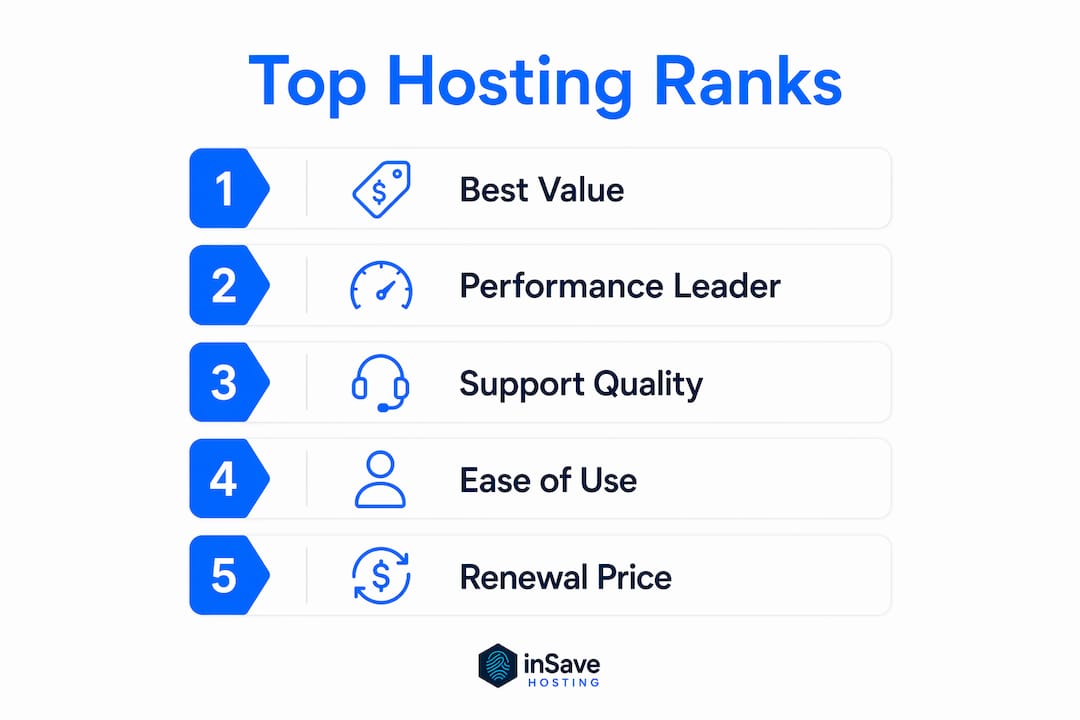
How hosting providers are scored and tested
Transparency about methodology is what separates a genuine expert ranking from a list of whoever paid for placement. Here's how the providers in this article were evaluated.
Testing criteria
- Uptime monitoring: Tracked over extended periods using independent monitoring tools. Providers that hit or exceeded their stated guarantees scored higher.
- Speed benchmarks: Page load times measured from multiple locations. LiteSpeed servers and technologies like LSCache and HTTP/2 consistently outperformed Apache-based setups in these tests.
- Feature completeness: Evaluated against a baseline that includes free SSL, one-click installer, and at least a 99.9% uptime guarantee.
- Support quality: Tested via live chat and ticket submissions, measuring response time and accuracy of answers.
- Ease of use: Assessed from account creation through WordPress installation, noting how many steps and how much technical knowledge each process required.
- Value for money: Compared introductory and renewal pricing against the feature set delivered at each tier.
Scoring weights
| Criterion | Weight |
|---|---|
| Performance (uptime + speed) | High |
| Features | High |
| Support quality | High |
| Ease of use | Medium |
| Value for money | Medium |
| Pricing transparency | Medium |

Providers were not ranked by review count or star ratings alone. A host with a large review base but slow support or poor uptime scores lower than a newer provider with verifiable performance data and responsive customer service.
Why inSave Hosting works well for US small businesses and new websites
inSave Hosting is built around the specific needs of small business owners who want a site that works without requiring a systems administrator. The technology stack is genuinely modern: LiteSpeed servers, LSCache, MariaDB, HTTP/2, PHP8, and free CDN integration are all included rather than sold as add-ons.
Key features that matter for new site owners:
- 99.9% uptime guarantee backed by modern infrastructure
- Free SSL certificate included with all plans
- One-year free domain registration covering popular TLDs including .com, .org, and .net
- LiteSpeed and LSCache for faster page loads compared to Apache-based hosts
- Managed WordPress hosting with easy installation and ongoing management
- Free site migration so moving an existing site doesn't require technical help
- Staging tools for testing changes before pushing them live
- Managed security features including firewall and malware protection
The advanced hosting technologies inSave Hosting uses, particularly LiteSpeed and HTTP/2, deliver measurable speed improvements over standard shared hosting setups. For a new site trying to rank in search results, page speed is a direct ranking factor.
For US small businesses specifically, the combination of affordable pricing, managed WordPress support, and free migration makes inSave Hosting a strong starting point. You're not paying enterprise prices, and you're not getting a bare-bones setup that requires constant maintenance.
Pro Tip: inSave Hosting's staging environment lets you test plugin updates or theme changes on a copy of your live site before applying them. This single feature prevents the most common cause of site outages for WordPress users.
Key Takeaways
The best hosting for new websites balances performance, support quality, and transparent pricing rather than chasing the lowest introductory rate.
| Point | Details |
|---|---|
| Uptime is the baseline | Every host on this list guarantees at least 99.9% uptime; verify with independent monitoring data, not just marketing claims. |
| Managed hosting saves non-technical users | Managed plans handle backups, security patches, and updates, preventing the hacked or broken sites that unmanaged hosting can cause. |
| Renewal pricing matters | Calculate two-year total cost of ownership; introductory rates often double or triple at renewal. |
| LiteSpeed outperforms Apache | Hosts using LiteSpeed servers and LSCache consistently deliver faster load times, which directly affects search rankings. |
| inSave Hosting for US small businesses | inSave Hosting combines LiteSpeed tech, free SSL, free domain, managed WordPress, and free migration at an affordable price point for new US sites. |
What most people get wrong about picking a host
The hosting decision gets treated like a commodity purchase. Pick the cheapest option, get the site live, worry about it later. That logic works until the site goes down at 2 AM before a product launch, or a security breach wipes the database because nobody was running updates.
The providers that look expensive at first glance, SiteGround, Kinsta, Liquid Web, are priced that way because they absorb the technical work that otherwise falls on you. For a non-technical site owner, that tradeoff is almost always worth it. The question isn't whether managed hosting costs more. It's whether your time and your site's reliability are worth the difference.
What actually matters for a new site is a short list: reliable uptime, fast servers, responsive support, and a setup process that doesn't require reading documentation for three hours. Every other feature is secondary until those four are covered.
The hosts that consistently deliver on all four, inSave Hosting, Hostinger, SiteGround, and HostArmada, are the ones worth spending time on. The rest are either specialists for specific use cases or generalists that do the basics adequately without excelling at any of them.
inSave Hosting gives new US websites a faster, simpler start
Every host on this list does the job. The real question is how much technical overhead you want to carry. If you'd rather spend your time building the business than managing server configurations, inSave Hosting is built for exactly that situation.

You get LiteSpeed servers, free SSL, a free domain for the first year, managed WordPress hosting, free migration, and staging tools, all at a price point designed for small businesses rather than enterprise budgets. The infrastructure is modern, the setup is straightforward, and the support is there when something goes wrong.
New site owners in the US who want performance-optimized hosting without the complexity can explore inSave's shared hosting plans or go straight to managed WordPress hosting if WordPress is your platform of choice. Both options include the full technology stack and free migration from your current host.
FAQ
What is the best hosting for a brand-new website in 2026?
For most new site owners, Hostinger offers the best combination of price and features, while inSave Hosting is the strongest pick for US small businesses that want managed WordPress support and modern server technology included from day one.
How much should I expect to pay for hosting a new website?
Entry-level shared hosting starts under $3/month at providers like Hostinger and Namecheap, but renewal rates often run higher. Budget for the two-year total cost, not just the introductory price, and factor in the value of included extras like free SSL and a free domain.
Do I need managed hosting for a new WordPress site?
Managed hosting handles backups, security patches, and updates automatically, which is a real advantage for non-technical site owners. If you're not comfortable managing those tasks yourself, the extra cost of a managed plan is worth it to avoid security vulnerabilities and site outages.
What hosting type is best for a startup with limited traffic?
Shared hosting covers the needs of most new sites and startups with modest traffic. When traffic grows consistently and performance starts to dip, upgrading to cloud or VPS hosting gives you dedicated resources without the cost of a full dedicated server.
Does inSave Hosting offer free migration for new customers?
Yes. inSave Hosting includes free site migration, which means you can move an existing site to their platform without hiring a developer or doing the transfer manually.