
TL;DR:
- A free CDN provides a cost-effective way to speed up websites by caching static content on global edge servers and reducing load times. However, its limitations include lack of SLAs, limited cache controls, and potential throttling during traffic spikes, making it suitable mainly for small, static, or low-traffic sites. Upgrading to a paid CDN is advisable when bandwidth limits are exceeded, dynamic cache control is needed, or reliability guarantees become essential for revenue-generating or high-traffic websites.
A free CDN, or Content Delivery Network, is a no-cost distributed caching service that delivers your website's static content from servers located close to your visitors, cutting load times and reducing the bandwidth demand on your origin server. Providers like Cloudflare and jsDelivr offer free tiers that include one-click HTTPS, global edge server networks, and basic asset caching. CDNs reduce load times by 40–80% and cut origin bandwidth costs by 60–80%, which means even a small blog can deliver a noticeably faster experience without spending a dollar. Understanding what a free CDN is and what it cannot do is the first decision every website owner and developer should make before launch.
What is free CDN and how does it speed up your website?
A CDN works by storing copies of your website's static files, such as images, CSS, JavaScript, and fonts, on a network of edge servers distributed across multiple geographic locations. When a visitor loads your site, the CDN routes their request to the nearest edge server rather than your origin server, which may be located thousands of miles away. This proximity is the core reason CDNs reduce latency so dramatically.

The process is called edge caching, and it works automatically once you point your domain's DNS to the CDN provider. The CDN intercepts requests, checks whether a cached version of the file exists, and serves it directly if the cache is still valid. Your origin server only receives requests for content that is not yet cached or has expired, which is typically a small fraction of total traffic.
Free CDN services also handle HTTPS termination at the edge, meaning SSL encryption is applied between the visitor and the CDN node. This removes the SSL processing load from your origin server entirely. Cloudflare's free plan, for example, activates this with a single DNS change and no certificate purchase required.
- Edge caching: Static files are stored at Points of Presence (PoPs) worldwide, reducing round-trip time for every visitor.
- Origin offloading: The origin server handles far fewer requests, lowering bandwidth consumption and CPU load.
- Automatic HTTPS: Free CDNs provision and renew SSL certificates at the edge, securing connections without manual configuration.
- Cache expiration policies: Basic time-to-live (TTL) settings control how long files stay cached before the CDN fetches a fresh copy.
Pro Tip: Set your cache TTL for static assets like logos and fonts to at least 30 days. These files rarely change, and a longer TTL means fewer origin requests and a faster experience for repeat visitors.
What are the typical features and limitations of free CDN plans?
Free CDN plans share a consistent feature set across most providers, but they also share the same structural constraints. Knowing both sides prevents unpleasant surprises when your site starts growing.
What free CDN plans typically include
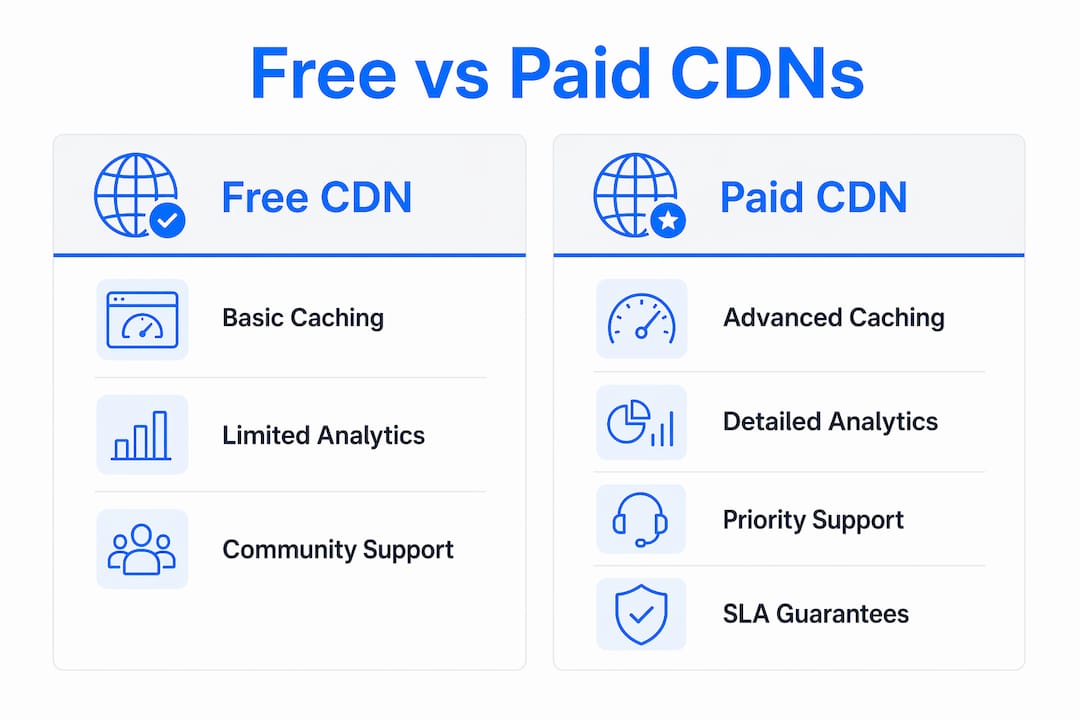
Typical free CDN features include basic static caching, one-click HTTPS, a global network of PoPs, simple traffic analytics, and community forum support. These features cover the needs of personal sites, small blogs, and early-stage projects without any configuration expertise required. For a developer testing a new project or a small business owner publishing their first site, this is a genuinely useful starting point.
The analytics provided at the free tier typically show total requests, bandwidth served, and cache hit ratios. That data is enough to confirm the CDN is working, but not enough to diagnose performance bottlenecks or run A/B tests on cache strategies.
Where free CDN plans fall short
Free CDNs lack formal SLAs and provide community forum support only, which means no guaranteed uptime and no direct recourse during an outage. For a personal portfolio, that is an acceptable trade-off. For a site generating revenue, it is a real operational risk.
| Feature | Free CDN | Paid CDN |
|---|---|---|
| HTTPS / SSL | Included | Included |
| Global PoPs | Basic coverage | Extensive coverage |
| Cache rules | Limited, preset TTLs | Custom rules per path or file type |
| Analytics | Basic (requests, bandwidth) | Detailed (real-time, logs, alerts) |
| Support | Community forums | Priority, SLA-backed support |
| SLA / uptime guarantee | None | Formal SLA with credits |
| Bandwidth caps | Yes, with throttling risk | Predictable, metered billing |
Free CDN providers design their tiers as entry points into a paid sales funnel. Advanced features like custom cache routing, detailed log access, image optimization, and bot management are consistently gated behind paid plans. This is not a flaw in the product. It is the business model, and understanding it helps you plan your upgrade path before you need it urgently.
How do free CDNs compare with paid CDN services?
The difference between free and paid CDN services is not just about features. It is about operational guarantees and the cost of failure at scale.
Paid CDNs offer explicit SLAs, advanced cache controls, detailed analytics, priority support, and predictable billing. For a growing e-commerce site or a media platform, these are not optional extras. They are the foundation of a reliable user experience. A paid plan from providers like Fastly, AWS CloudFront, or Bunny.net gives you configurable cache rules per URL pattern, real-time log streaming, and a support team you can call when something breaks at 2 a.m.
The performance gap between free and paid tiers is real but often overstated for small sites. A personal blog with 5,000 monthly visitors will see nearly identical load times on Cloudflare's free plan versus a paid plan. The gap widens when you need granular control, such as serving different cached versions of a page based on user location or device type.
| Consideration | Free CDN | Paid CDN |
|---|---|---|
| Best for | Blogs, portfolios, early projects | E-commerce, SaaS, media, high traffic |
| Cost | $0 | Metered or flat monthly fee |
| Traffic spikes | Risk of throttling | Handled with billing adjustment |
| Configuration depth | Minimal | Full control |
| Reliability guarantee | None | SLA with uptime credits |
Sudden traffic spikes can throttle performance or trigger unexpected overage fees on free CDN plans, making scalability unpredictable. A post going viral, a product launch, or a mention on a high-traffic site can push your free tier past its limits within minutes. The result is either a degraded experience for your visitors or an unexpected bill if the provider auto-upgrades your account.
Pro Tip: Before your site goes live with any promotional push, check your CDN provider's bandwidth cap and throttling policy. Knowing the ceiling in advance lets you upgrade proactively rather than reactively.
CDNs also affect your technical SEO foundation through speed, uptime, and crawl accessibility improvements. Google's Core Web Vitals scores improve when pages load faster, and a CDN directly reduces Time to First Byte (TTFB) and Largest Contentful Paint (LCP). The CDN does not directly boost your ranking, but it removes a technical barrier that holds many sites back. You can read more about this connection in the guide on hosting and SEO rankings.
When should you use a free CDN versus upgrading to paid?
The decision to stay on a free CDN or upgrade is straightforward once you know which signals to watch. Most site owners stay on free tiers longer than they should because the degradation is gradual rather than sudden.
Use a free CDN when:
- Your site is in early development. A free CDN is the right choice for any project that has not yet reached consistent traffic. The benefits of CDN integration are real even at this stage, and the cost of zero is appropriate for unproven projects.
- Your audience is geographically concentrated. If 90% of your visitors come from one country and your server is already located there, the latency reduction from a global CDN is modest. A free tier covers this case well.
- Your content is mostly static. Blogs, portfolios, and documentation sites with few dynamic elements are ideal candidates for free CDN services. The cache hit rate stays high, and the free tier's limitations rarely surface.
- Downtime is not revenue-critical. A CDN serves cached content during origin outages, which adds resilience. But if your free CDN itself goes down without an SLA, you have no recourse. For personal projects, that risk is acceptable.
Upgrade to a paid CDN when:
- You are approaching bandwidth limits consistently. If your monthly usage regularly reaches 80% or more of your free tier cap, the next traffic spike will push you over. Upgrade before that happens.
- Your site generates direct revenue. Any site where downtime translates to lost sales needs a formal SLA. A free CDN cannot provide that guarantee.
- You need custom cache rules. Dynamic sites, personalized content, or API-heavy applications require cache logic that free tiers do not support. Serving stale personalized content to users is worse than serving no cached content at all.
- You operate across multiple regions with different compliance requirements. Paid CDNs let you control where data is cached and processed, which matters for GDPR compliance in Europe or data residency rules in other markets.
The benefits of free CDN integration are real and accessible from day one. The key is treating the free tier as a starting point with a clear upgrade trigger, not a permanent solution. You can explore the full picture of CDN's role in hosting to understand how it fits into your broader infrastructure decisions.
Key takeaways
A free CDN delivers real performance gains for small sites, but its lack of SLAs, limited cache controls, and bandwidth caps make it unsuitable for revenue-generating or high-traffic websites without a clear upgrade plan.
| Point | Details |
|---|---|
| Free CDN definition | A no-cost distributed caching service that serves static content from edge servers near your visitors. |
| Performance impact | CDNs reduce load times by 40–80% and cut origin bandwidth costs by 60–80%. |
| Key limitation | Free tiers have no formal SLA, no priority support, and risk throttling during traffic spikes. |
| Best use cases | Personal blogs, portfolios, early-stage projects, and sites with mostly static content. |
| Upgrade trigger | Upgrade when bandwidth limits are consistently near capacity or when the site generates direct revenue. |
Why I stopped treating free CDNs as "good enough" by default
I have set up dozens of sites on free CDN tiers, and the honest truth is that they work remarkably well until they do not. The failure mode is almost always the same: a site grows faster than expected, the owner does not notice the bandwidth creeping toward the cap, and then a single traffic event causes throttling right when visibility is highest. That is the worst possible moment to discover a limitation.
What I have learned is that the real value of a free CDN is not just the performance gain. It is the habit it builds. When you integrate a CDN from day one, even on a free plan, you start thinking about cache invalidation, HTTPS configuration, and origin server load as normal parts of site management rather than advanced topics. That mindset shift is worth more than the bandwidth savings.
The mistake I see most often is treating CDN as an optional performance tweak rather than core infrastructure. Developers who view CDNs as essential infrastructure rather than optional add-ons build sites that handle growth without emergency interventions. Start free, monitor closely, and set a specific traffic threshold at which you will upgrade. That threshold should be defined before you launch, not after you hit a problem.
The other thing worth saying plainly: free CDN providers are businesses. Their free tiers are designed to show you the value of the product so you will pay for more of it. That is not a criticism. It means the free tier is genuinely good, because a bad free product does not convert users to paid customers. Use that to your advantage.
— Ihor
How inSave Hosting makes free CDN integration simple
inSave Hosting includes free CDN integration across its hosting plans, so you get edge caching and faster global delivery without configuring a separate service or managing DNS changes manually. For small business owners and developers launching new projects, this means the benefits of CDN for websites are available from the moment your site goes live.

As your site grows, inSave Hosting's plans scale with you. The platform runs on LiteSpeed, LSCache, and HTTP/2, which work alongside CDN caching to deliver consistently fast load times. When you are ready to move beyond a starter setup, shared hosting plans include the performance stack and support you need to grow without rebuilding your infrastructure. Developers running WordPress sites can also explore WordPress hosting with CDN benefits built in from the start.
FAQ
What is a CDN in simple terms?
A CDN is a network of servers distributed across multiple locations that stores and delivers copies of your website's static files to visitors from the nearest server. This reduces the distance data travels, which lowers load times.
Are free CDN services reliable enough for a real website?
Free CDN services like Cloudflare's free tier are reliable for personal sites and small projects, but they carry no formal SLA and offer only community support. For revenue-generating sites, a paid plan with guaranteed uptime is the safer choice.
What is free CDN integration with a hosting provider?
Free CDN integration means your hosting provider automatically connects your site to a CDN network without requiring separate account setup or DNS management. inSave Hosting includes this as part of its hosting plans, activating edge caching and HTTPS delivery from the start.
How do I know when to upgrade from a free CDN to a paid plan?
Upgrade when your monthly bandwidth usage consistently approaches your free tier cap, when your site generates direct revenue, or when you need custom cache rules for dynamic or personalized content. Waiting until you exceed the limit means upgrading under pressure.
Does using a CDN help with SEO?
A CDN improves technical SEO by reducing page load times, improving uptime, and making your site more accessible to search engine crawlers. It does not directly boost rankings, but faster load times improve Core Web Vitals scores, which are a ranking factor.