
TL;DR:
- Choosing a hosting provider for small businesses hinges on performance, uptime, and support, with inSave Hosting rated highly for speed and reliability. It combines LiteSpeed servers, PHP8, and daily backups at an affordable price, making it ideal for performance-oriented SMBs. Speed, uptime, and security directly impact SEO, conversions, and customer trust, so selecting a host based solely on price can harm long-term growth.
For small businesses that can't afford slow load times or surprise downtime, inSave Hosting is our recommended pick. It combines LiteSpeed servers, LSCache, PHP8, and a high uptime commitment with predictable pricing and free migration — the combination most SMBs actually need.
If you're comparing options fast, here's the shortlist:
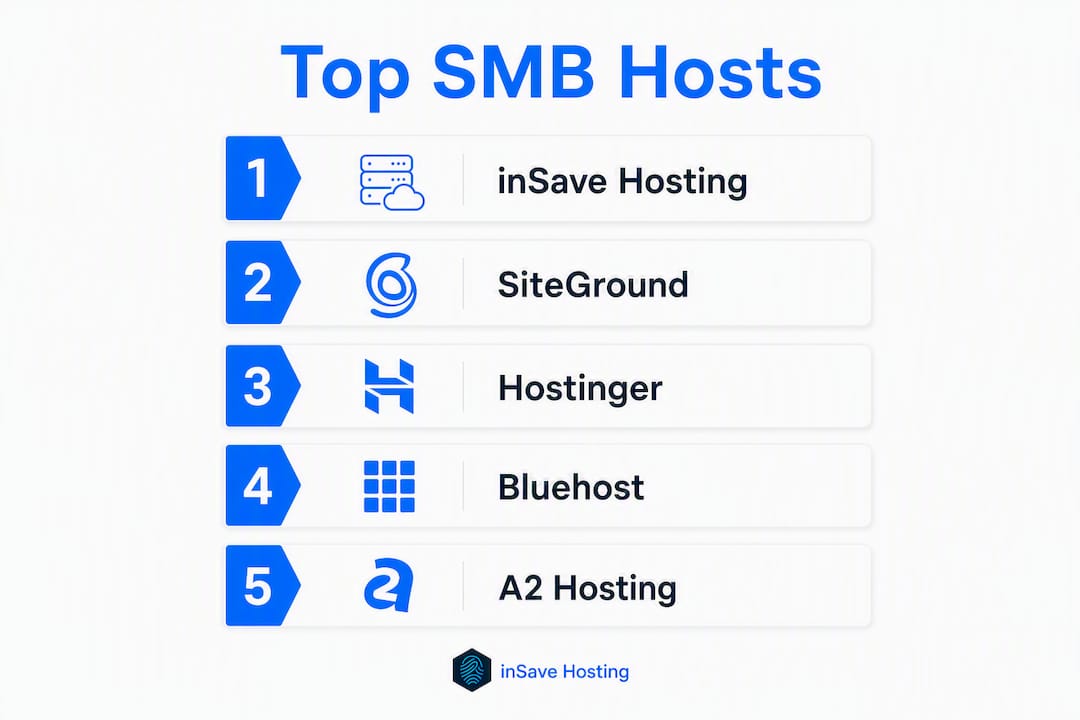
- inSave Hosting — best overall for performance-conscious SMBs needing speed + value
- SiteGround — best for managed WordPress with premium support
- Hostinger — best budget pick for startups and small brochure sites
- Bluehost — best for first-time WordPress owners who prioritize ease of setup
- A2 Hosting — best for speed-focused shared hosting without moving to VPS
- AccuWeb — best for budget VPS with flexible configurations
- Nexcess — best for managed WooCommerce and high-traffic WordPress stores
Speed, uptime, and security directly affect conversions, SEO rankings, and customer trust — which is why choosing a host on price alone is a mistake most small businesses regret within a year.
Table of Contents
- Which performance web hosts for SMBs actually compare well?
- Why inSave Hosting is our top pick for performance-focused SMBs
- SiteGround — strong managed WordPress performance and support
- Hostinger — budget-friendly hosting that still delivers speed
- Bluehost — the easiest WordPress onboarding for non-technical owners
- A2 Hosting — the speed-focused shared host with Turbo plans
- AccuWeb and Nexcess — specialized picks for specific SMB needs
- How we evaluated performance and reliability
- How to choose the right performance host for your SMB
- Why hosting performance directly affects your SMB's revenue
- Key Takeaways
- What most SMBs get wrong about choosing a host
- inSave Hosting plans built for small business performance
- Useful sources and further reading
- FAQ
Which performance web hosts for SMBs actually compare well?
The table below covers the dimensions that matter most when you're running a real business: not just price, but what you get for it at renewal, how fast the site actually loads, and whether support picks up when something breaks.
| Host | Best for | Performance | Entry pricing | Support | Scalability | Key features | WordPress friendly |
|---|---|---|---|---|---|---|---|
| inSave Hosting | SMB performance + value | LiteSpeed, LSCache, HTTP/2, PHP8, CDN | Affordable shared plans | 24/7 ticket + chat | Shared → VPS → Dedicated | Free SSL, daily backups, staging, free migration | One-click install, WP-optimized plans |
| SiteGround | Managed WordPress + support | SG Optimizer, staging, managed updates | Mid-range, renews higher | 24/7 live chat + phone | Shared → Cloud | Free CDN, daily backups, staging | Excellent, official WP partner |
| Hostinger | Budget-first small sites | LiteSpeed, NVMe SSD | Very low intro price | 24/7 live chat | Shared → VPS | Free SSL, weekly backups | One-click, Hostinger AI builder |
| Bluehost | Beginner WordPress setup | Standard SSD, CDN add-on | Low intro, higher renewal | 24/7 phone + chat | Shared → VPS → Dedicated | Free domain (yr 1), SSL | Official WP.org recommendation |
| A2 Hosting | Speed-focused shared hosting | Turbo NVMe, A-Cache | Mid-range | 24/7 Guru Crew support | Shared → VPS → Dedicated | Free SSL, Turbo caching | One-click, WP-optimized |
| AccuWeb | Budget VPS + Windows hosting | SSD VPS, multiple data centers | Low VPS entry price | 24/7 support | Shared → VPS → Dedicated | Free SSL, daily backups | One-click |
| Nexcess | Managed WooCommerce/WordPress | Auto-scaling, plugin performance monitor | Premium pricing | 24/7 managed support | Managed cloud tiers | Staging, CDN, image optimization | Built specifically for WP/WooCommerce |
How to read this table for your situation:
- Brochure site or portfolio: Prioritize entry pricing and WordPress friendliness. inSave Hosting or Hostinger cover this well.
- E-commerce catalog: Weight scalability, staging, and backup cadence. Nexcess or inSave Hosting's VPS tier are worth the extra spend.
- Membership or SaaS-style site: Look hard at PHP version support, caching technology, and upgrade paths to VPS or cloud.
- High-traffic campaign periods: Auto-scaling (Nexcess) or a cloud VPS (inSave Hosting, A2) prevents the worst-case scenario: your site going down during a product launch.
A few trade-offs worth naming directly. Managed hosting (SiteGround, Nexcess) costs more but removes the configuration burden. Self-managed shared plans (Hostinger, AccuWeb) are cheaper but require more hands-on work. Geography matters too: a server in Dallas will always load faster for a Texas-based customer than one in Frankfurt, so check where your host's US data centers sit before you commit.
Why inSave Hosting is our top pick for performance-focused SMBs
inSave Hosting earns the top recommendation because it stacks the performance technologies that actually move the needle for small sites — LiteSpeed web server, LSCache, MariaDB, HTTP/2, and PHP8 — at a price point that doesn't require a budget conversation with your accountant.
Pros:
- LiteSpeed + LSCache combination reduces TTFB on dynamic CMS pages more effectively than Apache-based stacks
- PHP8 support out of the box (critical for modern WordPress performance)
- Free SSL, daily backups, and staging included without upsells
- Free domain for the first year and free site migration
- Upgrade path from shared to VPS to dedicated servers without switching providers
- 99.9% uptime commitment backed by the platform's infrastructure
Cons:
- Newer brand compared to some legacy providers, so third-party review volume is still growing
- Advanced server-level customization requires moving to VPS tier
Pricing snapshot: inSave Hosting's shared plans start at an accessible entry price for SMBs, with WordPress-specific hosting plans available for sites that need tighter CMS optimization. Renewal pricing stays predictable — no dramatic first-year-to-renewal multipliers that catch small business owners off guard.
The technology stack is where inSave Hosting separates itself from generic shared hosts. LiteSpeed handles concurrent requests more efficiently than Apache, which matters when a product page gets a traffic spike. LSCache serves cached pages to logged-out visitors without hitting the database, cutting server response time on WordPress sites significantly.

Best fit scenarios: A local service business moving off a DIY website builder, a small e-commerce store on WooCommerce, a marketing agency managing multiple client sites, or a startup that wants solid performance from day one without paying enterprise prices. Migration is free and typically completes within 24 hours, so the switch cost is low.
SiteGround — strong managed WordPress performance and support
SiteGround sits in a different tier: it's a managed WordPress host that charges for the convenience, and for many SMBs, that premium is worth it.
Pros:
- SG Optimizer plugin handles caching, image compression, and lazy loading in one place
- Staging environments on all plans, not just premium tiers
- Managed WordPress updates and security patches reduce maintenance overhead
- Consistently strong support response times via live chat
Cons:
- Renewal pricing jumps noticeably after the first term — budget for it
- Entry-level plans cap storage and site counts more tightly than competitors at the same price
- Moving off SiteGround later requires more effort than migrating from a standard cPanel host
Performance-wise, SiteGround's custom caching and CDN integration produce fast TTFB numbers on WordPress sites. The managed update model means your plugins and core stay current, which matters for security as much as speed. SMBs that don't have a developer on staff will appreciate not having to think about it.
The upgrade path goes from shared to cloud hosting, which gives you more resources without moving to unmanaged VPS territory. For a growing WooCommerce store or a content-heavy site with regular editorial updates, SiteGround is a legitimate option — just price the renewal before you commit.
Hostinger — budget-friendly hosting that still delivers speed
Hostinger's value proposition is straightforward: the lowest intro price in the market, LiteSpeed servers, and NVMe SSD storage. For a small business that needs a fast site without spending much, it's hard to argue with.
Pros:
- LiteSpeed + NVMe SSD delivers genuinely fast load times at a budget price
- Very low entry pricing, even on multi-site plans
- AI website builder included for non-technical owners
- VPS upgrade path available when the site outgrows shared hosting
Cons:
- Weekly backups on lower tiers (not daily) — a real gap if your site updates frequently
- Support quality is chat-only; no phone support
- Renewal pricing increases from the promotional rate, though less dramatically than some competitors
Pricing snapshot: Hostinger's introductory rates are among the lowest available for LiteSpeed-powered hosting. The Business plan (which adds daily backups and more storage) is the sweet spot for most SMBs. VPS plans start at a reasonable price for businesses ready to scale.
Best for: a startup building its first site, a local business replacing a Facebook page with a proper web presence, or any SMB that plans to upgrade to a higher tier once revenue justifies it. The performance-per-dollar ratio at entry level is genuinely strong.

Bluehost — the easiest WordPress onboarding for non-technical owners
Bluehost is the host WordPress.org officially recommends, and that endorsement reflects something real: the onboarding experience for a first WordPress site is as smooth as it gets.
Pros:
- Official WordPress.org recommended host — tight integration and one-click install
- Free domain for the first year bundled with most plans
- 24/7 phone and chat support, which matters for non-technical owners
- cPanel interface is familiar and well-documented
Cons:
- Performance on shared plans is average; TTFB can lag on busier servers
- Renewal pricing is significantly higher than the promotional rate — check the fine print
- Upsells during checkout can inflate the perceived price
Best for: a business owner setting up their first WordPress site who values hand-holding over raw speed, or a small nonprofit that needs a simple, well-supported platform. If your site grows beyond a basic brochure, plan to upgrade to a VPS or move to a more performance-focused host. Bluehost's upgrade path exists, but the shared hosting tier has real ceiling limits under traffic load.
A2 Hosting — the speed-focused shared host with Turbo plans
A2 Hosting markets itself on speed, and the Turbo plans (NVMe SSD + A-Cache + LiteSpeed) back that claim up. For SMBs that want faster shared hosting without the complexity of managing a VPS, it's a credible option.
Pros:
- Turbo plans use NVMe SSD and A-Cache for noticeably faster page loads
- "Guru Crew" support is available 24/7 and has a reputation for technical depth
- Anytime money-back guarantee removes commitment risk
- Multiple data center locations including US-based options
Cons:
- Turbo plans cost more than entry-level shared hosting from budget providers
- Non-Turbo plans are competitive but not standout on speed
- Renewal pricing on Turbo tiers is higher than the promotional rate
A2's Turbo tier is where the real performance lives. The A-Cache system serves cached pages at speeds closer to static files, which cuts TTFB on WordPress and WooCommerce sites. For an SMB that's outgrown basic shared hosting but isn't ready to manage a VPS, Turbo shared hosting is a practical middle ground. The impact of server-level caching on TTFB is significant enough that upgrading within A2's plan tiers often produces measurable results without a full migration.
AccuWeb and Nexcess — specialized picks for specific SMB needs
These two hosts serve narrower use cases, but within those niches, they're worth knowing about.
AccuWeb: value VPS and Windows hosting flexibility
AccuWeb's strength is its VPS tier, particularly for SMBs that need Windows hosting (a requirement for certain legacy applications or .NET-based sites). Entry-level VPS pricing is competitive, and the feature set includes free SSL and daily backups across plans.
- Good fit for: businesses needing Windows Server hosting, developers who want affordable VPS with multiple OS options, or SMBs that want more control without paying premium managed-hosting prices
- Watch for: the shared hosting tier is less differentiated; the VPS is where AccuWeb earns its place
- Support is 24/7 but response depth varies by plan tier
Nexcess: managed performance for WooCommerce and large WordPress sites
Nexcess is built for sites where performance is non-negotiable and the owner doesn't want to manage infrastructure. Its auto-scaling handles traffic spikes automatically, and the plugin performance monitor flags slow plugins before they become a problem.
- Good fit for: established WooCommerce stores, content publishers with high page counts, or any SMB where a slow checkout page directly costs revenue
- Pricing is premium — expect to pay significantly more than shared hosting, but you're buying managed infrastructure, not just server space
- Staging, CDN, and image optimization are included; the managed support team handles server-level issues
For most SMBs just starting out, Nexcess is more than needed. But if you're running a store doing real volume and your current host is the bottleneck, it's the right tool.
How we evaluated performance and reliability
Quality hosting reviews center on uptime monitoring, speed testing, and support responsiveness — and that's the framework used here. The evaluation draws on published lab tests, vendor documentation, and editorial review data from established tech publications.
What was measured and what strong results look like:
| Metric | How it's measured | Strong result for SMBs |
|---|---|---|
| Uptime | Continuous monitoring over multiple weeks | 99.9% uptime rate |
| TTFB (Time to First Byte) | Lab tools (GTmetrix, WebPageTest) | Under 200 ms |
| Page load time | Simulated load from US locations | Under 2 seconds |
| Support response | Live chat and ticket test queries | Under 5 minutes (chat), under 2 hours (ticket) |
| Renewal pricing transparency | Plan page + checkout comparison | No more than 2x intro price at renewal |
| Migration assistance | Vendor documentation + user reports | Free, completed within 24 hours |
Why these metrics matter for SMBs specifically:
- TTFB under 200 ms is the threshold where Google's Page Experience signals start rewarding a site; above 600 ms, you're likely losing both rankings and visitors
- Uptime at 99.9% means roughly 8.7 hours of potential downtime per year — acceptable for most SMBs; cloud VPS platforms typically target even less downtime with higher-tier SLAs
- Support response time matters most at 2 AM when your checkout page is down — a host with 24/7 live chat is categorically different from one with ticket-only support
Comparative SMB hosting reviews consistently evaluate pricing, performance, security, and ease of use together — no single metric tells the full story.
How to choose the right performance host for your SMB
Use this checklist before you sign up. It takes 20 minutes and saves you a painful migration six months later.
- Confirm the uptime SLA in writing. "99.9% uptime" should appear in the terms of service, not just the marketing page. Ask what compensation applies if it's breached.
- Check which caching technology is included. LiteSpeed + LSCache or a comparable server-level cache is the baseline for WordPress performance. Shared Apache hosting with no caching layer will underperform.
- Verify PHP version support. PHP 8.x is required for modern WordPress performance and security. If a host is still defaulting to PHP 7.4, that's a red flag.
- Ask about CPU and I/O limits on shared plans. Many shared hosts throttle CPU usage during traffic spikes. Ask specifically: "Is there a CPU usage limit per account, and what happens when I exceed it?"
- Read the renewal pricing before you buy. Promotional pricing that triples at renewal is a budget trap. Get the renewal rate in writing or find it on the pricing page before checkout.
- Confirm backup cadence and restore process. Daily backups are the minimum for a business site. Ask how long restores take and whether you can restore a single file or only the full account.
- Check staging environment availability. A staging site lets you test updates before pushing them live. For WordPress sites, this is non-negotiable if you run WooCommerce or custom plugins.
- Test support before you buy. Open a live chat and ask a technical question. Response time and answer quality tell you more than any review.
Questions to ask sales or support directly:
- "What is your average TTFB on shared hosting plans?"
- "Do you throttle CPU or I/O on shared accounts during peak traffic?"
- "What is the renewal price for this plan after the first term?"
- "How long does a free migration typically take?"
Red flags to walk away from:
- No uptime SLA in the terms of service
- Renewal pricing not listed on the pricing page
- Support only available via ticket (no live chat or phone)
- PHP version locked below 8.0 with no option to change
Pro Tip: Before migrating, benchmark your current site's TTFB using GTmetrix or WebPageTest. Run the same test 48 hours after migration to your new host. That before/after comparison is the only honest measure of whether the switch was worth it.
For a deeper buyer's checklist and decision framework, the inSave Hosting blog covers the full evaluation process.
Why hosting performance directly affects your SMB's revenue
This isn't theoretical. Speed, uptime, and security are the primary factors analysts link to hosting quality for small businesses — and the business consequences are concrete.
A 100 ms improvement in TTFB doesn't just make a page feel snappier. It affects where your site ranks in Google search results, how many visitors bounce before the page loads, and whether a customer completes a checkout or abandons it. Google's Core Web Vitals — part of the Page Experience ranking signal — directly measure server response time, which means your host choice is an SEO decision as much as a technical one.
Consider a local service business running paid ads to a landing page. If that page takes 4 seconds to load on mobile, a significant share of ad clicks never convert. Switching to a LiteSpeed-powered host with server-level caching can cut that load time to under 1.5 seconds. The ad spend stays the same; the conversion rate improves. That's the real-world impact of hosting on SMB revenue.
Uptime compounds the effect. A site that goes down during business hours loses not just that traffic but the trust of visitors who return to find it unavailable. For a business running on word-of-mouth and local search, a 2-hour outage during peak hours is a real cost.
What the numbers mean in practice:
- A TTFB of 100–200 ms: fast, competitive, within Google's recommended threshold
- A TTFB of 300–600 ms: acceptable but leaving performance on the table
- A TTFB above 600 ms: actively hurting SEO and user experience; a host upgrade is likely the fix
Poor hosting infrastructure directly compromises speed and visitor satisfaction in ways that compound over time — slower crawl rates, lower rankings, and higher bounce rates all feed each other. The relationship between hosting configuration and SEO outcomes is well-documented and worth understanding before you pick a plan.
Key Takeaways
For SMBs choosing a performance-focused host in 2026, inSave Hosting delivers the strongest combination of LiteSpeed technology, predictable pricing, and upgrade flexibility at a price point accessible to small businesses.
| Point | Details |
|---|---|
| Top performance pick | inSave Hosting combines LiteSpeed, LSCache, PHP8, and a 99.9% uptime commitment for SMBs at an accessible price. |
| Best budget option | Hostinger offers LiteSpeed + NVMe SSD at the lowest entry price, with a VPS upgrade path when you grow. |
| Best managed e-commerce | Nexcess handles auto-scaling and plugin monitoring for WooCommerce stores where downtime costs revenue. |
| TTFB benchmark | Aim for low TTFB values; high TTFB can actively harm SEO rankings and conversion rates. |
| inSave Hosting next step | Start with a shared or WordPress hosting plan and use the free migration to test performance before fully committing. |
What most SMBs get wrong about choosing a host
The conventional wisdom says pick the cheapest plan with the best-looking uptime number and upgrade later. That logic sounds reasonable until you're six months in, your site is slow, and migrating means rebuilding your DNS, email, and staging setup from scratch.
The real mistake isn't choosing the wrong host. It's choosing a host for the site you have today instead of the site you'll have in 18 months. A brochure site with five pages and 200 monthly visitors can run fine on any shared plan. But add WooCommerce, a booking system, or a membership plugin, and you're suddenly hitting CPU limits, slow database queries, and backup failures on a plan that was never designed for that workload.
The technology stack matters more than most buyers realize. LiteSpeed isn't just a marketing term — it handles concurrent connections differently than Apache, which is why two hosts at the same price point can produce TTFB numbers that are 300 ms apart. PHP8 isn't optional for a modern WordPress site; it's a meaningful performance and security baseline. Hosts that still default to PHP 7.x are running infrastructure that's behind the curve.
Support is the other underrated factor. A host with 24/7 live chat and technically capable agents is worth paying more for. Ticket-only support with 12-hour response windows is fine until something breaks on a Friday night before a Monday campaign launch. That's when you find out what your host is actually worth.
inSave Hosting earns the recommendation here not because it's the only good option, but because it covers the performance fundamentals — LiteSpeed, caching, PHP8, daily backups, staging, and free migration — without the pricing games that make budgeting unpredictable. For most SMBs, that combination is the right starting point.
inSave Hosting plans built for small business performance
If you've read this far, you already know what to look for. inSave Hosting's shared hosting plans include LiteSpeed servers, LSCache, PHP8, free SSL, daily backups, and a free domain for the first year — the full performance stack, not a stripped-down entry plan with upsells for the features that actually matter.

WordPress-specific plans add tighter CMS optimization and one-click staging, which is the right setup for any SMB running WooCommerce or a content-heavy site. VPS and dedicated server options are available when your traffic outgrows shared hosting, so you won't need to switch providers as you scale. Free migration means the setup cost is time, not money — and most migrations complete within 24 hours. Check current plan pricing and get started at insave.hosting.
Useful sources and further reading
- Best Web Hosting for Small Business — Forbes Advisor
- Best Web Hosting for Small Business — CNET
- Best Web Hosting for Small Business — TechnologyAdvice
- Fast Website Hosting Guide for SMBs in 2026 — Depechecode
- How hosting impacts SEO — inSave Hosting blog
- Understanding web hosting uptime — inSave Hosting blog
- Web hosting security guide for small business owners — inSave Hosting blog
- Boost website speed and reliability — inSave Hosting blog
FAQ
What is the best web hosting for a small business in 2026?
inSave Hosting is our top pick for performance-focused SMBs, offering LiteSpeed servers, PHP8, daily backups, and a 99.9% uptime commitment at an accessible price. For managed WordPress specifically, SiteGround is a strong alternative.
How much TTFB should I expect from a good SMB host?
A strong result is under 200 ms TTFB from a US server location. Above 600 ms, you're likely seeing a negative impact on both Google rankings and visitor retention.
Does hosting affect my Google search rankings?
Yes. Google's Core Web Vitals and Page Experience signals measure server response time directly, so a slow host can suppress rankings even when your content is strong. Hosting configuration and SEO outcomes are closely linked.
What should I look for in renewal pricing?
Check the renewal rate before you buy — promotional pricing can be two to three times lower than the standard renewal rate. Ask for the renewal price in writing or find it on the pricing page before checkout.
How long does migrating to a new host take?
Most quality hosts, including inSave Hosting, complete free migrations within 24 hours. Many SMB-focused hosts include migration assistance and one-click WordPress installs to minimize downtime during the switch.