
TL;DR:
- MariaDB is an open-source, drop-in replacement for MySQL that offers significant performance and scalability advantages for web hosting. Its governance by the MariaDB Foundation ensures stability and continuous development aligned with SMB operators' needs. Utilizing MariaDB in hosting enhances website speed, reliability, and cost efficiency, especially when paired with modern infrastructure like LiteSpeed servers.
Most website owners know they need a database, but few know which one is actually running behind their site. The role of MariaDB in web hosting is one of the most consequential yet least discussed factors in how fast your site loads, how reliably it stays online, and what you pay for it. MariaDB powers millions of websites worldwide and is pre-installed on servers across most major hosting providers, often without the site owner ever knowing it's there. That invisibility is actually a sign of how well it works. This guide explains what MariaDB does, why it outperforms alternatives, and how you can use that knowledge to choose and configure hosting that truly serves your business.
Table of Contents
- What is MariaDB and why does it matter for web hosting?
- Performance and scalability advantages of MariaDB in hosting
- MariaDB's role in reliability and high availability for web hosting
- Comparing MariaDB and MySQL for your website's database needs
- How to leverage MariaDB in your web hosting strategy
- Why MariaDB's stability and collaborative model benefit SMB hosting long-term
- Find reliable MariaDB-powered web hosting with inSave Hosting
- Frequently asked questions
Key Takeaways
| Point | Details |
|---|---|
| MariaDB’s widespread use | MariaDB powers millions of websites and is often the default database in web hosting environments. |
| Performance benefits | MariaDB 10.8 delivers significant speed and concurrency improvements over previous versions and MySQL. |
| Reliability features | Replication and MaxScale proxy enable high availability and automatic failover for reduced downtime. |
| Easy migration | MariaDB is a drop-in MySQL replacement allowing seamless transitions for most websites. |
| Stable governance | MariaDB Foundation’s collaborative model prioritizes stability and predictable upgrades for SMB hosting. |
What is MariaDB and why does it matter for web hosting?
MariaDB is an open-source relational database management system, which is a program that stores and retrieves data for your website. Think of it as the filing cabinet that keeps everything from your blog posts to your customer orders organized and instantly accessible. What makes it notable is its origin: MariaDB Server was created by the original MySQL developers after Oracle acquired MySQL, specifically to keep a fully open, community-driven version alive.
That origin matters for practical reasons. Because MariaDB started as a direct fork of MySQL, it speaks the same language. Any website, plugin, or application built for MySQL will run on MariaDB without rewriting a single line of code. This means moving to MariaDB is far less disruptive than most database migrations.
Here is why MariaDB has become the default database in so many shared hosting for SMBs environments:
- It ships as the default database engine on major Linux distributions including Ubuntu, Debian, and Red Hat.
- Popular hosting control panels like cPanel and Plesk now install MariaDB by default on new servers.
- WordPress, WooCommerce, Drupal, Joomla, and virtually every mainstream CMS are fully compatible with it.
- Its licensing model is fully open-source with no commercial restrictions, which keeps hosting costs lower.
- The development cadence is faster than MySQL, meaning performance improvements reach production servers sooner.
Understanding this foundation helps you ask better questions when evaluating hosting plans. If a provider mentions MariaDB in their technology stack, that is a meaningful signal, not just marketing language.
Performance and scalability advantages of MariaDB in hosting
Speed is not a luxury for a business website. A one-second delay in page load time measurably reduces conversions and damages search rankings. MariaDB's performance improvements over older database versions are not incremental, they are significant.
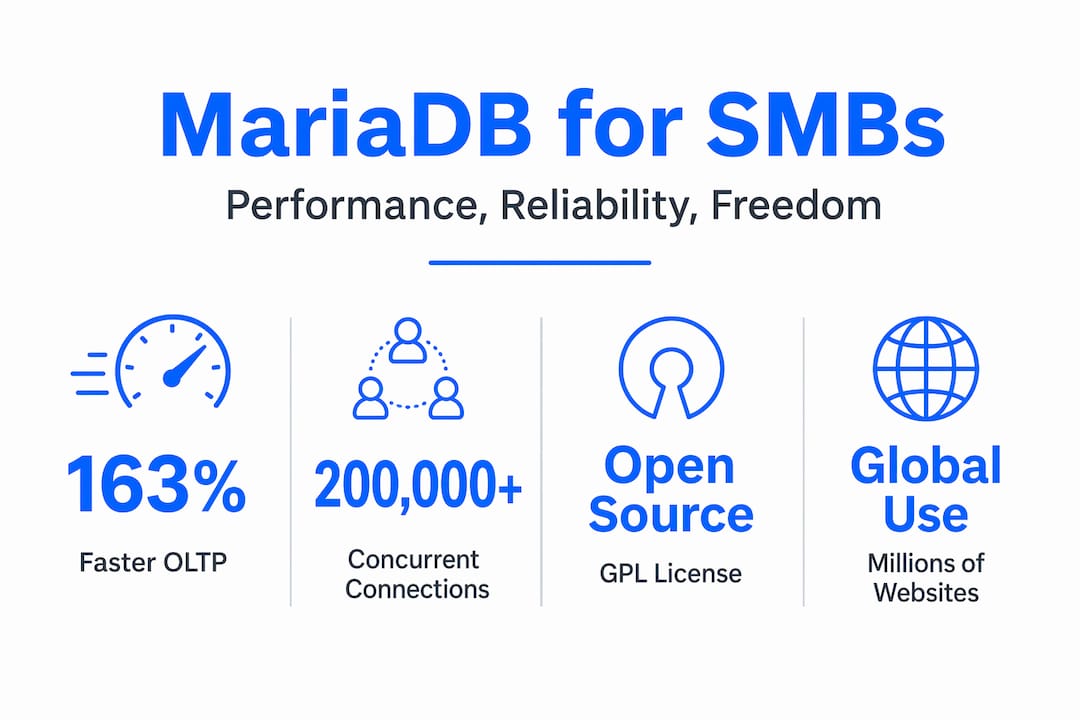
By the numbers: MariaDB 10.8 delivers a 163% speed increase in OLTP (Online Transaction Processing) queries and handles over 200,000 concurrent database connections. OLTP workloads are exactly what e-commerce and high-traffic content sites generate every second.
What does that mean in practice? A WooCommerce store processing holiday traffic, a news site getting a surge from a viral article, or a membership platform with thousands of simultaneous logins — these all create intense, rapid-fire database queries. MariaDB handles that load without the bottlenecks that slower database engines create.
Key performance advantages you get from MariaDB in a hosting environment include:
- Thread pooling: MariaDB manages thousands of simultaneous connections more efficiently, so high-traffic spikes do not crash your site.
- Aria storage engine: Provides faster data recovery after crashes compared to older engines, reducing the time your site spends in an error state.
- Parallel replication: Speeds up data synchronization between servers, which matters if your hosting plan uses a primary and replica database setup.
- Optimizer improvements: MariaDB's query optimizer is regularly updated, meaning complex database queries run faster without requiring manual tuning from you.
To further boost website performance with hosting tech, pairing MariaDB with a LiteSpeed server and PHP 8 creates a stack where every layer is working efficiently together.
Pro Tip: If your site is write-heavy, such as a store that constantly records new orders or a forum with high post volume, ask your hosting provider whether the query cache is disabled. MariaDB performs better under write-heavy workloads when the query cache is turned off, because the cache becomes a source of contention rather than a help.
Knowing how to ensure hosting scalability means understanding that MariaDB is already engineered to grow with you, but only if your hosting environment is configured to take advantage of it.
MariaDB's role in reliability and high availability for web hosting
Speed matters, but a fast website that goes offline loses customers just as surely as a slow one. MariaDB's architecture includes built-in tools specifically designed to keep your site running even when something goes wrong at the database level.

The key reliability feature is replication, where your data is copied to one or more secondary servers in real time. If the primary server fails, the secondary takes over. For most SMB websites, this happens transparently with no downtime visible to your visitors.
The more advanced tool is MariaDB MaxScale, a proxy server that sits between your application and your databases. MaxScale enables intelligent query routing with automatic failover, directing read queries to replica servers and write queries to the primary, all without changing anything in your application. If the primary goes offline, MaxScale promotes a replica automatically.
How a basic high-availability MariaDB setup works:
- Your website sends a database query.
- MaxScale receives the query and determines whether it is a read or a write.
- Read queries are distributed across replica servers, reducing the load on the primary.
- Write queries go to the primary server, which then replicates the change to all replicas.
- If the primary server fails, MaxScale detects the failure and promotes the best available replica to primary within seconds.
Additional reliability features built into MariaDB for hosting environments:
- Galera Cluster: A multi-master clustering solution that allows multiple servers to accept writes simultaneously, eliminating a single point of failure entirely.
- Point-in-time recovery: MariaDB's binary logging allows your hosting provider to restore your database to any specific moment, not just the last backup.
- Crash recovery: MariaDB's InnoDB engine handles sudden power outages or server crashes gracefully, reducing the risk of corrupted data tables.
"Uptime is not just a number on a spec sheet — it is the sum of all the individual systems that prevent failure, and the database layer is the one most likely to cause it."
For scalability and failover in hosting, MariaDB gives your hosting provider more tools to guarantee reliability than most alternatives.
Comparing MariaDB and MySQL for your website's database needs
If you are currently on MySQL and wondering whether the switch is worth it, the short answer is almost always yes. MariaDB is a drop-in replacement for MySQL with improved performance, lower operational costs, and features like multi-master clustering with zero data loss that MySQL reserves for expensive enterprise editions.
Here is a side-by-side comparison:
| Feature | MariaDB | MySQL |
|---|---|---|
| License | Fully open-source (GPL) | Open-source core; enterprise features require paid license |
| OLTP query speed | Up to 163% faster (v10.8) | Baseline |
| Concurrent connections | Over 200,000 | Limited by engine and configuration |
| Multi-master clustering | Galera Cluster (free) | Available only in MySQL NDB (complex setup) |
| JSON support | Extended with additional functions | Standard JSON support |
| Drop-in MySQL compatibility | Yes | N/A |
| Community development pace | Faster release cycle | Slower under Oracle stewardship |
What this table shows is that for most SMB websites, MariaDB provides better value across every category that affects day-to-day performance.
Before migrating, review these points:
- Check plugin dependencies. Some older database drivers specify MySQL explicitly. Most will work without changes, but verify before migrating a production site.
- Test on a staging environment first. Never migrate a live database without testing the full site on a copy of the new environment.
- Verify stored procedures and triggers. These are the most common areas where minor syntax differences between MySQL and MariaDB can appear.
Pro Tip: Many hosting providers have already migrated their infrastructure from MySQL to MariaDB at the server level. Your site may already be running on MariaDB without any action from you. Log into your hosting control panel and check the database section to see which version is installed.
For deeper hosting optimization with MariaDB, the comparison above is the starting point, but configuration matters just as much as which database you choose.
How to leverage MariaDB in your web hosting strategy
Knowing MariaDB is better is only useful if you act on it. Here is a practical framework for getting the most out of MariaDB in your specific hosting setup.
Step-by-step approach for SMBs:
- Confirm your hosting plan uses MariaDB. Check your control panel or ask your host directly. If they are still running older versions of MySQL, that is worth discussing.
- Audit your current database. Before migrating or changing anything, run a full backup and document your table structures, stored procedures, and any database users.
- Test on staging. Most reputable hosts offer staging environments. Deploy your database to a MariaDB staging instance and run your full site through its paces before going live.
- Optimize your MariaDB configuration for your workload. A blog has different needs than a WooCommerce store. A content-heavy site benefits from tuning the buffer pool size; a transaction-heavy store benefits from adjusting thread concurrency settings.
- Set up regular automated backups. MariaDB supports binary log-based point-in-time recovery, but only if backups are running consistently.
The impact of hosting on website speed is largely determined at the infrastructure level, and your database is the single biggest variable within that infrastructure.
Additional best practices for getting the most from MariaDB:
- Enable slow query logging to identify queries taking longer than one second. These are your biggest optimization targets.
- Use indexes correctly. A table with millions of rows and no indexes will be slow on any database. MariaDB's "EXPLAIN` command shows you exactly how queries execute.
- Monitor connection pool usage. If your site frequently hits the maximum connection limit, it is time to either upgrade your plan or enable connection pooling at the application layer.
- Consider MaxScale if your traffic is unpredictable. For cost-effective hosting management at scale, MaxScale's read distribution can effectively multiply your database capacity without adding servers.
Most sites migrate to MariaDB with minimal effort, and choosing hosting that defaults to MariaDB reduces both your technical debt and your monthly infrastructure spend.
Why MariaDB's stability and collaborative model benefit SMB hosting long-term
Here is something most database articles skip entirely: the governance model behind your database is as important as its performance benchmarks. And on this point, MariaDB has a meaningful structural advantage.
MariaDB is governed by the MariaDB Foundation, a nonprofit whose explicit mission is production stability and collaborative development driven by actual hosting providers and operators. That is not a corporate PR statement. It means the people deciding what goes into each MariaDB release are largely the same people running the servers your website lives on. They are biased toward stability, not toward selling you an upgrade.
Compare that to databases controlled by large enterprise software companies, where roadmap decisions are driven by enterprise contract renewals, not by the needs of SMB operators. Features that matter to a company running 10 servers rarely influence a roadmap built around customers running 10,000.
What this means practically for your business:
- You can reasonably predict what the next MariaDB release will and will not break in your environment. The Foundation publishes detailed migration guides and maintains long-term support versions.
- Hosting providers who contribute to MariaDB development tend to run more tightly configured and well-maintained servers than those who just install whatever came with their Linux distribution years ago.
- The advanced hosting tech and stability that comes from a well-governed database translates to fewer emergency patches and less unplanned downtime.
The lesson is this: when evaluating hosting providers, asking "do you use MariaDB?" is a reasonable proxy question for a deeper one, which is "are you running a modern, well-maintained infrastructure?" The two tend to go together.
Find reliable MariaDB-powered web hosting with inSave Hosting
Everything covered in this article — the performance gains, the reliability features, the cost advantages — only pays off if your hosting provider has actually implemented MariaDB correctly and keeps it current.

At inSave Hosting, MariaDB is part of a complete performance stack that includes LiteSpeed servers, LSCache, PHP 8, HTTP/2, and free CDN integration. Every plan is built to give SMB websites the speed and uptime they need without requiring a team of engineers to manage it. Whether you need WordPress hosting with one-click installation and staging tools, or a flexible shared hosting plan that scales as your traffic grows, the infrastructure underneath your site is already configured to get the best from MariaDB. Free SSL, free migration, and 99.9% uptime are included because performance should not be optional.
Frequently asked questions
Is MariaDB compatible with websites currently using MySQL?
Yes, MariaDB is a drop-in replacement for MySQL with high command compatibility, so most websites can switch with minimal or no code changes required.
How does MariaDB improve website performance compared to MySQL?
MariaDB 10.8 delivers a 163% OLTP speed increase and supports over 200,000 concurrent connections, directly improving website responsiveness and capacity to handle traffic spikes.
Can MariaDB ensure my website remains online during database failures?
Yes. Through replication and the MaxScale proxy, MariaDB provides automatic failover that promotes a replica server seamlessly when the primary goes offline, minimizing visible downtime.
What should SMBs consider when choosing hosting with MariaDB?
SMBs should prioritize plans where MariaDB is installed by default, test any database migration in a staging environment first, and optimize database settings to match their specific workload and traffic patterns for the best results.