
TL;DR:
- Multi-domain hosting consolidates several websites under one account, sharing server resources efficiently.
- Performance may decline with high traffic or resource-intensive sites due to shared limits.
- Upgrading to VPS or dedicated hosting is recommended when consistent slowdowns or security needs arise.
Running five websites on five separate hosting accounts sounds logical until you see the invoices. Many small business owners assume that managing multiple sites means multiplying their hosting costs, but multi-domain hosting flips that assumption entirely. One hosting plan, one dashboard, one bill. The catch? Not all plans deliver what they promise, especially those labeled "unlimited." This guide cuts through the marketing language and gives you a clear, practical picture of how multi-domain hosting works, where it shines, and exactly when you need to think bigger.
Table of Contents
- What is multi-domain hosting?
- Comparing multi-domain hosting to single-domain plans
- Resource limitations and practical pitfalls of multi-domain hosting
- When to upgrade: Scaling up from shared multi-domain hosting
- A fresh perspective: What most guides miss about multi-domain hosting
- Explore cost-effective multi-domain hosting with inSave
- Frequently asked questions
Key Takeaways
| Point | Details |
|---|---|
| Flexible site management | Multi-domain hosting lets SMBs run several websites on a single account for operational efficiency and cost savings. |
| Hidden resource limits | Despite 'unlimited' claims, all hosting plans have capped CPU, RAM, and bandwidth, affecting site performance as traffic grows. |
| Upgrade readiness | Know when to move from shared hosting to VPS or dedicated plans if slowdowns, traffic spikes, or security needs increase. |
| Security considerations | Good site isolation is key to preventing one compromised site from affecting others on your hosting plan. |
| Smart plan choice | Evaluate hosting features and benchmarks to match business growth and ensure reliable website performance. |
What is multi-domain hosting?
Multi-domain hosting lets you run several distinct websites under a single hosting account. Instead of paying for separate plans for your main business site, a landing page, a client project, and a side venture, you consolidate everything into one environment. Each domain gets its own directory, its own database, and its own content, but they all share the same server resources.
The mechanics involve pointing multiple domains to separate directories on the same server, with each site maintaining independent files, databases, and content while sharing CPU, RAM, and bandwidth. Think of it like an apartment building: every tenant has their own locked unit, but the building's plumbing, electricity, and elevator are shared.
For small to medium-sized businesses, this setup makes a lot of practical sense. Here are the most common scenarios where multi-domain hosting fits perfectly:
- Agencies managing several client websites from one account
- Entrepreneurs running multiple niche stores or service sites
- Businesses that need a staging site alongside their live site
- Startups testing multiple product landing pages simultaneously
- Freelancers maintaining a portfolio site plus client microsites
Each site lives in its own folder structure on the server. When someone visits your second domain, the server routes them to that domain's specific directory, completely separate from your main site's files. This separation keeps content organized and avoids the chaos of mixing files across projects.
Pro Tip: Before adding more domains to your plan, map out each site's expected traffic and resource needs. A high-traffic WooCommerce store and a simple one-page landing site have very different appetites for CPU and RAM.
If you want to understand the full list of hosting features for WordPress sites running under multi-domain plans, the technical requirements differ from static sites. And if you are new to the concept of pooled server environments, a shared hosting overview will give you the foundational context you need before making any decisions.
Comparing multi-domain hosting to single-domain plans
Single-domain plans are straightforward: one account, one website, dedicated resource allocation for that site alone. Multi-domain plans add flexibility but introduce shared resource dynamics. Knowing the difference helps you spend money wisely.
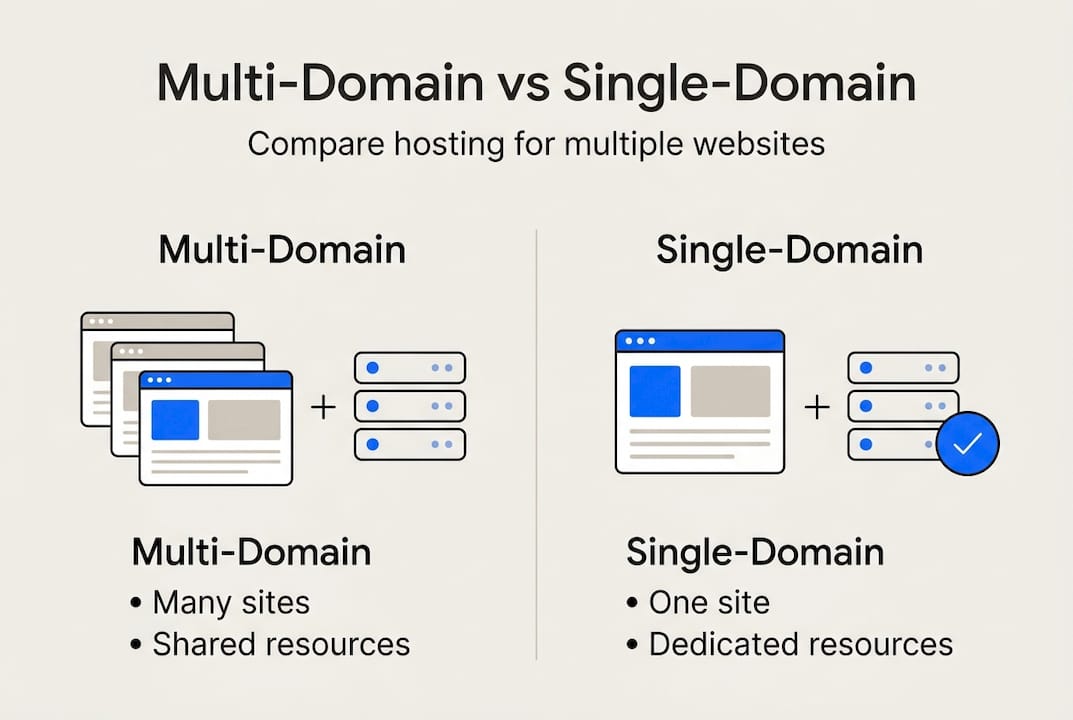
Here is a side-by-side comparison of the two approaches:
| Feature | Single-domain plan | Multi-domain plan |
|---|---|---|
| Number of sites | 1 | 10 to unlimited |
| Monthly cost | Lower per plan | Lower per site |
| Resource allocation | Dedicated to one site | Shared across all sites |
| Performance consistency | More predictable | Variable under load |
| Management overhead | Minimal | Moderate |
| Best for | One established site | Multiple small sites |
On the performance side, shared multi-domain hosting suits 10 to 30 small sites with traffic between 1,000 and 10,000 monthly visitors, with TTFB (time to first byte) ranging from 270 to 450ms. When one site spikes, the others slow down.
"The real cost advantage of multi-domain hosting only holds when your sites stay within their traffic lanes. Push past those limits, and you pay in performance, not dollars."
When does a single-domain plan make more sense? Consider these situations:
- Your site handles more than 20,000 monthly visitors consistently
- You run resource-heavy applications like large WooCommerce catalogs
- Downtime on that one site would directly cost you revenue
- You need guaranteed CPU and RAM, not shared pools
For businesses sitting in the middle ground, understanding dedicated vs shared hosting trade-offs helps clarify the upgrade path. And if scalability is a priority as your business grows, reviewing cloud hosting benefits gives you a realistic picture of what the next tier offers.
Resource limitations and practical pitfalls of multi-domain hosting
Here is the uncomfortable truth about "unlimited" hosting plans: unlimited does not mean infinite. Every hosting provider applies what are called soft limits, thresholds on CPU usage, RAM consumption, and disk I/O that, when exceeded, trigger throttling or temporary suspension.

"Unlimited" plans carry soft limits on CPU, RAM, and I/O, and they are not designed for high-traffic or resource-intensive sites. The marketing copy says unlimited. The terms of service tells a different story.
Here is a practical breakdown of what those hidden limits typically look like in action:
| Resource | Typical soft limit | What happens when exceeded |
|---|---|---|
| CPU usage | 10 to 25% per account | Site throttled or suspended |
| RAM | 512MB to 2GB | Processes killed or queued |
| Disk I/O | 10 to 50MB/s | Database queries slow down |
| Concurrent connections | 25 to 75 | 503 errors appear |
Beyond resource limits, security is a real concern. If site isolation is poorly configured, a vulnerability in one site can expose the others on the same account. This is not hypothetical. It happens regularly on budget shared plans.
Watch for these warning signs that your plan is under strain:
- TTFB climbs above 600ms consistently
- Admin panels (WordPress dashboard, for example) take more than 5 seconds to load
- You start seeing 503 Service Unavailable errors during normal hours
- Database queries time out without obvious cause
- Scheduled tasks and cron jobs start failing silently
Pro Tip: Use a free tool like GTmetrix or Pingdom to monitor TTFB across all your sites weekly. A sudden spike on one site often signals that another site on the same account is consuming shared resources.
For a deeper look at keeping your sites fast and stable, the hosting optimization guide covers practical steps specific to shared environments. If you want to benchmark what good performance looks like, reliable hosting for SMBs offers real-world context.
When to upgrade: Scaling up from shared multi-domain hosting
Shared multi-domain hosting is a smart starting point, but it has a ceiling. Recognizing when you have hit that ceiling early saves you from the slow, painful experience of watching your sites degrade under load.
Multi-domain shared hosting works well as a cost-effective starter for low-traffic sites, but upgrading to VPS becomes necessary as traffic grows and reliability demands increase. The question is not whether to upgrade, but when.
Here are the clearest signals that it is time to move on:
- Consistent TTFB above 500ms across multiple sites simultaneously
- Traffic on any single site exceeds 15,000 monthly visitors regularly
- You are running WooCommerce, membership platforms, or booking systems that require stable database connections
- Security requirements have increased due to handling customer payment data or sensitive information
- Your hosting provider has warned you about resource overuse more than once
When you do upgrade, VPS hosting gives each site a guaranteed slice of server resources rather than a shared pool. This means one busy site cannot starve the others. Dedicated hosting goes further, giving your entire account its own physical server with no neighbors at all.
Transitioning multiple domains to a new plan requires some planning. Export each site's database separately, verify all DNS records before switching, and test each domain on the new environment before pointing live traffic to it. Rushing this process is the number one cause of downtime during migrations.
Pro Tip: When migrating multiple sites, move your lowest-traffic site first. It lets you test the new environment with minimal risk before committing your main revenue-generating site to the switch.
For a structured comparison of your upgrade options, revisit choosing dedicated vs shared hosting to weigh the trade-offs clearly. If you are ready to explore specific plans, dedicated hosting plans give you a concrete look at what full resource isolation costs.
A fresh perspective: What most guides miss about multi-domain hosting
Most articles about multi-domain hosting focus on features and pricing. Very few talk about the operational complexity that quietly builds as you add more sites to one account.
Here is what we have seen repeatedly: businesses start with three sites on one plan, add two more, then three more, and suddenly they are managing ten WordPress installs, ten sets of plugins, ten update cycles, and ten potential security vulnerabilities, all from one dashboard. The cost savings are real, but the management overhead grows faster than most owners expect.
The best hosting providers do not just give you the tools to host multiple sites. They give you tools to manage them efficiently: centralized staging, bulk update capabilities, and account-level security scanning. When evaluating plans, look beyond the domain count limit.
The real value of multi-domain hosting is not just consolidation. It is operational clarity, when the setup is done right. Explore hosting solutions for SMBs to see what a well-structured multi-site environment actually looks like in practice.
Explore cost-effective multi-domain hosting with inSave
If you are managing or planning to launch multiple websites, consolidating them under one reliable plan is the smartest move you can make for your budget and your sanity.

At InSave Hosting, our shared hosting plans are built to handle multiple sites with LiteSpeed technology, free SSL certificates, and 99.9% uptime, so every domain on your account performs at its best. You can also register all your domain name registration needs in one place, with free first-year registration on select plans. Managing multiple sites does not have to be complicated or expensive. Start with a plan that grows with you.
Frequently asked questions
How many websites can I host on a multi-domain hosting plan?
Shared hosting supports 10 to 30 small sites, but performance degrades above 50 concurrent visitors. VPS hosting handles 20 to 50 sites more reliably under load.
Are 'unlimited' multi-domain hosting plans really unlimited?
No. Unlimited plans have soft limits on CPU, RAM, and I/O that trigger throttling when exceeded. High-traffic or resource-heavy sites will hit those limits faster than you expect.
When should I upgrade from shared multi-domain hosting?
Upgrade to VPS for reliability when your sites experience consistent slow load times, frequent traffic spikes, or when you start handling sensitive customer data that demands stronger resource guarantees.
Is multi-domain hosting secure for my business websites?
Basic site isolation is standard, but poor isolation creates security risks where a compromised site can affect others on the same account. Always choose a host with account-level security scanning.
What are signs my hosting plan is overloaded?
Signs of overload include high TTFB, 503 errors, and slow admin panels. If you see these consistently across multiple sites, your shared resources are being stretched past their limits.