
TL;DR:
- Hosting determines site speed, reliability, and scalability, directly impacting marketing campaign success. Poor hosting causes higher bounce rates, lost conversions, and damages SEO, undermining marketing efforts. Regular testing and organizational integration of hosting decisions are essential for supporting business growth and maximizing marketing ROI.
You can have a beautifully designed website, a perfectly targeted ad campaign, and a rock-solid email strategy, and still watch your marketing dollars quietly disappear. The culprit is often the one thing most business owners set up once and never revisit: their web hosting. More than half of mobile users abandon a site that takes longer than three seconds to load, which means slow or unreliable hosting can nullify your best marketing work before a visitor even sees your offer. This guide breaks down exactly how hosting decisions affect every stage of your digital marketing, and what you can do about it.
Table of Contents
- How hosting affects every stage of digital marketing
- The link between site speed, conversions, and SEO
- Caching and CDN strategies: Getting edge performance and avoiding pitfalls
- Testing and optimizing: An SMB hosting performance checklist
- What most guides miss about hosting's marketing power
- Ready to strengthen your marketing with better hosting?
- Frequently asked questions
Key Takeaways
| Point | Details |
|---|---|
| Hosting fuels marketing | Fast, reliable hosting is the foundation of effective SEO and digital campaigns. |
| Speed drives results | Even small wait times cost you visitors and sales, making site speed a critical investment. |
| CDN and caching matter | Smart cache and CDN configuration boost site performance without risking broken personalization. |
| Testing is essential | Regular before-and-after tests ensure your hosting choices power, not hinder, marketing efforts. |
| Treat hosting as strategy | Think of hosting as a marketing lever, not just a technical cost—optimize, measure, and grow. |
How hosting affects every stage of digital marketing
Building from the critical first impression, let's trace hosting's influence across your marketing funnel.
Most business owners think of hosting as a utility, like electricity for a building. You pay for it, it runs in the background, and you forget about it. But hosting is actually the foundation your entire marketing strategy is built on. If that foundation shifts, everything built on top of it shifts too.
Your web hosting choices influence digital marketing in three primary ways: site speed, uptime reliability, and scalability under traffic surges. Each of these connects directly to how well your campaigns perform.
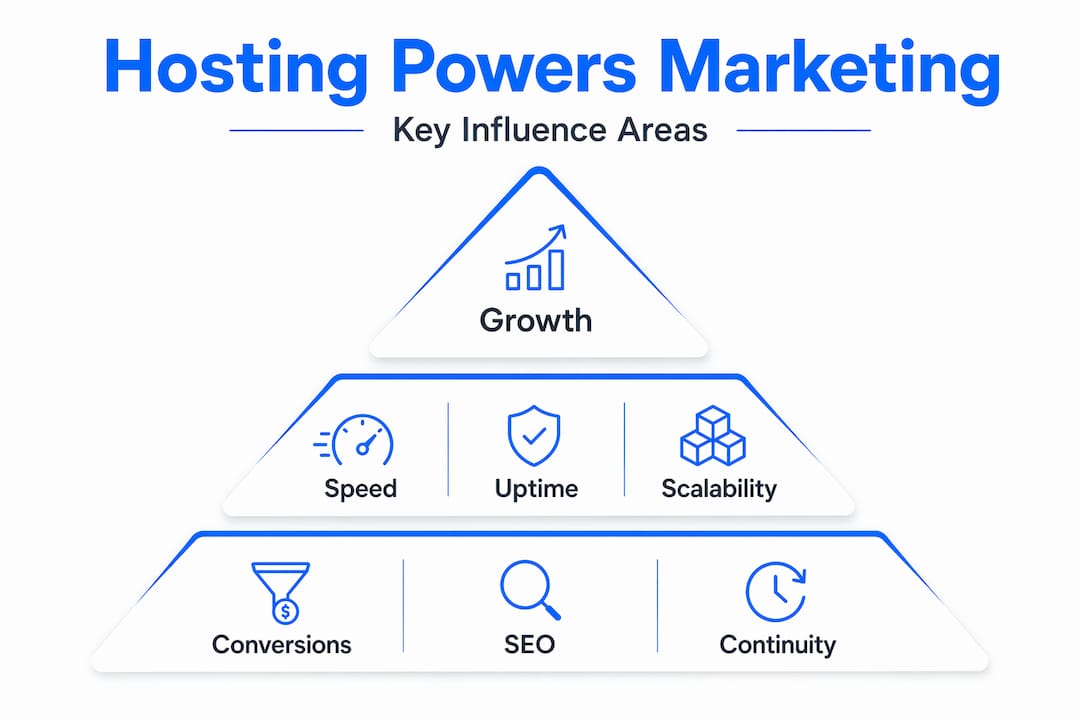
Hosting decisions affect campaign continuity and measurement reliability at a fundamental level. When your site goes down during a paid ad campaign, you lose not just the visitor, but also the ad spend behind that click. When your site is slow during a product launch email blast, the surge in traffic can trigger performance degradation exactly when you need it most. These are not abstract risks. They happen to SMBs every day.
Here is a comparison of how different hosting tiers typically affect your core digital marketing metrics:
| Hosting tier | Average uptime | Page load speed | Impact on SEO | Impact on conversions |
|---|---|---|---|---|
| Shared (basic) | 99.0% to 99.5% | 3 to 6 seconds | Moderate penalty | Significant drop |
| Shared (optimized) | 99.9% | 1 to 3 seconds | Minimal penalty | Solid baseline |
| Managed WordPress | 99.9%+ | Under 1.5 seconds | Positive signal | Strong uplift |
| VPS or Cloud | 99.99% | Under 1 second | Strong positive | Maximum potential |
The four marketing touchpoints most directly damaged by poor hosting are:
- SEO rankings: Search engines use speed and availability as ranking signals. A consistently slow or intermittent site loses ground to faster competitors.
- Landing page experience: Every paid click lands somewhere. If that landing page loads slowly, the click is wasted.
- Analytics accuracy: Server errors and downtime create gaps in your tracking data, leading to bad decisions based on incomplete numbers.
- Campaign integrity: Email campaigns, social promotions, and influencer mentions all drive traffic spikes. Hosting that can't absorb those spikes breaks the customer journey at its most valuable moment.
"The performance of your infrastructure directly shapes the experience you deliver to every user who clicks your links, opens your emails, or finds you through search."
Understanding hosting's effect on SEO is not optional for competitive markets. And when you look at how feature-rich hosting benefits translate into real marketing advantages, the case for upgrading becomes very clear.
The link between site speed, conversions, and SEO
Now that you see hosting's broad impact, let's quantify exactly how speed influences marketing and what's at stake.
Speed is not a technical vanity metric. It is money. Faster CDN delivery improves engagement and conversion outcomes in ways that are directly measurable. A business running a Google Ads campaign paying $3 per click cannot afford to waste 40% of those clicks to a slow-loading landing page.
Here is how speed benchmarks map to real marketing outcomes:
| Page load time | Estimated bounce rate | Conversion rate impact | SEO ranking signal |
|---|---|---|---|
| Under 1 second | Around 7% | Maximum | Strong positive |
| 1 to 2 seconds | Around 11% | Excellent | Positive |
| 2 to 3 seconds | Around 22% | Good | Neutral |
| 3 to 5 seconds | Around 38% | Poor | Moderate penalty |
| Over 5 seconds | Over 53% | Very poor | Significant penalty |
Those numbers should make anyone running paid campaigns uncomfortable. Every second of delay is a measurable business cost.
Speed also compounds through Google's ranking algorithm. Core Web Vitals, which include Largest Contentful Paint (LCP), Interaction to Next Paint (INP), and Cumulative Layout Shift (CLS), are direct ranking factors. Your hosting provider controls or heavily influences all three. A server that responds in 200 milliseconds will almost always outperform one that responds in 800 milliseconds, even if every other optimization is identical.
Here is a simple optimization process you can follow right now:
- Measure your baseline. Use Google PageSpeed Insights or GTmetrix to benchmark your current load time, Core Web Vitals scores, and time to first byte (TTFB).
- Identify the bottleneck. Is TTFB slow? That points to server performance. Is the load time slow despite fast TTFB? That points to asset delivery.
- Upgrade the right resource. If TTFB is over 600 milliseconds, consider upgrading to a faster hosting tier. If asset delivery is slow, implement a CDN.
- Enable server-side caching. LiteSpeed Cache (LSCache), which InSave Hosting includes, dramatically reduces the processing load on each request.
- Retest and compare. Run the same speed tests after changes to validate improvement.
- Monitor ongoing performance. Set up uptime alerts and check Core Web Vitals monthly through Google Search Console.
Pro Tip: Always test from multiple geographic locations. A site might perform well for users close to the server but load slowly for visitors in other regions. A CDN solves this by serving assets from nodes near each visitor.
Understanding hosting's impact on site speed at a technical level helps you ask the right questions when evaluating hosting plans. And if you want a clear roadmap, the guide on optimizing for site reliability gives you practical steps you can execute immediately.
Caching and CDN strategies: Getting edge performance and avoiding pitfalls
Performance isn't just about raw speed. How you configure caching and CDNs also impacts every aspect of the user experience.
A CDN (Content Delivery Network) works by storing copies of your site's static assets, things like images, CSS files, JavaScript, and fonts, on servers located around the world. When a user in Chicago visits your site hosted in Dallas, the CDN serves those heavy assets from a Chicago node instead. The result is faster loading without changing your hosting server at all.
What to cache vs. what to protect:
- Cache aggressively: Images, CSS, JavaScript, fonts, static HTML pages, and downloadable files.
- Never cache: Login sessions, shopping cart data, user-specific pages, payment flows, and admin interfaces.
- Cache with caution: Product pages with real-time inventory, personalized recommendations, and geotargeted content.
CDN caching can break personalization flows if cache modes mistakenly treat private content as public. This is a real and common mistake. Imagine a logged-in user seeing another customer's cart, or a user in one country seeing pricing meant for another region. These are not just UX problems; they are trust and legal problems.
Cache-control headers and TTL values are your primary tools for preventing these issues. TTL (Time to Live) defines how long a cached version of a file is considered valid before it's refreshed from the origin server. For marketing purposes:
- Set long TTLs (30 to 365 days) for images, fonts, and versioned CSS/JS files.
- Set short TTLs (1 to 5 minutes) for pages that update frequently, like blog indexes or product listings.
- Set TTL to zero or use private cache-control for user-specific or sensitive content.
"A well-configured CDN doesn't just make your site faster; it makes your site reliably fast for everyone, everywhere, without overburdening your origin server."
For caching strategies for speed, the right implementation depends on your content type and how frequently it changes. WordPress sites benefit enormously from object caching and page caching working in tandem, which is exactly what LiteSpeed and LSCache deliver together.
Pro Tip: After enabling a CDN, run cache hit ratio reports monthly. A cache hit ratio below 70% means you're sending too many requests back to your origin server, which undercuts the performance benefit you're paying for.
Testing and optimizing: An SMB hosting performance checklist
The theory matters, but how do you put it to work in your business? Here's a practical field-tested checklist.

The most common mistake SMBs make is treating hosting as a one-time setup decision. Performance degrades over time as content grows, traffic patterns shift, and server environments change. Regular testing is not optional; it's part of running a site that actually supports your marketing goals.
Cloudflare recommends measuring baseline speed, making changes, and running before-and-after tests to confirm real improvements. This validate-then-implement workflow keeps you from making changes based on assumptions and helps you connect hosting performance directly to marketing KPIs.
Here is a repeatable checklist for SMBs:
- Run a baseline speed test using Google PageSpeed Insights, GTmetrix, and Pingdom from at least two locations. Record your scores for mobile and desktop separately.
- Check your uptime record for the past 30 days using your hosting dashboard or a third-party uptime monitor. Flag any outages or periods of degraded performance.
- Audit your cache configuration. Confirm that static assets are cached and that user-specific or dynamic content is excluded.
- Review your CDN settings. Check your cache hit ratio, confirm SSL is properly configured end to end, and verify edge locations cover your target audience regions.
- Apply targeted upgrades. If TTFB is slow, upgrade your hosting plan or move to a server with LiteSpeed. If asset delivery is slow, enable or optimize your CDN settings.
- Retest after every change. Don't assume an upgrade worked. Verify it with the same tools you used for the baseline.
- Connect performance changes to marketing data. After improving speed, review your bounce rate, session duration, and conversion rate in your analytics platform. The correlation is usually immediate and visible.
- Set a monthly review cadence. Hosting performance is not a one-and-done task. Build it into your marketing operations calendar.
Pro Tip: Link your speed improvements to specific campaigns. If you improved load time before a product launch, compare conversion rates from that launch against the previous one. This gives you documented ROI for your hosting investment, which is exactly the kind of data that justifies further upgrades.
The detailed guide on website speed optimization walks through many of these steps in depth. For teams ready to push further, the section on advanced hosting optimization covers technologies like HTTP/2, PHP8, and MariaDB and how they interact with your marketing stack.
What most guides miss about hosting's marketing power
Here is where the conventional advice falls short, and where most businesses leave real money on the table.
Almost every hosting article frames performance as a technical problem with a technical solution. Upgrade your plan. Install a caching plugin. Enable a CDN. Done. That framing misses something important: hosting is a marketing asset, not just infrastructure.
Think about what happens when your site is slow during a Black Friday email blast. Your marketing team executed flawlessly. The email design was great. The offer was compelling. The subject line was strong. And then 20,000 people clicked simultaneously, the server buckled, and thousands of potential customers bounced before the page even loaded. The marketing team gets blamed. But the real failure was a hosting decision made months earlier by someone optimizing for cost, not performance.
We have seen this pattern repeatedly with growing SMBs. Marketing and tech teams operate in silos. The marketing team plans campaigns without knowing the server's traffic threshold. The tech or IT team sets up hosting without understanding the campaign calendar. Nobody connects the dots until a major campaign fails spectacularly.
The fix is not just technical. It is organizational. Your marketing team needs to be part of hosting decisions, or at minimum aware of hosting limitations before they plan campaigns. What's the server's concurrent user limit? Does the plan scale automatically under traffic spikes? Is there a CDN active for the landing pages in the campaign? These are marketing questions with hosting answers.
The other thing guides miss is how quietly a slow site damages brand trust. Nobody emails to complain their site loaded in four seconds. They just leave and don't come back. They click a competitor's ad instead. Your Google Ads Quality Score drops because your landing page experience is rated poor. Your organic rankings slip month by month. None of this shows up as an obvious failure; it just looks like marketing underperforming. And it will keep underperforming until you treat hosting as a strategic lever, not a sunk cost.
Looking at how hosting shapes blog performance and growth illustrates exactly this dynamic. The businesses that grow their content channels fastest are the ones that invested in performance infrastructure early, not after they noticed a problem.
Ready to strengthen your marketing with better hosting?
If this article shifted how you think about hosting's role in your marketing, the logical next step is to make sure your current setup actually supports the growth you're planning.

At InSave Hosting, we built our plans specifically for SMBs that can't afford for their hosting to be the weak link in their marketing strategy. Our WordPress hosting comes with LiteSpeed, LSCache, free CDN, and a 99.9% uptime guarantee, everything you need to keep your campaigns converting at their best. If you're just getting started or want a scalable foundation, our shared hosting plans deliver optimized performance at a price that works for growing businesses. You can explore all our hosting options and find the plan that fits where your business is headed.
Frequently asked questions
How does hosting impact SEO results?
Hosting influences SEO directly through loading speed and uptime, both of which are ranking signals and user experience factors. Slow load times increase abandonment and hurt your search rankings over time.
What's the difference between hosting and CDN?
Hosting stores and serves your core website files from a single origin server, while a CDN distributes static content to edge nodes worldwide for faster delivery. CDN caching improves performance by serving cacheable content from the location closest to each user.
Can slow hosting waste advertising spend?
Absolutely. Slower load times increase abandonment, meaning paid clicks that bounce before the page loads are wasted budget with zero chance of conversion.
What's one hosting optimization most businesses miss?
Most businesses skip proper cache-control header configuration, which can accidentally cache personalized or private content. Cache hit optimization and correct TTL settings are critical for both speed and user privacy.
How do I know if my hosting supports marketing growth?
Test your site speed, uptime track record, and behavior under traffic spikes regularly. Performance improvements should be validated with tools and compared against your marketing analytics to confirm the results.