
For most small and mid-size ecommerce stores, inSave Hosting delivers the right balance of LiteSpeed performance, daily backups, free SSL, and affordable pricing without forcing you into a locked-down SaaS ecosystem. If you need a fast shortlist, here it is:
- Best overall (SMB ecommerce): inSave Hosting — LiteSpeed/LSCache stack, one-click staging, free migration, and a low entry price.
- Best all-in-one SaaS store: Shopify — zero infrastructure management, built-in payments, and a massive app ecosystem.
- Best for WooCommerce/WordPress: WP Engine or SiteGround — managed WordPress environments with staging and ecommerce-aware support.
- Best budget option: Hostinger or Ionos — lowest starting prices for new stores with light traffic.
- Best for scaling/enterprise: Nexcess or BigCommerce — commerce-specific managed environments built for high-volume catalogs.
Table of Contents
- What is the best website hosting for ecommerce?
- Host profiles: who each option is actually built for
- How we chose these hosts
- How to choose ecommerce hosting without getting burned
- Which hosting architecture fits your store?
- What you need to know about refunds, contracts, and cancellation
- Security features your ecommerce store actually needs
- How server location affects your store's speed and SEO
- Key Takeaways
- The case for managed hosting over all-in-one platforms
- inSave Hosting is built for ecommerce stores that want performance without the premium price
- FAQ
- Useful sources
What is the best website hosting for ecommerce?
The table below compares the top picks across the dimensions that actually move the needle for online stores: performance stack, ecommerce features, security, scalability, and support.
| Host | Best For | Platform Type | Starting Price | Performance & Uptime | Ecommerce Features | Security & Backups | Scalability | Support | Developer Features |
|---|---|---|---|---|---|---|---|---|---|
| inSave Hosting | SMB ecommerce, WooCommerce | Managed WP / Shared | Low-cost entry | LiteSpeed, LSCache, CDN, high uptime service level agreement (SLA) | WooCommerce-ready, one-click installs, free SSL | Daily backups, free SSL, managed security | VPS/cloud upgrade path | 24/7, free migration | SSH, staging, PHP8, HTTP/2 |
| Shopify | Non-technical merchants | Hosted SaaS | Mid-range monthly | Global CDN, very high uptime guarantee | Built-in checkout, 100+ payment gateways, app store | SSL included, PCI Level 1 | Auto-scaling | 24/7 ecommerce support | API/headless, limited SSH |
| BigCommerce | Multi-channel, B2B | Hosted SaaS | Mid-range monthly | CDN, very high uptime guarantee | Native B2B, multi-channel, no transaction fees | SSL, PCI compliant | Auto-scaling | 24/7 | API/headless |
| WP Engine | Enterprise WordPress | Managed WP | Premium | Global CDN, high uptime service level agreement (SLA) | WooCommerce-optimized, staging | Daily backups, malware scanning | Auto-scaling | 24/7 ecommerce-aware | SSH, staging, headless |
| SiteGround | WooCommerce beginners | Managed WP | Mid-range | SG Optimizer, CDN, high uptime service level agreement (SLA) | WooCommerce tools, one-click install | Daily backups, SSL | Vertical scaling | 24/7, migration help | SSH, staging |
| Bluehost | WooCommerce beginners | Managed WP | Low-to-mid | CDN, high uptime service level agreement (SLA) | WooCommerce onboarding, free domain | SSL, backups | Limited auto-scale | 24/7 | SSH, staging |
| Nexcess | High-volume WooCommerce/Magento | Managed ecommerce | Higher monthly | Auto-scaling, CDN | Commerce-specific stack, autoscaling | Daily backups, malware scanning | Auto-scaling | 24/7 commerce support | SSH, staging |
| Hostinger | Budget new stores | Shared / Managed WP | Very low | LiteSpeed, CDN | WooCommerce-compatible | SSL, weekly backups | Limited | 24/7 live chat | SSH (higher plans) |
| ScalaHosting | Growing stores, VPS step-up | Shared / VPS | Low-to-mid | SShield security, CDN | WooCommerce-ready | Daily backups, SShield | VPS upgrade path | 24/7 | SSH, staging |
| DreamHost | Reliability-focused merchants | Managed WP | Low-to-mid | SSD, CDN, strong uptime guarantee | WooCommerce-compatible | SSL, daily backups | Vertical scaling | 24/7 | SSH, staging |
| Ionos | Budget-first merchants | Shared / VPS / Cloud | Very low intro | CDN, high uptime service level agreement (SLA) | WooCommerce-compatible | SSL, backups | VPS/cloud upgrade | 24/7 | SSH |
| Northflank | Headless / custom storefronts | Cloud / Container | Usage-based | Auto-scaling, managed DB | Headless API support | Managed security | Auto-scaling | Developer support | Full CI/CD, containers |
| Hosting.com (formerly A2 Hosting) | Technical merchants | Shared / VPS / Dedicated | Low-to-mid | Turbo servers, CDN | WooCommerce-compatible | SSL, backups | VPS/dedicated upgrade | 24/7 | SSH, staging |
Pricing across this list spans a wide range. Shared and entry-level plans from Hostinger, Ionos, and inSave Hosting sit at the low end. Managed WordPress plans from SiteGround, Bluehost, and WP Engine run higher. Commerce-specific managed hosts like Nexcess and the SaaS platforms (Shopify, BigCommerce) carry the highest monthly costs but bundle more ecommerce infrastructure. Costs vary widely depending on guaranteed resources and technical support level.
For stores under a few hundred monthly orders, the performance and security columns matter most. Once you're running flash sales or seasonal spikes, scalability and support response time become the deciding factors.
Host profiles: who each option is actually built for
inSave Hosting
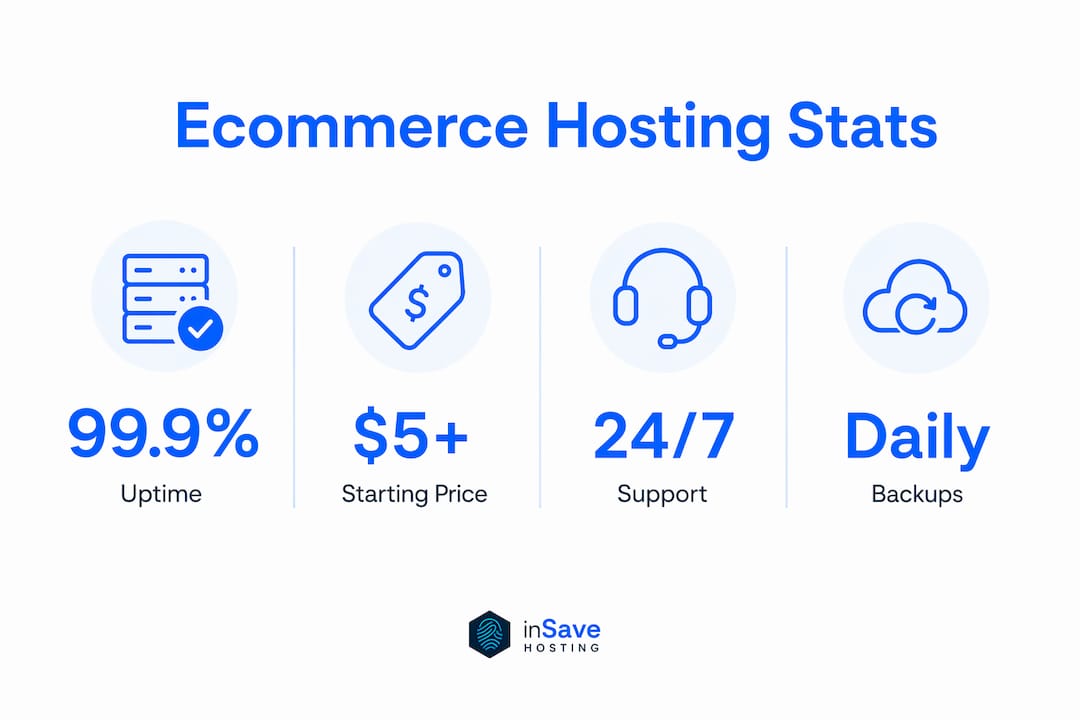
The strongest pick for SMBs that want managed performance without a managed-hosting price tag. The LiteSpeed/LSCache stack delivers server-level caching that most shared hosts don't offer at this price point. You get free SSL, daily backups, one-click staging, PHP8 support, and free migration included from day one. WordPress hosting plans are purpose-built for WooCommerce, and the upgrade path to VPS or cloud is straightforward when your store grows.
Pros:
- LiteSpeed + LSCache + CDN at a low entry price
- Daily automated backups and free SSL included
- One-click staging to test updates before they hit production
- Free migration service for new customers
- High uptime service level agreement (SLA)
Cons:
- Smaller brand recognition than Bluehost or SiteGround
- Fewer native ecommerce-specific integrations than Shopify
Best for: Small and mid-size WooCommerce stores that want performance and security without paying enterprise prices.

Shopify
Shopify is the default choice for merchants who want to skip infrastructure entirely. Hosting, checkout, SSL, and PCI Level 1 compliance are all bundled. The tradeoff: you're in Shopify's ecosystem, and all-in-one hosted storefronts can limit long-term customization. Transaction fees apply unless you use Shopify Payments.
Pros:
- Zero server management; everything is handled
- Built-in payment processing and 100+ gateway integrations
- Massive app store for extensions
Cons:
- Transaction fees if you use third-party payment processors
- Less flexibility for custom server-level configurations
- Monthly costs rise quickly as you add apps
Best for: Non-technical founders launching their first store who want to be selling within a day.
BigCommerce
BigCommerce competes with Shopify but leans harder into B2B and multi-channel selling. No transaction fees is a genuine differentiator. The built-in feature set is deep enough that many stores avoid the plugin sprawl that WooCommerce can accumulate.
Pros:
- No transaction fees on any plan
- Native B2B and multi-channel tools
- Strong API for headless setups
Cons:
- Annual sales thresholds can force plan upgrades
- Fewer third-party themes than Shopify
Best for: Stores selling across multiple channels or running B2B operations that need native tools without heavy plugin reliance.
WP Engine
WP Engine is premium managed WordPress hosting. Developer workflow is the real draw: robust staging, Git push deploys, and a global CDN. The price reflects it. For content-heavy stores or teams with developers on staff, the performance tuning and support quality justify the cost.
Pros:
- Best-in-class staging and developer workflow
- Strong WooCommerce performance tuning
- 24/7 ecommerce-aware support
Cons:
- One of the higher price points on this list
- No email hosting included
Best for: Growing stores with developer resources that need enterprise-grade WordPress performance.
SiteGround
SiteGround's WordPress-centric tooling, proactive updates, and caching layers make it a reliable choice for WooCommerce stores that want guided setup without going fully managed. Migration help is standard, and 24/7 ecommerce-savvy support reduces resolution time when checkout issues arise.
Pros:
- Strong WordPress/WooCommerce onboarding
- SG Optimizer caching and CDN included
- Proactive security updates
Cons:
- Renewal prices jump significantly after the intro period
- Storage limits are tighter than some competitors
Best for: WooCommerce store owners who want guided setup and responsive support.

Bluehost (WooCommerce hosting)
Bluehost's WooCommerce plans are built for beginners. The onboarding flow walks you through store setup, and the free domain and SSL lower the startup cost. It's not the fastest host on this list, but for a first store with modest traffic, it gets the job done without confusion.
Pros:
- Beginner-friendly WooCommerce onboarding
- Free domain for the first year
- Affordable entry pricing
Cons:
- Performance lags behind LiteSpeed-based hosts at scale
- Upsells during checkout can be confusing
Best for: First-time merchants launching a WooCommerce store on a tight budget.
Nexcess
Nexcess is purpose-built for ecommerce. The managed WooCommerce and Magento environments include autoscaling, performance testing tools, and commerce-specific support staff who understand checkout flows. It costs more, but stores running thousands of SKUs or high-traffic events get infrastructure that's actually designed for the load.
Pros:
- Autoscaling handles traffic spikes automatically
- Commerce-specific managed environments
- Built-in performance testing tools
Cons:
- Higher monthly cost than general managed WordPress hosts
- Overkill for stores under a few hundred orders per month
Best for: High-volume WooCommerce or Magento stores that need autoscaling and ecommerce-specialist support.
Hostinger, ScalaHosting, DreamHost, Ionos
These four cover the budget and reliability ends of the spectrum. Hostinger and Ionos lead on price, with very low introductory rates and LiteSpeed-based stacks (Hostinger) or broad product catalogs (Ionos). ScalaHosting offers a credible VPS step-up path with its SShield security layer. DreamHost stands out for its strong uptime guarantee and straightforward plan structure, making it a solid pick for merchants who prioritize reliability over feature density.
Northflank
Northflank is not a traditional web host. It's a cloud-native infrastructure platform for engineering teams building headless commerce applications. Container orchestration, managed databases, CI/CD pipelines, and preview environments are the core offering. If you're running a custom storefront with a React or Next.js front end, Northflank fits. If you're launching a WooCommerce store, it doesn't.
Hosting.com (formerly A2 Hosting)
Hosting.com targets technical merchants who want fine-grained control. Turbo server configurations and developer-friendly stacks (SSH, staging, multiple PHP versions) give developers room to optimize. It's a reasonable choice for merchants who know what they're doing server-side and want performance options without paying WP Engine prices.
Pro Tip: Before committing to any host, open a support ticket with a WooCommerce-specific question and time the response. A host that answers in under 10 minutes with an accurate answer is worth more than a host with a better spec sheet and slow, generic replies.
How we chose these hosts
Selecting the best ecommerce hosting isn't a spec-sheet exercise. Established roundups test hosts across uptime, speed, ease of use, and support, and that's the framework used here, weighted toward what actually affects store revenue.
- Uptime and performance (30%): Verified high uptime service level agreement (SLA) claims, CDN availability, server-level caching (LSCache, Redis), PHP8 support, and HTTP/2. Performance features like CDN integration and modern caching stacks directly affect page load and checkout speed.
- Security and ecommerce features (25%): Checked for free SSL, daily backups, firewalls, malware scanning, PCI compliance notes, and one-click cart tools. Missing these increases breach risk and lost conversions.
- Support quality (20%): Tested 24/7 availability, ecommerce-specific knowledge, and migration help. Ecommerce-aware support reduces mean time to resolution for checkout and payment failures.
- Scalability (15%): Evaluated upgrade paths from shared to VPS/cloud, autoscaling availability, and bandwidth or product-count limits.
- Price and value (10%): Compared intro versus renewal pricing, contract terms, and what's included versus what costs extra.
Limitations to know: Advertised "99.9% uptime" SLAs vary in how they're calculated and what's excluded (scheduled maintenance, DNS issues). Always read the SLA definition, not just the headline number. Vendor-provided performance figures should be treated as best-case; real-world performance depends on your store's theme, plugins, and traffic patterns.
How to choose ecommerce hosting without getting burned
The pre-purchase checklist
- Estimate your traffic and order volume. A store doing 50 orders a month has different needs than one running a Black Friday flash sale. Shared hosting handles the former; VPS or cloud plans with dedicated resources handle the latter.
- Verify the uptime SLA definition. Ask what's excluded from the guarantee and what the compensation is if they miss it.
- Confirm backup cadence and retention. Daily backups with at least 14-day retention is the minimum for an active store. Weekly backups are not enough.
- Check PCI compliance support. If you're processing cards on your own checkout, your host needs to support a PCI-compliant environment. SaaS platforms like Shopify handle this for you; self-hosted stores need to verify.
- Test staging availability. One-click staging is non-negotiable for stores that update plugins or themes regularly.
Questions to ask vendors before you sign
- What happens to my store data if I cancel? Can I export everything?
- Is autoscaling included, or do I need to manually upgrade during a traffic spike?
- What's the product count or bandwidth limit on this plan?
- How long does a migration take, and is it free?
- What's the refund window, and are there penalties for early cancellation?
- What's your support SLA for checkout-related issues specifically?
Red flags and pricing traps to avoid
- "Unlimited" storage or bandwidth claims. Read the acceptable use policy. "Unlimited" almost always has a fair-use cap.
- Long-term contracts with minimal refunds. Some hosts offer 30-day money-back guarantees only on annual plans; monthly plans may have no refund at all.
- Hidden transaction fees. Shopify charges these if you use a third-party payment processor. Some managed hosts charge overage fees for traffic spikes.
- Restrictive migration policies. A host that makes it hard to leave is a host that knows its product doesn't retain customers on merit.
- Intro pricing that doubles or triples at renewal. Always calculate the year-two cost, not the promotional rate.
Scaling costs are real. Moving from shared to VPS typically means a price jump, potential downtime during migration, and plugin compatibility testing. Factor that into your hosting decision from day one, not after you've outgrown your plan.
Which hosting architecture fits your store?
Hosted SaaS (Shopify, BigCommerce)
Everything is managed for you: servers, security patches, PCI compliance, and CDN. You trade control for convenience. All-in-one platforms are ideal for launch but can constrain customization as stores mature. Best for single-product boutiques, first-time merchants, and stores that want to focus on marketing rather than infrastructure.
Managed WordPress/WooCommerce (inSave Hosting, WP Engine, SiteGround, Nexcess)
You own the WordPress installation and all your data. The host manages the server, security updates, and performance stack. This is the most common migration path for merchants who outgrow SaaS platforms and want full data ownership. Self-hosted WordPress/WooCommerce on a managed host gives stronger long-term control and customization. Works for stores from a few dozen to tens of thousands of SKUs, depending on the host tier.
VPS and cloud hosting (ScalaHosting, Ionos, Hosting.com)
Dedicated CPU and RAM eliminate the shared-resource bottlenecks that hurt performance during traffic spikes. You get more control over the server environment but take on more responsibility for configuration. Right for technical merchants or stores with a developer on staff.
Dedicated servers
Maximum resources, maximum cost. Rarely necessary below high five-figure monthly revenue. Most stores that think they need dedicated hosting actually need a well-configured VPS with caching.
Headless commerce (Northflank, cloud providers)
A decoupled front end (React, Next.js) talks to a commerce back end via API. Headless setups need container orchestration, managed databases, CI/CD pipelines, and preview environments. The performance ceiling is high; the engineering overhead is also high. Right for teams with front-end engineers who need full control over the customer experience.
Pro Tip: Always test plugin and theme updates in a staging environment before pushing to production. A WooCommerce plugin conflict that breaks checkout during a sale can cost more in lost revenue than a year of hosting fees. Hosts that offer one-click staging make this a five-minute task instead of a DevOps project.
What you need to know about refunds, contracts, and cancellation
Most hosting contracts are structured to favor the host, not the merchant. Here's what to watch for.
Money-back guarantees vary from 30 days (SiteGround, Bluehost, inSave Hosting) to 97 days (DreamHost). SaaS platforms like Shopify offer a free trial period but typically don't refund monthly subscription fees after the trial ends. Nexcess and WP Engine offer 30-day money-back windows on most plans.
Annual vs. monthly billing is where most merchants get caught. Introductory rates almost always require annual prepayment. If you cancel mid-year, many hosts refund only the unused months minus a processing fee, or nothing at all. Read the terms before you pay a year upfront.
Data portability on cancellation matters more than most merchants realize. With SaaS platforms, your store data lives in their system. Exporting product catalogs, customer records, and order history is possible but requires planning. With self-hosted WordPress/WooCommerce on inSave Hosting or similar managed hosts, you own the files and database outright.
Contract length and auto-renewal are the two clauses most merchants skip. Some hosts auto-renew annual plans at full price with minimal notice. Set a calendar reminder 60 days before renewal to evaluate whether you're still on the right plan.
Security features your ecommerce store actually needs
SSL and PCI compliance are the floor, not the ceiling. A store handling real customer data and payment information needs a layered security approach.
DDoS protection is critical for stores running promotions or operating in competitive niches. A volumetric attack during a flash sale can take your store offline at exactly the wrong moment. Hosts like inSave Hosting, WP Engine, and Nexcess include DDoS mitigation at the infrastructure level. Verify whether it's included or an add-on.
Malware scanning and automated removal should run on a schedule, not just on demand. Security features for ecommerce stores include automated daily backups, firewalls, and malware scanning. ScalaHosting's SShield and WP Engine's threat detection are examples of proactive scanning built into the hosting plan. inSave Hosting includes managed security features with its plans, and you can review the specifics on the website security page.
Web application firewalls (WAF) filter malicious traffic before it reaches your store. This is especially important for WooCommerce stores, which are frequent targets of credential-stuffing and brute-force attacks on the wp-admin login.
Daily automated backups with offsite storage are your recovery plan when everything else fails. Weekly backups are not adequate for an active store. If your host only offers weekly backups on the base plan, either upgrade or add a third-party backup service. inSave Hosting's automated backup service runs daily with recovery options built into the dashboard.
SSL beyond the free certificate matters for stores with multiple subdomains. A wildcard SSL certificate covers all subdomains under one domain, which is relevant if you run a staging subdomain, a blog, or a customer portal alongside your main store.
For a deeper look at why secure hosting protects small businesses, the security considerations go well beyond the certificate itself.
How server location affects your store's speed and SEO
Server geography is one of the most underestimated factors in ecommerce performance. The physical distance between your server and your customer adds latency to every request. A store hosted on a server in Europe serving U.S. customers will consistently load slower than the same store on a U.S.-based server, all else being equal.
CDN coverage partially compensates for a distant origin server by caching static assets (images, CSS, JavaScript) at edge nodes closer to the customer. Most hosts on this list include CDN integration. But CDN doesn't eliminate origin latency for dynamic requests like cart updates, checkout processing, and account logins. Those still hit your origin server.
For U.S.-focused stores, choose a host with primary data centers in the continental U.S. Most major hosts (inSave Hosting, Bluehost, SiteGround, WP Engine, Nexcess) operate U.S. data centers. Verify the specific location, not just "North America."
SEO impact is real. Google's Core Web Vitals include Largest Contentful Paint (LCP) and Time to First Byte (TTFB), both of which are directly affected by server location and caching. A slow TTFB from a distant server drags down your LCP score, which affects your search rankings. Hosting reliability and server location directly influence ecommerce SEO outcomes.
Multi-region stores serving customers in both the U.S. and Europe should look for hosts with data centers in both regions, or use a CDN with intelligent routing. Shopify and BigCommerce handle this automatically through their global infrastructure. Self-hosted stores on inSave Hosting or WP Engine can configure CDN routing to serve customers from the nearest edge node.
For stores targeting U.S. customers specifically, technical SEO and hosting performance are tightly linked, and server location is one of the levers you can actually control.
Key Takeaways
For most SMB ecommerce stores, inSave Hosting's LiteSpeed stack, daily backups, free SSL, and affordable upgrade path make it the strongest starting point in 2026.
| Point | Details |
|---|---|
| Match host type to store size | Shared hosting suits new stores; VPS or managed ecommerce hosting is needed for seasonal spikes and growing catalogs. |
| Security goes beyond SSL | Daily backups, DDoS protection, WAF, and malware scanning are all required for a store handling customer payment data. |
| Server location affects rankings | U.S. data centers and CDN coverage directly improve TTFB and Core Web Vitals scores for U.S.-focused stores. |
| Read the contract before you pay | Annual billing locks in intro rates but limits refunds; always calculate year-two cost and verify data portability terms. |
| inSave Hosting for SMB ecommerce | LiteSpeed performance, one-click staging, free migration, and daily backups at a low entry price make it the top pick for small and mid-size stores. |
The case for managed hosting over all-in-one platforms
The conventional wisdom in ecommerce hosting is to start with Shopify and upgrade later. That advice made sense in 2015. Today, the gap between a well-configured managed WordPress host and a SaaS platform is much smaller on the setup side, and much larger on the control and cost side once you're past the first year.
Shopify's transaction fees, app subscription costs, and theme licensing add up fast. A store doing $10,000 a month in revenue can easily spend $200–$400 monthly on platform fees before touching hosting. A managed WordPress setup on inSave Hosting with WooCommerce gives you the same core functionality, full data ownership, and no per-transaction tax on your revenue.
The honest tradeoff: SaaS platforms handle PCI compliance, security patching, and infrastructure scaling automatically. That's genuinely valuable for merchants with no technical background. But for anyone willing to spend two hours on initial setup, managed WordPress hosting on a performance-optimized host gives you more for less, with a cleaner exit if you ever need to move.
The merchants who regret starting on Shopify aren't the ones who found it too hard. They're the ones who built a successful store and then discovered how expensive it is to stay there.
inSave Hosting is built for ecommerce stores that want performance without the premium price
Paying for Shopify's infrastructure when you're running a WooCommerce store on 500 products and a few thousand monthly visitors is the most common overspend in ecommerce hosting. inSave Hosting gives you the same performance fundamentals at a fraction of the cost: LiteSpeed/LSCache for server-level caching, PHP8 support, free SSL, daily automated backups, one-click staging, and free migration from your current host.

The plans are built for SMBs and WooCommerce stores specifically. You get a high uptime service level agreement (SLA), managed security, and a clear upgrade path to VPS or cloud when your store grows. No transaction fees. No ecosystem lock-in. Your data stays yours.
If you're launching a new store or migrating from a host that's slowing you down, check the shared hosting plans or go straight to the WordPress hosting options built for WooCommerce. Both include free migration, so the switch costs you nothing but a support ticket.
FAQ
Which hosting is best for a small ecommerce website?
inSave Hosting is the strongest pick for most small ecommerce stores, offering LiteSpeed performance, daily backups, free SSL, and WooCommerce-ready plans at a low entry price. Hostinger and Ionos are alternatives if budget is the primary constraint.
What is the best platform for an ecommerce website?
For non-technical merchants who want zero infrastructure management, Shopify is the most complete all-in-one platform. For merchants who want full data ownership and customization, WooCommerce on a managed WordPress host like inSave Hosting or WP Engine is the stronger long-term choice.
Is ecommerce still profitable in 2026?
Yes, ecommerce remains a viable and growing channel for independent merchants. Profitability depends more on product margins, customer acquisition costs, and operational efficiency than on hosting choice, but a slow or unreliable host can directly reduce conversion rates and search rankings.
Who is a strong alternative to Shopify for growing stores?
BigCommerce is the closest like-for-like alternative, with no transaction fees and stronger native B2B tools. For merchants willing to self-host, WooCommerce on a managed host like inSave Hosting or Nexcess offers more customization and lower ongoing platform costs than Shopify at scale.
Useful sources
- TechRadar: Best ecommerce hosting of 2026 — Performance testing, security feature requirements, and support quality benchmarks used throughout the comparison.
- CNET: Best web hosting for ecommerce in 2026 — Testing methodology, performance stack analysis, and staging environment guidance.
- HostingAdvice: Best web hosting for online retail stores — Shared vs. VPS upgrade triggers and scalability guidance.
- Northflank: Best ecommerce hosting platforms — Headless commerce infrastructure requirements and cloud-native hosting context.
- Forbes Advisor: Best ecommerce hosting providers — Independent editorial rankings and provider summaries used for cross-reference.
- inSave Hosting — Feature claims, plan details, and performance specifications for inSave Hosting profiles and promo section.