
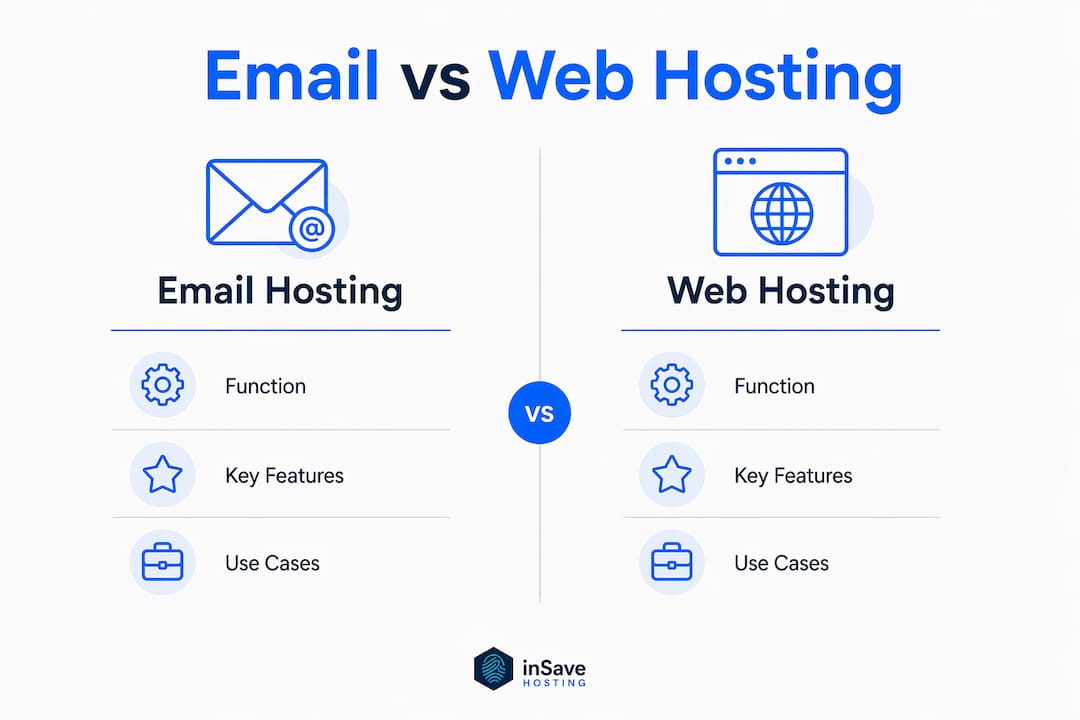
Website hosting and email hosting are two separate services that most businesses need to run together, yet they work in completely different ways. Website hosting stores your site's files on a server and delivers them to visitors. Email hosting manages your inboxes, routes messages, and handles storage on dedicated mail servers. The connection between them is your domain name: the same custom domain (say, yourbusiness.com) powers both your website and your professional email address.
You can get both from one provider or split them across two. Here is how they relate:
- Website hosting serves HTML, images, and code to browsers when someone visits your URL.
- Email hosting handles SMTP (sending), IMAP/POP3 (receiving), spam filtering, and inbox storage.
- Domain hosting is the registrar layer that points your domain to whichever servers handle each service via DNS records.
- Bundled plans give you one dashboard, one bill, and faster initial setup.
- Separate providers let you pick a specialist for each function, which often means better security, uptime, and features as you grow.
For a new business, a bundled plan is usually the right starting point. For a growing team that depends on email for sales, support, or compliance, dedicated email hosting almost always pulls ahead.
How web hosting, email hosting, and domain hosting actually differ
These three services share a domain name but serve entirely different technical roles. Mixing them up leads to bad buying decisions.
Web hosting runs your website. The type you choose determines performance, cost, and control:
- Shared hosting puts your site on a server with hundreds of others. It is the cheapest option and fine for low-traffic sites, but a noisy neighbor can slow you down.
- VPS (Virtual Private Server) gives you a partitioned slice of a server with dedicated resources. Better performance, more configuration control, moderate cost.
- Dedicated hosting gives you the whole machine. Expensive, but nothing else competes on raw performance or security isolation.
- Cloud hosting distributes your site across multiple servers, so traffic spikes do not crash you. Most modern SMB hosting features lean cloud-first.
Email hosting is a separate stack entirely. It runs on mail servers that speak SMTP, IMAP, and POP3. Key features to compare across providers include storage per mailbox, spam and virus filtering, uptime guarantees, webmail access, mobile app support, and authentication protocol support (SPF, DKIM, DMARC).
Domain hosting (your registrar) is the glue. It holds your DNS records and points your domain to whichever web server and mail server you choose. Changing email providers is as simple as updating your MX records at the registrar. No website downtime required.
Pro Tip: If you are just starting out, a bundled plan saves time and money. Once you hit 10+ employees or need compliance features, split your email to a specialist. The DNS change takes under an hour and your website never goes offline.
| Feature | Web hosting | Email hosting | Domain hosting |
|---|---|---|---|
| Primary function | Serves website files | Manages email accounts | Routes domain to servers |
| Key protocols | HTTP/HTTPS | SMTP, IMAP, POP3 | DNS (MX, A, CNAME records) |
| Storage type | File/database storage | Mailbox storage | Minimal (DNS records only) |
| Affects website uptime | Yes | No | Yes (if DNS fails) |
| Can be separated | Yes | Yes | N/A (always separate) |
| Typical cost driver | Traffic, storage, CPU | Users, mailbox size | Domain TLD, renewal fees |
How your hosting choices shape your brand and business credibility
Your email address is often the first thing a client sees. An address like owner@gmail.com signals a side project. An address like owner@yourbusiness.com signals a real company. That gap in perception is real, and professional email hosting is what makes the custom address work reliably.

Beyond appearances, professional email hosting enforces authentication protocols that protect your brand. SPF records tell receiving servers which IPs are authorized to send on your behalf. DKIM adds a cryptographic signature to every outgoing message. DMARC tells other servers what to do when a message fails those checks. Together, these three standards dramatically reduce the chance that your domain gets spoofed or your legitimate emails land in spam folders.
Branding benefits of integrated or custom hosting:
- A custom domain email address reinforces brand identity on every message you send.
- Consistent domain use across your website and email builds trust with clients and search engines alike.
- Professional hosting providers include uptime guarantees, so your email stays reachable even during traffic spikes on your website.
- Managed security features protect your reputation: one compromised inbox can get your whole domain blacklisted.
- Collaboration tools (shared calendars, contacts, team inboxes) bundled with email hosting reduce the need for separate software.
Stat to know: Email hosting for small businesses typically costs $1–$15 per user per month, yet the deliverability and brand protection gains from proper authentication far outweigh that spend for most businesses.
The best email hosting providers in 2026
The market has matured considerably. Google Workspace and Microsoft 365 dominate enterprise and mid-market, but there are strong options at every price point and use case. Here is how the leading providers stack up.
| Provider | Best for | Pricing (per user/month) | Key features | Ease of use | Integration |
|---|---|---|---|---|---|
| Google Workspace | Teams needing full productivity suite | From ~$7 (annual) | Gmail, Drive, Meet, Docs; 30 GB+ storage; 99.9% uptime | Very easy | Google ecosystem, 3rd-party apps |
| Microsoft 365 Business | Office-dependent businesses | From ~$6 (annual) | Outlook, 50 GB mailbox, 1 TB OneDrive, enterprise security | Easy | Full Microsoft stack, Outlook clients |
| Hostinger | Budget-conscious SMBs and startups | From ~$1 | Bundled web + email, spam protection, 99.9% uptime | Very easy | Web hosting bundle, 50+ tools |
| Zoho Mail | Small teams on a tight budget | From ~$1 | CRM integration, 5–30 GB storage, free plan available | Easy | Zoho CRM, Office suite |
| Proton Mail | Privacy and compliance-focused businesses | From $6 | End-to-end encryption, zero-access architecture | Moderate | Limited; security-first design |
| Fastmail | Privacy-conscious users wanting simplicity | From ~$3–$5 | 50 GB mailbox, ad-free, strong privacy policy | Very easy | CalDAV, CardDAV, IMAP |
| IceWarp | Enterprises needing flexible deployment | Custom pricing | Cloud or on-premises, team chat, video calls | Moderate | Flexible API, on-prem options |
| Hosting.com | Businesses prioritizing uptime and security | Not publicly listed | Managed hosting, spam/virus protection, SLA-backed | Easy | Web hosting bundle |
| GoDaddy | Domain + hosting under one roof | Not publicly listed | Microsoft 365-powered email, easy setup | Very easy | Domain registrar, website builder |
| DreamHost | Website owners wanting third-party email | Not publicly listed | Custom email with hosting plans, standalone option | Easy | WordPress, third-party email clients |
| Amazon WorkMail | AWS-native businesses | From ~$4 | AWS integration, HIPAA-eligible, enterprise security | Moderate | Full AWS ecosystem |
| Mailforge.ai | Sales teams running cold email campaigns | Not publicly listed | Cold email automation, deliverability tools, IP health | Moderate | Cold email platforms |
| Neo Mail | Freelancers and new small businesses | Not publicly listed | Free domain (.co.site), AI website builder, 15 GB | Easy | Built-in website builder |
| Rackspace | Businesses needing managed support and SLAs | Not publicly listed | 24/7 support, SLA-backed uptime, managed security | Moderate | Cloud platforms, Microsoft 365 |
| Namecheap | Cost-conscious beginners | Not publicly listed | IMAP/POP3/SMTP, anti-spam, domain integration | Very easy | Domain registrar bundle |
| Spacemail | One-tap domain-to-inbox setup | Not publicly listed | Built by Spaceship registrar, fast domain linking | Very easy | Spaceship domain management |
| Squarespace | Creative professionals and designers | Not publicly listed | Email forwarding, Google Workspace integration | Very easy | Squarespace website builder |
Google Workspace sits at the top for most growing businesses. The combination of Gmail's deliverability, Google Drive, Meet, and Docs in one subscription is hard to beat. Storage starts at 30 GB per user on the Starter plan and scales to unlimited on higher tiers. The 99.9% uptime guarantee and advanced phishing protection make it a reliable daily driver.
Microsoft 365 Business is the natural choice if your team already lives in Word, Excel, and PowerPoint. Outlook remains one of the most feature-rich email clients available, and the 50 GB mailbox paired with 1 TB of OneDrive storage is genuinely generous. Google Workspace vs Microsoft 365 comparisons consistently show both as top-tier; the decision usually comes down to which productivity ecosystem your team already uses.
Hostinger is the standout for startups and early-stage SMBs. It bundles web hosting, email hosting, spam protection, and a 99.9% uptime guarantee at a price point well under $2 per mailbox per month. You get antivirus scanning, webmail access, mobile app compatibility, and easy integration with the web hosting side, all from one dashboard.
Proton Mail takes a different approach entirely. Founded by scientists who wanted genuinely private communication, it uses end-to-end encryption so that even Proton cannot read your messages. For businesses handling sensitive client data or operating in regulated industries, that architecture is worth the trade-off in third-party integrations. Proton Mail and Fastmail are the two standout options for privacy-first email.
Mailforge.ai is built for a specific job: cold email outreach at scale. It automates the technical setup of email inboxes, manages IP health proactively, and integrates with cold email tools. If your sales team sends high-volume outreach campaigns, Mailforge.ai handles deliverability in ways that a general-purpose provider simply does not.
Neo Mail bundles a free domain (on the .co.site extension), an AI website builder, and email hosting in one plan. For a freelancer or very small business that needs a professional email address and a basic web presence simultaneously, it is one of the fastest ways to get both running.
Rackspace and IceWarp serve the enterprise end. Rackspace backs its service with SLA-guaranteed uptime and 24/7 managed support. IceWarp offers the flexibility of cloud or on-premises deployment, which matters for organizations with strict data residency requirements.
Namecheap and Spacemail are the budget picks for domain-centric buyers. Both make it easy to attach a professional inbox to a domain you already own, with minimal setup friction and low monthly costs.
Pro Tip: For most small businesses, the right starting question is not "which provider has the most features?" but "which provider fits the tools my team already uses every day?" Switching email providers mid-growth is painful. Pick one that has room to scale.
How to choose the best email and website hosting for your business
The right provider depends on where your business is today and where it is heading in the next two years. Work through these factors before you commit.
Key selection criteria:
- Budget: Email hosting costs range from $1 to $15 per user per month. Budget providers like Zoho Mail start around $1; full-featured platforms like Google Workspace and Microsoft 365 start at approximately $6–$7 per user per month on annual billing.
- Number of users: Pricing scales per mailbox, so a team of 20 pays very differently than a solo operator.
- Security requirements: Regulated industries (healthcare, legal, finance) need providers with HIPAA eligibility or GDPR compliance. Amazon WorkMail and Proton Mail are built for this.
- Collaboration needs: If your team shares documents, calendars, and video calls, a full suite like Google Workspace or Microsoft 365 eliminates the need for separate tools.
- Bundled vs. separate: Integrated hosting simplifies administration but can limit feature depth. Separate providers give you best-in-class for each function.
- Support availability: 24/7 support matters when email goes down on a Friday night. Rackspace and GoDaddy both offer round-the-clock help.
- Ease of migration: If you are switching providers, check whether the new one offers migration assistance or guided MX record setup.
A practical evaluation checklist:
- List your current pain points: deliverability issues, storage limits, lack of collaboration tools, or cost.
- Count your active email users and project growth over 24 months.
- Decide whether you want web and email hosting bundled or separate.
- Shortlist two or three providers that fit your budget and security requirements.
- Test the interface with a free trial or starter plan before committing to annual billing.
- Confirm that your chosen provider supports IMAP, SMTP, and your preferred email client (Outlook, Apple Mail, Thunderbird).
- Check bandwidth and storage limits against your actual usage, not just the plan headline.
Pro Tip: Annual billing typically saves 20–30% compared to monthly rates across most providers. If you are confident in your choice after a trial, commit annually. But never skip the trial, because interface friction compounds daily.
When to move from bundled hosting to a dedicated email provider
Bundled hosting works well for new businesses because it keeps costs low and management simple. One login, one bill, one support team. Hostinger is a good example: its bundled plans cover web hosting, email, spam protection, and domain registration at a price that makes sense for a startup that is not yet sure how fast it will grow.

The limitations show up as the business scales. Bundled email hosting typically offers basic spam filtering, limited storage per mailbox, and no advanced collaboration tools. When your team grows past a handful of people, or when you start losing deals because emails land in spam, or when you need shared calendars and document collaboration, the bundle stops being enough.
Expert recommendations for when to migrate:
- Your team exceeds 5–10 users and needs shared calendars, contacts, or document collaboration.
- You are experiencing deliverability problems that basic spam settings cannot fix.
- A compliance requirement (HIPAA, GDPR, SOC 2) demands a provider with formal certifications.
- Your current email storage limits are causing workflow friction.
- You want to separate email uptime from website uptime so a server issue does not take down both.
Google Workspace and Microsoft 365 are the two most recommended destinations for this migration. Both offer enterprise-grade security, deep collaboration tools, and the kind of uptime guarantees that bundled hosts rarely match. The technical side of migrating is simpler than most business owners expect: it primarily involves updating your MX records at your domain registrar, a text-field change that takes minutes and requires no website downtime.
A staged migration reduces risk further. Start by setting up the new email provider in parallel, then route new mail to it while keeping the old system running for a week to catch anything in transit. Once you confirm everything is flowing correctly, decommission the old mailboxes.
Pro Tip: Before you migrate, export a full backup of your existing mailboxes in MBOX or PST format. Most providers offer an import tool that pulls that backup directly into the new inbox. Do this before you touch any DNS records.
Moving to specialized email hosting is a natural growth path for SMBs, unlocking the collaboration and security features that bundled plans cannot match at scale.
Common technical issues and how to fix them
Even well-configured hosting setups run into problems. Knowing the most common ones saves hours of troubleshooting.
Emails landing in spam. This is almost always an authentication problem. Check that your domain has valid SPF, DKIM, and DMARC records published in DNS. Most professional email hosts walk you through this setup, but if you migrated recently, the old records may still be pointing to the wrong server. Use a free tool like MXToolbox to audit your DNS records in under a minute.
MX records not propagating. After a migration or DNS change, new MX records can take up to 48 hours to propagate globally, though most changes resolve within a few hours. During that window, some messages may route to the old server. Keep the old mailboxes active until propagation is complete.
Website down but email working (or vice versa). This is actually a sign that your services are correctly separated. If your web host has an outage, your email keeps running because it sits on different servers. If both go down simultaneously, the problem is almost certainly at the DNS or domain registrar level, not with either hosting provider.
Storage limits reached. Shared and budget email plans often cap mailboxes at 5–10 GB. When a mailbox fills up, incoming mail bounces back to the sender. Set up storage alerts at 80% capacity, and either archive old mail or upgrade the plan before you hit the ceiling.
SSL certificate errors on webmail. If your webmail interface shows a certificate warning, the SSL certificate on your mail server may have expired or been misconfigured. Most managed hosting providers handle SSL renewals automatically, but self-managed setups require manual renewal. A free SSL certificate from Let's Encrypt covers most cases.
Password and two-factor authentication lockouts. For business email, always configure a recovery email address and backup codes when you enable two-factor authentication. Losing access to the primary device without a backup method can lock an entire team out of their inboxes.
Costs breakdown: bundled vs. separate hosting plans
The pricing math between bundled and separate hosting is not always obvious. Here is how it typically breaks down for a small business.
Bundled web and email hosting from providers like Hostinger or GoDaddy can cost as little as $1–$5 per month for the whole package, covering a website, a domain, and basic email accounts. That price is hard to argue with for a solo operator or a brand-new business. The catch is that "basic email" usually means limited storage, minimal collaboration tools, and shared infrastructure.
Separate email hosting adds a per-user monthly cost on top of your web hosting bill. Budget options like Zoho Mail start around $1 per user per month. Mid-range options like Fastmail run $3–$5. Full-featured platforms like Google Workspace and Microsoft 365 start at approximately $6–$7 per user per month on annual billing. For a five-person team on Google Workspace, that is roughly $35–$42 per month for email alone, before web hosting costs.
Domain registration adds $12–$20 per year for most common TLDs. Some hosting plans bundle a free domain for the first year, which cuts initial costs. After year one, renewal fees apply regardless of provider.
The total cost comparison for a five-person business:
- Bundled plan (Hostinger-style): roughly $5–$15 per month covering web hosting, email, and domain.
- Separate web hosting + Google Workspace: roughly $10–$20 per month for web hosting plus $35–$42 per month for email, totaling $45–$62 per month.
The gap is real. But so is the difference in what you get. For a team that relies on email for client communication, sales, and collaboration, the productivity and deliverability gains from a dedicated provider typically justify the cost difference. For a solo freelancer or a business where email is mostly internal, a bundled plan covers the need at a fraction of the price.
For managed IT security requirements, factor in the cost of compliance features when comparing plans. Some providers include HIPAA-eligible infrastructure in their standard tiers; others charge separately for it.
Why inSave Hosting is worth a look for SMB web hosting
If you want solid web hosting without paying for features you will never use, inSave Hosting is a practical option for small and medium businesses that need performance without complexity.

inSave Hosting's shared hosting plans include a 99.9% uptime guarantee, a free SSL certificate, and one free domain for the first year. The platform runs on LiteSpeed with LSCache, PHP8, MariaDB, HTTP/2, and free CDN integration, which means your site loads fast without requiring you to configure a single server setting. WordPress hosting is a specific focus, with one-click installation, staging tools, free migration, and managed security built in.
For businesses that want email and web hosting under one roof at startup-friendly pricing, inSave Hosting's bundled approach covers the basics well. As your email needs grow, the platform's architecture makes it straightforward to point your MX records to a dedicated email provider while keeping your website right where it is.
FAQ
Can I host my own website and email?
Yes. You can self-host both on a VPS or dedicated server, but most small businesses find managed hosting providers cheaper and more reliable than running their own infrastructure.
What is the best email hosting service overall?
Google Workspace is consistently rated the top choice for businesses needing a full productivity suite with professional email. Microsoft 365 Business is the closest alternative for teams already using Office apps.
How much does email hosting cost?
Email hosting for small businesses typically runs $1–$15 per user per month. Budget providers like Zoho Mail start around $1, while Google Workspace and Microsoft 365 start at approximately $6–$7 per user per month on annual billing.
What is the most hacked email provider?
Free consumer email services with large user bases (Gmail, Yahoo Mail, Outlook.com) are the most frequently targeted because of their scale. Business email hosting with enforced two-factor authentication, SPF, DKIM, and DMARC records significantly reduces exposure compared to free accounts.
Do I need separate providers for my website and email?
Not necessarily. Bundled plans from providers like Hostinger or GoDaddy cover both at low cost and work well for new businesses. Separate providers make sense once your team grows or you need advanced security, compliance, or collaboration features that bundled plans do not offer.
Key Takeaways
Choosing the right email and website hosting setup comes down to matching your current business size, budget, and growth plans to the right provider or combination of providers.
| Point | Details |
|---|---|
| They are separate services | Website hosting serves files to browsers; email hosting manages inboxes on dedicated mail servers. |
| Bundled plans suit startups | Combined web and email hosting can cost as little as a few dollars per month, covering domain, site, and basic email. |
| Dedicated email pays off at scale | Specialized providers like Google Workspace and Microsoft 365 unlock collaboration and security features bundled plans cannot match. |
| Authentication protects your brand | SPF, DKIM, and DMARC records are the difference between emails landing in inboxes and getting flagged as spam. |
| inSave Hosting for SMB web hosting | inSave Hosting's shared plans include free SSL, free domain for year one, LiteSpeed performance, and WordPress-specific tools at SMB-friendly pricing. |