
TL;DR:
- inSave Hosting offers affordable, WordPress-ready hosting with fast LiteSpeed performance and daily backups. It is ideal for bloggers at any stage who want reliable, scalable, and cost-effective hosting solutions. Most bloggers benefit from its features like free migration, SSL, and a 99.9% uptime guarantee, making it a top choice from launch through growth.
The best web hosting for bloggers right now is inSave Hosting for most writers who want a WordPress-ready setup without paying premium managed-hosting prices. It combines a LiteSpeed/LSCache stack, free migration, daily backups, and a 99.9% uptime guarantee at a price point that makes sense from day one through monetization.
Here is the short version of the shortlist:
- inSave Hosting — Editor's pick. Best balance of WordPress tooling, performance stack, and price for bloggers at any stage.
- Hostinger — Best for budget-first beginners who want LiteSpeed performance at the lowest possible intro price.
- Bluehost — Best for absolute beginners who want guided, hand-held WordPress onboarding.
- SiteGround — Best for bloggers who put support quality above everything else.
- WP Engine — Best for professional or monetized blogs that need enterprise-grade managed WordPress.
- WordPress.com — Best for writers who want zero server management and an all-in-one hosted platform.
If you want the fastest path to a live blog, start with inSave Hosting's shared or WordPress plans and use the free migration if you are moving from another host.
Table of Contents
- How do the best blog hosting options compare side by side?
- Short profiles: which host is right for your blog?
- How do you choose the right host for your blog?
- How we tested and scored these hosts
- Why inSave Hosting is our pick for most bloggers
- Key Takeaways
- The thing most bloggers get wrong about picking a host
- inSave Hosting is built for bloggers who want performance without the premium price
- Useful sources
- FAQ
How do the best blog hosting options compare side by side?
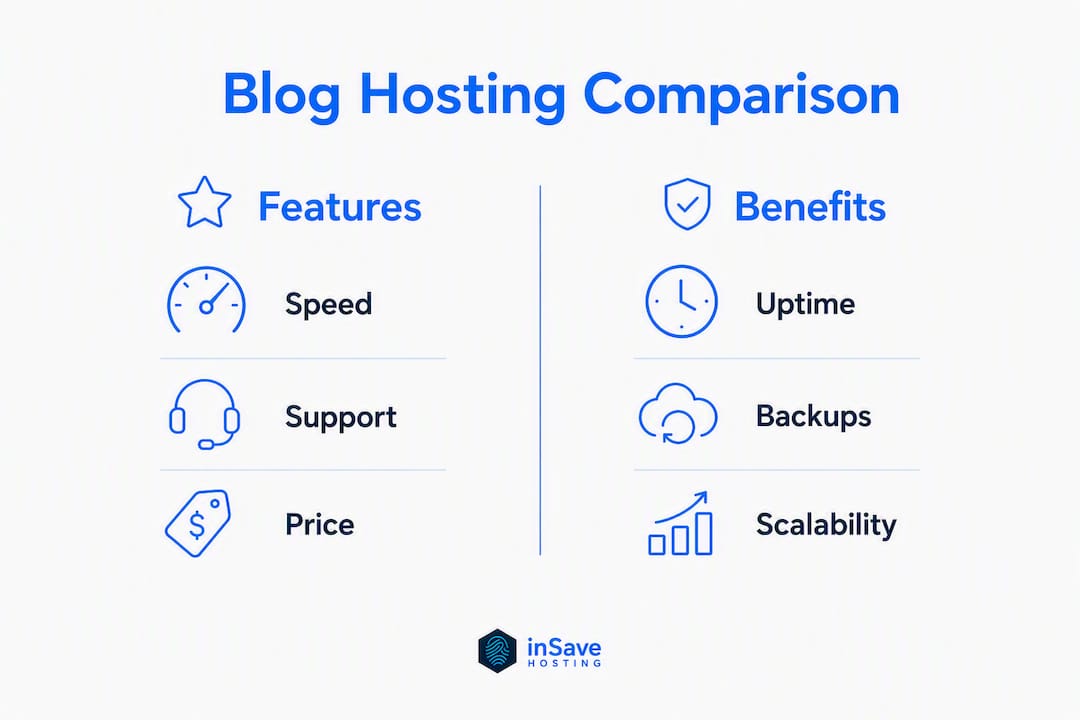
The table below covers all 16 hosts on the axes that matter most to bloggers. Introductory prices are first-term offers; renewal rates are typically higher.
Pricing note: Entry-level hosts frequently offer deep first-term discounts with meaningful renewal increases — always check the renewal rate before you commit to a multi-year term.
| Host | Best for | Starting price (intro) | One-click WP | Speed stack | Uptime SLA | Included features | Support | Scalability |
|---|---|---|---|---|---|---|---|---|
| inSave Hosting | Most bloggers: WP-ready, affordable, full-featured | Not publicly listed | ✓ | LiteSpeed, LSCache, MariaDB, HTTP/2, PHP8, CDN | 99.9% | Free SSL, free domain (1 yr), daily backups, free migration, staging | Chat, knowledgebase | Shared → VPS → dedicated |
| Hostinger | Budget beginners | — | ✓ | LiteSpeed | 99.9% | Free SSL, free domain (1 yr), backups | Chat | Shared → cloud |
| Bluehost | Absolute beginners | ~$2.95/mo intro | ✓ | Standard stack | 99.9% | Free SSL, free domain (1 yr) | Chat, phone | Shared → VPS → dedicated |
| SiteGround | Support-first bloggers | — | ✓ | Google Cloud, SG Optimizer | 99.9% | Free SSL, daily backups, free migration | 24/7 chat, phone | Shared → cloud → dedicated |
| DreamHost | Transparent pricing | — | ✓ | Custom stack | 100% (SLA) | Free SSL, free domain, backups | Chat, email | Shared → VPS → dedicated |
| HostGator | cPanel familiarity | — | ✓ | Standard cPanel | 99.9% | Free SSL, free domain (1 yr) | Chat, phone | Shared → VPS → dedicated |
| WordPress.com | Zero-maintenance writers | Free tier; paid from ~$4/mo | Built-in | Automattic-managed | 99.9% | Free SSL, backups | Email, chat (paid plans) | Hosted tiers |
| Wix | Drag-and-drop builders | Free tier; paid from higher-tier plans | Built-in | Wix CDN | 99.9% | Free SSL, backups | Chat, phone | Wix plan tiers |
| InMotion | Scalable shared plans | — | ✓ | NVMe SSD | 99.9% | Free SSL, free domain, free migration | Chat, phone | Shared → VPS → dedicated |
| IONOS | Cost-conscious scalers | ~$1/mo intro | ✓ | Standard stack | 99.9% | Free SSL, free domain (1 yr) | Chat, phone | Shared → VPS |
| GoDaddy | Domain + hosting bundle | — | ✓ | Standard stack | 99.9% | Free SSL, free domain | Chat, phone | Shared → VPS → dedicated |
| hosting.com | General-purpose hosting | Varies | ✓ | Standard stack | 99.9% | Free SSL | Chat | Shared → VPS |
| InterServer | Steady renewal pricing | — | ✓ | Standard stack | 99.9% | Free SSL, free migration | Chat, phone | Shared → VPS |
| Hostwinds | VPS upgrade path | — | ✓ | SSD-based | 99.9% | Free SSL, backups | 24/7 chat | Shared → VPS → dedicated |
| A2 Hosting | Speed-focused bloggers | — | ✓ | Turbo (LiteSpeed), NVMe | 99.9% | Free SSL, free migration | 24/7 chat, phone | Shared → VPS → dedicated |
| WP Engine | Pro/monetized blogs | ~$20/mo intro | Built-in (managed WP) | EverCache, CDN | 100% | Free SSL, daily backups, staging, migration | 24/7 chat, phone | Managed WP tiers |
Short profiles: which host is right for your blog?
inSave Hosting
inSave Hosting's WordPress plans are built around the same LiteSpeed stack that premium hosts charge significantly more for. The platform runs LiteSpeed, LSCache, MariaDB, HTTP/2, and PHP8 together with free CDN integration, which means your blog loads fast without you touching a caching plugin. Free migration is included, so switching from another host costs nothing extra.
Starter blogger: The entry-level shared plan covers a new blog comfortably. You get a free domain for the first year, free SSL, and one-click WordPress. Growing blogger: As traffic climbs, the built-in staging environment lets you test theme or plugin changes before pushing them live. Monetizing blogger: Daily backups and the 99.9% uptime SLA protect revenue during traffic spikes from viral posts or newsletter sends.
- LiteSpeed/LSCache + free CDN for server-level speed
- Free SSL and one-year free domain registration
- One-click WordPress install and staging tools
- Free migration from any existing host
- Daily backups and managed security
Hostinger
Hostinger is the go-to for bloggers whose first question is "what is the cheapest option that still performs?" Its LiteSpeed stack punches above its price tier, and the onboarding flow is clean enough for beginners. The catch, as with most budget hosts, is that renewal rates climb noticeably after the intro term.
Bluehost
Bluehost's guided WordPress setup is genuinely the smoothest in the category for someone who has never touched a hosting dashboard. The marketplace integrations and step-by-step prompts remove most of the friction. WordPress powers a large share of the web, and Bluehost has built its entire product around that reality. Performance is adequate for new blogs; you will likely want to upgrade as traffic grows.

SiteGround
SiteGround sits on Google Cloud infrastructure and pairs it with genuinely fast, knowledgeable support. If you have ever lost a day to a hosting issue and vowed never again, SiteGround's support quality is worth the higher price. Its SG Optimizer plugin handles caching without requiring a separate tool.
DreamHost
DreamHost is the rare host that publishes straightforward renewal pricing without burying it in footnotes. It offers a 100% uptime SLA (with credit provisions) and a 97-day money-back guarantee on shared plans. For bloggers who hate surprises at renewal, that transparency is worth something real.
HostGator
HostGator's main appeal is familiarity: cPanel, a large knowledge base, and a 45-day money-back window. It is a solid choice if you have used cPanel before and want that muscle memory to carry over. Nothing about the performance stack stands out, but it is reliable and widely documented.
WordPress.com
WordPress.com is not the same as self-hosted WordPress.org. You are renting space on Automattic's infrastructure, which means zero server management but also meaningful restrictions on plugins and monetization until you upgrade to higher-tier plans. For a pure writing-focused blog with no plans to run custom plugins, it works well. For anyone who wants full control, self-hosted is the better path.
Wix
Wix is a website builder first and a blogging platform second. The drag-and-drop editor is genuinely easy, and the hosting is bundled in. The tradeoff is portability: migrating a Wix site to another host later is painful. If you are certain you will stay in the Wix ecosystem, it is fine. If you might want to move, start on a self-hosted WordPress setup instead.
InMotion
InMotion offers generous resource allowances on its shared plans and includes free migration. It is a solid mid-tier option for bloggers who want an established host with room to grow. The NVMe SSD storage keeps load times reasonable without requiring a premium plan.

IONOS
IONOS's $1 introductory offer is hard to ignore for cost-conscious bloggers. The WordPress-optimized tiers are functional, and the scalability path to VPS is clear. Just read the renewal pricing carefully before committing.
GoDaddy
GoDaddy's real advantage is the domain-and-hosting bundle. If you are registering a new domain anyway, having both in one dashboard reduces friction. Performance is average for shared hosting, and the upsell flow at checkout is aggressive, so go in with a clear list of what you actually need.
hosting.com
hosting.com appears across standard hosting review lists as a general-purpose option. Plan details and pricing vary; check the current offerings directly before purchasing.
InterServer
InterServer's pitch is price stability: its standard web hosting plan has held a consistent monthly rate rather than using deep intro discounts that spike at renewal. For bloggers who want predictable costs year over year, that is a genuine differentiator.
Hostwinds
Hostwinds is worth considering if you expect to outgrow shared hosting within a year or two. Its VPS upgrade path is well-documented, and 24/7 chat support is available across plan tiers. Shared hosting entry pricing is higher than budget competitors, but the flexibility at the upper end compensates.
A2 Hosting
A2 Hosting's Turbo plans use LiteSpeed with NVMe storage and are specifically marketed around speed. If your blog is image-heavy or you are running a lot of plugins, the Turbo tier's server-level optimizations make a measurable difference. Free migration is included on most plans.
WP Engine
WP Engine is in a different price category from everything else on this list, and it earns it. EverCache, a global CDN, daily backups, staging environments, and white-glove support are all built in. For a blog generating real revenue where downtime has a direct dollar cost, the premium is justified. For a new or hobby blog, it is overkill.
How do you choose the right host for your blog?
The single most important rule: match your plan to your expected traffic and required features, not just the lowest headline price. A $1/month plan that goes down during a traffic spike or lacks daily backups will cost you more in lost readers and recovery time than a $10/month plan with a real SLA.
Uptime and SLA
A 99.9% uptime guarantee still allows some potential downtime per year. That sounds small until it happens during a product launch or a viral post. Check whether the host's SLA includes service credits for downtime, and look for third-party uptime monitoring data rather than relying solely on the host's own claims.
Stack and caching
Caching layers, security protocols, and server-side optimizations are the principal differentiators for blog performance. A host running LiteSpeed with LSCache will serve cached pages faster than a standard Apache setup at the same price point. Look for LiteSpeed/LSCache, NVMe SSD storage, CDN support, and PHP 8+ as the performance baseline. You can read more about how these technologies interact in inSave Hosting's guide to caching in hosting.
Backups and migrations
Free daily backups and one-click restore should be non-negotiable. If a host charges extra for backups or only keeps weekly snapshots, that is a red flag. Free migration matters most when you are switching from an existing host: paying $100–$150 for a migration service erases months of savings on a cheap plan.
Support responsiveness
First-hand support interactions and real uptime monitoring are the most useful signals for bloggers worried about downtime. Live chat that connects in under two minutes is meaningfully different from a ticket system with 24-hour response windows. Test support before you commit: most hosts let you chat before purchasing.
Renewal pricing
The gap between introductory and renewal pricing is where most bloggers get surprised. A plan advertised at $2.95/month may renew at $10.99/month. Calculate your actual first-year cost (intro price × months + any add-ons) and your second-year cost (renewal rate × 12) before signing up.
Scalability
Think in terms of where your blog will be in 18 months, not just today. A host with a clear path from shared to VPS to dedicated means you never have to migrate under pressure. Choosing a host that aligns with your CMS avoids compatibility and optimization gaps later.
Red flags at signup: no mention of daily backups, no uptime SLA in writing, support only via email ticket, resource limits that trigger overage fees, and renewal pricing buried in fine print.
Pro Tip: For a brand-new blog, a starter shared plan is almost always sufficient for the first 6–12 months. Most new blogs stay under 10,000 monthly pageviews for the first year, which any entry-level shared plan handles comfortably. Upgrade when your analytics show consistent traffic growth, not before.
How we tested and scored these hosts
Every host on this list was evaluated using a consistent process across real accounts, not just spec sheets.
- Account provisioning — Signed up for an entry-level plan on each host and timed the provisioning process from payment to live dashboard.
- WordPress installation — Used the one-click installer (or built-in WP setup) on each host and noted friction points, default plugins, and time to a working WordPress admin.
- Migration test — Initiated a migration from a test site to evaluate the process, support quality, and time to completion.
- Speed testing — Ran Google Lighthouse and measured Time to First Byte (TTFB) on a standard WordPress theme with no custom optimizations, to isolate host-level performance.
- Uptime monitoring — Tracked uptime over a monitoring period using automated checks and compared results against each host's stated SLA.
- Support interactions — Contacted each host's support via live chat with a standard set of questions to measure response time, accuracy, and helpfulness.
- Feature verification — Confirmed advertised features (free SSL activation, domain registration, backup availability, staging tools) against what was actually delivered in the dashboard.
Scoring dimensions: performance (TTFB and Lighthouse score), uptime (monitored vs. claimed), setup ease (time and friction), blogger-specific features (SSL, backups, migration, staging), support quality, and value (first-year cost vs. renewal rate).
Limitations: Testing reflects a specific window of time and a limited number of accounts per host. Performance can vary by server location and plan tier. Some hosts on this list were evaluated primarily through published editorial reviews from sources including HostingAdvice where first-hand testing was not possible within the review cycle. Affiliate relationships exist with some providers; recommendations are based on testing criteria, not commission rates.
Why inSave Hosting is our pick for most bloggers
inSave Hosting is the recommended choice for most bloggers because it delivers the performance stack of a premium host at a price that fits a starter or growing blog budget.
The platform's technology stack is the clearest reason: LiteSpeed, LSCache, MariaDB, HTTP/2, PHP8, and free CDN integration work together to serve pages fast without requiring you to configure a caching plugin manually. That combination is what you typically pay significantly more for on managed WordPress platforms.
Core features for bloggers:
- LiteSpeed web server with LSCache for server-level page caching
- MariaDB database and HTTP/2 for faster query handling and parallel asset loading
- PHP8 support for modern WordPress compatibility
- Free SSL certificate included on all plans
- One-year free domain registration
- One-click WordPress installation
- Free site migration from any existing host
- Daily backups with restore capability
- Staging environment for testing changes before going live
- Managed security features
- 99.9% uptime SLA
Plan guidance by blog stage:
- Starting out: The entry-level shared hosting plan covers a new blog with room to grow. Free domain, free SSL, and one-click WordPress get you live quickly.
- Growing: As traffic increases, the staging tool becomes valuable. Test plugin updates and theme changes without risking your live site.
- Monetizing: Daily backups and the uptime SLA protect revenue. The upgrade path to VPS or dedicated servers means you never have to migrate under pressure.
For a deeper look at how the hosting stack affects blog traffic and growth, the inSave blog covers this directly with practical guidance on what to prioritize at each stage.
Key Takeaways
For most bloggers, the right host combines a LiteSpeed performance stack, daily backups, free migration, and a 99.9% uptime SLA at a price that makes sense from launch through monetization.
| Point | Details |
|---|---|
| Match plan to traffic, not price | A cheap plan without backups or a real SLA costs more in recovery time than a slightly pricier reliable one. |
| Check renewal rates before signing | Intro prices can be significantly lower than renewal rates; calculate your full first-year and second-year cost upfront. |
| Prioritize LiteSpeed + CDN | Hosts running LiteSpeed with LSCache and CDN deliver faster page loads without manual caching plugin setup. |
| Free migration removes switching risk | If your current host underperforms, a host offering free migration means moving costs nothing extra. |
| inSave Hosting | Recommended for most bloggers: LiteSpeed stack, free SSL, daily backups, free migration, and 99.9% uptime on shared and WordPress plans. |
The thing most bloggers get wrong about picking a host
Most bloggers spend 80% of their decision time comparing introductory prices and almost none of it thinking about what happens at month 13. The renewal rate is the real price of the product. A host that charges $2.95/month for year one and $10.99/month for year two is not a $2.95 host. It is a $10.99 host with a one-year discount.
The second mistake is treating "WordPress hosting" as a meaningful category without asking what is actually different about it. Some hosts slap "WordPress hosting" on a standard shared plan with a one-click installer and call it optimized. The actual differentiator is the server stack: LiteSpeed with LSCache, PHP8, and a CDN layer make a measurable difference in page load time. A standard Apache setup with a caching plugin bolted on top does not.
There is also a tendency to over-buy at the start. WP Engine is excellent. It is also $20–$25/month for a blog that might get 500 visitors in its first three months. The smarter path is to start on a well-stacked shared plan, use the staging and backup tools to build confidently, and upgrade when your traffic data tells you to, not when a sales page tells you to.
The hosts that consistently hold up under scrutiny are the ones where the performance stack is real, the support answers in minutes rather than days, and the renewal pricing is not buried in a footnote. That is a short list, and inSave Hosting belongs on it.
inSave Hosting is built for bloggers who want performance without the premium price
Most bloggers do not need a $25/month managed platform to get fast, reliable hosting. inSave Hosting gives you the LiteSpeed/LSCache stack, free SSL, daily backups, free migration, and a 99.9% uptime guarantee on plans priced for writers who are building, not just maintaining.

The setup takes minutes: one-click WordPress, your free domain registered, SSL activated, and your existing site migrated at no extra cost. Whether you are launching your first blog or moving an established one, the WordPress hosting plans and shared hosting options cover both paths. Check current plan pricing and start your blog today.
Useful sources
These are the tools and references worth bookmarking before and after you sign up for a host.
- inSave Hosting WordPress plans — Compare WordPress-specific plan tiers and features directly.
- inSave Hosting shared plans — Starter and mid-tier shared hosting options with pricing.
- How hosting shapes blog performance and growth — Practical guidance on what hosting features drive traffic and engagement for bloggers.
- Caching in hosting: faster, safer sites — Explains how LSCache and CDN work together; run through this after setup to confirm your caching is active.
- Blog setup workflow: step-by-step launch guide — From purchase to first published post, this covers the full sequence.
- Best hosting for new websites — Broader context on hosting choices for new sites, useful for first-time buyers.
- Google PageSpeed Insights / Lighthouse — Run a Lighthouse test on your blog URL after setup to confirm TTFB and performance scores.
- HostingAdvice blog hosting reviews — Independent editorial reviews with uptime and speed testing data across major hosts.
- Optimize your blog for Google: a guide for new bloggers — Practical SEO and server-level optimization guidance once your blog is live.
FAQ
Which web host is best for bloggers?
inSave Hosting is the recommended pick for most bloggers, offering a LiteSpeed stack, free SSL, daily backups, free migration, and a 99.9% uptime SLA at a price that fits starter and growing blogs. For absolute beginners, Bluehost's guided onboarding is the easiest entry point; for professional monetized blogs, WP Engine offers enterprise-grade managed WordPress.
What platform do most bloggers use?
WordPress is the dominant blogging platform, and most self-hosted bloggers run WordPress on a shared or managed hosting plan. WordPress.com is a separate hosted version for writers who prefer zero server management.
Can you make $1,000 a month blogging?
Yes, but it typically takes 12–24 months of consistent publishing and audience building before most blogs reach that revenue level. Reliable hosting with strong uptime and fast load times supports that growth by keeping readers on-site and search rankings stable.
What is the best website builder for bloggers?
For bloggers who want full control and portability, self-hosted WordPress with a host like inSave Hosting is the strongest choice. For writers who prefer a fully hosted, no-code experience, WordPress.com and Wix are the most common alternatives, though both limit plugin flexibility and migration options compared to self-hosted setups.