
TL;DR:
- Cloud hosting offers higher uptime, faster load times, and automatic scalability compared to traditional hosting.
- It uses distributed virtual servers, reducing single points of failure and enhancing reliability.
- For growing businesses, cloud hosting's benefits outweigh costs, supporting scalability and security needs.
Cloud hosting once belonged exclusively to enterprise tech budgets. That assumption is now outdated. Small and medium-sized businesses are switching fast, and the data backs them up: cloud hosting delivers 99.95 to 99.99% uptime compared to 99.9 to 99.95% for traditional hosting, plus load times that are 20 to 30% faster. Those numbers sound small until you realize every minute of downtime costs you real customers and real revenue. If you're still running your business website on shared or single-server hosting, this article will show you exactly what you're risking and what you stand to gain by making the switch.
Table of Contents
- What is cloud hosting and how does it work?
- Cloud hosting vs. traditional hosting: Performance, uptime, and speed
- Cost and ROI: Is cloud hosting affordable for small businesses?
- Scalability, reliability, and security: Advanced benefits for growing businesses
- Our take: What most business owners miss about cloud hosting
- Ready to upgrade? Discover the right hosting for your business
- Frequently asked questions
Key Takeaways
| Point | Details |
|---|---|
| Superior reliability | Cloud hosting boosts uptime and keeps your business online thanks to automatic failover across servers. |
| Performance gains | Websites run 20-30% faster and handle heavy loads better versus traditional hosting solutions. |
| Scalable for growth | Cloud hosting adapts on demand, ensuring you never outgrow your platform or miss sales during spikes. |
| Right-fit costs | While not always the cheapest, cloud hosting maximizes ROI for businesses with unpredictable or spiky traffic. |
What is cloud hosting and how does it work?
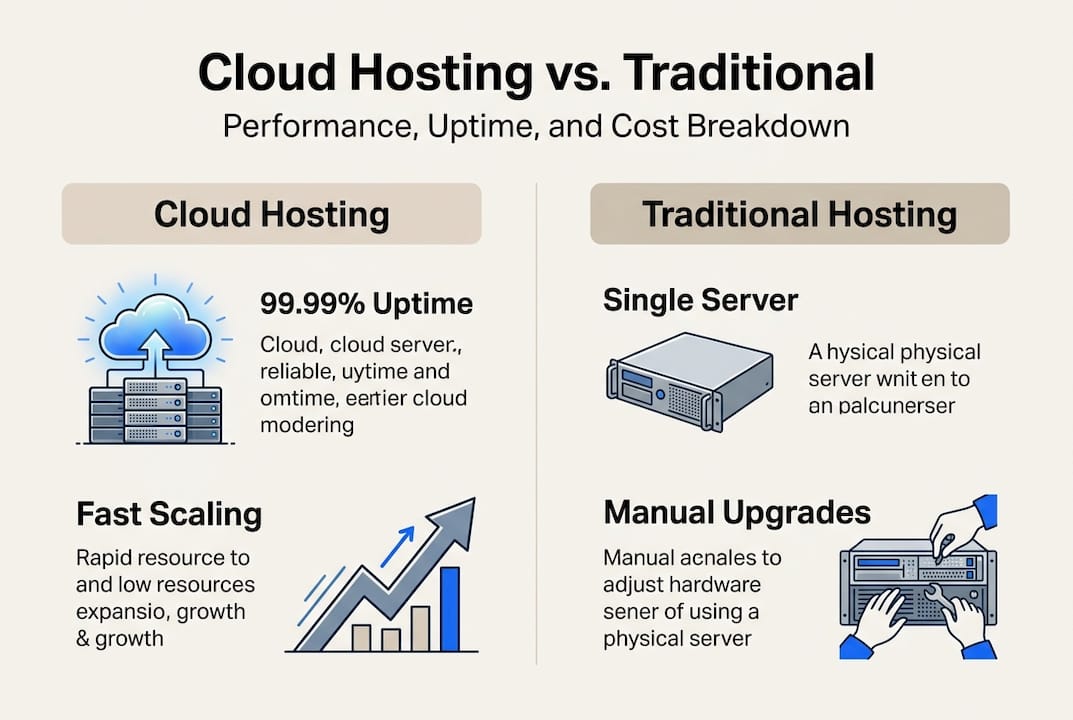
Cloud hosting is not a single physical machine tucked in a data center somewhere. It's a network of virtual servers that all pull resources from multiple physical servers at once. Think of it like a power grid: instead of relying on one generator, your website draws from an entire network. If one source goes down, others pick up the slack instantly.
Traditional hosting, by contrast, ties your website to one machine. If that machine has a hardware failure, a traffic spike, or a maintenance window, your site goes offline. That's what's called a single point of failure, and it's a risk most business owners don't realize they're carrying until it's too late.
Cloud hosting uses distributed virtual servers drawing resources from multiple physical servers, enabling automatic scaling, redundancy, and failover. Those three features are what make cloud hosting genuinely different, not just a marketing term.
Here's what each one means for your business:
- Automatic scaling: When traffic spikes, your hosting environment adds resources on the fly. No manual upgrades, no site crashes during your busiest sales day.
- Redundancy: Your data and website are mirrored across multiple servers. Losing one doesn't mean losing your site.
- Failover: If a server in the network fails, traffic is automatically rerouted to a healthy one. Your visitors never notice.
For a deeper look at the fundamentals, the cloud hosting basics guide walks through how this infrastructure works in plain language.
Pro Tip: Log into your current hosting control panel and check whether your plan runs on a single shared server. If it does, you have a hidden single point of failure. One bad actor on that server, or one hardware fault, can take your site down with it.
Understanding this foundation matters because the performance advantages of cloud hosting flow directly from this architecture. It's not magic. It's smart infrastructure design.
Cloud hosting vs. traditional hosting: Performance, uptime, and speed
With the technical basics covered, let's focus on how cloud hosting measures up to traditional approaches using real data.
The performance gap between cloud and traditional hosting is measurable and meaningful. Cloud hosting delivers 20 to 30% faster load times, 18 to 25% faster time-to-first-byte (TTFB), and 30 to 40% better performance under heavy traffic loads compared to traditional hosting.
| Feature | Cloud hosting | Traditional hosting |
|---|---|---|
| Uptime guarantee | 99.95% to 99.99% | 99.9% to 99.95% |
| Load time improvement | 20 to 30% faster | Baseline |
| TTFB improvement | 18 to 25% faster | Baseline |
| Performance under load | 30 to 40% better | Degrades under spikes |
| Failover capability | Automatic | Manual or none |
| Scalability | On-demand | Requires plan upgrade |
That uptime difference deserves a closer look. Going from 99.9% to 99.99% uptime sounds like a rounding error. But 99.9% uptime means roughly 8.7 hours of downtime per year. At 99.99%, that drops to under an hour. For an e-commerce store generating $500 per hour, that gap is worth thousands of dollars annually.
"Even a fraction of a percent improvement in uptime translates directly into customer trust, search engine rankings, and revenue protection for small businesses."
Many SMB owners assume shared hosting is "good enough." The data says otherwise. Shared hosting environments pool resources across dozens or hundreds of sites. When a neighboring site gets a traffic surge, your site slows down. That's a real, documented phenomenon called the "noisy neighbor" effect.
If you want to optimize hosting performance for your business, understanding TTFB is a great starting point. It's the time between a user's browser sending a request and receiving the first byte of data. Faster TTFB means a snappier, more responsive site experience. You can also explore hosting reliability explained and hosting speed factors to see how these metrics connect to real business outcomes.
Cost and ROI: Is cloud hosting affordable for small businesses?
Understanding performance is half the equation. The next is affordability. Here's how cloud hosting stacks up on costs and ROI for SMBs.
Cloud hosting is not always the cheapest option on a monthly invoice. But monthly fees are only part of the story. The real question is total cost of ownership (TCO) over time, factoring in downtime losses, migration headaches, and the cost of outgrowing your plan.
For stable workloads, self-hosting can be 30% cheaper over three years ($7,690 vs $10,970). But that advantage evaporates the moment your traffic becomes unpredictable or your team lacks the technical skills to manage infrastructure.
| Hosting type | Best for | 3-year estimated cost | Scalability |
|---|---|---|---|
| Shared hosting | Low-traffic, static sites | $300 to $900 | Very limited |
| Cloud hosting | Growing, variable traffic | $1,200 to $5,000+ | On-demand |
| Dedicated server | High-traffic, fixed needs | $5,000 to $15,000+ | Manual |
| Self-hosted | Tech-savvy, stable workloads | $7,690 (avg) | DIY |
Benchmarks confirm that cloud hosting delivers superior speed and uptime over traditional setups, though costs can rise with poor resource management or high data transfer fees. The ROI is strongest for growth-oriented businesses.
Cloud makes the most sense when:
- Your traffic is seasonal or unpredictable
- You're scaling a product or service and expect growth
- You can't afford extended downtime
- You don't have in-house server management skills
For a full breakdown of value across scenarios, the cloud hosting benefits guide covers the numbers in more detail.
Pro Tip: Before comparing monthly plan prices, tally up what downtime actually costs you. Multiply your average hourly revenue by the number of hours your site was slow or offline last year. That number often justifies the switch on its own.
Scalability, reliability, and security: Advanced benefits for growing businesses
Price is important, but what happens when your business takes off overnight or faces a sudden spike in online demand?
This is where cloud hosting's architecture really earns its keep. Traditional hosting forces you to manually upgrade your plan when you outgrow it, often requiring a full server migration. Cloud hosting scales automatically, adding CPU, RAM, and bandwidth in real time as demand rises. No migration. No downtime. No frantic calls to support.

Distributed virtual server infrastructure also means built-in redundancy. If one physical server in the network fails, your site keeps running on others. This self-healing behavior is what makes cloud hosting so resilient for businesses that can't afford outages.
Security is another area where cloud hosting pulls ahead. Reputable cloud providers layer in firewalls, DDoS (distributed denial-of-service) protection, automated backups, and SSL certificates as standard features. For a small business without a dedicated IT team, that managed security layer is invaluable.
Here are four signs your business needs better scalability and reliability right now:
- Your site slows down noticeably during promotions or peak seasons
- You've experienced unexpected downtime in the past 12 months
- You're planning to launch new products, markets, or campaigns
- Your current host can't add resources without a full plan migration
"Security and uptime are baked into well-managed cloud hosting. For SMBs without dedicated IT staff, that's not a luxury. It's a necessity."
For more on what secure SMB hosting looks like in practice, or why security for businesses matters more than most owners realize, those resources are worth a read. You can also find real-world examples of reliable hosting success from businesses that made the switch.
Our take: What most business owners miss about cloud hosting
After breaking down the facts, here's our candid perspective on what business owners actually need to know.
Most conversations about cloud hosting focus on price. We get it. Budget matters. But in our experience, the businesses that benefit most from cloud hosting aren't the ones chasing the lowest monthly fee. They're the ones who stop treating hosting as a commodity and start treating it as infrastructure for growth.
The "pay-for-what-you-use" model of cloud hosting is genuinely powerful, but it can be mismanaged. Leaving unused resources running or ignoring egress (data transfer) fees can inflate your bill fast. The fix is simple: review your usage monthly and right-size your plan.
What SMBs who've migrated often wish they'd known is this: the cost of staying on inadequate hosting compounds quietly. Slow load times erode your search rankings. Occasional downtime chips away at customer trust. Neither shows up as a line item on your invoice, but both cost you real money.
For a broader view of how the numbers actually play out, cloud benefit insights lays it out clearly.
Pro Tip: Before switching, map your growth plans and traffic patterns for the next 12 months against your current hosting limits. That exercise alone will tell you whether cloud is the right move now or in six months.
Ready to upgrade? Discover the right hosting for your business
If you're convinced that cloud is the future, here's how to get started without the guesswork.
Choosing the right provider matters as much as choosing the right plan. You want a host that combines performance technology, like LiteSpeed and free CDN, with transparent pricing and real support.

At InSave Hosting, we've built our cloud server options around exactly what growing SMBs need: automatic scaling, 99.9% uptime, free SSL, and managed security without the enterprise price tag. If WordPress powers your site, our WordPress hosting plans include one-click installs, staging tools, and free migration. Ready to see what fits your business? Explore web hosting plans and find the right starting point today.
Frequently asked questions
What makes cloud hosting more reliable than traditional hosting?
Cloud hosting uses distributed virtual servers across multiple physical machines, so if one fails, automatic failover keeps your website online without interruption.
Is cloud hosting always more expensive than shared hosting?
For stable, low-traffic sites, shared hosting can be cheaper, but cloud becomes more cost-effective as traffic grows or becomes unpredictable.
How does cloud hosting affect website speed?
Cloud hosting delivers 20 to 30% faster load times and up to 25% faster time-to-first-byte compared to traditional hosting setups.
When should a small business not choose cloud hosting?
If your site has stable, predictable traffic and your team has the technical skills to manage servers, self-hosting may be more cost-effective over three years.
Can I switch from traditional hosting to cloud hosting easily?
Most reputable providers offer managed migration services or built-in migration tools that handle the technical heavy lifting so you can switch with minimal disruption.