
Most small business owners assume that a "99.9% uptime" guarantee means their site is almost always online. But that 99.9% uptime actually allows for nearly 9 hours of downtime every year. For a WordPress site handling customer inquiries, online orders, or bookings, that's a serious problem. This guide breaks down what hosting reliability truly means, how to read the numbers behind those promises, and what you should actually look for when choosing a host for your business site.
Table of Contents
- Understanding hosting reliability: More than uptime
- Breaking down the numbers: What does '99.9% uptime' mean for your site?
- How uptime is achieved: The pillars of hosting reliability
- Benchmarking the best: WordPress host reliability in 2026
- SMB pitfalls: What can go wrong beyond uptime numbers?
- Evaluating hosting reliability for your WordPress site
- Choose truly reliable hosting for your SMB WordPress site
- Frequently asked questions
Key Takeaways
| Point | Details |
|---|---|
| Uptime isn’t everything | Reliable hosting means more than high uptime percentages—it covers security and consistency too. |
| Benchmarks matter | Actual provider performance can differ from advertised SLAs, so check independent testing. |
| Edge cases add risk | Downtime can be hidden or partial, so real user monitoring is essential for SMBs. |
| Smart evaluation tools | Use multi-location monitoring and demand transparent reporting for peace of mind. |
| Choose features that fit | Insist on hosts with robust security, CDNs, and WordPress expertise for true reliability. |
Understanding hosting reliability: More than uptime
Hosting reliability is not just a single number on a sales page. It's a combination of several factors working together: uptime consistency, data integrity, security, and how quickly a host recovers when something goes wrong.
Here are the core pillars of hosting reliability:
- Uptime: The percentage of time your site is accessible to visitors
- Consistency: Stable load times and server response, not just "online" status
- Data integrity: Your files, databases, and content stay intact and uncorrupted
- Security: Protection against attacks that could take your site offline or compromise it
- Recovery speed: How fast the host restores service after an incident
Service Level Agreements, or SLAs, are the contracts that define what a host promises. They typically cover uptime percentages and outline what credits you receive if they fall short. But SLAs often exclude scheduled maintenance windows, third-party failures, and events outside the host's direct control. That's a lot of wiggle room.
"An SLA is a promise, not a guarantee. The fine print often excludes the exact scenarios that cause the most real-world downtime."
Understanding why secure hosting matters is just as important as tracking uptime. And if you're weighing your options, knowing the difference between dedicated vs shared hosting can help you match your reliability needs to the right plan.
Uptime itself is calculated simply: uptime % = total time minus downtime, divided by total time, then multiplied by 100. Most hosts measure this monthly.
Breaking down the numbers: What does '99.9% uptime' mean for your site?
Those percentages look impressive on a pricing page. But when you convert them into actual minutes and hours, the picture changes fast.
| Uptime SLA | Monthly downtime | Annual downtime |
|---|---|---|
| 99.9% | ~43 minutes | ~8.76 hours |
| 99.95% | ~21.6 minutes | ~4.38 hours |
| 99.99% | ~4.3 minutes | ~52.6 minutes |
| 100% | 0 minutes | 0 minutes |
According to real uptime data, 99.9% uptime allows roughly 43 minutes of downtime per month, while 99.99% cuts that to just 4.3 minutes. That gap matters enormously for active business sites.
Here's what those lost minutes can actually cost you:
- A customer who can't load your checkout page leaves and buys elsewhere
- A prospect who hits a 503 error on your contact form never reaches out again
- Google's crawlers hitting downtime can hurt your search rankings over time
- Your support team fields complaints instead of handling real work
For an e-commerce site doing even modest sales, 43 minutes of downtime per month could mean hundreds of dollars in lost revenue. Choosing a host based on types of web hosting that match your traffic and transaction volume is one of the smartest moves you can make early on.

How uptime is achieved: The pillars of hosting reliability
Downtime isn't always bad luck. The best hosts invest heavily in infrastructure that prevents it before it starts.
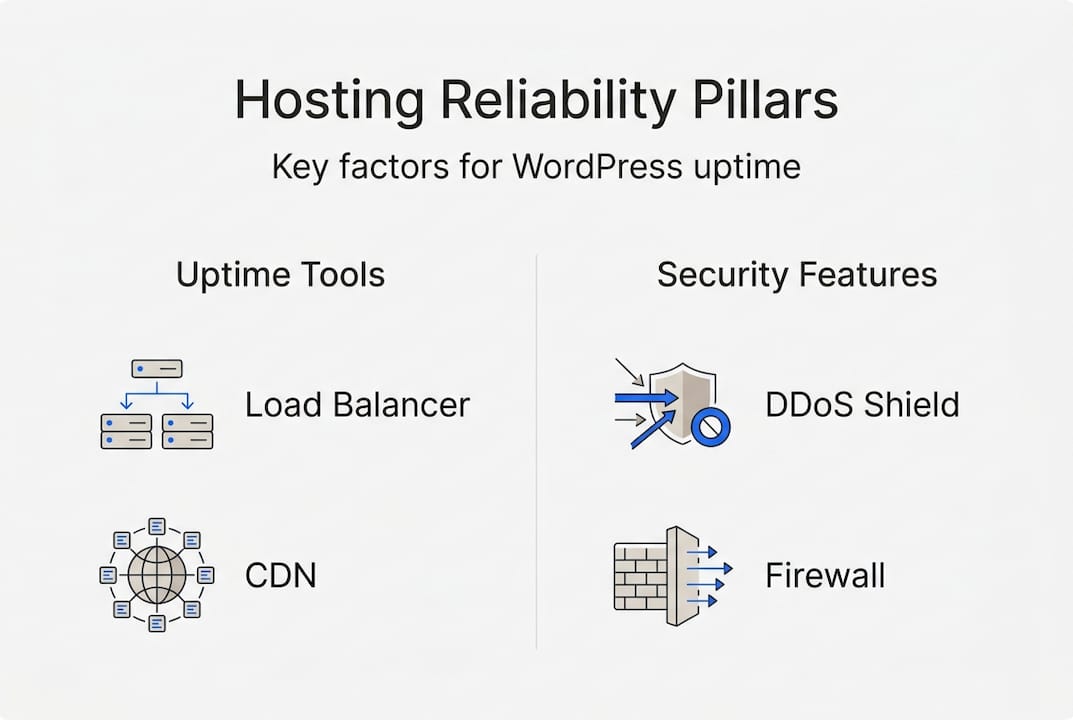
The technologies and systems that drive real reliability include:
- Redundant hardware: Multiple servers so one failure doesn't take everything down
- Load balancing: Distributes traffic across servers to prevent overload
- Content Delivery Networks (CDNs): Serve your site from locations closer to your visitors
- DDoS protection: Blocks malicious traffic floods before they overwhelm your server
- Proactive monitoring: Automated alerts and responses before issues become outages
- Failover systems: Automatically switch to backup infrastructure if primary systems fail
Top hosts achieve reliability through a combination of redundant hardware, load balancing, CDNs, DDoS protection, and proactive monitoring. Budget hosts often skip one or more of these layers, which is exactly where reliability gaps appear.
Pro Tip: Don't rely solely on your host's own status page to track uptime. Use an independent 360 monitoring tool that checks your site from multiple geographic locations. This gives you an unbiased view of real-world availability.
The hosting features list for SMB WordPress sites is a useful reference for identifying which technical features your host should offer as a baseline.
Benchmarking the best: WordPress host reliability in 2026
Marketing copy is easy to write. Real performance data is harder to fake. Here's how major WordPress hosts actually performed in 2026 benchmarks.
| Host | Advertised uptime | Actual uptime (2026) | Notes |
|---|---|---|---|
| Liquid Web | 100% | 100% | Zero recorded downtime |
| Kinsta | 99.99% | 99.99% | ~3 min downtime per 60 days |
| SiteGround | 99.9% | 99.98% | Exceeded SLA |
| WP Engine | 99.95% | 99.97% | Solid performance |
| Hostinger | 99.9% | 99.93% | Slightly below SLA |
These 2026 WordPress benchmark results show that some hosts exceed their promises while others fall short. Budget providers often lag in real-world reliability even when their advertised SLA looks competitive.
Beyond raw uptime, look for these extras that improve WordPress stability:
- Automatic WordPress core and plugin updates
- Built-in malware scanning and removal
- Staging environments to test changes before going live
- Server-level caching for consistent performance under load
If you're evaluating options, WordPress hosting plans built specifically for the platform tend to outperform generic shared hosting on both speed and stability. You can also compare SMB hosting features to see which plan tiers include the reliability tools your site actually needs.
SMB pitfalls: What can go wrong beyond uptime numbers?
Reliability isn't just about big outages. The smaller, harder-to-detect issues are often what hurt small businesses most.
Here are the scenarios every SMB WordPress owner should prepare for:
- Micro-outages: Short interruptions of 30 to 90 seconds that standard 5-minute monitoring checks completely miss
- Partial failures: Your homepage loads fine, but your checkout API or contact form is broken
- Geographic inconsistency: Your site loads fast in one city but times out for visitors in another region
- Traffic spikes: A product launch or press mention floods your server and causes slowdowns or crashes
- Database failures: Your WordPress database becomes corrupted or unresponsive, breaking the site even though the server is technically "up"
- Plugin conflicts: A plugin update breaks your site in ways that don't show up as downtime but make the site unusable
These edge cases include micro-outages missed by standard checks, partial failures where only part of your site breaks, geographic inconsistencies, and database or plugin issues that standard uptime monitoring never catches.
"A site that's technically 'up' but broken for half your visitors is just as damaging as full downtime. Basic uptime tracking won't tell you that."
Pro Tip: Set up real user experience monitoring in addition to basic uptime checks. Tools that simulate actual visitor behavior from multiple locations will catch partial failures and geographic issues that ping-based monitors miss entirely.
Reading real hosting reliability stories from other small businesses can also help you understand which failure types are most common and how to prepare.
Evaluating hosting reliability for your WordPress site
Now that you know what to look for, here's a practical checklist to use when evaluating any host.
Step-by-step evaluation checklist:
- Check independent benchmark data, not just the host's advertised SLA
- Look for third-party uptime reports from the past 6 to 12 months
- Ask the host directly about their redundancy setup and failover systems
- Confirm whether their monitoring covers partial failures, not just full outages
- Test their support response time before you commit, not after
- Verify that their infrastructure includes CDN, DDoS protection, and automated backups
- Set up your own independent monitoring from day one
Key features to demand from any WordPress host:
- Free SSL certificate and HTTPS enforcement
- Built-in CDN or easy CDN integration
- Malware scanning and firewall protection
- Transparent uptime reporting and incident history
- Scalable resources to handle traffic spikes without crashing
For WordPress SMBs specifically, reliability also means strong security including malware scanning and firewalls, consistent performance with low response time variance, and the ability to scale under load. And as independent monitoring research confirms, prioritizing hosts with proven benchmarks over SLA promises is the smarter approach for any small business that depends on its website.
Choose truly reliable hosting for your SMB WordPress site
You've now seen what separates a genuine reliability promise from a marketing number. The right host invests in redundancy, security, monitoring, and WordPress-specific performance tools. That's exactly what we've built at InSave Hosting.

Our WordPress hosting plans include LiteSpeed servers, free CDN, built-in SSL, and proactive security features designed to keep your site online and fast. If you're starting out or scaling up, our shared hosting options offer the same reliability foundation at a price that fits a small business budget. With 99.9% uptime, free migration, and staging tools included, you get the infrastructure that serious WordPress sites need without the enterprise price tag.
Frequently asked questions
What is hosting reliability in simple terms?
Hosting reliability means your website stays online and runs smoothly with minimal downtime. It primarily refers to uptime, typically guaranteed at 99.9% or higher by most providers.
How much downtime is allowed with 99.9% uptime?
99.9% uptime allows roughly 43 minutes of downtime each month, which adds up to nearly 9 hours per year. That's more than most business owners realize when they sign up.
How can small businesses check their host's reliability?
You can use multi-location monitoring tools to track your website's uptime independently from your host's own reporting. This gives you an unbiased view of real availability.
Does reliability include security for WordPress hosting?
Yes. For WordPress sites, reliability includes security features like malware scanning and firewalls, along with consistent performance and the ability to handle traffic spikes without going down.