
Getting a small business or personal site online without running into hidden renewal fees or complicated migrations is still harder than it should be. Too many web hosting services either raise prices sharply after an initial term, limit free migration help, or do not offer hands-on support when moving from another provider. This review compares transparent entry pricing, support ownership, and hosting types so you can choose a web host that matches your budget and growth plans without surprise fees.
Table of Contents
- inSave Hosting
- Namecheap
- MilesWeb
- Arvixe
- Netigo
- HomepageUniverse (Planetsmb)
- Best Affordable Web Hosting Comparison
inSave Hosting
At a Glance
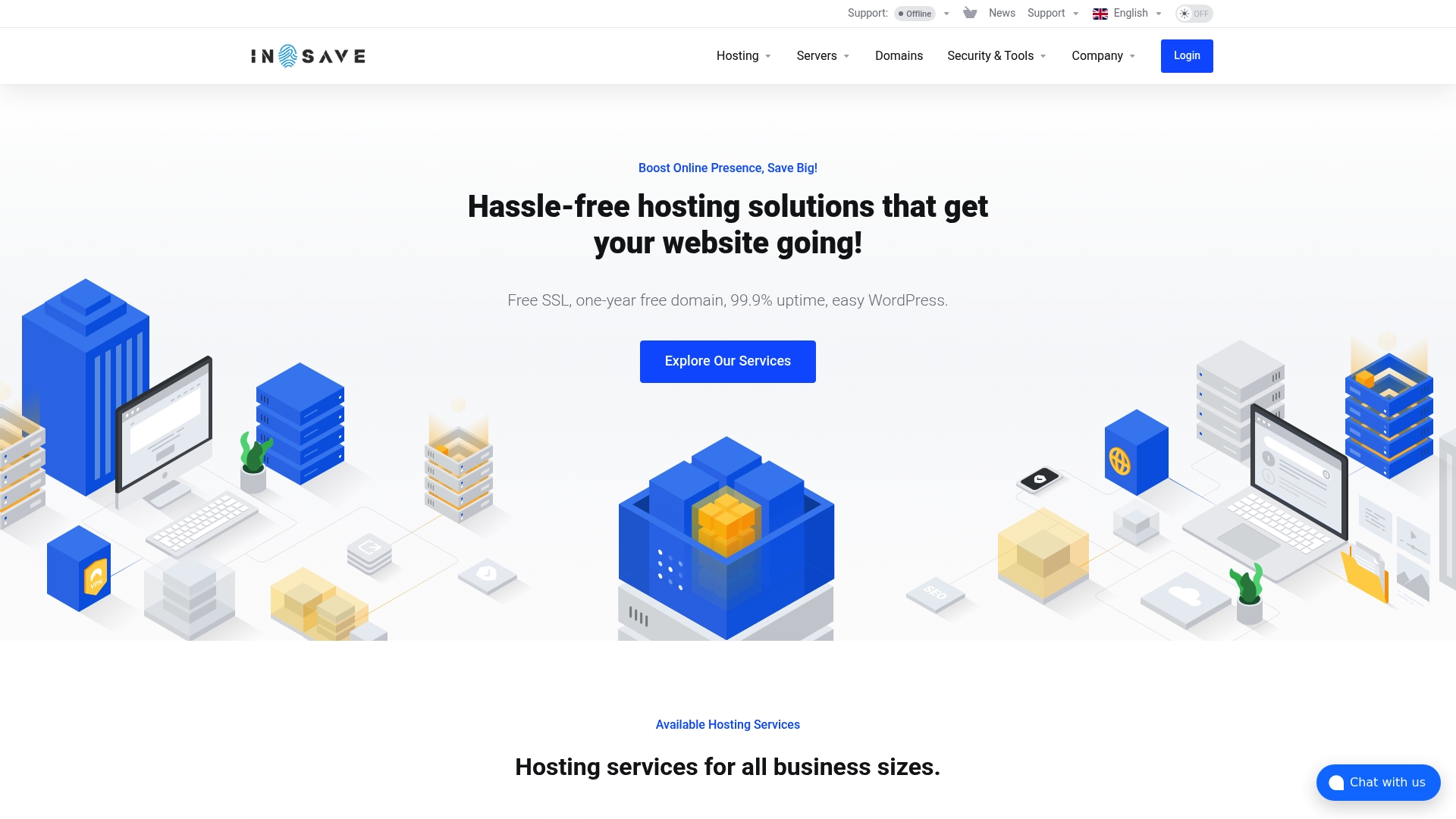
The vendor advertises a 99.9% uptime guarantee while bundling free SSL and a one-year free domain registration with many plans. That combination of uptime promise, free migration, and 24/7 dedicated support across global data centers is the single most concrete claim that stands out.
Core Features
- One-click WordPress installations and one-click migration for moving existing sites with minimal downtime.
- Daily automated backups and staging tools to test updates before they go live.
- Free SSL certificates and multiple validation levels, plus domain registration for common TLDs like .com, .org, and .net.
- Global data centers plus support for LiteSpeed, LSCache, MariaDB, HTTP/2, PHP8, and free CDN integration for regional performance.
- Multiple hosting types: shared, VPS, dedicated high frequency servers, and cloud options, all managed from a central control panel with 24/7 expert support.
Key Differentiator
The clearest differentiator is the global data center footprint paired with free migration and 24/7 dedicated support. That pairing means you can place a site near major user markets and get hands-on migration help without hiring a third-party service.
Pros
-
The uptime claim above gives a measurable reliability target for small businesses that need predictable availability.
-
24/7 dedicated support and free migration reduce launch friction. For a small shop migrating a store before a sale, that support matters more than raw specs.
-
A wide set of hosting types lets you start on a $4.16 shared plan and later move to VPS or dedicated high frequency servers without changing vendors.
-
The technical stack — LiteSpeed, LSCache, PHP8, and CDN integration — is tuned for faster page loads and lower TTFB when configured correctly.
-
Automatic backups and staging tools simplify maintenance, which suits agencies and developers who push frequent updates.
Cons
- Order availability for some dedicated server plans may be limited or temporarily unavailable, which can complicate tight launch schedules.
Who It's For
Small to medium-sized businesses, web developers, agencies, and online store owners that need regional performance and hands-on migration help. It fits setups that want managed WordPress support and the option to scale into VPS or dedicated servers without changing providers.
Unique Value Proposition
Free migration with 24/7 dedicated support changes the launch math. Instead of budgeting for a paid migration contractor and extra monitoring, you can move a live store during a low-traffic window and have expert support on call.
That reduces one major operational friction point for businesses that cannot tolerate extended downtime during a migration.
Real World Use Case
A retail site schedules a move from shared hosting to a dedicated high frequency server ahead of a holiday campaign. The team uses one-click WordPress migration, verifies the staging site, and relies on 24/7 support during the switch to avoid checkout errors and keep payment pages fast.
Pricing
Shared hosting starts at $4.16 USD per month, VPS from $6.00 USD per month, and dedicated high frequency servers from $99 USD per month. Domain TLDs and SSL certificate pricing vary and some bundle discounts may apply.
Website: https://insave.hosting
Namecheap
At a Glance
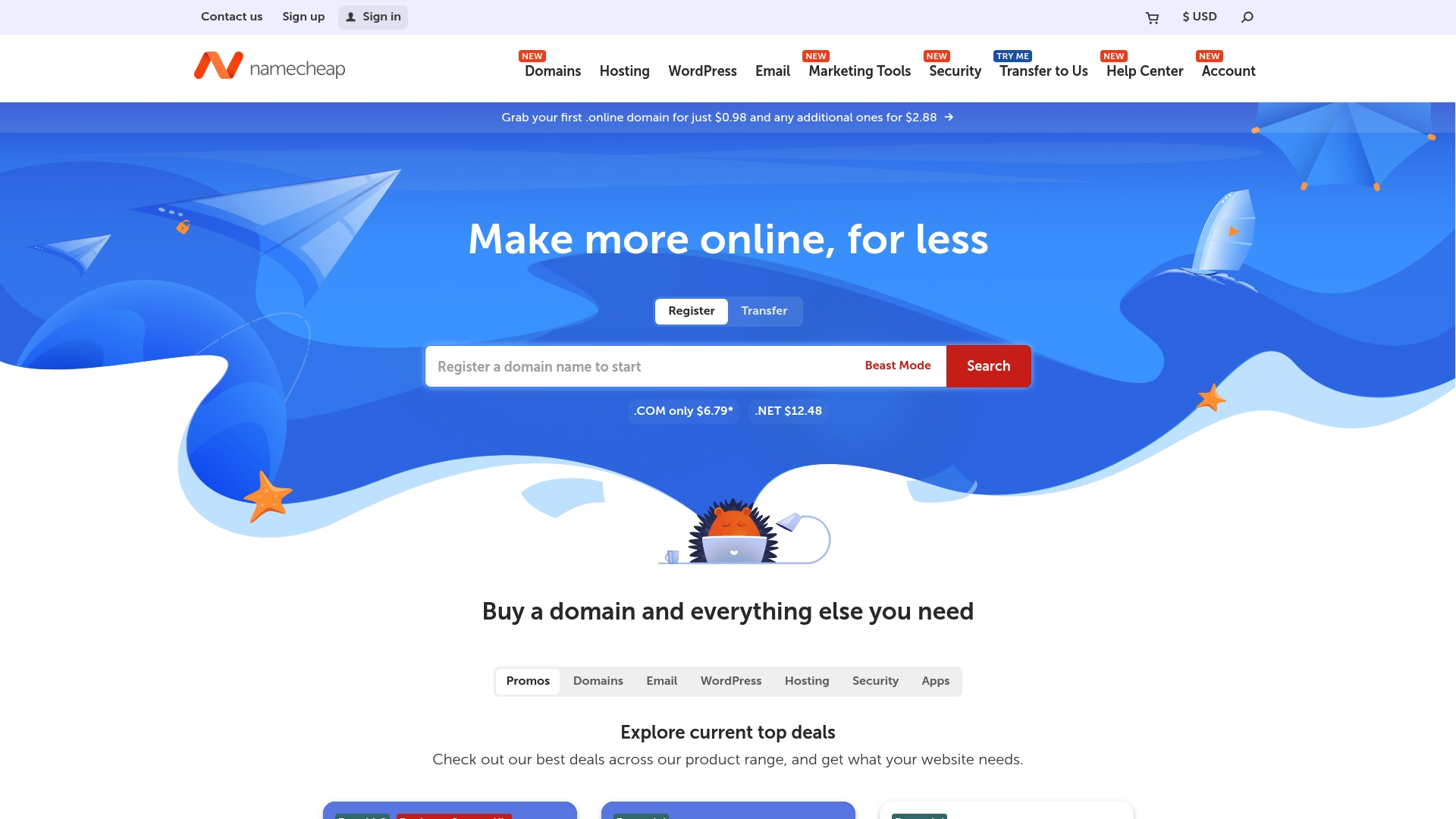
Namecheap advertises a first year .online domain for $0.98 and hosting entry plans starting around $3.88/month, a pricing detail that makes it easy to get a site online for very little upfront cost. The vendor reports millions of users worldwide, and the product mix spans domains, shared hosting, managed WordPress, SSL, and email.
Core Features
- Domain registration and transfer support across common and specialty TLDs with introductory offers and transfer tools.
- SSL Certificates and DNS security options including paid PremiumDNS and a VPN add on for privacy.
- Managed WordPress and shared hosting tiers, plus a visual website builder and professional email hosting with calendar features.
- Knowledge base and user guides to help with setup and migration.
Key Differentiator
Namecheap's real angle is budget first and self help second. The platform pairs low entry prices with a large library of support resources so DIY owners can move fast without a big agency retainer. That makes it a different fit than hosts that prioritize fully managed stacks and platform tuned caches.
Pros
- Helpful customer support reported by many users makes troubleshooting faster when you hit a setup snag. Live chat and ticket options are available.
- Affordable starting prices let a small business or solo founder register a domain and publish a basic site with minimal capital.
- A broad product catalog keeps domains, hosting, SSL, and email under one roof which reduces vendor juggling.
- Strong public resources such as step by step guides and a support center shorten common tasks like DNS edits and SSL installs.
- Positive reviews frequently cite value for money and approachable support for nontechnical owners.
Cons
- Website navigation can be confusing which lengthens the time it takes to find billing settings or product renewals.
- Refund policies are limited in places which can frustrate customers who need more flexible recourse after purchase.
- Some users report intermittent service interruptions which could affect sites that need strict uptime guarantees.
- Billing presentations have been described as unclear by users which requires careful review of cart and renewal terms.
When It May Not Fit
If you need enterprise level uptime SLAs or aggressive refund terms this is probably not the best match. Also avoid Namecheap if you prefer a host focused on managed performance tuning such as vendor tuned caching layers and staging tools included by default. Heavy traffic sites will want a provider that documents real uptime SLAs.
Who It's For
Individuals and small businesses that want the lowest barrier to entry for domains and basic hosting. Good for founders who prefer hands on setup and a single vendor for domain, SSL, and email rather than a managed service where the host handles all performance tuning.
Real World Use Case
A startup registers its first domain, uses the builder to publish a one page site, adds an SSL certificate, and provisions a professional email address. The team manages renewals and DNS through the same dashboard while relying on support guides for configuration.
Website: https://namecheap.com
MilesWeb
At a Glance
MilesWeb's marketing materials claim it hosts over 1 million websites and that it has been operating since 2012, a scale the company cites in its positioning. The provider pairs extremely low entry pricing with managed WordPress options and an AI website builder aimed at beginners.
Core Features
MilesWeb includes High-speed NVMe SSD storage, a one-click WordPress installer, and daily backups across plans. Free SSL certificates and a free domain for the first year come with many tiers.
- AI website builder for quick site assembly.
- Free migration and instant setup for new accounts.
- Managed WordPress plans with routine updates and security measures.
Key Differentiator
The mix of very low introductory pricing and an AI website builder is the standout angle. For an owner launching a first site, the builder plus managed WordPress removes several technical barriers and shortens time to launch.
Pros
- Responsive customer support staff reported by many users, which helps when setup problems arise.
- Affordable pricing makes testing a new idea cheap; entry plans are usable for initial traffic levels.
- User-friendly control panel that lowers the learning curve for first time site owners and bloggers.
- Fast loading on many plans thanks to NVMe SSDs, which improves perceived site performance for visitors.
- Generous storage and daily backups reduce worries about accidental data loss during early growth.
Cons
- There are repeated reports of server downtime, a serious concern for stores or high traffic pages.
- Support response times can lag during incidents, despite claims of 24/7 availability.
- Some users report aggressive sales follow ups and occasional account suspensions without clear explanation.
- Limited phone support makes urgent troubleshooting harder for those who prefer voice help.
When It May Not Fit
If you run a revenue-critical store or a high traffic site, MilesWeb's reported stability issues and delayed incident responses make it a risky main host. If you require guaranteed telephone support or enterprise SLAs, this provider will feel short.
Who It's For
Small business owners, bloggers, and new site creators who need a low-cost starting point and want guided tools to get online fast. Good for portfolios, small WooCommerce shops at modest scale, and WordPress sites that can tolerate occasional instability.
Real World Use Case
A local craft seller builds a WooCommerce shop with the AI website builder, uses the one-click WordPress installer, and keeps daily backups as a safety net. As sales grow, they upgrade plans rather than rebuild the site.
Pricing
Plans start as low as $0.99 per month on a 36 month term and include a 30 day money back guarantee. Multiple tiers are available for shared hosting, managed WordPress, cloud, and dedicated hosting to match growing needs.
Website: https://milesweb.com
Arvixe
At a Glance
Recent user reviews indicate a dramatic decline in service quality, with repeated reports of downtime, slow or unresponsive support, and billing disputes over the past several years. The provider remains known for low entry pricing, a trade-off many reviewers say no longer balances out.
Core Features
Basic hosting plans cover standard needs for small sites, including WordPress support and ASP.NET options for Windows deployments. Plans include the usual essentials: FTP, email, and a control panel for site management. Expect a barebones feature set aimed at budget users.
Key Differentiator
Arvixe's original appeal was low-cost entry plans that made hosting accessible to hobbyists and tiny businesses. The key difference now is that those low prices coexist with widespread reports of degraded reliability and support, shifting the offering from bargain to high risk for many projects.
Pros
-
Competitive entry pricing. For users with zero budget, Arvixe historically offered one of the cheapest ways to get a site online.
-
Supports both WordPress and ASP.NET. That dual stack lets developers hosting Windows apps and PHP sites under a single provider.
-
Simple onboarding for basic sites. Small personal pages or test projects can be set up quickly with default plans and a standard control panel.
-
Affordable for noncritical sites. If uptime and support are not priorities, the low monthly cost can still be useful for throwaway or experimental sites.
Cons
-
Reports of falling uptime and unresolved technical issues. Recent feedback points to frequent outages and slow recovery from incidents.
-
Extremely slow or unresponsive customer support. Multiple reviewers describe long waits and unresolved tickets.
-
Billing concerns and transparency problems. There are several accounts of unexpected charges and billing disputes.
-
Data safety questions. Some reports allege data loss or poor backup practices, a red flag for production sites.
When It May Not Fit
Do not choose Arvixe for mission-critical websites, ecommerce stores, or any site where downtime will cost revenue. The combination of unreliable support and reported technical failures makes it an unsuitable option for businesses that require predictable uptime and clear billing.
Who It's For
Small website owners, hobbyists, or developers who need the cheapest possible hosting for noncritical projects. Use it for experiments, prototypes, or learning environments where occasional outages are acceptable.
Real World Use Case
A sole proprietor wanting a low-cost home for a portfolio site can get started quickly on Arvixe. That same owner should be prepared to migrate off the platform if downtime or billing issues start affecting client perception.
Pricing
Specific plan prices are not provided in the product data. Marketing materials and historical listings emphasize low entry-level pricing, but current reviewers recommend verifying recent offers and refund policies before committing.
Website: https://arvixe.com
Netigo
At a Glance
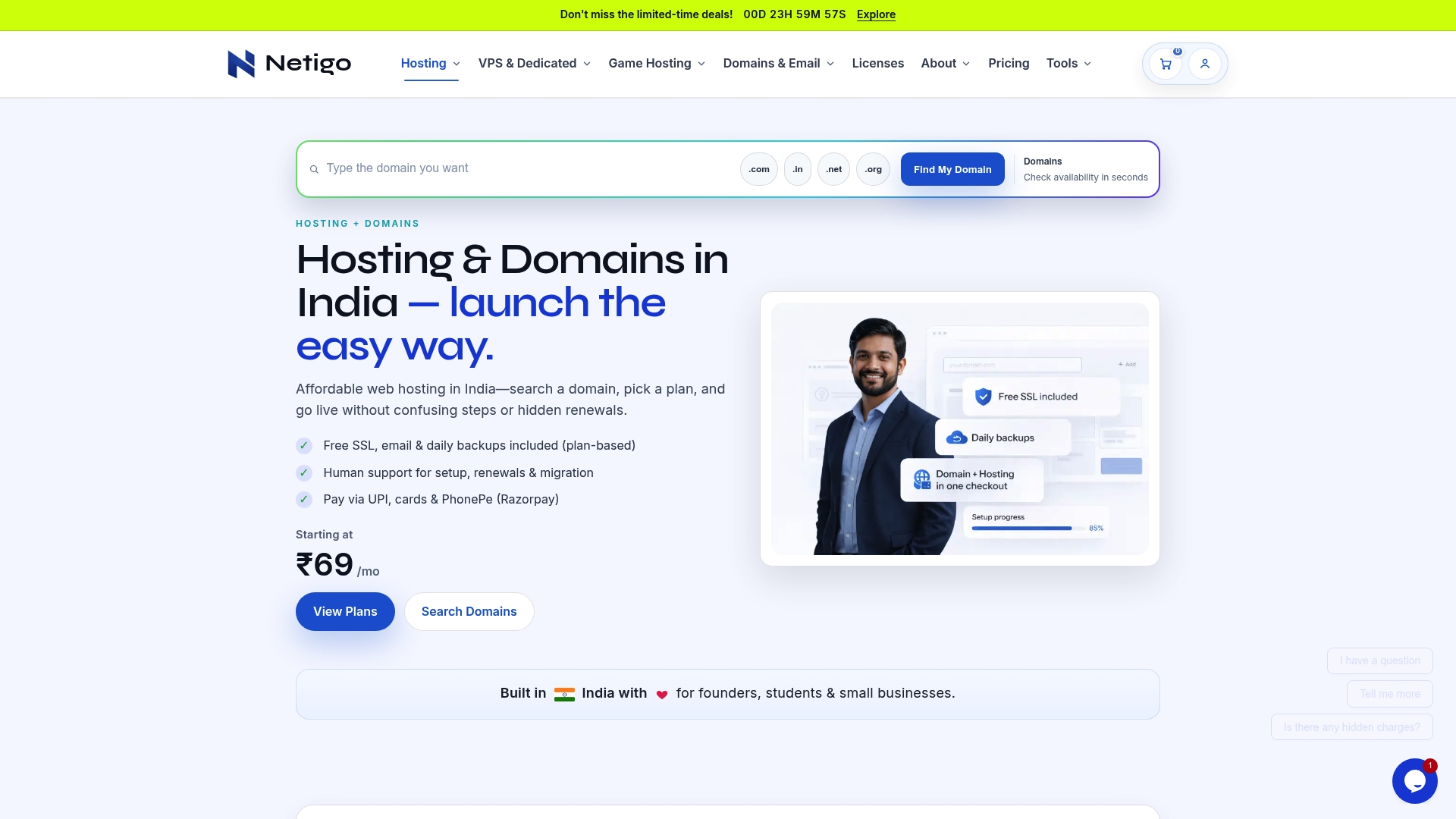
Starts at ₹69/month for shared hosting, billed yearly with guaranteed renewal rates — a clear entry price that makes budgeting simple for founders and students. Netigo positions itself as a local-first host that emphasizes transparent billing and hands-on support.
Core Features
- Transparent pricing and clear renewal cycles so you know next-year costs up front.
- Predictable performance with uptime commitments and proactive monitoring backed by daily backups.
- Free SSL certificates included and built-in security measures for basic site hardening.
- UPI plus PhonePe and Razorpay checkout options so local payments are painless for Indian customers.
- Support ownership for migrations, setup, and ongoing help across shared, VPS, and dedicated plans.
Key Differentiator
Netigo's real edge is its focus on transparency and human support ownership for an Indian audience. The company emphasizes clear policies and local payment flows rather than feature bloat. That makes it a narrower choice compared with InSave Hosting, which targets broader small to medium business needs with an emphasis on WordPress performance tooling.
Pros
- Highly reliable uptime and consistent performance for the price, which keeps simple business sites available without surprises.
- Affordable entry pricing that actually starts at ₹69/month, making it easy for students and solo builders to launch.
- Support teams take ownership of migrations and setup, reducing friction when you switch hosts or go live.
- Billing is straightforward with visible renewal rates, so you avoid surprise increases at renewal time.
- Local payment options mean your customers and team can pay with UPI or PhonePe without currency or gateway friction.
Cons
- Some users report abrupt or rude responses from support on occasion, which creates uneven experiences.
- Documentation and published scaling guidance are limited, so complex multi-server work may need extra vendor conversations.
- Plans can feel basic for sustained high-traffic or enterprise workloads that demand deep autoscaling and architecture planning.
When It May Not Fit
If you run a global, high-traffic SaaS product or need advanced autoscaling across multiple regions, Netigo is likely too limited. Complex multi-server architectures and enterprise traffic spikes will outgrow the platform unless you plan custom infrastructure with their team.
Who It's For
Small business owners, startups, students, and individual developers in India who want dependable hosting without hidden renewals and prefer local payment options. It fits teams that value hands-on support during migration and predictable monthly costs.
Real World Use Case
A freelance designer moved a portfolio and client microsites to Netigo. The migration was handled by support, billing stayed predictable, and site uptime kept client links live during pitches. The designer focused on projects instead of server headaches.
Pricing
Starting at ₹69/month for shared hosting billed annually with guaranteed renewal rates. Tiered plans scale up to VPS and dedicated servers, and game hosting options are priced separately for titles like Minecraft and Rust.
Website: https://netigo.in
HomepageUniverse (Planetsmb)
At a Glance
The vendor reports hosting over 1 million domains worldwide, a scale that shows up in broad service coverage and packaged options. HomepageUniverse bundles managed hosting, domain tools, and email at price points that target small businesses and resellers rather than niche developers.
Core Features
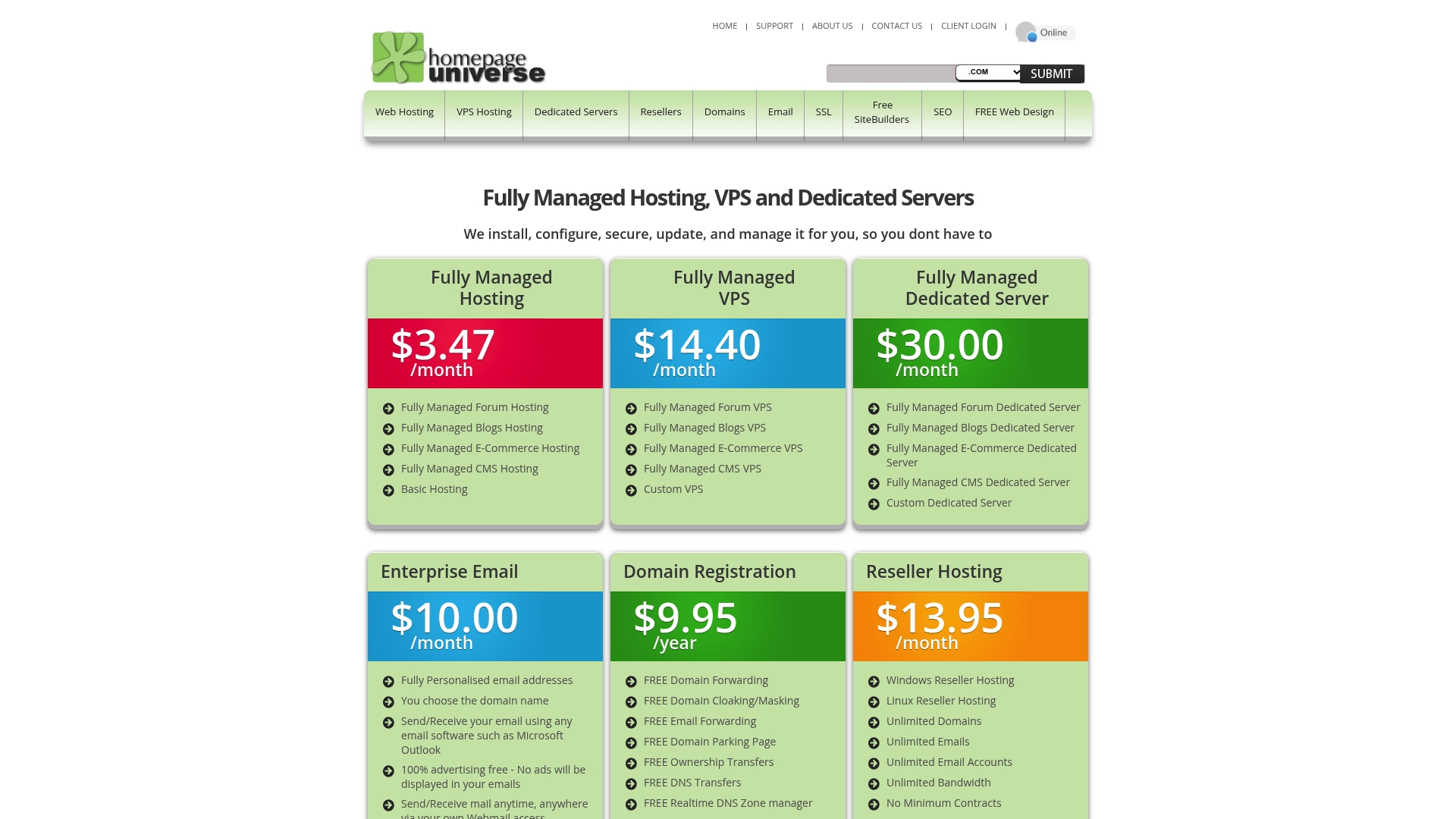
- Fully managed hosting for forums, blogs, e-commerce, and CMS stacks with automated maintenance and security updates.
- VPS and dedicated server plans alongside reseller hosting packages for branded resale and client accounts.
- Enterprise email with unlimited storage and custom domain support plus domain registration with DNS management and forwarding.
- Rapid SSL issuance with strong encryption (4096 bits) and support for cPanel, Plesk, PHP, MySQL, and Java.
Key Differentiator
HomepageUniverse positions itself as a full-service managed host where automation and infrastructure breadth are the selling points. Rather than focusing exclusively on WordPress tuning or a single control panel, it aims to simplify running multiple hosting types under one account.
This makes it a different play than InSave Hosting, which targets WordPress-optimized stacks. HomepageUniverse is broader and more reseller-friendly, not necessarily tuned for a single CMS performance edge.
Pros
- Offers end-to-end management so small teams spend less time on maintenance and more on content or sales. Managed updates and security reduce operational overhead.
- Multiple plan lanes mean you can move from shared to VPS to dedicated without changing vendors, which helps growing businesses.
- Domain registration and DNS tools are bundled, so you manage site and identity in one control panel instead of juggling vendors.
- Enterprise email with unlimited storage removes a common bottleneck for businesses that archive communications heavily.
- Reported large scale gives access to a wide service catalog and reseller features that smaller hosts often lack.
Cons
- There are no substantive independent third-party reviews readily available, which makes objective evaluation of support quality and uptime difficult.
- Public technical or customer experience details are limited, so you must validate performance and support in a trial or pilot before committing.
- Price and feature specifics vary across packages, so finding the right plan requires careful side-by-side comparison rather than a single obvious choice.
When It May Not Fit
If you rely on independently verified customer feedback to choose a host, the lack of third-party reviews here is a meaningful gap. If you need specialized WordPress tuning like LiteSpeed and LSCache or prescriptive performance optimizations, a WordPress-centric host may be a better fit.
Who It's For
Small business owners, resellers, and solo entrepreneurs who want managed hosting, domain registration, and email under one vendor. It fits teams that prefer administrative simplicity and the ability to resell or white-label hosting.
Real World Use Case
A local retailer launches an online store using HomepageUniverse managed hosting and uses the bundled enterprise email and SSL. The retailer keeps domain, site, and email billing consolidated and later offers white-label hosting to a partner consultant as a reseller account.
Pricing
Plans start at $3.47 per month for managed web hosting, $14.40 per month for VPS, $30 per month for dedicated servers, and $10 per month for enterprise email. Pricing varies by resource allocation and management level, so compare the specific package details.
Website: https://planetsmb.com
Best Affordable Web Hosting Comparison
When seeking an affordable and reliable web hosting service, the variety of options can feel overwhelming for businesses and individuals alike. By comparing key providers, such as inSave Hosting, Namecheap, MilesWeb, Netigo, and HomepageUniverse, readers can pinpoint the best match for their unique requirements.
Pricing Versus Value
When comparing pricing, MilesWeb offers the lowest entry point with its $0.99/month plan over a three-year term, making it the most budget-friendly choice for new site creators. Namecheap, with plans starting at $3.88/month, combines affordability with a broad set of resources for managing domains, email, and hosting. inSave Hosting provides affordability with added robustness, starting at $4.16/month and scaling for businesses requiring high performance through VPS or dedicated servers.
Setup Support and Features:
inSave Hosting excels in support with features such as 24/7 dedicated assistance and free migration services, significantly reducing the burden often encountered during hosting transitions. In contrast, Namecheap provides resources, including detailed guides for a more DIY-friendly approach. MilesWeb, meanwhile, targets beginners with an intuitive AI-powered site builder, automating many steps of website creation and management, albeit with some noted customer support limitations.
Best Fit
- For businesses or developers prioritizing reliable performance and expert guidance, inSave Hosting is an ideal choice.
- Individuals or small startups seeking the absolute lowest-cost option should explore MilesWeb for its affordable introductory pricing and accessible features.
- Entrepreneurs navigating domain registration alongside hosting may find Namecheap's consolidated services particularly convenient.
- Clients seeking localized support and transparent billing options will benefit greatly from Netigo's regionally-focused services.
- For those invested in minimal maintenance combined with flexibility across hosting tiers, HomepageUniverse remains a strong contender.
Our Pick
For small to medium-sized businesses and developers looking for scalable hosting with support, inSave Hosting offers the best blend of performance, versatility, and reliability. While other providers may offer specific advantages, such as introductory pricing or beginner tools, inSave Hosting excels in ensuring smooth transitions and maintaining consistent functionality during crucial business operations, making it well-suited for mission-critical applications.
Affordable Web Hosting Services Comparison
For those seeking reliable yet cost-effective web hosting solutions, comparing service features, support structures, and pricing tiers can guide you toward the best fit for your needs.
| Provider | Core Feature Set | Best For | Pricing | Notable Limitation |
|---|---|---|---|---|
| inSave Hosting | Managed WordPress hosting, global data center coverage | SMEs and developers requiring scalability | Starting at $4.16/month | Limited availability for some dedicated server plans |
| Namecheap | Domain-centric offerings and competitive beginner plans | Individuals new to hosting | Starting at $3.88/month | Intermittent uptime concerns reported by users |
| MilesWeb | AI-driven website builder and managed WordPress plans | Beginners needing accessible setups | Starting at $0.99/month | Occasional downtime and delayed support responses |
| Arvixe | Budget entry plans supporting WordPress and ASP.NET | Noncritical projects on tight budgets | Not disclosed | Reports of service degradation and unreliable support |
| Netigo | Transparent billing and local-centric payment methods | Startups and small businesses in India | ₹69/month | Limited scalability for high-traffic needs |
Use this table to identify the hosting service that aligns with your requirements for reliability, features, and budget considerations.
Affordable Web Hosting That Delivers Reliability and Performance
Finding the best affordable web hosting can feel overwhelming when performance, uptime, and easy management are critical. If you are looking for a solution that guarantees 99.9% uptime, free SSL certificates, and one-year free domain registration, inSave Hosting offers plans tailored for small to medium-sized businesses and WordPress users. Say goodbye to frustrating migrations and slow page loads with features like LiteSpeed servers, LSCache, and free CDN integration that boost speed and security.

Don’t let downtime or complicated setups hold your website back. Visit inSave Hosting now to explore hosting plans with free migration and staging tools designed to make launching or scaling your site simple and worry-free. Start your website on a platform built for speed and security and manage everything from domain registration to site backups with ease.
Frequently Asked Questions
What features make inSave Hosting suitable for small businesses needing reliable hosting?
InSave Hosting offers a 99.9% uptime guarantee, 24/7 dedicated support, and free migration services, making it a strong choice for small businesses seeking dependable service. Its combination of global data centers plus hands-on migration help ensures that businesses can minimize downtime during transitions. You can confidently launch your website knowing that reliable support is always available.
How does Namecheap compare to inSave Hosting in terms of pricing?
Namecheap provides entry-level hosting plans starting at around $3.88/month, making it an attractive budget option for individuals and small businesses. However, inSave Hosting stands out with its powerful feature set including one-click WordPress migrations and 24/7 dedicated support tailored to more seamless transitions for websites. Choose inSave Hosting if you prioritize support and managed performance as you grow.
What is the key difference between inSave Hosting and MilesWeb when it comes to support?
MilesWeb features an AI website builder and low entry pricing but has been reported to have stability issues and lagging support response times. In contrast, inSave Hosting promises 24/7 dedicated support with a focus on site migration, which is crucial for businesses that cannot afford downtime. Opt for inSave Hosting to ensure expert assistance during your transition without the risk of support delays.
Can I use inSave Hosting if I plan to scale my website in the future?
Yes, inSave Hosting is designed to accommodate growing businesses with various hosting options including shared, VPS, and dedicated high-frequency servers, allowing for easy upgrades. Their flexibility ensures that as your website's traffic increases, you can scale without having to migrate to a different provider. This scalability makes it an ideal choice for future growth.
Does inSave Hosting include features for data security?
Yes, inSave Hosting includes free SSL certificates and daily automated backups, enhancing the security of your website. These features help protect your data and provide peace of mind for business owners who require reliable security measures. Rely on inSave Hosting for comprehensive data protection as you launch and manage your site.