
Use SFTP by default for any file transfer that touches an untrusted network. It encrypts credentials and data through a single, firewall-friendly connection by default, closing the plaintext exposure baked into RFC 959-era FTP. Keep FTP only on isolated internal networks with no sensitive data, or when legacy hardware genuinely can't run SSH. If a partner insists on FTP command semantics, FTPS is the fallback, not FTP itself. For anything covered by PCI-DSS or similar rules, SFTP is the only defensible starting point.
Key Takeaways
SFTP encrypts every transfer through a single SSH channel, which is why it's the correct default for anything touching sensitive or regulated data.
| Point | Details |
|---|---|
| Default to SFTP | Choose SFTP for any transfer over an untrusted network or involving regulated data. |
| Reserve FTP for isolation | Keep plain FTP limited to closed networks or legacy hardware with no sensitive content. |
| Use FTPS as compromise | Pick FTPS only when a partner requires FTP command semantics with added encryption. |
| Firewall simplicity wins | SFTP needs one port open; FTP and FTPS require a full passive-port range. |
| Managed hosting reduces risk | inSave Hosting offers features like SSL, backups, and managed security to assist secure SFTP deployments. |
Table of Contents
- SFTP vs FTP: A Side-by-Side Comparison
- What FTP Is and Where It Still Shows Up
- What SFTP Is and How It Authenticates
- Is FTPS the Same as SFTP? Clearing Up the Confusion
- FTP Security Risks and How They Map to Compliance Rules
- Performance and Compatibility: What Actually Changes
- When Should You Use SFTP Instead of FTP?
- Migrating from FTP to SFTP: A Setup Checklist
- What I've Learned Watching Teams Get This Wrong
- Simplify Your Move to Secure File Transfer
- Sources
- FAQ
SFTP vs FTP: A Side-by-Side Comparison
The differences come down to how each protocol handles encryption, ports, and trust. FTP was never designed with security in mind. It was built in 1985, back when the internet was a small, trusted research network, and that heritage still shapes how it behaves today.
| Dimension | FTP | SFTP |
|---|---|---|
| Security | No encryption; credentials and files sent in plaintext | Full encryption over SSH, including authentication |
| Ports & connectivity | Dual channel: control on port 21, data on port 20 or ephemeral ports | Single channel, port 22 by default |
| Firewall/NAT friendliness | Poor; requires opening ranges of dynamic ports | Strong; one port covers everything |
| Authentication | Username and password only, sent in the clear | Password, SSH key pairs, or both |
| Compliance suitability | Fails PCI-DSS and HIPAA encryption-in-transit requirements | Meets encryption-in-transit expectations for PCI-DSS and similar frameworks |
| Performance/overhead | Marginally lower CPU overhead | Negligible added overhead on modern hardware |
| Compatibility | Nearly universal, including decades-old embedded systems | Broad support via OpenSSH; some older appliances lack it |
| Best fit | Isolated legacy systems, anonymous public drops | Everything else, especially sensitive or regulated data |
A few practical calls fall out of that table immediately:
- Default new deployments to SFTP unless you have a justified exception.
- Reserve FTPS strictly for partners or systems that require FTP's command structure.
- Limit plain FTP to isolated networks where no sensitive data is transferred.
The single biggest operational win with SFTP is that one port handles everything, so you're not punching holes across a range of firewall rules. The single biggest liability with FTP is the flip side of that same coin: usernames, passwords, and file contents all travel in plain text by default, visible to anyone positioned to watch the wire.
What FTP Is and Where It Still Shows Up
FTP splits work across two connections: a control channel on port 21 that carries commands, and a separate data channel, historically port 20, that moves the actual file bytes. That split predates modern firewalls entirely, which is exactly why it causes them so much trouble.
- Active mode: the server opens a new connection back to the client, which almost never survives NAT or a firewall untouched.
- Passive mode: the client initiates both connections, which is why it became the default for anything not on a fully open network.
- Even passive mode still needs a range of ephemeral ports open on the server side.
You'll still find FTP running on decades-old industrial equipment, anonymous public download mirrors, and closed internal networks where nothing sensitive crosses the wire. Outside those narrow cases, the risk usually outweighs the convenience.
What SFTP Is and How It Authenticates
SFTP is a file-transfer subsystem that rides entirely inside SSH, moving both commands and data through one encrypted channel typically on port 22. There's no second connection to manage and no plaintext exposure at any point.
- Password authentication: works, but inherits SSH's protections rather than sending credentials raw.
- SSH key pairs: the stronger option, since a private key never crosses the network at all.
- Host-key verification: confirms you're talking to the real server, functioning much like TLS certificate validation does for FTPS, but through SSH's own trust model.
One clarification worth repeating: SFTP is a separate protocol built into SSH. It's a separate protocol built into SSH that won't interoperate with an FTP server on the wire. Key management adds some upfront complexity but resolves the plaintext credential problem.
Is FTPS the Same as SFTP? Clearing Up the Confusion
FTPS and SFTP get confused constantly, and the naming similarity doesn't help. They're built on completely different foundations.
- FTPS is FTP with SSL/TLS layered on top, available in explicit mode (upgrading a plain connection) or implicit mode (encrypted from the start).
- Because FTPS keeps FTP's underlying structure, it still needs that dual-channel setup, meaning firewall complexity remains due to multiple ports.
- SFTP, again, is an SSH subsystem with no relation to FTP's control/data split at all.
The practical rule: reach for FTPS only when a partner or legacy system specifically demands FTP semantics with encryption bolted on. Everywhere else, SFTP is simpler to secure and easier to firewall.
FTP Security Risks and How They Map to Compliance Rules
SFTP satisfies the encryption-in-transit expectation that auditors look for when handling regulated data. FTP, by default, does not, and that gap shows up directly in compliance frameworks.
- PCI-DSS: requires cardholder data to be encrypted in transit; plain FTP fails this outright.
- HIPAA: expects safeguards against interception of protected health information, which plaintext FTP cannot provide.
- GDPR/CCPA: don't name protocols specifically, but "appropriate technical measures" gets interpreted by regulators to rule out sending personal data unencrypted.
Auditors typically want detailed transfer logs and tamper-evident audit trails, both of which are easier to produce consistently on SFTP because key-based access and chroot jails create cleaner accountability per account. Common misconfigurations in audits include plaintext passwords, expired TLS certificates, and overly permissive firewall rules. Industry guidance for 2026 treats SFTP as the default for new deployments precisely because it sidesteps most of these failure points from the start.
Performance and Compatibility: What Actually Changes
Encryption adds minimal overhead on modern servers. Network latency and available bandwidth determine transfer speed far more than whether the channel is encrypted.
- In raw microbenchmarks, unencrypted FTP can edge out SFTP slightly, but the gap is usually irrelevant for typical file sizes.
- SFTP needs only port 22 open, inbound and outbound.
- FTP and FTPS need the control port plus a defined passive-port range, often several hundred ports, which widens your attack surface and complicates every firewall audit.
- Compatibility issues mostly involve older clients with limited SFTP protocol support. Confirm client and server support matching feature sets before rolling out broadly.
Pro Tip: Before migrating a whole team, test your actual SFTP client against the target server's configuration in a staging environment. Version mismatches surface as cryptic "permission denied" errors that look like access problems but are really protocol negotiation failures.
When Should You Use SFTP Instead of FTP?
Match the protocol to the scenario rather than defaulting out of habit.
- Public internet transfers involving PII or payment data: use SFTP. No exceptions worth making.
- A partner's system only speaks FTP semantics: use FTPS as the compromise, encrypted but compatible.
- An ETL pipeline moving data between internal servers on a trusted network: SFTP is still the sane default, since key based automation is straightforward.
- Legacy hardware, like an old point-of-sale terminal, that can't run SSH: plain FTP may be your only option, but isolate it on its own network segment.
- Anonymous public file drops with no authentication needed: FTP is still common here, but treat every file it accepts as untrusted input.
If you're ever unsure, default to SFTP and negotiate compatibility with the other side. It's far easier to loosen a secure setup for one partner than to retrofit security across dozens of unencrypted connections later.
Migrating from FTP to SFTP: A Setup Checklist
- Inventory every endpoint, script, and partner currently connecting over FTP.
- Set up an SFTP server in a staging environment and verify connectivity before production.
- Deploy SSH key pairs per user or process, reducing reliance on shared passwords.
- Enforce least-privilege access with chroot jails so each account sees only its own directory.
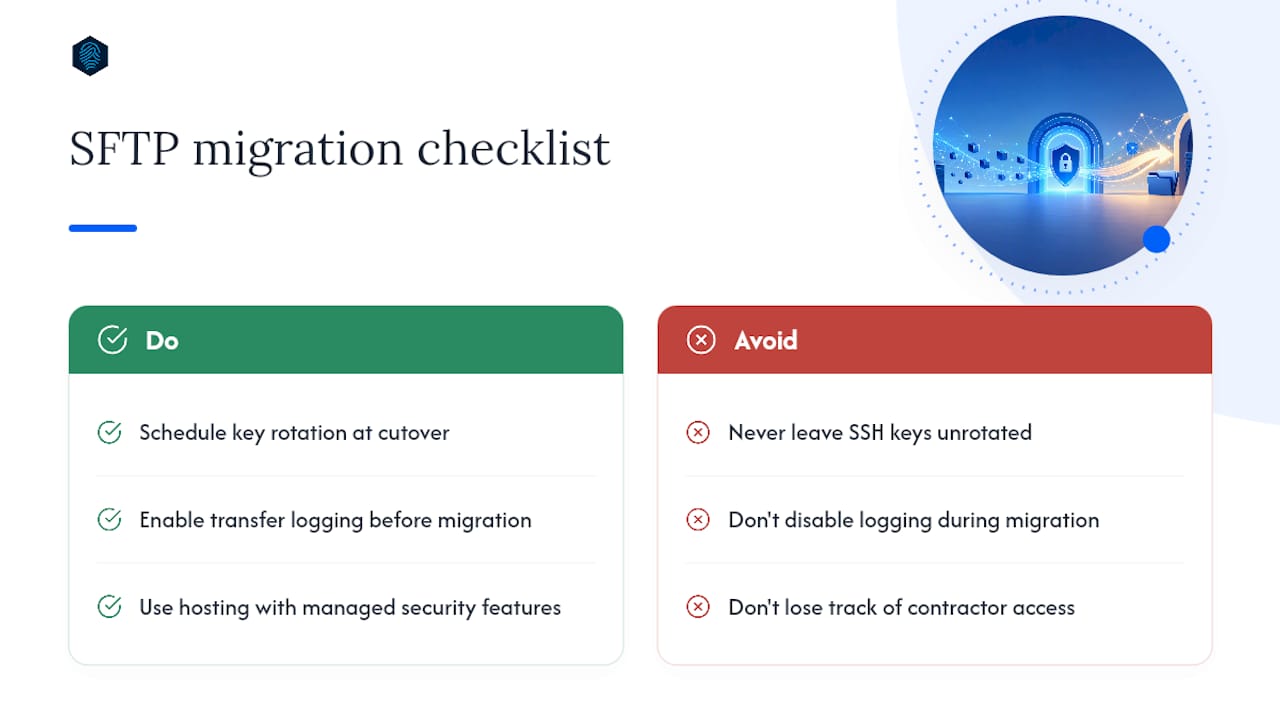
- Turn on transfer logging before cutover, not after.
- Rotate keys and decommission the old FTP service on a fixed cutover date.
Pro Tip: Use OpenSSH's ForceCommand internal-sftp with a chroot directory to lock accounts into SFTP only, blocking shell access entirely even if credentials leak.
For firewalls, open port 22 (or a chosen nonstandard port) between the relevant source IPs, restrict access lists where you can, and document any lingering passive-port range still needed for FTPS fallbacks. A phased hosting migration plan keeps this from becoming a weekend fire drill.

What I've Learned Watching Teams Get This Wrong
Many FTP-to-SFTP migrations struggle due to key management issues rather than protocol problems: teams generate SSH keys once, never rotate them, and lose track of which contractor still has access two years later. Build key rotation into your calendar the same day you cut over, not after the first audit flags it.
The other recurring mistake is disabling logging "temporarily" during migration and forgetting to turn it back on. If you can't produce a transfer log on request, you don't have an audit trail, you have a gap. Hosting environments with managed security features built in, including free SSL and automated monitoring, remove a lot of that risk from your plate before it becomes a problem.
Simplify Your Move to Secure File Transfer
Running your own SFTP setup means owning key rotation, firewall rules, and log retention forever. inSave Hosting removes that operational weight: every plan ships with free SSL, automated backups, and managed security features that handle the parts most teams get wrong during migration.

That translates into fewer moving pieces for your team specifically:
- SSH key management handled as part of your hosting environment, not a side project.
- Audit logging enabled by default, not something you remember to turn on later.
- Single-port firewall simplicity, since SFTP access ships configured, not bolted on.
- Automated daily backups so a bad key rotation never costs you data.
- Free migration assistance for moving off legacy FTP setups without downtime.
If your current host still leans on unencrypted FTP for file access, that's worth fixing before your next audit, not after. Check out inSave Hosting's shared hosting plans and get a secure transfer setup running today.
Sources
- FTP vs FTPS vs SFTP: The Differences That Actually Matter | Files.com (ExaVault)
- FTP vs. SFTP: An explanation for administrators | Red Hat
- Ssh
FAQ
Is SFTP or FTP better?
SFTP is better for nearly every modern use case because it encrypts credentials and data in a single firewall-friendly channel, while FTP transmits both in plaintext by default.
Is SFTP still used today?
Yes, SFTP is the standard for secure file transfer in production environments today, especially anywhere PII, financial data, or health records are involved.
Can I use SFTP instead of FTP?
In almost every case, yes. The only exceptions are legacy devices that can't run SSH or closed internal networks moving nothing sensitive.
Can I use SFTP to connect to an FTP server?
No. SFTP and FTP are separate protocols that don't interoperate on the wire, so an SFTP client cannot connect to a standard FTP server, and vice versa.
Does inSave Hosting support SFTP access?
Yes, inSave Hosting's managed hosting plans support secure SFTP access alongside features like free SSL, automated backups, and managed security to reduce migration overhead.