
TL;DR:
- Optimizing uptime involves designing, monitoring, and maintaining systems to ensure constant availability during peak business periods. Implementing redundancy, predictive maintenance, and tested recovery plans reduces downtime, safeguarding revenue and reputation. Continuous organizational discipline and proactive strategies are essential for reliable business operations.
Optimizing uptime for business is defined as the practice of designing, monitoring, and maintaining your systems so they stay available when customers and employees need them most. The industry term for this discipline is high availability management, and it covers everything from server redundancy to predictive maintenance. Unplanned downtime costs businesses revenue, reputation, and customer trust in ways that compound fast. This guide gives you a practical, step-by-step framework to increase operational uptime, reduce failure risk, and build the kind of reliability your business depends on.
How do you optimize uptime for business?
The foundation of any uptime strategy is knowing what you are protecting and why. Uptime is the percentage of time your systems, website, or services are fully operational. 99.5% uptime still translates to roughly 1 day and 19 hours of downtime per year. For an e-commerce store or SaaS platform, that is a significant revenue loss.
Before you deploy any tools, you need to assess your current infrastructure against three core requirements.
Infrastructure requirements:
- Redundant servers: No single point of failure. If one server goes down, another takes over automatically.
- Cloud or hybrid architecture: Cloud platforms like AWS, Google Cloud, and Microsoft Azure offer built-in geographic redundancy that on-premise setups cannot match alone.
- Monitoring coverage: Every revenue-critical endpoint needs active surveillance, not just your homepage.
Which monitoring tools should you use?
The right monitoring tool depends on your check frequency, alert logic, and the depth of diagnostics it provides. The industry standard check interval is 60 seconds, but revenue-critical endpoints should use 30-second intervals. Reducing Mean Time to Detection (MTTD) from 30 minutes to 2 minutes can cut incident costs by over 90%. That number shows why check frequency is not a minor configuration detail.
| Tool | Check Interval | Multi-Location Probes | HTTP Breakdown | Free Tier |
|---|---|---|---|---|
| UptimeRobot | 5 minutes | Yes | No | Yes |
| Pingdom | 1 minute | Yes | Yes | No |
| Better Uptime | 30 seconds | Yes | Yes | Yes |
| StatusCake | 1 minute | Yes | Partial | Yes |
| Site24x7 | 1 minute | Yes | Yes | No |
Multi-probe monitoring requires multiple geographic locations to confirm an outage before firing an alert. This prevents false alarms triggered by transient regional issues, which saves your team from unnecessary on-call responses.
Pro Tip: Set up at least three probe locations for any revenue-critical endpoint. If only one location reports a failure, hold the alert for one additional check cycle before notifying your team.
For a deeper look at how monitoring tools work in practice, the website uptime monitoring guide from inSave Hosting covers SMB-specific configurations in detail.
How does predictive maintenance reduce downtime?
Predictive maintenance is the practice of analyzing system performance data continuously to identify failure patterns before they cause an outage. It is the opposite of reactive maintenance, where you fix problems after they break. Human error causes 66–80% of downtime, and predictive systems catch the conditions that lead to those errors before they escalate.

The results are measurable. A 620MW power plant reduced unplanned downtime by 41% in 9 months after deploying AI-enabled monitoring. The same approach improved overall availability from 81.6% to 95.2%. These are industrial numbers, but the underlying logic applies directly to web infrastructure and business operations at any scale.
Steps to deploy proactive monitoring
- Baseline your systems. Record normal CPU load, memory usage, response times, and error rates for every critical service. You cannot detect anomalies without a baseline.
- Set threshold alerts. Define alert triggers at 70%, 85%, and 95% of capacity for key resources. Each level should trigger a different response: log, notify, and escalate.
- Measure HTTP breakdown phases. Track DNS resolution, TCP connection, TLS handshake, Time to First Byte (TTFB), and download time separately. Measuring HTTP breakdown phases compresses outage diagnosis time dramatically compared to binary up/down checks.
- Automate first-response actions. Configure your monitoring system to restart services, clear caches, or reroute traffic automatically when specific thresholds are crossed.
- Review weekly. Analyze alert logs every week to identify recurring patterns. Patterns are the early warning system for deeper infrastructure problems.
Real-time monitoring identifies degradation patterns so your team can fix issues before outages occur. Modern monitoring goes beyond binary failure reports to enable proactive interventions that protect availability.
Pro Tip: Set alert thresholds based on user experience impact, not just server metrics. A page that takes 8 seconds to load is effectively down for most users, even if your server reports 100% availability.
Why is redundancy critical for business availability?
Redundancy is the design principle of having backup systems ready to take over when primary systems fail. Without it, a single hardware failure, network outage, or software crash can take your entire operation offline. Server redundancy is the single most effective structural defense against unplanned downtime for IT managers.
Automated failover takes redundancy further by removing the human delay from the recovery process. Manual failover can take 15–45 minutes depending on who is on call and how quickly they respond. Automated failover executes in seconds. That difference directly determines how much revenue you lose during an incident.
Redundancy best practices for SMBs:
- Use active-active data center configurations where both nodes handle live traffic simultaneously. If one fails, the other absorbs the load without interruption.
- Deploy geographic redundancy across at least two regions. A regional power outage or network event should not take down your entire service.
- Replicate databases in real time. Asynchronous replication introduces data loss risk during failover. Synchronous replication eliminates it.
- Store backups offsite and test restoration monthly. Backups are essential only if you can actually restore from them under pressure.
- Document your failover runbook. Every team member responsible for uptime should be able to execute failover without looking anything up.
How often should you test failover?
Failover testing is frequently overlooked, and many organizations discover their recovery procedures are ineffective only during an actual incident. That is the worst possible time to find out. Schedule controlled failover exercises at least quarterly. Simulate real incident conditions, including time pressure and partial information, to validate that your runbook works under stress.
Pro Tip: Run a "game day" exercise once per quarter where you deliberately take a non-production system offline and time your team's recovery. The gaps you find in practice cost nothing. The gaps you find during a real outage cost everything.
For a detailed look at designing high-availability environments, the high availability hosting guide covers architecture decisions that directly affect your uptime ceiling.
How does business continuity planning support uptime goals?
Business continuity planning (BCP) is the process of identifying risks, defining recovery procedures, and aligning your operational resilience with your company's revenue and service goals. BCP and uptime optimization are not separate disciplines. They are the same discipline at different levels of abstraction.
Business continuity plans should integrate risk assessment, recovery strategies, and alignment with company goals. Continuous testing and improvement are what make plans resilient rather than theoretical documents.
The table below maps the core BCP components to their direct uptime impact.
| BCP Component | Uptime Impact |
|---|---|
| Risk Assessment | Identifies failure points before they cause outages |
| Recovery Time Objective (RTO) | Sets the maximum acceptable downtime per incident |
| Recovery Point Objective (RPO) | Defines how much data loss is tolerable during recovery |
| Cybersecurity Controls | Prevents attacks that cause unplanned downtime |
| Backup and Restore Testing | Confirms data recovery is possible within RTO targets |
| Cross-Department Coordination | Reduces recovery time by eliminating communication delays |
Your RTO is the most important number in your BCP. It defines how long your business can survive without a specific system before the financial or reputational damage becomes unacceptable. Set RTOs for every critical system, then design your redundancy and monitoring stack to meet them.
Managed IT services improve uptime through 24/7 monitoring, patch management, cybersecurity, backup, and disaster recovery. For SMBs without a dedicated IT team, managed services are often the most cost-effective way to meet aggressive RTO targets.
Cybersecurity deserves specific attention in any continuity plan. A ransomware attack or DDoS event is a downtime event. Treat your security checklist as part of your uptime strategy, not a separate workstream.
Key takeaways
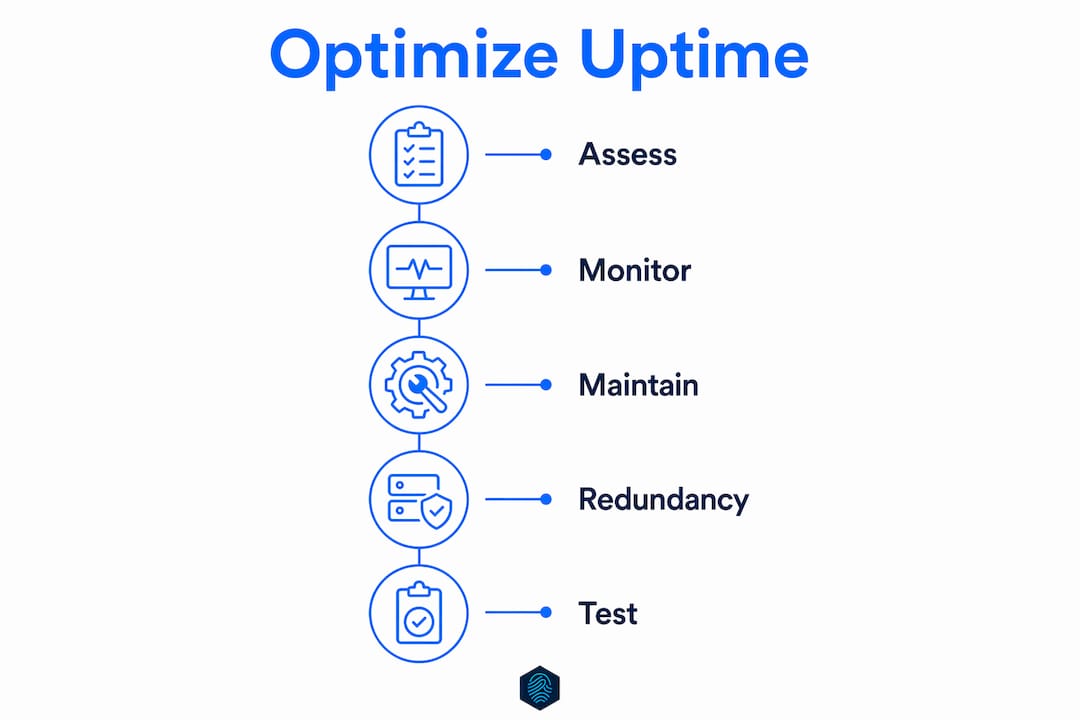
Optimizing uptime for business requires combining proactive monitoring, predictive maintenance, redundancy, and tested continuity plans into a single, coordinated operational discipline.
| Point | Details |
|---|---|
| Monitor at the right frequency | Use 30-second check intervals for revenue-critical endpoints to cut incident costs by over 90%. |
| Predictive beats reactive | Predictive maintenance reduces unplanned downtime by 37% and recovers significant production value annually. |
| Redundancy must be automated | Automated failover executes in seconds; manual failover takes 15–45 minutes and costs proportionally more. |
| Test your failover quarterly | Untested recovery procedures fail during real incidents. Scheduled exercises expose gaps before they cost you. |
| BCP and uptime are one strategy | Define RTOs for every critical system and align your monitoring and redundancy stack to meet them. |
Uptime is a culture, not a configuration
I have worked with dozens of SMBs that treated uptime as a checkbox. They bought a monitoring tool, set up a backup, and considered the problem solved. Six months later, they were scrambling during an outage because nobody had tested the backup, the failover had never been validated, and the monitoring alerts were going to an inbox nobody checked.
The insight that changed how I think about this: resilience is an ongoing discipline embedded in organizational culture, not a one-time project. The companies with the best uptime records are not the ones with the most expensive tools. They are the ones where the IT manager reviews alert logs every Monday morning, where failover tests are on the quarterly calendar, and where the CEO understands what the RTO number means for revenue.
The other mistake I see constantly is over-reliance on vendor promises. A hosting provider that guarantees 99.9% uptime is giving you an infrastructure floor, not a complete uptime strategy. You still need monitoring, redundancy, a tested continuity plan, and a team that knows what to do when something goes wrong. Vendor SLAs cover their infrastructure. Your uptime strategy covers everything else.
My practical advice: start with your RTO. Pick your three most critical systems, define the maximum downtime each can tolerate, and then audit whether your current setup can actually meet those targets. Most SMBs find at least one critical gap in that exercise. Finding it now is far better than finding it during an incident.
— Ihor
How inSave hosting helps you stay online
Keeping your website available around the clock starts with a hosting foundation built for reliability. inSave Hosting delivers 99.9% uptime backed by LiteSpeed servers, free CDN integration, and automated backup systems that protect your data without manual intervention.

inSave Hosting plans include managed security features, free SSL certificates, and one-click WordPress deployment, giving SMBs the infrastructure layer they need to support a serious uptime strategy. Whether you are running a business website, an online store, or a WordPress platform, the shared hosting plans are built to keep you online when it matters. Explore the full range of hosting solutions and find the plan that matches your availability goals.
FAQ
What does "optimize uptime for business" actually mean?
Optimizing uptime for business means designing and managing your systems so they remain available as close to 100% of the time as possible. It combines monitoring, redundancy, maintenance, and continuity planning into a single operational strategy.
How often should i check my website's uptime?
The industry standard is 60-second check intervals, but revenue-critical endpoints should use 30-second intervals. Faster detection directly reduces incident costs, with MTTD improvements from 30 minutes to 2 minutes cutting costs by over 90%.
What is the difference between RTO and RPO?
Recovery Time Objective (RTO) is the maximum time your business can tolerate a system being offline. Recovery Point Objective (RPO) is the maximum amount of data loss acceptable during recovery. Both must be defined before you can design an effective continuity plan.
Does 99.9% uptime mean my site is always available?
No. At 99.9% uptime, your site can still be down for approximately 8.7 hours per year. At 99.5%, that rises to roughly 1 day and 19 hours annually. Understanding your actual uptime percentage helps you set realistic availability goals.
Is predictive maintenance only for large enterprises?
Predictive maintenance applies to any business running critical digital infrastructure. AI-enabled monitoring tools are now accessible to SMBs at low cost, and the principle of catching degradation patterns before they cause outages scales down to a single web server just as effectively as it does to a 620MW power plant.