
TL;DR:
- Backups are your essential safety net, providing reliable recovery options beyond uptime guarantees. Implementing layered strategies like the 3-2-1 rule, testing restores regularly, and understanding RTO and RPO ensures quick, confident recovery during disasters. Partnering with a hosting provider that offers automated, secure backups helps safeguard your business from data loss and ransomware threats.
Picture this: you log in on a Monday morning to find your business website completely broken. A well-meaning team member updated a plugin over the weekend, a conflict crashed the database, and now your homepage returns a blank white screen. Your hosting plan promises 99.9% uptime, and technically the server is running fine. The problem is that your data is corrupted, and without a backup, you have nothing to restore. This scenario plays out for thousands of small business owners every year, and it reveals a hard truth: uptime guarantees and provider stability are not the same thing as full data protection.
Table of Contents
- Why backups matter in hosting
- Understanding backup strategies: the 3-2-1 rule and beyond
- Core backup concepts: RTO and RPO made simple
- Layered approaches: balancing quick recovery and secure backups
- The real-world bottom line: what most hosting users forget about backups
- Protect your business with reliable hosting and backup solutions
- Frequently asked questions
Key Takeaways
| Point | Details |
|---|---|
| Backups secure your uptime | No matter how reliable your host is, only backups guarantee a path to restore your site after disasters. |
| Follow the 3-2-1 rule | Keep at least three data copies, on two types of storage, with one copy offsite to ensure resilience. |
| Test restores regularly | Practice restoring your backups so you know they work and can minimize downtime when it matters. |
| Balance speed and safety | Combine fast-access backups for minor issues with tamper-proof backups for worst-case scenarios. |
Why backups matter in hosting
Having challenged the assumption that hosting guarantees are foolproof, let's clarify what backups actually deliver and their limits.
Most small and medium-sized business (SMB) owners think of a website backup the same way they think of a smoke alarm: nice to have, rarely needed, someone else's job to maintain. That mindset is dangerous. The reality is that a backup is your single most controllable recovery tool when things go wrong, and things do go wrong in ways that uptime guarantees simply cannot prevent.
Consider the three most common threats to website data:
- Human error: An employee deletes the wrong folder, a developer pushes untested code to production, or a client accidentally overwrites pages through the CMS (Content Management System).
- Cyberattacks: Malware injections, ransomware, and brute-force attacks can corrupt or encrypt your files and databases even on a secured server.
- Software conflicts: Plugin updates, theme changes, and PHP (server-side scripting language) version upgrades can break your site in seconds, especially on WordPress.
As noted in research on website backup essentials, a backup provides a recovery mechanism to restore website files, databases, and configurations after incidents. But here is the part many people skip: backups guarantee nothing without a tested recovery process. A backup that has never been restored is just a file sitting on a server. You do not actually know it works until you try to use it.
This is also why understanding the full scope of backup protection matters for secure hosting for SMBs. A hosting provider can promise excellent uptime, fast load times, and strong firewalls, but none of those features will recreate data that has been overwritten or encrypted by ransomware.
"A backup is only as valuable as your ability to restore from it quickly and confidently. Testing your restore process is not optional; it is the only proof you have that your backup strategy actually works."
Think of backups as an insurance policy with an expiration date. If you never check whether the policy is valid, you may find out it lapsed exactly when you need it most.
Understanding backup strategies: the 3-2-1 rule and beyond
With the importance of backups established, what should a solid backup plan look like for most businesses?
The most widely recommended starting point for SMBs is the 3-2-1 rule. It is simple, proven, and scales well for businesses of almost any size. Here is what it means:
- 3 copies of your data: the original plus two backups
- 2 different storage types: for example, one on your hosting server and one in cloud storage
- 1 offsite copy: stored in a completely separate physical or geographic location
This structure means that if your primary server fails, you have a local backup. If your local environment is compromised, you still have the offsite copy. This 3-2-1 backup methodology has been a cornerstone of data protection for SMBs for years, and it remains the foundation even as threats evolve.
The modern evolution of this rule adds two important layers for ransomware defense: immutable backups and offline backups. An immutable backup is one that cannot be modified or deleted for a set period of time, even by an administrator. An offline backup is physically disconnected from any network, making it completely unreachable by malware. These additions matter because ransomware is sophisticated enough to target accessible backup files and encrypt those too.
| Backup type | Where it's stored | Ransomware resistant | Restore speed |
|---|---|---|---|
| On-server backup | Same hosting environment | Low | Very fast |
| Cloud backup (mutable) | Remote cloud storage | Medium | Fast |
| Immutable cloud backup | Remote cloud storage | High | Moderate |
| Offline/air-gapped backup | Disconnected device | Very high | Slower |
Pro Tip: Do not rely solely on your hosting provider's automated snapshots. Pair them with a third-party cloud backup tool so you always have a copy completely outside your hosting environment.
The types of website backups available to you range from full backups (a complete copy of all files and databases) to incremental backups (only changes since the last backup) and differential backups (all changes since the last full backup). Incremental backups save storage space and run faster, which makes them ideal for daily automated backups. Full backups are heavier but give you the cleanest restore point, making them ideal for weekly or monthly snapshots.
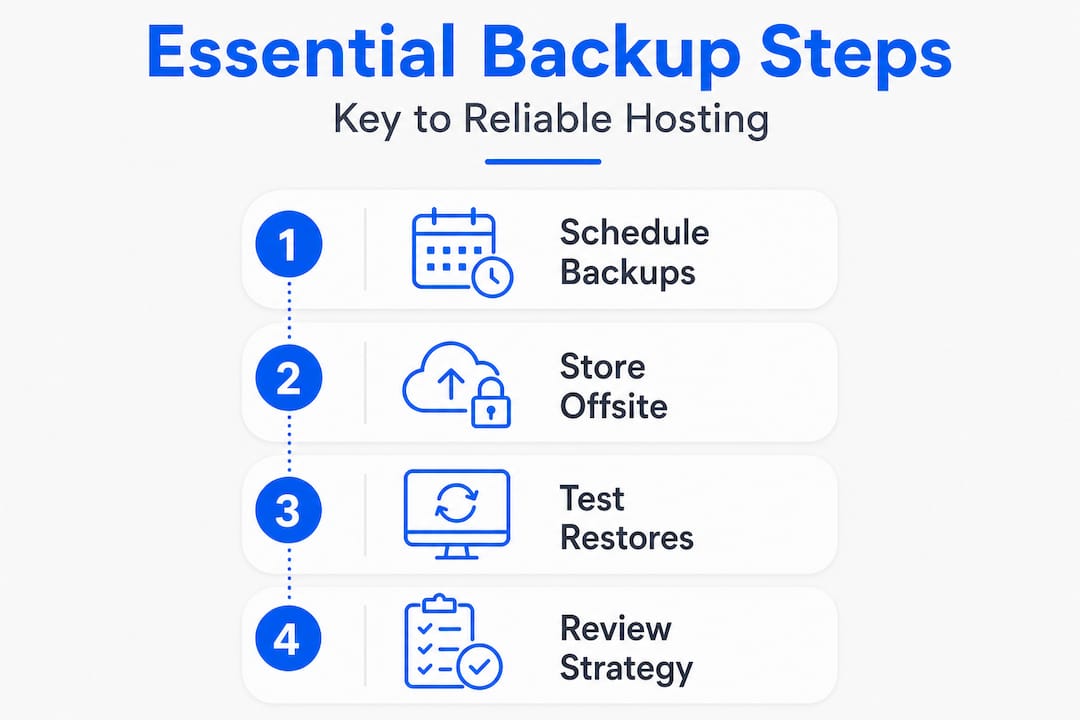
Testing your restores is non-negotiable. Set a recurring reminder, monthly or quarterly, to actually restore a backup to a staging environment and verify your site functions correctly. This one practice separates businesses that survive disasters from those that lose weeks of work.
Core backup concepts: RTO and RPO made simple
Knowing the structure of your backups is one thing, but to truly protect your business, you need to understand the goals your backups serve.
Two acronyms define how you should think about backup performance: RTO and RPO.
RTO (Recovery Time Objective) is the maximum amount of time your business can tolerate being offline after an incident. If you run an e-commerce store and every hour of downtime costs you $500 in lost sales, your RTO might be two hours. That means your backup system must be capable of restoring a working site within that window.
RPO (Recovery Point Objective) is the maximum amount of data loss your business can accept, measured in time. If your RPO is 24 hours, that means you are comfortable potentially losing up to one day's worth of data. If your RPO is one hour, your backup frequency needs to match that.
These are not abstract concepts. RTO and RPO directly determine how you design your backup strategy, how often you back up, and what type of backup solution you pay for. Ignore them and you might have a technically impressive backup setup that still fails your actual business needs.
Here is a practical way to map your situation:
- Identify your most critical data. For most SMBs, this is the website database (containing posts, orders, users, and settings) and uploaded media files.
- Estimate the cost of downtime. Consider lost sales, support time, and reputation damage to arrive at a rough hourly figure.
- Set your RTO and RPO targets. Be honest about what your business can actually survive.
- Choose backup frequency to meet your RPO. If your RPO is 4 hours, you need backups every 4 hours or less.
- Choose backup methods and hosting tools that can meet your RTO. A one-click restore panel is vastly faster than manually re-uploading files via FTP.
| Scenario | Suggested RPO | Suggested RTO | Backup frequency |
|---|---|---|---|
| Small blog or portfolio | 24 hours | 48 hours | Daily |
| SMB service website | 12 hours | 24 hours | Twice daily |
| E-commerce or booking site | 1 to 4 hours | 4 to 8 hours | Hourly snapshots |
| High-traffic content site | 30 minutes | 2 hours | Near-real-time sync |
Pro Tip: When evaluating a hosting provider, ask specifically about restore time, not just backup frequency. A plan that backs up daily but takes 72 hours to restore is a poor fit for any business with a short RTO.
Technologies like LiteSpeed, fast SSD storage, and optimized server architectures (which you can learn more about through advanced hosting technologies) also play a role in restore speed. Faster infrastructure means less time waiting for files to transfer and databases to rebuild.
Layered approaches: balancing quick recovery and secure backups
With a grasp of RTO and RPO, it's time to see how businesses can combine speed and security in their actual backup implementations.

The smartest SMB backup setups do not rely on a single type of backup. They layer two distinct categories: quick-recovery backups and tamper-resistant backups. Each serves a different purpose, and together they cover far more ground than either one alone.
Quick-recovery (hot or warm) backups are optimized for speed. These are usually stored on the same hosting platform or in a nearby cloud location. They are designed to get your site back online in minutes, not hours. Most managed hosting providers include some version of this as an automated daily snapshot. For minor incidents like a plugin conflict or an accidental file deletion, this type of backup is your best friend.
Tamper-resistant backups (immutable or offline) are built for worst-case scenarios. When ransomware encrypts your files and your on-server snapshots along with them, or when a security breach compromises your hosting environment entirely, these backups remain untouched. They take longer to restore from, but they are the ones you can actually trust when everything else has been compromised.
A practical SMB implementation separates these two layers intentionally. Use your fast on-server or near-cloud backups for day-to-day recovery needs. Keep your immutable or offline copies in reserve for serious incidents.
Here is what a blended backup approach looks like in practice for a typical SMB:
- Daily automated snapshot on the hosting server (fast restore for minor incidents)
- Weekly full backup pushed to a separate cloud storage account (protection against server-level failures)
- Monthly immutable backup stored in a geographically separate location (ransomware and breach defense)
- Quarterly restore test on a staging site (proof that your entire system works)
It is worth noting that 60% of small businesses that experience significant data loss close within six months, according to data cited widely across the business continuity industry. That statistic is sobering, but it becomes a motivator rather than a scare tactic when you understand that a layered backup strategy is genuinely achievable for any business, regardless of budget.
Businesses that look at reliable hosting for SMBs as a starting point often find that choosing the right hosting plan, one that includes built-in automated backups plus room for third-party integrations, significantly simplifies building this kind of layered protection.
The real-world bottom line: what most hosting users forget about backups
Here is the uncomfortable truth that most hosting guides skip over: the majority of SMBs that believe they have a "backup strategy" actually have a backup file. That is not the same thing.
A backup file sitting untested on a server is not a strategy. It is a comfort blanket. Real backup strategy includes the people who know how to trigger a restore, the process for deciding when to restore versus debug, and the documented steps that someone other than the site owner can follow at 2 a.m. during a crisis.
The businesses we have seen handle disasters the best, the ones that bounce back in hours instead of days, treat restoring from a backup as a routine operational skill. They schedule test restores the way a mechanic schedules oil changes: not because something is wrong, but because they want to know the system works before they desperately need it.
There is also a false confidence problem that comes with managed hosting. Many SMB owners read "managed hosting" and assume the provider handles everything, including full backups that are always restorable on demand. In reality, many managed plans include snapshots with a limited retention window (often 7 to 30 days), no guarantee of restore success, and no responsibility for data accuracy after user-initiated changes. Read the fine print.
The most effective mindset shift is this: your hosting provider is a partner in uptime, not a substitute for your own data recovery plan. Treat reliable uptime explained as one part of a larger picture that you actively own and control. Because at the end of the day, the restore button only helps if what is behind it actually works.
Protect your business with reliable hosting and backup solutions
If you want to transform today's insights into real protection, here is how you can take action with confidence.

At InSave Hosting, we build backup accessibility directly into our hosting plans because we know SMBs cannot afford to treat data recovery as an afterthought. Our affordable shared hosting plans include automated daily backups, one-click restore tools, and the speed of LiteSpeed infrastructure to minimize your restore time. For WordPress users, our WordPress-optimized hosting adds staging environments so you can test restores safely before pushing changes live. Whether you are just starting out or re-evaluating your current setup, we can help you choose a plan that matches your actual RTO and RPO needs, not just a generic package. Your site deserves infrastructure that works when it matters most.
Frequently asked questions
How often should website backups be performed?
Daily backups are best for most SMB websites, but high-transaction or frequently updated sites may require hourly snapshots to meet tighter RPO targets.
What is the difference between on-site and offsite backups?
On-site backups are stored in the same physical location as your server, while offsite backups are kept in a separate location for added protection against local disasters. Following the 3-2-1 methodology, you should always maintain at least one offsite copy.
Do hosting backups protect against ransomware?
Hosting backups help defend against ransomware specifically when they include offsite or immutable copies that ransomware cannot reach or overwrite, and when restore processes are regularly tested.
What determines how quickly I can restore my website from a backup?
Restore speed depends on your RTO and backup method, data size, storage location, and whether your hosting provider offers one-click restore tools or requires manual file transfers.