
TL;DR:
- Website uptime monitoring automates regular site checks to detect outages quickly, preventing revenue and reputation loss. Combining multiple check types from multiple regions with tiered escalation ensures accurate alerts and rapid response. Proper configuration and testing are essential for reliable monitoring, supported by a robust hosting infrastructure like inSave Hosting.
Website uptime monitoring is the continuous, automated process of verifying your site is accessible and functioning correctly, alerting you the moment something breaks. A site that goes dark for even one hour can cost you customers, search rankings, and credibility that takes months to rebuild. Tools like UptimeRobot, Pingdom, and Sentinel make this process manageable, but knowing how to configure them correctly separates businesses that catch problems in minutes from those that discover outages through angry customer emails. This guide covers every step you need, from choosing the right check types to building escalation policies that actually work.
What is website uptime monitoring and why does it matter?

Website uptime monitoring is the practice of sending automated requests to your site at regular intervals to confirm it responds correctly. The industry term you will see in SLA documents and hosting contracts is availability monitoring, though uptime monitoring is the phrase most site owners use day to day.
The stakes are concrete. 99.9% uptime translates to roughly 8 hours and 46 minutes of downtime per year, while 99.99% uptime cuts that to about 53 minutes annually. That gap matters enormously for an e-commerce store processing orders around the clock. Enterprise customers and B2B SaaS buyers typically expect 99.99% availability, while 99.9% is the baseline most business sites target.
Downtime also carries a cost that does not show up in your analytics. Lost trust outlasts server recovery by a wide margin. A customer who hits a broken checkout page at 11 PM does not wait for you to fix it. They buy from someone else, and they remember. Monitoring gives you the window to respond before that moment compounds.
Understanding web hosting uptime standards is the foundation before you configure a single monitor.
Which uptime monitoring types do you actually need?
Downtime is more nuanced than server availability alone. A server can return a 200 OK status while serving a cached error page or a blank white screen. That is why a single check type is never enough.
Here are the core monitoring types and what each one catches:
- HTTP status checks. The most basic form. Your monitor sends a request and confirms the server responds with a 200 status code. This catches server crashes and network failures but misses content problems.
- Keyword and content checks. These verify that a specific word or phrase appears in the page response. A 200 HTTP response can mask broken content, so keyword checks are the safety net that catches false positives from cached error pages.
- SSL certificate monitoring. An expired SSL certificate triggers browser warnings that block visitors before they even reach your site. Monitoring your certificate expiration date prevents a fully functional server from appearing offline to every user.
- DNS monitoring. DNS failures prevent your domain from resolving entirely. This check catches propagation errors and potential hijacking before visitors experience them.
- Port and protocol checks. If you run mail servers, FTP, or custom TCP services, port monitoring confirms those services are responding independently of your web server.
| Check type | What it detects | When to prioritize |
|---|---|---|
| HTTP status | Server crashes, network failures | Every site, always |
| Keyword/content | Broken pages with 200 status | E-commerce, login pages |
| SSL certificate | Expired or invalid certificates | Any HTTPS site |
| DNS | Domain resolution failures | Sites with custom DNS setups |
| Port/protocol | Non-HTTP service failures | Sites with mail or FTP services |
Pro Tip: Add a keyword check to your checkout page that looks for a phrase like "Secure Checkout" or your cart button text. If a plugin conflict breaks the page while the server stays up, this check catches it immediately.
How to configure check intervals, regions, and retries
Configuration is where most site owners make their first mistake. Setting every monitor to a 1-minute interval sounds thorough, but it burns through your plan limits fast and generates noise. The smarter approach is to match check frequency to page criticality.
-
Set intervals by page importance. Business-critical pages like checkout and login benefit from 1-minute check intervals. Standard informational pages like your About or Blog index can run on 5-minute checks without meaningful risk.
-
Monitor from multiple geographic regions. Single-region monitoring produces false positives because a network path failure between the monitoring server and your host looks identical to a real outage. Industry best practice calls for at least three geographically dispersed locations with consensus logic, meaning your monitor only triggers an alert when multiple regions confirm the failure.
-
Configure timeouts and retries correctly. A practical baseline is a 10-second timeout with 2 retries before an alert fires. This filters out transient network hiccups without delaying detection of genuine outages.
-
Use consecutive failure thresholds. Alerts triggered only after 2 to 3 consecutive failures dramatically reduce false alarms. A single failed check is often noise. Three consecutive failures from two regions is a real problem.
-
Review your configuration quarterly. Sites grow. A page that was informational six months ago may now be a revenue path. Audit your monitor list and intervals every quarter to keep them aligned with how your site actually works.
Pro Tip: When you first set up monitoring, run your monitors for 48 hours before enabling alerts. This lets you see your baseline response times and spot any configuration issues without waking anyone up at 3 AM.
Step-by-step guide to setting up uptime monitoring
This is the practical walkthrough. Follow these steps in order and you will have a working monitoring setup within an hour.
Step 1: Identify your critical pages. Start with your homepage, login page, checkout page, and any API endpoints your site depends on. These are your money-path pages. Missing a checkout failure because you only monitored the homepage is one of the most expensive mistakes in this space.
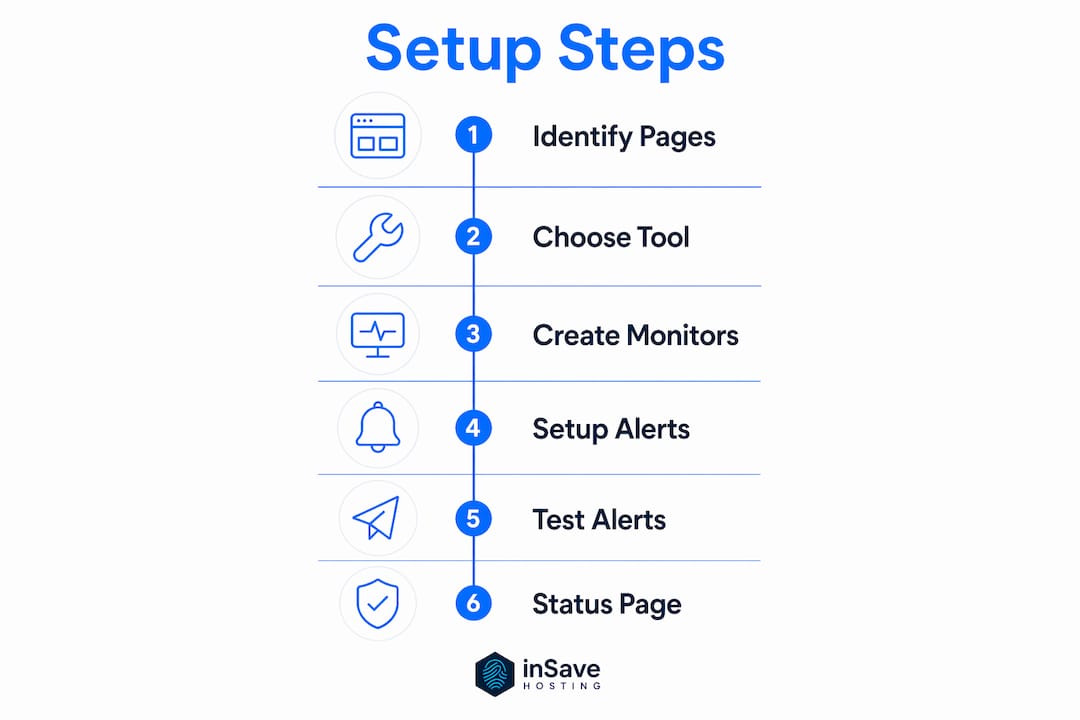
Step 2: Choose a monitoring tool. UptimeRobot offers a free tier suitable for small sites. Pingdom and Sentinel provide more granular reporting and multi-region checks for growing businesses. The 360 Monitoring service from inSave Hosting integrates directly with your hosting environment for a tighter feedback loop.
Step 3: Create monitors for each critical page. Assign the correct check type per page. Use HTTP plus keyword checks for checkout and login. Use HTTP-only for static informational pages. Add an SSL monitor for your primary domain.
Step 4: Configure alert channels with escalation policies. Effective alerts use tiered escalation: send an immediate notification via email or Slack, then escalate to SMS or a phone call if the alert goes unacknowledged after 10 to 15 minutes. A single email channel is not enough if your team is not watching their inbox at midnight.
| Alert channel | Best use case | Escalation tier |
|---|---|---|
| Initial notification, low urgency | Tier 1 | |
| Slack or Teams | Team visibility, business hours | Tier 1 |
| SMS | After-hours, unacknowledged alerts | Tier 2 |
| Phone call | Critical outages, no response | Tier 3 |
Step 5: Test your alerts before you rely on them. Temporarily point a monitor at a URL you know will fail, or use your tool's built-in test function. Confirm that every channel in your escalation chain actually fires. An untested alert system is the same as no alert system.
Step 6: Set up a public status page. Public status pages reduce support inquiries during outages by giving users a place to check rather than flooding your inbox. Most monitoring tools generate these automatically from your monitoring data.
Pro Tip: Pair your uptime monitoring with a solid backup strategy. If a monitoring alert fires and you need to roll back, having recent website backups ready cuts your recovery time significantly.
Common mistakes that break your monitoring setup
Most monitoring failures are not technical. They are configuration and process failures that compound over time.
- Monitoring only the homepage. Your homepage can be fully functional while your checkout is broken. Always monitor the full user path, not just the front door.
- Using a single monitoring region. This is the fastest way to generate false positives and train your team to ignore alerts. Multi-region consensus is non-negotiable for any business site.
- No escalation policy. An alert that goes to one email address and stops there will be missed. Build a chain that escalates until someone acknowledges it.
- Ignoring SSL and DNS monitors. These two check types catch outages that HTTP monitors miss entirely. An expired certificate blocks every visitor before the server even responds.
- Never testing your alerts. Alert configurations break when you change email providers, update Slack integrations, or rotate team members. Test your full escalation chain at least once per quarter.
- Failing to update monitors as your site evolves. A keyword check looking for text you removed from your checkout page will either fire false positives or miss real failures. Review your monitors whenever you make significant site changes.
A monitoring setup you never test is a false sense of security. The only thing worse than no monitoring is monitoring that silently fails while you assume you are covered.
Pro Tip: Review your website monitoring scope every time you launch a new feature or page. New revenue paths need monitors from day one, not after the first outage.
Key takeaways
Effective website uptime monitoring requires combining multiple check types, multi-region confirmation, and tiered alert escalation to detect real failures fast while eliminating noise.
| Point | Details |
|---|---|
| Use multiple check types | HTTP, keyword, SSL, and DNS checks together catch failures that any single check misses. |
| Match intervals to criticality | Set 1-minute checks for checkout and login; use 5-minute checks for informational pages. |
| Monitor from multiple regions | Three geographically diverse locations with consensus logic prevent false positive alerts. |
| Build escalation policies | Tier alerts from email to SMS to phone calls so critical outages always reach someone. |
| Test and audit regularly | Verify your alert chain works and update monitors whenever your site changes significantly. |
Why simple up/down checks are not enough anymore
I have reviewed dozens of monitoring setups for site owners who were convinced they had everything covered. In nearly every case, the gap was the same: they were monitoring whether the server was breathing, not whether the site was actually working.
The shift I have seen over the past few years is that uptime monitoring paired with real user monitoring gives you a genuinely complete picture. Synthetic checks from monitoring tools tell you what a robot sees. Real user monitoring tells you what your actual visitors experience, including slow page loads, JavaScript errors, and third-party script failures that never trigger a 200 error.
The other thing most guides skip is the human side of alert fatigue. Matching alert urgency to communication channels is not a nice-to-have. It is what determines whether your team treats alerts as signals or noise. I have seen businesses where every monitor fired to a single Slack channel, and within two weeks the team had muted it entirely. That is a monitoring system that actively makes you less safe.
My honest recommendation: start with five monitors covering your most critical pages, configure them correctly with multi-region checks and a real escalation policy, and get that working reliably before you add more. A lean, well-configured setup beats a sprawling one that nobody trusts.
— Ihor
Keep your site online with inSave Hosting

The best monitoring setup in the world only works as well as the hosting infrastructure underneath it. inSave Hosting is built around a 99.9% uptime guarantee, powered by LiteSpeed, MariaDB, and free CDN integration so your site stays fast and available under real traffic conditions. Every plan includes free SSL certificates, which means your SSL monitors will always have a valid certificate to check. Whether you are running a WordPress site or a custom application, inSave Hosting's shared hosting plans give you the reliable foundation your monitoring setup needs to actually mean something. If WordPress is your platform, the WordPress-optimized hosting plans add staging tools and managed security on top of that uptime foundation.
FAQ
What is website uptime monitoring?
Website uptime monitoring is the automated process of sending regular requests to your site to confirm it is accessible and responding correctly. It alerts you immediately when your site goes down or returns errors.
How often should I check my website's uptime?
Business-critical pages like checkout and login should be checked every minute. Standard informational pages can use 5-minute intervals without meaningful risk to detection speed.
What is the difference between HTTP monitoring and keyword monitoring?
HTTP monitoring confirms your server returns a 200 status code. Keyword monitoring checks that specific content appears in the response, catching broken pages that still return a 200 status.
How do I avoid false positive uptime alerts?
Monitor from at least two to three geographic regions and require two to three consecutive failures before an alert fires. This filters out transient network issues that are not real outages.
Why does SSL monitoring matter for uptime?
An expired SSL certificate triggers browser security warnings that block visitors from reaching your site entirely, making it functionally offline even when your server is running perfectly. Monitoring certificate expiration prevents this from happening without warning.