
TL;DR:
- Modern DNS hosting relies on Anycast networking and DNSSEC for improved performance and security. It involves a three-step setup and benefits from lowering TTL values before changes to speed propagation. Managed DNS offers better uptime, security, and ease of use, while secondary DNS adds essential redundancy.
DNS hosting is the authoritative management of domain name resolution through specialized servers that determine where your website lives on the internet. Every time someone types your domain into a browser, a DNS hosting service answers that query and points the visitor to the correct server. Get this wrong, and your site goes offline. Get it right, and you gain a measurable edge in speed, security, and uptime. For website owners and developers evaluating dns management tools and providers, understanding what separates a basic setup from a production-grade one is the first step toward a faster, safer site.
What features define modern DNS hosting services?
Modern DNS hosting is built on three core technologies: Anycast networking, DNSSEC, and API-driven record management. Each one solves a distinct problem, and together they define what separates entry-level DNS from enterprise-grade service.

Anycast networking is the most impactful performance feature in DNS hosting. Anycast routes queries to the nearest available node in a global network, cutting latency and distributing traffic across dozens of servers simultaneously. That distribution also acts as a defense layer. When a volumetric DDoS attack floods one node, Anycast absorbs it across the network rather than letting it take down a single point of failure.
DNSSEC protects your domain from cache poisoning and spoofing attacks. It works by digitally signing DNS records so resolvers can verify authenticity before returning results. The critical detail most guides skip: DNSSEC key rotation must be automated. Manual key rollover is error-prone and can cause DNSSEC validation failures that take your site offline for users on security-strict resolvers. Any DNS hosting provider worth using handles key rotation automatically.
Beyond those two, the feature set that matters includes:
- Load balancing and failover: Distributes traffic across multiple origin servers and reroutes automatically when one fails.
- API-driven record management: Lets developers update A, CNAME, MX, TXT, SRV, and CAA records programmatically without logging into a control panel.
- GeoDNS: Returns different IP addresses based on the visitor's geographic location, reducing round-trip time for global audiences.
- Secondary DNS support: Top-tier providers often guarantee 100% SLA availability and support multi-provider configurations for redundancy.
Pro Tip: Always confirm that a provider supports CAA records. CAA records restrict which certificate authorities can issue SSL certificates for your domain, adding a meaningful layer of protection against unauthorized certificate issuance.
How does DNS hosting work: setup and propagation explained
Setting up DNS hosting follows a consistent three-step process regardless of which provider you use. Understanding each step prevents the most common mistakes, especially around propagation timing.
- Create a DNS zone. Log into your DNS hosting provider and create a zone for your domain. The provider generates a set of nameserver addresses specific to your account.
- Add your DNS records. Populate the zone with the records your site needs: an A record pointing to your server's IP, MX records for email routing, TXT records for domain verification and SPF, and any CNAME records for subdomains.
- Update your registrar's nameservers. Log into your domain registrar and replace the existing nameservers with the ones your DNS host provided. This delegates authority to your new DNS host.
Most managed DNS setups complete these three steps in under 30 minutes. The confusion starts after step three, when developers expect instant results and instead see delays.
Pro Tip: Before switching nameservers on a live site, lower your TTL values to 300 seconds (5 minutes) at least 24 hours in advance. When you make the switch, visitors will pick up the change faster because their resolvers won't cache the old records for long.
DNS propagation is widely misunderstood. The 24–48-hour window that most guides cite does not reflect how long your DNS host takes to publish changes. Modern authoritative DNS providers push record updates across their Anycast networks in seconds. The delay comes from ISP resolvers caching your old records until the TTL expires. High TTL values, sometimes set to 86,400 seconds (24 hours) by default, are the real culprit behind slow propagation. Lower your TTL before making changes, and propagation becomes a non-issue.
Managed DNS hosting versus self-hosted DNS: which is right for you?
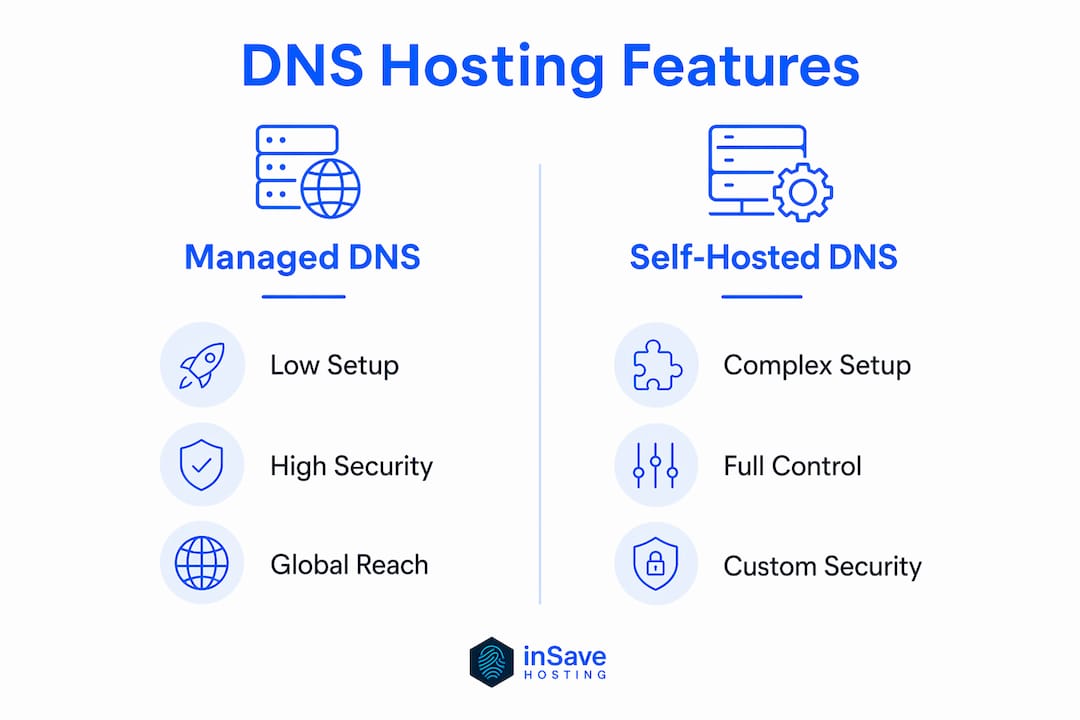
The choice between managed DNS hosting and running your own DNS infrastructure comes down to one question: do you want to manage servers or manage your business?
| Factor | Managed DNS hosting | Self-hosted DNS |
|---|---|---|
| Setup complexity | Low. Provider handles infrastructure. | High. Requires server provisioning and configuration. |
| Maintenance burden | Minimal. Provider handles updates and patches. | Full responsibility falls on your team. |
| DDoS protection | Built-in via Anycast and provider defenses. | Requires separate mitigation setup. |
| Uptime SLA | Often 100% guaranteed by provider. | Depends entirely on your infrastructure. |
| Cost (short term) | Low to zero for standard tiers. | Higher due to server and staffing costs. |
| Customization | Limited to provider's feature set. | Full control over software and configuration. |
| Security management | Provider handles DNSSEC, patches, and monitoring. | Your team owns all security decisions. |
Managed DNS providers reduce operational overhead by handling zone hosting, redundancy, security, and global availability. That trade-off makes sense for the vast majority of website owners and developers. The dependency risk is real but manageable: choose a provider with a strong SLA and set up secondary DNS with a second provider to eliminate single-point-of-failure risk.
Self-hosted DNS makes sense in narrow cases: organizations with strict data sovereignty requirements, teams with deep DNS expertise, or environments where custom software integration is non-negotiable. For everyone else, managed hosting setups deliver better uptime at lower cost than building the same infrastructure in-house.
Pricing for managed DNS follows a freemium model. Many providers offer free tiers for standard usage with no credit card required, then charge for advanced features like GeoDNS, higher query volumes, or premium SLAs. That structure makes managed DNS accessible for small sites while scaling to enterprise needs.
What to look for when choosing a DNS hosting provider
Choosing a DNS hosting provider is not just a cost decision. The wrong choice creates security gaps and performance bottlenecks that are expensive to fix after the fact.
- Anycast point-of-presence count. More PoPs mean lower latency for global visitors. A provider with 30 PoPs serves a global audience significantly better than one with 5.
- DNSSEC automation. Confirm the provider automates key signing and rotation. Manual DNSSEC management introduces outage risk that no developer should accept.
- API quality. A well-documented REST API lets you integrate DNS record management into your deployment pipeline. Providers with poor or absent APIs force manual updates that slow down development.
- Secondary DNS compatibility. Multi-provider DNS protects against outages or attacks targeting a single provider. Confirm your primary provider supports zone transfer or AXFR to a secondary provider.
- Analytics and monitoring. Query volume data, resolution time metrics, and anomaly alerts help you catch problems before visitors do.
- Provider jurisdiction. Where your DNS provider stores and processes data matters for compliance with regulations like GDPR. Confirm the provider's data handling policies match your legal requirements.
- Future-proof protocols. DNS over TLS and QUIC are becoming standard for privacy-conscious deployments. Providers that support these protocols today will not require a migration when they become mandatory tomorrow.
Balancing cost against these criteria is straightforward. Free tiers cover most small site needs. Paid tiers become worth it when you need GeoDNS, higher query limits, or a formal SLA. The mistake developers make is choosing the cheapest option without checking whether it supports DNSSEC automation and API access. Those two features alone determine whether your DNS setup is production-ready.
Key Takeaways
DNS hosting quality directly determines your website's speed, security, and uptime, making provider selection one of the highest-impact infrastructure decisions a website owner makes.
| Point | Details |
|---|---|
| Anycast is non-negotiable | Choose a provider with Anycast networking to cut latency and absorb DDoS traffic across distributed nodes. |
| Automate DNSSEC | Manual key rotation causes outages. Confirm your provider handles DNSSEC signing and rotation automatically. |
| TTL controls propagation speed | Lower TTL to 300 seconds before making DNS changes to minimize the delay visitors experience. |
| Managed beats self-hosted for most | Managed DNS delivers better uptime and security at lower cost than in-house infrastructure for the majority of sites. |
| Secondary DNS adds real resilience | Running a second DNS provider eliminates single-point-of-failure risk and is an industry standard for high-availability sites. |
DNS hosting in 2026: what I've learned the hard way
DNS is the one infrastructure layer that most developers set up once and then forget. That habit is the source of most of the DNS-related outages I've seen over the years.
The biggest shift I've noticed recently is the move toward DNS over TLS and DNS over QUIC for privacy. These protocols encrypt the resolution query itself, preventing ISPs and network observers from seeing which domains you're resolving. Providers that don't support them yet will be playing catch-up within 18 months. If you're evaluating providers now, this is a forward-looking filter worth applying.
The second thing I'd push back on is the idea that multi-provider DNS is only for large enterprises. Running a secondary DNS provider costs very little and eliminates the scenario where your primary provider has an outage and your entire site goes dark. I've seen that happen to sites with tens of thousands of daily visitors. The fix took hours because the team had no secondary in place.
The third pitfall is ignoring TTL values after initial setup. Developers set a low TTL during a migration, then forget to raise it afterward. A TTL of 300 seconds means your DNS host fields 288 queries per day per visitor instead of 1. That adds up at scale and increases your query costs on metered plans. Set TTL back to 3,600 seconds or higher once a migration is complete.
The last thing worth saying: automation is not a replacement for understanding. API-driven DNS management is powerful, but a misconfigured deployment script that deletes your MX records will take down your email in seconds. Build validation checks into any automated DNS workflow. The impact of DNS on performance is too significant to leave entirely to scripts without guardrails.
— Ihor
inSave Hosting makes DNS management straightforward
Website owners who want reliable DNS without the complexity of managing it themselves have a direct path forward with inSave Hosting. The platform bundles domain registration, DNS management, and hosting into one place, so you're not stitching together three separate services.

inSave Hosting includes free domain registration for the first year, free SSL certificates, and a 99.9% uptime guarantee backed by LiteSpeed and CDN integration. For developers who want everything under one roof, the shared hosting plans cover DNS management alongside WordPress hosting, staging tools, and managed security. If you're starting from scratch or moving an existing site, domain registration and transfer is handled directly through the platform with no third-party juggling required.
FAQ
What is DNS hosting?
DNS hosting is the service of running authoritative nameservers that store and serve your domain's DNS records. When a visitor types your domain, the DNS host answers the query and directs traffic to the correct server.
How long does DNS propagation take?
Record changes at a modern DNS host propagate across Anycast networks in seconds. The 24–48 hour delay most people experience comes from ISP resolvers caching old records until the TTL expires, not from the DNS host itself.
What is DNSSEC and do I need it?
DNSSEC digitally signs your DNS records so resolvers can verify they haven't been tampered with. Any site handling logins, payments, or sensitive data should have DNSSEC enabled with automated key rotation to prevent spoofing attacks.
What is the difference between managed and self-hosted DNS?
Managed DNS hosting means a provider runs the infrastructure for you, including redundancy, security, and global distribution. Self-hosted DNS gives you full control but requires server expertise, ongoing maintenance, and your own DDoS mitigation.
Why should I use a secondary DNS provider?
A secondary DNS provider ensures your site stays online if your primary provider experiences an outage or attack. Multi-provider DNS is an industry standard for high-availability sites and costs very little to implement.