
TL;DR:
- DNS management involves continuously configuring, maintaining, and securing your domain's records and authoritative servers to ensure reliable internet access. Proper management prevents issues like site outages, email failures, and security threats such as hijacking or cache poisoning. Using multiple DNS servers, setting appropriate TTLs, and enabling DNSSEC are essential practices for ensuring optimal domain reliability and security.
Most website owners assume DNS management means logging into a dashboard and flipping a few settings. That assumption is responsible for a surprising amount of unplanned downtime. What is DNS management, really? It is the ongoing process of configuring, maintaining, and securing your domain's DNS records and the authoritative servers that host them. Get it wrong and your site vanishes from the internet. Get it right and you gain a measurable edge in reliability, security, and performance. This guide covers everything you need to understand DNS management at a functional level.
Table of Contents
- Key Takeaways
- What is DNS management and why it matters
- How DNS works from query to resolution
- DNS security: the threats you cannot ignore
- Choosing and managing your DNS provider
- Practical DNS tasks and how to do them right
- My honest take on DNS complexity
- Manage DNS with confidence through Insave
- FAQ
Key Takeaways
| Point | Details |
|---|---|
| DNS management is ongoing | It requires continuous operational awareness, not just one-time record setup. |
| Record types define function | A, MX, TXT, CNAME, and other record types each control a specific aspect of how your domain works. |
| TTL drives propagation timing | Tuning your TTL values before major changes reduces the window of downtime during updates. |
| Security requires active configuration | DNSSEC, SPF, and DKIM must be deliberately configured to protect your domain from hijacking and spoofing. |
| Provider choice matters | Managed DNS reduces complexity but requires careful vetting for redundancy, uptime guarantees, and security features. |
What is DNS management and why it matters
DNS management is the administration and configuration of a domain's DNS records to enable reliable name resolution for web and email services. That definition comes straight from technical practice: configuring DNS records and operating the authoritative DNS service that hosts them. Think of it as running the address book for your entire online presence.
The Domain Name System (DNS) translates human-readable domain names like yourbusiness.com into the IP addresses that computers use to connect. Without correctly managed DNS records, no one reaches your website, your email stops working, and any service tied to your domain fails silently from the user's perspective.
DNS management involves several distinct record types, each with a specific job:
- A record: Maps your domain to an IPv4 address, directing web traffic to the correct server.
- AAAA record: Does the same for IPv6 addresses, which are increasingly relevant as the internet scales.
- MX record: Tells mail servers where to deliver email for your domain.
- NS record: Identifies which authoritative nameservers are responsible for your domain's zone.
- TXT record: Stores text-based data used for email authentication (SPF, DKIM) and domain ownership verification.
- CNAME record: Creates an alias pointing one domain name to another, useful for subdomains.
- SOA record: Contains administrative metadata about the DNS zone itself.
Proper configuration of these records is not optional. Each one controls a distinct piece of your domain's functionality, and a misconfigured record in one area does not always produce an obvious error. Sometimes the damage is subtle: emails quietly landing in spam, subdomains timing out, or mobile users getting inconsistent load times.
All of these records live inside what is called a DNS zone, a container that holds every record for a given domain. DNS management, at its core, is about maintaining that zone accurately, continuously, and securely.
How DNS works from query to resolution
Understanding the DNS lookup process matters because it explains why your management decisions have real consequences for speed and availability. Here is what happens every time someone types your domain into a browser:
- The user's device contacts a recursive resolver, typically provided by their ISP or a public DNS service like Google's 8.8.8.8.
- The recursive resolver checks its cache. If it has a recent answer, it returns it immediately. If not, it queries further.
- The resolver contacts a root nameserver, which points it toward the right Top-Level Domain (TLD) nameserver (.com, .org, etc.).
- The TLD nameserver points to your domain's authoritative nameserver.
- Without authoritative servers, domains cannot resolve, which causes total service failure once caches expire. The authoritative server returns the final answer with your specific record data.
- The resolver caches that answer based on the TTL (Time to Live) value you set, then delivers it to the user.
The TTL is where DNS management becomes tactical. Every record you publish carries a TTL, measured in seconds, which tells resolvers how long to cache that answer. A TTL of 3600 means resolvers hold your record for one hour before rechecking. Set it too high and DNS changes take forever to propagate globally. Set it too low and you generate unnecessary query load on your authoritative servers.
DNS propagation can affect website and email availability until caches update, with delays ranging from minutes to 48 hours depending on TTLs and resolver behavior. This is why experienced administrators lower their TTL values 24 to 48 hours before a planned migration, then raise them back after confirming the new records resolve correctly. Understanding web hosting uptime starts with understanding why DNS availability is the prerequisite to everything else.
Pro Tip: Before any planned server migration or hosting change, drop your TTL to 300 seconds (5 minutes) at least 24 hours in advance. Once the migration is confirmed working, raise it back to 3600 or higher. This dramatically shortens the propagation window if anything goes wrong.
DNS security: the threats you cannot ignore
DNS is a frequent attack surface, and most site owners underestimate it until something goes wrong. The three most common threats you need to know:
- DNS hijacking: An attacker redirects queries for your domain to a malicious server, sending your visitors somewhere dangerous without any visible warning in the browser URL bar.
- Cache poisoning: A resolver's cache gets corrupted with false records, causing users to resolve your domain to the wrong IP address until the cache expires.
- DDoS against DNS: Attackers flood your authoritative nameservers with junk traffic, making your domain unresolvable for everyone.
The primary defense against hijacking and poisoning is DNSSEC (DNS Security Extensions). DNSSEC adds cryptographic signatures to DNS records, providing data origin authentication and integrity verification that prevents tampering. When a resolver receives a DNSSEC-signed response, it can verify that the data came from the legitimate authoritative server and was not altered in transit.
DNSSEC is not a silver bullet. It protects the integrity of DNS answers but does not encrypt the contents of DNS queries. Pair it with DNS over HTTPS (DoH) or DNS over TLS (DoT) for privacy, and with a solid SSL certificate to protect the connection once users land on your site.
Beyond DNSSEC, your email security depends directly on DNS. Incorrect DNS settings cause email delivery failures and increase spam risks. Configuring SPF records (which define who is authorized to send email on your domain's behalf) and DKIM records (which add a cryptographic signature to outbound email) is pure DNS work. Neglect them and your legitimate business emails get rejected or filtered.
Choosing and managing your DNS provider

The most consequential DNS management decision you make is not about individual records. It is about who hosts your authoritative DNS.
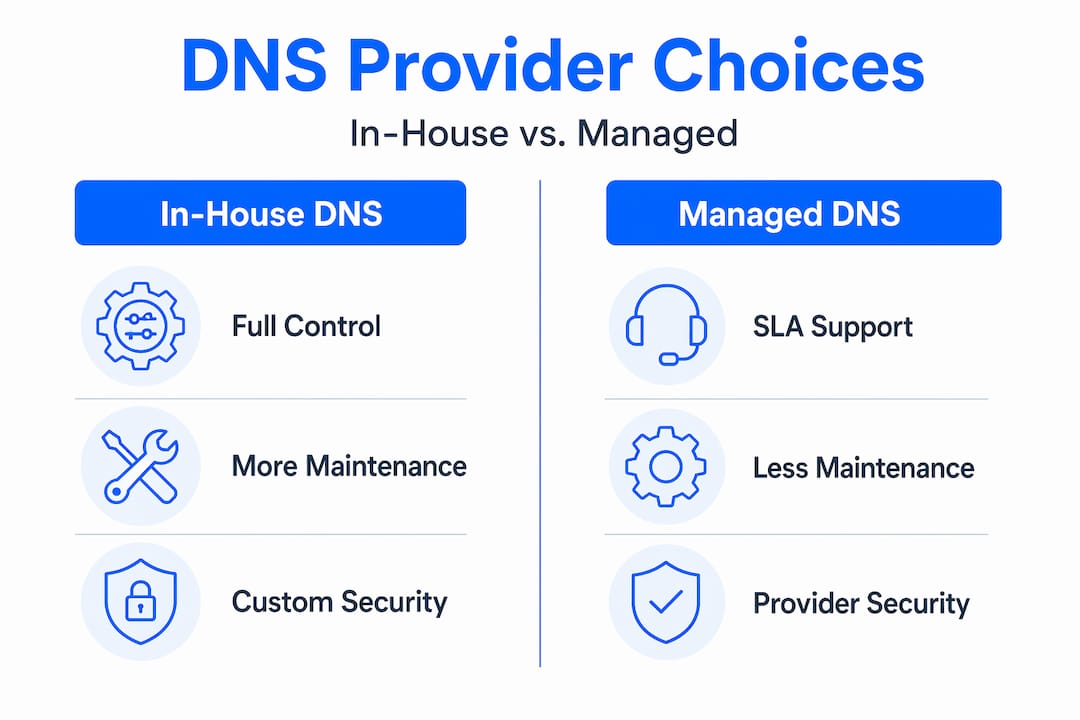
| Factor | In-house DNS | Managed DNS provider |
|---|---|---|
| Control | Full control over configuration | Limited to provider's interface |
| Complexity | High: requires dedicated expertise | Low: provider handles infrastructure |
| Redundancy | Depends on your investment | Built-in with reputable providers |
| Cost | Higher total cost of ownership | Predictable subscription pricing |
| Security features | Must implement yourself | Often included (DNSSEC, DDoS protection) |
Managed DNS reduces operational burden but depends entirely on the provider's infrastructure and SLAs. If your managed DNS provider goes down and you have no secondary DNS configured, your site goes with it. This is why redundancy through multiple authoritative nameservers on different networks and in different geographic locations is vital for high DNS availability.
When evaluating any DNS provider, ask these questions: Do they operate nameservers in multiple regions? What is their documented uptime SLA? Do they support DNSSEC? How quickly do changes propagate through their network? What monitoring and alerting tools do they offer?
On the operational side, treat DNS changes like code deployments, not casual edits. Validated change processes including syntax checking, validation, and staged rollout significantly reduce errors and downtime. Many advanced hosting platforms offer DNS management interfaces that include built-in validation to catch mistakes before they go live. If your current setup does not support that, factor it into your next provider evaluation.
Pro Tip: Always configure at least two authoritative nameservers from different network providers. If one goes down, the other continues answering queries. Single-nameserver setups are one of the most avoidable causes of total domain outages.
Practical DNS tasks and how to do them right
Here is how to approach the most common DNS management operations without creating problems for yourself:
-
Update an A record. Log into your DNS provider's management panel. Locate the A record for your root domain or subdomain. Enter the new IPv4 address. Set a TTL appropriate to your needs (300 to 3600 seconds for active sites). Save and monitor propagation using a tool like dnschecker.org or dig from the command line.
-
Configure MX records for email. Set the MX record's hostname to your domain, the mail server value to your provider's mail hostname, and assign a priority number. Lower numbers mean higher priority. If you use a backup mail server, give it a higher priority number.
-
Change your nameservers at the registrar level. This is the most impactful DNS change you can make. Log into your domain registrar (where you registered your domain name, which is separate from your hosting provider). Find the nameserver settings and replace the existing NS entries with your new provider's nameservers. Misalignment between registrar NS settings and your authoritative DNS provider causes intermittent or total resolution failures. Double-check that your zone file at the new provider is fully populated before making this switch.
-
Add TXT records for SPF and DKIM. Create a TXT record at your root domain containing your SPF policy (e.g., "v=spf1 include:yourmailprovider.com ~all"). For DKIM, your email provider will give you a specific selector and value to publish as a TXT record under a subdomain like selector._domainkey.yourdomain.com.
-
Monitor propagation after any change. Do not assume changes are live just because your own browser shows the updated site. Use multiple geographic query tools to verify resolvers worldwide are returning your new records. Watch for any service disruptions in the first hour after changes go live.
Common pitfalls to avoid: publishing an MX record pointing to an IP address instead of a hostname, creating circular CNAME chains, forgetting to update NS records in both the registrar and the zone file, and leaving TTLs at 86400 (24 hours) before a planned migration. Each of these is a real-world cause of outages that cost businesses hours of troubleshooting.
My honest take on DNS complexity
I have spent years watching website owners and even IT teams treat DNS as an afterthought. The attitude is usually: "I set it up once, it works, why touch it?" Then a hosting migration happens, or someone forgets to renew a domain, or a TXT record gets deleted during a cleanup, and suddenly the site is down and the business is losing money by the hour.
What I have learned is that DNS management is deceptively simple to do carelessly and genuinely difficult to do well. The configuration itself is not complex. The discipline required to manage it properly, documenting every change, testing before you commit, maintaining redundancy, auditing security settings, is what separates teams that experience avoidable outages from those that do not.
My strongest recommendation: treat your DNS like the critical infrastructure it actually is. That means a documented runbook for common changes, TTL strategies prepared in advance of any migration, DNSSEC enabled wherever your registrar and provider support it, and at least two nameservers from different providers. If you are running a business online, this is not optional overhead. It is the foundation everything else sits on.
— Ihor
Manage DNS with confidence through Insave

If reading through this makes you realize your DNS setup deserves a closer look, Insave is built to make that easier. Insave Hosting provides reliable DNS infrastructure across all its hosting plans, with free domain registration included for the first year and management tools that make record configuration approachable without sacrificing control. Every plan includes free SSL certificates to complement your DNS security configuration, and the platform supports DNSSEC to protect your domain from spoofing and poisoning. Whether you are setting up a brand new site or migrating an existing one, Insave's domain management services and shared hosting plans give you the infrastructure to run a well-managed, secure domain without needing a dedicated DNS team. Explore the full range of hosting and domain options at Insave today.
FAQ
What does DNS management mean?
DNS management is the process of configuring and maintaining a domain's DNS records and authoritative nameservers to keep websites and email services working correctly. It covers everything from A records and MX records to security settings like DNSSEC.
How long does DNS propagation take?
DNS propagation typically takes anywhere from a few minutes to 48 hours, depending on the TTL values set on your records and how quickly recursive resolvers refresh their caches with the updated information.
What is a DNS server and what does it do?
A DNS server translates domain names into IP addresses. Authoritative DNS servers hold the actual records for your domain, while recursive resolvers query those servers on behalf of users and cache the results to speed up future lookups.
Why is DNSSEC important for website owners?
DNSSEC adds cryptographic signatures to DNS records, making it possible to verify that responses come from your legitimate authoritative server and have not been tampered with. It protects against cache poisoning and DNS hijacking attacks.
What are the most common DNS management mistakes?
The most frequent mistakes include setting TTL values too high before a migration, misaligning NS records between the registrar and the DNS provider, pointing MX records to an IP address instead of a hostname, and skipping SPF and DKIM configuration for email authentication.