
TL;DR:
- A content delivery network is a distributed system of servers that caches and delivers web content from locations nearest to visitors. CDNs improve website load times, reduce bandwidth costs, and provide DDoS protection by serving static files from edge servers worldwide. Small businesses benefit from faster speeds, lower hosting expenses, and more reliable performance across geographic regions.
A content delivery network, commonly called a CDN, is a geographically distributed system of servers that caches and delivers web content to users from the location nearest to them. CDN is the standard industry term. Understanding how a CDN works is the single most effective step you can take to improve your website's loading speed and user experience. Providers like Cloudflare, AWS CloudFront, and Akamai have built global CDN infrastructure that reduces latency from 180ms to as little as 5ms for distant users. For small and medium-sized business owners, that speed difference directly affects bounce rates, conversions, and search rankings.
How does a content delivery network work?
A CDN works by placing copies of your website's files on servers called edge servers, which are positioned at dozens or hundreds of locations around the world. These locations are called Points of Presence, or PoPs. When a visitor loads your site, the CDN routes their request to the nearest PoP instead of sending it all the way to your origin server.

Think of it like an ATM network. A single bank branch can only serve so many customers before lines form. ATM-style distributed nodes reduce pressure on the central location and get each customer served faster. A CDN does the same thing for your website's files.
The routing itself happens through two main methods:
- DNS-based routing: When a user types your URL, the CDN's DNS system resolves the request to the nearest PoP's IP address automatically.
- Anycast routing: A single IP address is announced from multiple PoPs simultaneously. The internet's routing protocols send each user's request to the closest available node.
Once a request reaches a PoP, the CDN checks whether it already has the requested file stored locally. This is the cache hit vs. cache miss distinction:
- Cache hit: The file exists at the PoP. It is served immediately, with no trip to your origin server.
- Cache miss: The file is not yet stored at that PoP. The CDN fetches it from your origin server, stores a copy, and then delivers it to the user.
A well-optimized CDN achieves a cache hit ratio of 90–99% for static content like images, CSS, and JavaScript. That means the vast majority of your visitors never touch your origin server at all. The result is faster pages and a much lighter load on your hosting plan.
Pro Tip: Check your CDN dashboard for your cache hit ratio. A ratio below 80% for static content usually means your cache-control headers need adjustment or your file URLs change too frequently.
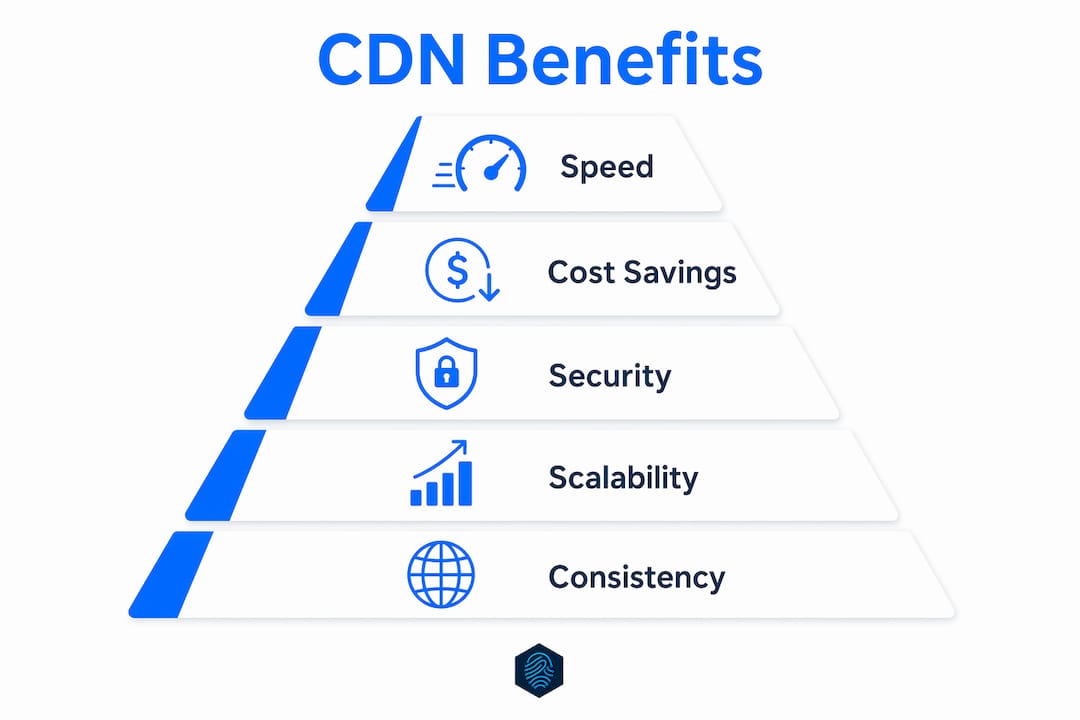
What are the key benefits of a CDN for small businesses?
Speed is the most visible benefit, but it is not the only one. CDNs deliver measurable improvements across performance, security, and cost.
Faster load times for every visitor. Your site loads quickly whether a visitor is in Chicago or Cape Town. Without a CDN, a user in Tokyo requesting files from a server in New York waits for every packet to travel thousands of miles. With a CDN, that same user gets files from a PoP in Tokyo or Osaka. The speed improvement tips for faster websites consistently point to CDN as one of the highest-impact changes you can make.
Reduced bandwidth and hosting costs. When your CDN serves 90%+ of static file requests, your origin server handles far fewer requests. That directly cuts your bandwidth usage and hosting costs. For sites on shared hosting plans, this headroom matters during traffic spikes.
Built-in DDoS protection. A CDN distributes incoming traffic across all its PoPs. A 1 Tbps DDoS attack spread across 300 PoPs becomes roughly 3 Gbps per location, which is manageable for modern infrastructure. Without a CDN, that same attack hits your single origin server directly. CDN-based DDoS mitigation is now a standard defense layer for SMB websites.
Handling traffic spikes without crashing. A product launch, a viral social post, or a seasonal sale can send traffic surging in minutes. A CDN absorbs that spike by serving cached files from edge nodes. Your origin server stays stable.
Consistent global user experience. Visitors in any country get similar load times. That consistency matters for businesses targeting customers outside their home region.
Caching strategies and CDN performance nuances
Most business owners set up a CDN and assume it runs itself. The reality is that caching requires active management to deliver its full benefit.
Cache-control headers and versioned URLs
Your web server sends cache-control headers with every file response. These headers tell the CDN how long to store a file before checking for a newer version. If you set a very short cache duration, your CDN will frequently re-fetch files from your origin, lowering your cache hit ratio. If you set a very long duration, visitors may see outdated CSS or JavaScript after you update your site.
Effective strategies include versioned filenames and cache-purging APIs. Instead of updating style.css, you publish style.v2.css. The CDN treats it as a new file and fetches the latest version immediately. Old cached copies expire naturally without causing stale content problems.
The thundering herd problem and origin shield
When a CDN edge node has never seen a file before, it sends a cache miss request to your origin server. If your site suddenly gets a traffic spike and hundreds of PoPs all request the same uncached file at once, your origin server receives a flood of simultaneous requests. This is called the thundering herd problem.
Origin shield, also called tiered caching, solves this by adding a designated intermediate node between your edge servers and your origin. All cache miss requests from edge nodes go to the origin shield first. The origin shield fetches the file once from your origin and distributes it to the requesting edge nodes. Your origin server handles one request instead of hundreds.
Peering quality matters as much as proximity
A CDN PoP located near your users is only fast if it has a strong connection to the local internet infrastructure. CDN performance depends heavily on peering relationships with local ISPs. A PoP in a city with poor ISP peering can actually be slower than a more distant PoP with excellent connectivity. When evaluating CDN providers, ask about their peering agreements and network topology, not just their PoP count.
Edge computing: beyond caching
Modern CDNs like Cloudflare Workers and AWS Lambda@Edge now run code directly at edge nodes. Edge computing at CDN nodes lets you handle authentication, A/B testing, and personalization without a round trip to your origin server. This extends CDN value well beyond simple file caching.
How do CDN providers compare for SMB websites?
Choosing a CDN comes down to five practical criteria: PoP coverage, security features, dynamic content support, pricing, and integration ease.
| Criteria | What to look for |
|---|---|
| PoP coverage | More PoPs in your target regions mean lower latency for your visitors |
| Cache hit ratio | Aim for providers that support 90–99% hit rates for static assets |
| DDoS mitigation | Built-in traffic scrubbing and rate limiting protect your origin server |
| Dynamic content | Some CDNs cache API responses; others route dynamic requests directly to origin |
| Pricing model | Pay-per-GB vs. flat-rate plans affect cost predictability for SMBs |
| Integration | One-click setup with your hosting platform saves time and reduces configuration errors |
Cloudflare offers a free tier with solid global coverage and built-in security, making it a common starting point for SMBs. AWS CloudFront integrates tightly with other Amazon Web Services products and suits businesses already using AWS infrastructure. Akamai targets enterprise-scale deployments with deep peering networks but carries higher pricing. For most small and medium-sized business owners, Cloudflare or a CDN bundled with your hosting plan delivers the best balance of performance and cost.
CDN role in hosting is worth understanding before you commit to a provider, since some hosting plans include CDN integration at no extra cost. Free CDN options also exist and are worth evaluating. A 2026 guide to free CDN options covers what you get and where the trade-offs are.
For SMBs exploring cloud networking alongside CDN, cloud networking examples for SMBs provide useful context on how these technologies fit together.
Key Takeaways
A CDN is the most direct technical investment you can make to reduce latency, protect your origin server, and deliver consistent speed to visitors worldwide.
| Point | Details |
|---|---|
| CDN definition | A distributed network of edge servers that caches and delivers content from locations near your visitors. |
| Latency reduction | CDNs cut round-trip time from 180ms to as little as 5ms for geographically distant users. |
| Cache hit ratio target | Aim for 90–99% cache hit rates on static content to minimize origin server load. |
| Active cache management | Use versioned URLs and cache-control headers to prevent stale content after updates. |
| Security benefit | Distributing traffic across 300+ PoPs reduces a 1 Tbps DDoS attack to ~3 Gbps per location. |
CDNs are not a set-and-forget solution
The biggest misconception I see among small business owners is treating a CDN as a one-time setup. You flip it on, watch your load times drop, and move on. That works for about three months until you update your site's CSS and half your visitors are still seeing the old version because the CDN cached it for 30 days.
CDNs complement your origin server. They do not replace it. Your origin server still handles dynamic content, logged-in user sessions, and database queries. The CDN is a caching layer in front of it. Confusing the two leads to bad configuration decisions, like routing all traffic through the CDN including pages that should never be cached.
The second thing I would tell any SMB owner is to monitor your cache hit ratio from day one. A ratio sitting at 60% for static files tells you something is wrong, whether that is misconfigured headers, query strings breaking cache keys, or assets being served over non-cacheable paths. Fixing that one metric often delivers more speed improvement than any other change you can make.
Edge computing capabilities are worth your attention in 2026. Running lightweight logic at the edge, like redirects, bot filtering, or geo-based content rules, removes latency from tasks that used to require a full server round trip. Most major CDN providers now offer this, and the learning curve is lower than it was two years ago.
— Ihor
inSave Hosting includes CDN with every hosting plan
Performance-focused hosting and CDN integration should not require separate contracts or complex configuration.

inSave Hosting bundles free CDN integration with its hosting plans, so your site benefits from edge caching from day one. The platform runs on LiteSpeed with LSCache, HTTP/2, and PHP8, which means your origin server is already fast before the CDN layer adds its speed gains on top. Whether you need shared hosting with CDN support for a business site or WordPress-specific hosting with one-click setup, inSave Hosting covers both. Setup takes minutes, and the performance difference is immediate.
FAQ
What is a content delivery network in simple terms?
A content delivery network is a system of servers placed around the world that stores copies of your website's files and delivers them to visitors from the nearest location. This reduces the distance data travels and makes your site load faster.
How does a CDN improve loading speed?
A CDN serves files from edge servers close to each visitor instead of routing every request to your origin server. This cuts network round-trip time from as much as 180ms down to 5ms for distant users.
Does a CDN replace my web hosting?
No. A CDN works alongside your hosting server, not instead of it. Dynamic content bypasses the CDN and is handled by your origin server directly. The CDN caches static files like images, CSS, and JavaScript.
What is a cache hit ratio and why does it matter?
A cache hit ratio measures how often the CDN serves a file from its own storage without contacting your origin server. A ratio of 90–99% for static content is the standard target. A low ratio means your origin server is doing more work than it should.
Is a CDN worth it for a small business website?
Yes. CDNs reduce load times, cut bandwidth costs, and provide DDoS protection at a scale that would be expensive to replicate with hosting alone. Many hosting providers, including inSave Hosting, include CDN integration in their standard plans at no extra cost.