
For most early-stage startups, the right move is to start with inSave Hosting as your managed base and layer in an edge or compute provider only once your stack demands it. The shortlist below covers every major architecture type, but one pick stands out for founders who want predictable costs, managed security, and zero server babysitting from day one.
Shortlist at a glance:
- inSave Hosting (recommended first pick): Fully managed shared and WordPress hosting with free SSL, daily backups, LiteSpeed stack, and free CDN. Predictable pricing, free migration help, and no surprise overage bills make it the lowest-friction start for most early-stage teams.
- Cloudflare Pages/Workers (edge-first): Best when your traffic is globally distributed and you need sub-50ms TTFB at the lowest cost per request. Requires comfort with Workers syntax and edge-runtime constraints.
- Vercel (framework-native): The fastest path for Next.js products and React preview deployments. Watch build-minute and bandwidth overages on team plans.
- DigitalOcean/Render (compute/VPS): Right for backend-heavy apps, custom runtimes, and databases where you need a persistent server environment.
Before you sign anything annual: test one real production workflow on the smallest plan first. Export your database, assets, and deployment config. If you cannot complete that export cleanly, you have found your lock-in risk before it costs you.
Pro Tip: Map your billing at three points: today, six months out, and twelve months out. If the twelve-month projection is uncomfortable, pick a shorter commitment or a provider with cleaner export paths.
Table of Contents
- How do these secure hosting options compare for startups?
- What does each host actually give your startup?
- How we evaluated these hosts
- How do you pick the right secure host for your startup?
- Edge vs. compute: which architecture fits your startup?
- What compliance requirements should your startup plan for?
- Key Takeaways
- What startups consistently get wrong about hosting
- inSave Hosting is the managed, secure starting point for most startups
- Useful sources and further reading
- FAQ
How do these secure hosting options compare for startups?
The table below maps each provider across the dimensions that matter most to a founder making a first hosting decision. Verify current plan limits on each vendor's page before committing; pricing and allowances change.
| Provider | Best for | Security features | Performance/edge | Pricing & free tier | Scalability | Support level | Compliance |
|---|---|---|---|---|---|---|---|
| inSave Hosting | Managed WordPress, SMB sites, MVP launches | Free SSL, daily backups, managed updates, WAF, DDoS protection | LiteSpeed + free CDN, fast TTFB | Paid plans from low monthly; no free tier, free migration | Vertical scale; upgrade plans | 24/7 support, migration help | Standard; SSL included |
| Vercel | Next.js, React, Jamstack frontends | Automatic HTTPS, DDoS mitigation, preview isolation | Global edge, sub-50ms TTFB | Free hobby tier; Pro from $20/mo | Auto-scale serverless | Docs + community; Pro gets email | SOC 2 Type II |
| Netlify | Jamstack content sites, form-heavy MVPs | Automatic HTTPS, DDoS, branch deploys | Global CDN, competitive TTFB | Free tier (limited builds); Pro from $19/mo | Serverless functions auto-scale | Docs + community; Pro gets priority | SOC 2 Type II |
| Cloudflare Pages/Workers | Globally distributed traffic, edge compute | WAF, DDoS (industry-leading), automatic HTTPS | 300+ edge locations, Workers cold starts under 5ms | Generous free tier; paid from $5/mo | Massive horizontal scale at edge | SOC 2, ISO 27001, HIPAA (Enterprise) | |
| DigitalOcean | Full-stack apps, APIs, databases, VPS | Firewall, managed DB backups, optional WAF | Data-center-based; CDN add-on available | From $4/mo (Droplet); no free compute tier | Vertical + horizontal (K8s) | Docs + tickets; managed support add-on | SOC 2 Type II, ISO 27001 |
| Render | Simple full-stack services, APIs, workers | Automatic HTTPS, private networking | Regional; CDN via Cloudflare integration | Free tier (spins down); paid from $7/mo | Auto-scale web services | Docs + community; paid priority | SOC 2 Type II |
| ScalaHosting | Managed VPS, WordPress, cPanel migrations | SShield security, free SSL, daily backups, WAF | SSD + CDN option, solid TTFB | From ~$3.95/mo shared; VPS from ~$29.95/mo | Managed VPS scales vertically | 24/7 live chat, migration help | Standard; GDPR-ready |
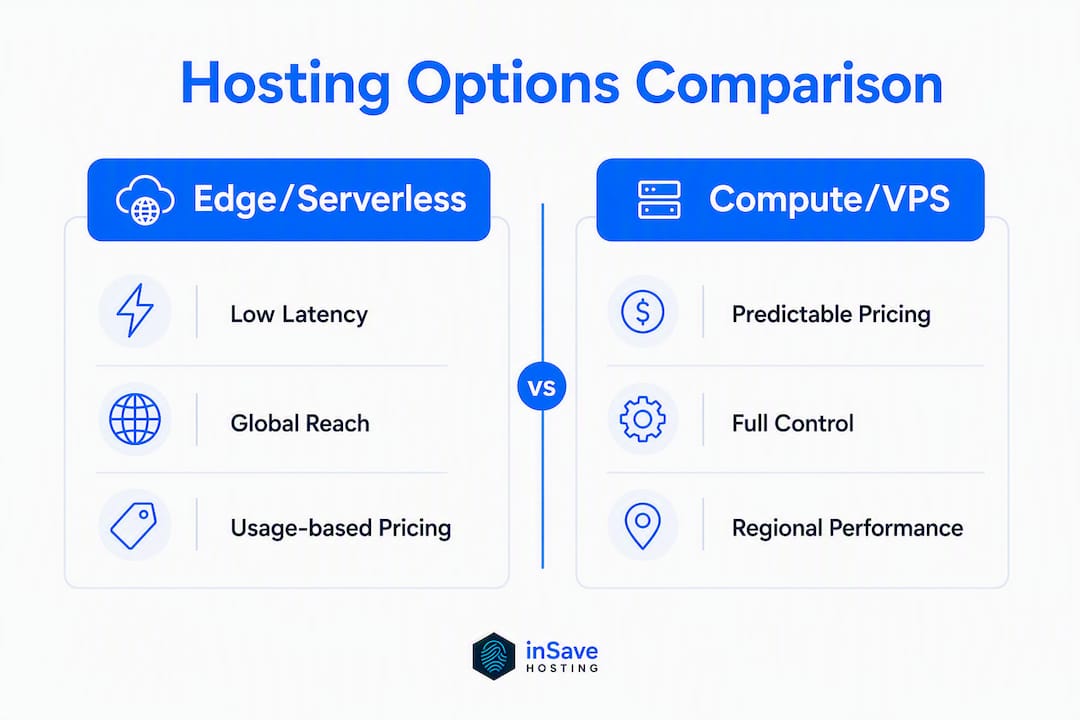
Architecture shorthand: "Edge-first" means your code runs at hundreds of global locations close to the user (Cloudflare, Vercel, Netlify). "Compute-first" means your app runs on a persistent server or container in one or a few data centers (DigitalOcean, Render, inSave Hosting, ScalaHosting). Edge-first wins on global TTFB; compute-first wins on runtime flexibility, database proximity, and cost predictability for steady-state workloads.
Stat to know: Edge platforms routinely deliver sub-50ms TTFB in global benchmarks, while traditional centralized hosts average 80–120ms. For a US-only audience, that gap narrows considerably.
What does each host actually give your startup?
inSave Hosting
The managed option built for founders who want security handled for them, not delegated to a plugin stack.
- Security: Free SSL on all plans, daily automated backups, WAF, DDoS protection, and managed security updates
- Performance: LiteSpeed server stack with LSCache, HTTP/2, PHP8, MariaDB, and free CDN integration
- Price range: Affordable shared and WordPress plans; free migration included
- Best for: WordPress-powered MVPs, SaaS marketing sites, content-led products, and any founder who wants a managed environment without a sysadmin
- Migration note: Free migration service included; standard cPanel/database export means no proprietary lock-in
- Free tier: No free tier, but plans start low and include features competitors charge extra for (daily backups, SSL, CDN)
Vercel
- Security: Automatic HTTPS, DDoS mitigation, preview environment isolation, SOC 2 Type II certified
- Performance: Global edge network; fastest path for Next.js with automatic preview deployments per branch
- Price range: Free hobby tier; Pro at $20/month per seat
- Best for: Next.js and React products where developer velocity and preview deploys matter most
- Migration note: Deployment configs are portable, but heavy use of Vercel-specific primitives (Edge Middleware, Image Optimization) creates friction on exit
- Overage traps: Bandwidth and build minutes can spike fast on team plans; model usage before upgrading
Netlify
- Security: Automatic HTTPS, DDoS protection, branch deploy isolation, SOC 2 Type II
- Performance: Global CDN with solid TTFB; not quite Cloudflare's edge density but competitive for US/EU audiences
- Price range: Free tier with limited build minutes; Pro at $19/month per seat
- Best for: Content-driven Jamstack projects that need built-in form handling and identity primitives without a separate backend
- Migration note: Netlify-specific functions and form integrations require rebuilding on exit
- Overage traps: Build minutes and bandwidth limits on the free tier are easy to hit during active development sprints
Cloudflare Pages/Workers
- Security: Industry-leading WAF, DDoS protection, automatic HTTPS, bot management; HIPAA-eligible at Enterprise tier
- Performance: 300+ edge locations, Workers cold starts under 5ms; best global performance-per-dollar available
- Price range: Generous free tier; paid plans from $5/month
- Best for: Globally distributed traffic, edge compute, and any startup where cost-per-request at scale matters
- Migration note: Workers runtime is proprietary; migrating complex Worker logic to another platform requires a rewrite
DigitalOcean
- Security: Configurable firewalls, managed database backups, optional WAF, SOC 2 Type II, ISO 27001
- Performance: Data-center-based; CDN available as an add-on; TTFB depends on chosen region
- Price range: Droplets from $4/month; realistic startup workloads run closer to $40/month
- Best for: Backend-heavy apps, REST APIs, PostgreSQL/MySQL databases, and teams comfortable with Linux
- Migration note: Standard Docker/VM exports; low lock-in risk if you avoid proprietary managed services
Render
- Security: Automatic HTTPS, private networking, SOC 2 Type II
- Performance: Regional deployment; Cloudflare CDN integration available
- Price range: Free tier (services spin down after inactivity); paid web services from $7/month
- Best for: Simple full-stack services and APIs where you want Heroku-style simplicity without Heroku pricing
- Migration note: Free tier spin-down behavior is a real problem for production; budget for a paid plan from day one
ScalaHosting
- Security: Proprietary SShield real-time security, free SSL, daily backups, WAF, DDoS protection
- Performance: SSD storage, CDN option, competitive TTFB for shared and managed VPS plans
- Price range: Shared from roughly $3.95/month; managed VPS from roughly $29.95/month
- Best for: Teams migrating from cPanel environments or needing a managed VPS with hands-on support
- Migration note: Strong cPanel migration support; SShield is proprietary, so security config does not transfer directly to another host
How we evaluated these hosts
Every provider on this list was assessed against seven criteria. Here is the scoring logic:
- Security features (WAF, DDoS protection, SSL, automated backups, managed updates): a provider without at least three of these five fails for a startup handling customer data.
- Stack fit (runtime compatibility, framework support, one-click installs): does the platform support your actual tech without workarounds?
- Performance (edge/CDN coverage, TTFB benchmarks, uptime SLA): 99.9% uptime is the floor; anything below that is a red flag for a production site.
- Pricing predictability (seat cost, usage cost, add-on cost, migration cost): model all four billing layers before committing, not just the headline price.
- Exportability and migration friction: can you export your database, assets, and deployment config without a support ticket? If not, score it high-friction.
- Support and onboarding (managed vs. unmanaged, 24/7 availability, migration help): unmanaged platforms score lower for non-technical founders.
- Compliance (SOC 2, HIPAA, GDPR readiness): required if you handle health data or EU user data; nice-to-have otherwise.
A provider scores "acceptable" for a startup when it clears the security floor, has predictable pricing at six-month scale, and allows clean data export. It scores "fail" when any of those three are missing.
Pro Tip: Before signing an annual plan, run one real production workflow end-to-end: deploy, generate data, then export everything. That single test surfaces billing surprises and lock-in risks that no feature page will warn you about.
How do you pick the right secure host for your startup?
Work through this checklist before you pay for anything.
Step-by-step decision checklist
- Define your stack first. What runtime does your app need (Node, PHP, Python, static)? What framework (Next.js, WordPress, Django)? The right platform matches your workflow, not the other way around.
- Check the security floor. Confirm the provider includes: WAF, automated daily backups, managed TLS/SSL, DDoS protection, and managed security updates. Missing two or more of these means you are buying the security stack separately.
- Model four billing layers. Seat cost (visible), usage cost (bandwidth, build minutes, function executions), add-on cost (backups, staging, CDN), and migration cost (time and money to leave). Cloud VPS options start at low monthly rates, but realistic workloads tend to be higher; dedicated servers often cost substantially more monthly.
- Run the export test. Export your database, assets, and deployment config before you store anything critical. If you cannot do it cleanly, you have found your lock-in risk.
- Check the SLA and support path. Does the provider publish an uptime SLA? Is 24/7 support available, and is it live chat or tickets only? For a revenue-generating site, ticket-only support with a 48-hour response window is a real operational risk.
- Test on a small plan first. Do not sign annual until you have at least 30 days of real usage data.
Red flags to walk away from
- Opaque usage limits (bandwidth, builds, seats) not shown on the pricing page
- No data export or paywalled export tools
- Aggressive overage pricing with no cap
- Daily backups missing from the base plan (or sold as a paid add-on)
- No published uptime SLA
- No 24/7 support when your site handles transactions or customer data
Realistic pricing tiers for startups
| Stage | Typical option | Monthly cost range |
|---|---|---|
| Starter (MVP, marketing site) | Managed shared hosting | $3–$15/month |
| Growth (SaaS app, moderate traffic) | Cloud VPS or managed edge | $40/month |
| Scale (high traffic, enterprise features) | Dedicated server or enterprise edge | $100–$200+/month |
Cost reality check: Many founders underestimate usage costs. Bandwidth and overage pricing are among the most common sources of surprise bills on edge platforms. Model bandwidth, build minutes, and function executions before you commit to a usage-based plan.
Edge vs. compute: which architecture fits your startup?
The 2026 hosting market splits cleanly into two categories: serverless/edge platforms built for frontend-heavy Jamstack apps, and compute platforms built for backend-heavy apps and custom runtimes. Picking the wrong one does not break your product, but it does create unnecessary cost and migration friction later.

| Dimension | Edge/serverless | Compute/VPS |
|---|---|---|
| TTFB | Sub-50ms globally | 80–120ms (single region) |
| Cold starts | Near-zero (Cloudflare Workers) to ~200ms (Lambda-style) | None (persistent process) |
| Cost model | Per-request / usage-based | Fixed monthly + bandwidth |
| Runtime flexibility | Limited (edge runtimes, no long-running processes) | Full (any language, any process) |
| Database proximity | Requires edge-compatible DB (D1, Neon, PlanetScale) | Standard SQL/NoSQL, local network |
| Exportability | Medium (config portable; proprietary primitives are not) | High (standard VM/container export) |
| Ideal use case | Static sites, Jamstack, globally distributed SaaS frontends | APIs, databases, full-stack apps, WordPress |
The practical rule: if your product is a static or Jamstack frontend with minimal server-side logic, start with an edge provider. If your product needs a database, a persistent backend process, or a WordPress stack, start with a compute or managed hosting provider. Most early-stage startups fall into the second category, which is why managed shared hosting is the lower-friction default.
Pro Tip: Deploy to your shortlisted provider, measure TTFB from your primary user geography, then attempt a full export of data and config. Do this before month two. The export test alone has saved teams from six-figure migration projects.
What compliance requirements should your startup plan for?
Compliance is not a "later" problem. The moment you collect an email address, store a payment token, or handle a user's health data, you are operating inside a regulatory framework.
GDPR applies to any startup that collects data from EU residents, regardless of where the company is incorporated. That means a US-based startup with European users needs a hosting provider that can demonstrate data residency options, a Data Processing Agreement (DPA), and the ability to honor deletion requests. Cloudflare, Vercel, DigitalOcean, and ScalaHosting all publish DPAs; verify the current version before signing.
HIPAA applies if your startup handles Protected Health Information (PHI). Only Cloudflare (at Enterprise tier) and DigitalOcean (with a signed Business Associate Agreement) are positioned for HIPAA-eligible workloads among the providers on this list. Shared hosting environments, including inSave Hosting's standard plans, are not designed for PHI storage. If you are building a health tech product, your hosting decision is a compliance decision first.
SOC 2 Type II is the baseline trust signal investors and enterprise customers ask for. Vercel, Netlify, Cloudflare, DigitalOcean, and Render all hold SOC 2 Type II certifications. For a seed-stage startup, you do not need to be certified yourself, but hosting on a SOC 2-certified platform is a credible first step when a prospect's security team asks questions.
PCI DSS matters the moment you process card payments directly. Most startups offload this to Stripe or Braintree, which removes the hosting layer from PCI scope. If you are processing cards directly on your server, you need a hosting provider that supports PCI-compliant environments, and that conversation goes beyond shared hosting.
The practical takeaway: website security maintenance is an ongoing program, not a checkbox at launch. Pick a provider whose compliance posture matches the most sensitive data you will handle in the next 12 months, not just today.
Key Takeaways
For most early-stage startups, inSave Hosting is the lowest-friction managed option: free SSL, daily backups, LiteSpeed performance, and free migration with no surprise overage bills.
| Point | Details |
|---|---|
| Start managed, then specialize | Begin with managed shared hosting; add edge or compute only when your stack genuinely requires it. |
| Edge wins on global TTFB | Edge platforms deliver sub-50ms TTFB vs. 80–120ms for centralized hosts; matters most for globally distributed audiences. |
| Model all four billing layers | Price seat cost, usage cost, add-ons, and migration cost before committing to any annual plan. |
| Run the export test first | Export your database, assets, and deployment config before storing critical data to detect lock-in early. |
| inSave Hosting for managed starts | inSave Hosting offers free SSL, daily backups, LiteSpeed stack, free CDN, and free migration on shared and WordPress plans. |
What startups consistently get wrong about hosting
The most expensive hosting mistake is not picking the wrong provider. It is signing an annual contract before you have tested the workflow.
Founders tend to buy on feature lists. They see "unlimited bandwidth," "one-click WordPress," and "99.9% uptime" and assume the product will behave the way the marketing page describes. The problem shows up three months later when a build pipeline hits a minute cap, a bandwidth spike triggers a $200 overage, or a migration to a new provider reveals that the deployment config is tied to proprietary primitives that do not exist anywhere else.
The "one real workflow" test is not a nice-to-have. It is the only way to find out whether the billing model works for your actual usage pattern and whether you can leave without pain. A team that skips this step and commits annually is essentially paying for the privilege of discovering the lock-in risk later, when the cost of switching is higher.
There is also a subtler mistake: choosing a platform because it is popular with developers on social media rather than because it fits the operating model of the team. A solo non-technical founder does not need a Kubernetes-backed compute platform with a CLI-first workflow. They need a managed environment where security updates happen automatically, backups run daily, and support is reachable when something breaks at 11 PM. That is a different product from what a five-person engineering team needs.
The corrective action is simple. This week, write down the three jobs your hosting must perform, who owns each job, and what data must be exportable if you switch. If you cannot answer those questions in ten minutes, stay on a monthly plan or a free tier until the workflow is clearer.
inSave Hosting is the managed, secure starting point for most startups
When the article's shortlist runs from edge-first serverless to compute VPS, it is easy to assume the right answer is the most technically sophisticated one. For most early-stage startups, it is not. The right answer is the one that handles security, backups, and performance automatically so the founding team can focus on the product.

inSave Hosting delivers exactly that. The managed shared and WordPress hosting plans include free SSL on every plan, daily automated backups, WAF and DDoS protection, a LiteSpeed server stack with free CDN integration, one-click installs, and a staging environment for safe updates. Free migration is included, and the standard cPanel/database architecture means you can export and move without a support ticket. Pricing is predictable: no per-request billing, no build-minute caps, no bandwidth overage surprises.
Compared to edge providers where costs scale with usage and proprietary runtimes create exit friction, inSave Hosting gives you a fixed monthly cost, a managed security layer, and a clear migration path from day one. That is the right trade-off for a startup that is not yet sure how its traffic will grow.
Start with a small plan, run your real workflow for 30 days, and verify the export path before you commit to anything annual.
Useful sources and further reading
The sources below back the claims in this article. Check vendor pricing pages directly before committing, since plan limits and allowances change frequently.
- Best Hosting for Startups in 2026 — ToolPick: the most thorough buying-screen framework available for comparing Vercel, Netlify, Render, Cloudflare, and Railway; covers pricing layers, export risk, and workflow fit.
- Vercel vs. Cloudflare Pages vs. Netlify for Startup Hosting (2026) — Monolit Blog: source for TTFB benchmarks, Cloudflare edge-location count, and overage pricing analysis used throughout this article.
- How Much Does a Server Cost for a Small Business in 2026? — ServerMania: source for the $5/month cloud entry point, $40/month realistic workload figure, and $100–$200/month dedicated server range.
- Best Hosting Deployment Platforms for Startups 2026 — SoftoraGuide: market overview framing the edge vs. compute split used in the architecture section.
- inSave Hosting — Shared Hosting plans: brand proof page for inSave Hosting's managed features (SSL, backups, LiteSpeed, CDN).
- Best Website Hosting for Small Business — WebTechs.Net: third-party overview of hosting trade-offs for small businesses; useful for cross-checking provider positioning.
Pricing and plan details change. Always verify on the vendor's current pricing page before signing a contract.
FAQ
What is the most secure hosting service for startups?
No single provider is universally "most secure," but managed hosts that include WAF, daily backups, free SSL, and DDoS protection out of the box, like inSave Hosting and ScalaHosting, offer the strongest security baseline for non-technical founders. Cloudflare holds the edge for raw network-level DDoS mitigation at scale.

How much does secure startup hosting actually cost?
Cloud compute options start as low as $5/month, but realistic startup workloads run closer to $40/month; dedicated servers run $100–$200/month. Managed shared hosting for an MVP or marketing site typically falls in the $3–$15/month range.
What are the four main types of web hosting?
Shared hosting, VPS (virtual private server), dedicated server, and cloud/edge hosting. Shared is the most affordable and lowest-maintenance; VPS and dedicated give more control; cloud and edge platforms add global distribution and auto-scaling.
What is the most reliable cloud hosting for startups?
For globally distributed reliability, Cloudflare Pages/Workers leads on uptime and edge coverage. For managed reliability with predictable costs and hands-on support, inSave Hosting's 99.9% uptime SLA and 24/7 support make it the stronger choice for early-stage teams that cannot afford downtime and do not have a dedicated DevOps resource.
How do you avoid vendor lock-in when choosing a host?
Export your database, assets, and deployment config before storing any critical data. Providers that use standard cPanel, MySQL, and file-based exports (like inSave Hosting) carry the lowest migration friction. Edge platforms with proprietary runtimes or function primitives carry the highest.