
TL;DR:
- Auto installers automate web application deployment, saving time and reducing configuration errors.
- They handle database creation, file setup, permissions, and updates automatically, streamlining the process for most sites.
An auto installer is defined as a tool that automates file placement, database creation, folder permissions, and configuration setup for web applications. Without one, deploying a CMS like WordPress or an e-commerce platform requires manually uploading files via FTP, creating databases, editing config files, and setting directory permissions. That process is slow, error-prone, and completely unnecessary for most website owners and developers. The advantages of using an auto installer are concrete: setup time drops from 30–60 minutes to under 2 minutes, and the risk of misconfiguration drops with it. If you are asking why use auto installer tools at all, the answer is efficiency, reliability, and accessibility.
How does an auto installer work to streamline setup?
An auto installer abstracts every complex deployment step into a guided, few-click process. Behind the scenes, it handles tasks that would otherwise require command-line knowledge, FTP access, and database administration skills.
The core steps an auto installer manages automatically:
- Database creation. The installer creates a new database, generates credentials, and writes the connection details directly into the application's config file. You never touch phpMyAdmin.
- File upload and extraction. The installer downloads the latest application package, extracts it, and places files in the correct directory on your server.
- Folder permission assignment. Correct read/write permissions are applied to directories automatically. Incorrect permissions are one of the most common causes of broken installs.
- Dependency and version handling. The installer checks PHP version compatibility and required extensions before proceeding, preventing silent failures.
- Update management. Modern auto installers manage updates for over 400 web application scripts, covering CMS platforms, e-commerce tools, and project management apps.
Auto installers also abstract complex commands like curl, file extraction, and FTP transfers into a GUI-driven workflow. That shift lowers the barrier for non-technical website owners without removing any functionality for experienced developers.
Pro Tip: After an auto installer completes setup, verify the application's base URL in its settings panel. Auto installers occasionally set the URL to an IP address rather than your domain, which breaks links and SEO.

What are the main benefits of using an auto installer?
The benefits of auto installer tools go well beyond saving time. They change how confidently you can deploy, test, and maintain web applications.
- Speed. Manual installs take 30–60 minutes; auto installers complete the same job in 1–2 minutes. That 95–98% reduction in setup time compounds fast when you manage multiple sites.
- Error reduction. Auto installers standardize the installation process, eliminating common mistakes like missing libraries, wrong file paths, and incorrect database permissions. Fewer errors mean fewer support tickets and faster launches.
- Security patching. Outdated software is the leading cause of compromised websites. Auto installers handle automated security updates across your installed applications, keeping vulnerabilities patched without requiring manual checks.
- Staging and testing. You can spin up a staging environment in under 60 seconds using an auto installer. That speed makes safe testing a realistic part of every deployment cycle, not just an enterprise luxury.
- Accessibility for non-technical users. Website owners without coding skills can deploy WordPress, Joomla, or WooCommerce without writing a single line of configuration. The installer handles everything.
The security benefit deserves extra attention. Unpatched web applications are a primary attack vector for hackers. An auto installer that pushes updates across 400+ scripts means your sites stay current by default, not by memory. Pair that with workflow automation practices and you build a deployment process that scales without adding manual overhead.
For website owners managing more than two or three sites, the time savings alone justify the switch. For solo developers building client sites, the error reduction is the real win. Fewer broken installs means fewer late-night debugging sessions.
How does using an auto installer compare to manual installation?
Automatic installation is faster and simpler but offers less granular control than manual methods. That trade-off is the right one for the majority of web projects.
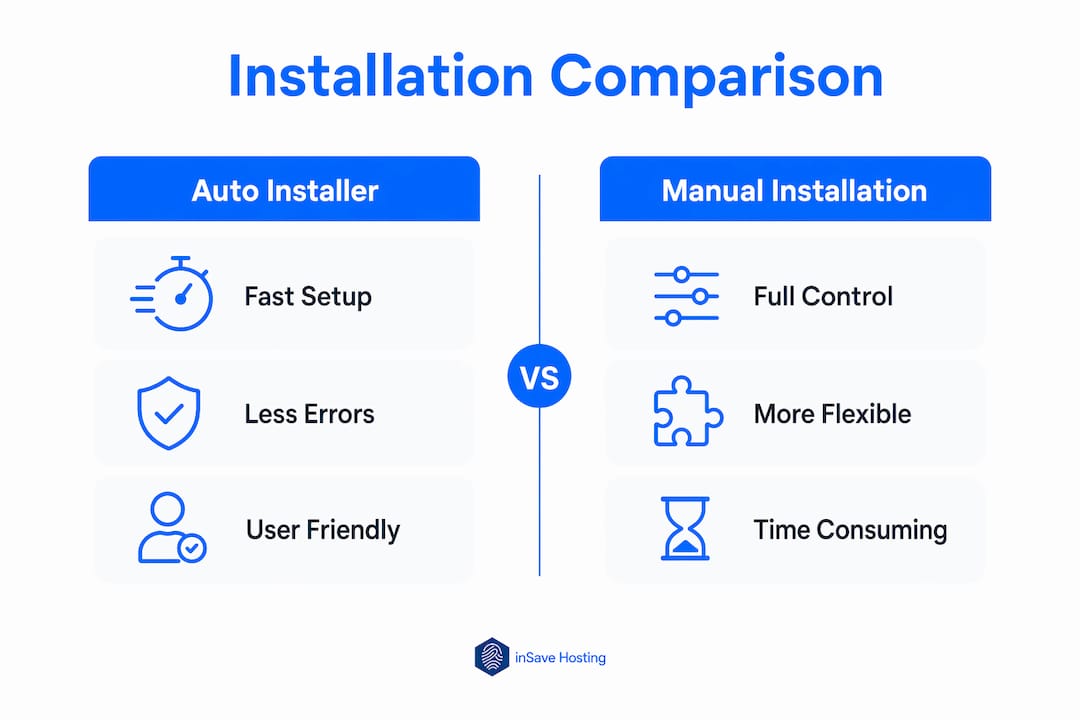
| Factor | Auto installer | Manual installation |
|---|---|---|
| Setup time | 1–2 minutes | 30–60 minutes |
| Error risk | Low (standardized process) | High (human configuration) |
| Technical skill required | Minimal | Intermediate to advanced |
| Customization control | Standard defaults | Full control |
| Update management | Automated | Manual |
| Suitable for | Most CMS and web apps | Custom or enterprise builds |
Manual installation gives you full control over every config value, file permission, and database setting. That level of control matters for enterprise environments with strict security policies or applications requiring non-standard directory structures. For a custom application with unique permission requirements, a developer may need to set up the environment by hand.
For standard deployments, though, manual installation introduces risk without adding value. A missed permission setting or a typo in a database config file can break an entire install. Auto installers reduce troubleshooting by delivering a consistent, error-free deployment every time. That consistency is especially valuable when you need to replicate an environment across development, staging, and production.
The WordPress installation guide comparison is a useful benchmark. A manual WordPress install involves downloading the package, uploading via FTP, creating a database, editing wp-config.php, and running the setup wizard. An auto installer collapses all of that into three clicks.
In what scenarios is an auto installer especially beneficial or limited?
Auto installers deliver the most value in predictable, well-defined deployment scenarios. They have real limitations in highly customized or security-sensitive environments.
Where auto installers excel:
- Standard CMS deployments: WordPress, Joomla, Drupal, and similar platforms install cleanly with default configurations that work for most sites.
- E-commerce platforms: WooCommerce, PrestaShop, and OpenCart deploy in minutes with correct database and file structures.
- Blogging and portfolio sites: Low-complexity sites benefit most from speed and simplicity.
- Staging and testing environments: Spinning up a test copy of a live site in under 60 seconds makes iterative development practical for any team size.
- Rapid client delivery: Agencies deploying multiple client sites per week save hours each week by using auto installers for every standard build.
Where auto installers have limits:
- Enterprise security hardening: Auto installers configure permissions to standardized defaults, which may not meet custom organizational security policies. Post-install hardening is required.
- Non-standard directory structures: Applications that need files placed outside the web root or in custom paths require manual intervention.
- Custom database configurations: Multi-database setups or non-standard collation settings need manual database administration.
- Proprietary or custom-built applications: Auto installers support known scripts. A custom-built application has no installer template.
Pro Tip: Use an auto installer for the initial deployment, then apply your security hardening steps as a documented post-install checklist. You get the speed of automation and the precision of manual configuration where it counts.
Expert practitioners note that non-standard enterprise scenarios may require manual overrides to meet specific security or performance needs. That is not a reason to avoid auto installers. It is a reason to treat them as the starting point, not the final word, on production configuration. For a deeper look at one-click install advantages tailored to small businesses, the use cases extend well beyond basic CMS setups.
Key Takeaways
Auto installers are the most efficient way to deploy web applications because they eliminate manual configuration errors, cut setup time by up to 98%, and automate ongoing security updates across hundreds of scripts.
| Point | Details |
|---|---|
| Setup time reduction | Auto installers cut deployment from 30–60 minutes to 1–2 minutes for most web apps. |
| Error and risk reduction | Standardized installs eliminate common mistakes like wrong permissions and missing libraries. |
| Automated security updates | Update management across 400+ scripts keeps applications patched without manual effort. |
| Staging speed | Test environments spin up in under 60 seconds, making safe testing accessible to every developer. |
| Enterprise limitations | Default permissions require post-install hardening for organizations with custom security policies. |
Auto installers changed how I think about deployment
I used to treat manual installation as a sign of technical rigor. If you knew how to set up a database, edit a config file, and assign permissions by hand, you were doing it "the right way." That thinking cost me hours every week and introduced errors I had to debug at the worst possible times.
The shift happened when I started tracking how many support issues traced back to manual install mistakes. Wrong file permissions. A database password with a special character that broke the config. A PHP version mismatch nobody caught until the site went live. Every one of those problems disappears with a well-built auto installer.
What I find most underappreciated is the staging benefit. Most website owners skip testing because setting up a staging environment feels like a project in itself. When an auto installer creates a full copy of your site in under a minute, that excuse disappears. You test before you push. That habit alone prevents more problems than any security plugin.
The one place I still reach for manual control is post-install configuration on production servers with strict security requirements. Default permissions are a starting point, not a finish line. High-traffic environments need custom hardening that no auto installer applies by default. Treat the auto installer as the foundation, then build on it deliberately.
My recommendation: use an auto installer for every standard deployment, document your post-install hardening steps, and reserve manual setup only for genuinely custom scenarios. You will ship faster, break less, and spend more time building than fixing.
— Ihor
inSave Hosting makes auto installer deployment simple
Website owners and developers who want the full benefits of auto installer deployment need a hosting environment built to support it. inSave Hosting includes integrated auto installer tools across its shared hosting plans, covering WordPress, Joomla, and dozens of other popular web applications.

Every plan includes one-click deployment for the most widely used CMS and e-commerce platforms, automated update management, and staging tools that let you test before you go live. The platform runs on LiteSpeed, MariaDB, PHP8, and free CDN integration, so the applications you install perform well from day one. If you are ready to cut deployment time and eliminate configuration errors, explore inSave Hosting's plans and get your next site live in minutes.
FAQ
What is an auto installer in web hosting?
An auto installer is a hosting tool that automates database creation, file placement, and configuration for web applications. It replaces manual FTP uploads and config editing with a guided, few-click process.
Why use auto installer tools instead of installing manually?
Auto installers reduce setup time from 30–60 minutes to 1–2 minutes and eliminate common configuration errors. Manual installation gives more control but introduces higher risk of mistakes and takes significantly longer.
Is an auto installer worth it for beginners?
Auto installers are especially valuable for beginners because they remove the need for command-line knowledge, FTP access, or database administration skills. Any website owner can deploy WordPress or Joomla without writing a single config line.
Does an auto installer handle security updates?
Modern auto installers manage updates for over 400 web application scripts, applying security patches automatically. This keeps installed applications current without requiring manual monitoring.
Are there situations where manual installation is better than an auto installer?
Manual installation is preferable for enterprise environments with custom security policies, non-standard directory structures, or proprietary applications. Auto installers apply default permissions that may need post-install hardening for high-security production servers.