
TL;DR:
- LiteSpeed Web Server replaces Apache while maintaining all existing configuration files, resulting in faster page loads with less memory use. It handles thousands of connections efficiently through an event-driven architecture and offers built-in features like LSCache and native HTTP/3 support. Migrating from Apache takes about 15 minutes with zero downtime, making it a practical upgrade for improved performance and stability.
LiteSpeed Web Server is defined as a high-performance, commercial web server built as a direct replacement for Apache. It preserves full Apache configuration compatibility, including .htaccess files and mod_security rules, while delivering significantly faster page loads and lower memory usage. Developers, bloggers, and business owners who want to understand what is LiteSpeed will find it sits at the intersection of Apache's familiarity and a modern, event-driven architecture. Technologies like LSCache, HTTP/3, and LSAPI make it one of the most capable server options available today.
What is LiteSpeed Web Server and how does it work?
LiteSpeed Web Server is a drop-in Apache replacement that reads Apache configuration files directly and requires no changes to existing site rules. That single fact removes the biggest barrier to switching servers. You keep your .htaccess directives, your mod_security rules, and your virtual host configs exactly as they are.
The server runs on an event-driven model rather than Apache's process-based model. Apache spawns a new process or thread for each incoming request. LiteSpeed handles thousands of simultaneous connections inside a single process, using far less memory per connection. That architectural difference is why LiteSpeed scales so much better under heavy traffic.
LiteSpeed also accelerates PHP through its native LSAPI protocol. Standard PHP execution goes through FastCGI or mod_php, both of which add overhead. LSAPI speeds PHP execution by communicating directly between the server and PHP workers, cutting response times for WordPress, Joomla, and any other PHP-based application.
Pro Tip: If you run a WordPress site, LSAPI alone can reduce your time-to-first-byte noticeably, even before you activate LSCache.
Key features that set LiteSpeed apart
LiteSpeed ships with a set of built-in capabilities that most web servers require third-party modules or plugins to replicate. These features work together rather than in isolation, which is what makes the performance gains so consistent.
-
Built-in LSCache. LiteSpeed includes server-level caching through LSCache, which serves cached pages before PHP even runs. That means the server intercepts requests at the lowest possible layer, reducing database queries and CPU load simultaneously.
-
HTTP/3 and QUIC support. LiteSpeed supports HTTP/3 and QUIC protocols natively. HTTP/3 eliminates the head-of-line blocking problem that slows HTTP/2 on lossy connections, which directly benefits mobile visitors and users on slower networks.
-
mod_security compatibility. LiteSpeed reads and enforces mod_security rules without modification. Security teams do not need to rewrite firewall rules when migrating from Apache.
-
WebAdmin Console. The centralized Admin Console provides a graphical interface for managing server configuration. Editing raw config files by hand introduces typos and inconsistencies. The console eliminates that risk, especially in environments with multiple sites or team members.
Pro Tip: Use the WebAdmin Console to enable LSCache globally, then install the LiteSpeed Cache plugin on WordPress. The two layers work together and deliver better results than either one alone.
Here is a quick comparison of LiteSpeed against Apache across the most relevant dimensions:
| Feature | LiteSpeed | Apache |
|---|---|---|
| Architecture | Event-driven | Process/thread-based |
| PHP acceleration | Native LSAPI | FastCGI or mod_php |
| Built-in caching | LSCache (server-level) | Requires third-party module |
| HTTP/3 support | Native | Requires additional module |
| Apache config compatibility | Full (.htaccess, mod_security) | Native |
| Admin interface | WebAdmin Console | None built-in |
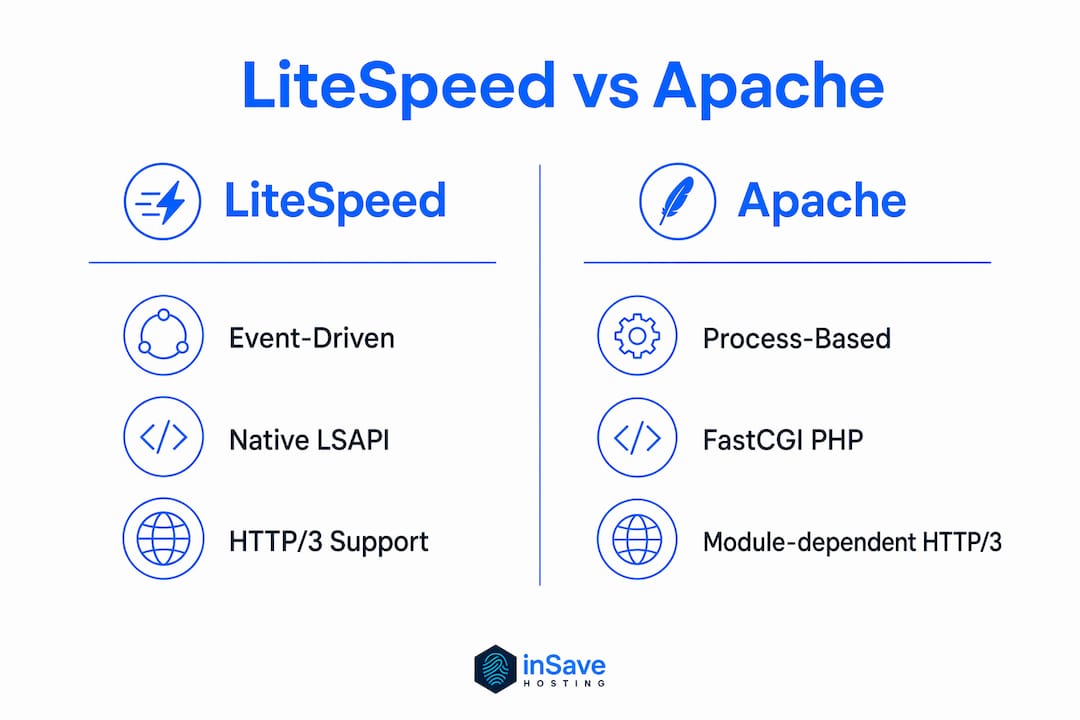
What are the advantages of LiteSpeed for developers, bloggers, and business owners?
The advantages of LiteSpeed servers show up differently depending on what you build and how you run it. The underlying technology is the same, but the practical payoff varies by use case.
For developers, the biggest win is PHP performance. LSAPI-driven PHP acceleration reduces server load while increasing throughput. That means you can serve more requests on the same hardware, which matters when you are building applications that need to scale without a proportional increase in hosting costs.

For bloggers running WordPress, LSCache changes the economics of hosting. The LiteSpeed Cache plugin works alongside server-level caching to deliver faster page loads and better Core Web Vitals scores. Google uses Core Web Vitals as a ranking signal, so faster pages translate directly into better search visibility. You can read more about website speed techniques that complement LiteSpeed's built-in capabilities.
For business owners, the key benefit is uptime and cost efficiency. LiteSpeed's efficient concurrency handling with low memory usage keeps servers stable during traffic spikes. A product launch or a viral post will not bring down a LiteSpeed-powered site the way it might crash an under-resourced Apache server.
The advantages of LiteSpeed servers across all three audiences come down to these core points:
- Speed for dynamic content. PHP-heavy sites like WordPress load faster because LSAPI cuts execution overhead at the server layer.
- Lower hosting costs. Efficient resource handling means you need less RAM and CPU to serve the same traffic volume.
- Better SEO metrics. Faster page loads improve Core Web Vitals, which Google measures directly in its ranking algorithm.
- Traffic spike resilience. The event-driven model handles sudden surges without the memory exhaustion that process-based servers experience.
- Apache compatibility. Existing rewrites, redirects, and security rules carry over without rewriting a single line.
How do you migrate to LiteSpeed with minimal downtime?
Migrating to LiteSpeed is straightforward because the server is designed to replace Apache without disruption. Migration typically takes about 15 minutes using the WHM plugin, with zero downtime required. That is a short window for a change that can deliver lasting performance improvements.
-
Install the LiteSpeed WHM plugin. cPanel and WHM environments have a dedicated plugin that handles the server switch. You do not need to touch Apache configuration files manually.
-
Switch the server in WHM. The plugin replaces Apache with LiteSpeed in a single action. LiteSpeed reads the existing Apache configuration files directly, so your virtual hosts, .htaccess rules, and mod_security directives remain active.
-
Verify site functionality. After switching, test your sites for any unexpected behavior. Because Apache rewrites and mod_security rules carry over without modification, issues are rare, but a quick check is good practice.
-
Activate LSCache. Open the WebAdmin Console and enable LSCache at the server level. For WordPress sites, install the LiteSpeed Cache plugin to connect the application layer to the server cache.
-
Monitor performance. Use the WebAdmin Console to review connection counts, memory usage, and cache hit rates after migration.
Pro Tip: Review the website migration checklist before you start. Even a smooth LiteSpeed switch benefits from a pre-migration backup and a DNS TTL reduction.
The migration process is low-risk precisely because LiteSpeed does not ask you to abandon your existing setup. It reads what Apache left behind and runs with it.
Key Takeaways
LiteSpeed Web Server delivers faster performance than Apache by combining an event-driven architecture, native LSAPI PHP acceleration, and server-level LSCache caching in a fully Apache-compatible package.
| Point | Details |
|---|---|
| Apache compatibility | LiteSpeed reads .htaccess and mod_security files directly, requiring no configuration rewrites. |
| Event-driven architecture | LiteSpeed handles thousands of concurrent connections with lower memory use than Apache's process model. |
| Built-in LSCache | Server-level caching serves pages before PHP runs, cutting load times and database queries. |
| Fast migration | Switching from Apache to LiteSpeed via WHM takes about 15 minutes with zero downtime. |
| WordPress performance | LSAPI and the LSCache plugin together improve Core Web Vitals and search rankings for WordPress sites. |
Why I think most people underestimate LiteSpeed's migration story
Most performance conversations focus on speed benchmarks. LiteSpeed wins those, but that is not the most interesting part of the technology.
The real story is risk elimination. Every server migration I have seen go wrong came down to one thing: broken rules. Rewritten .htaccess files, lost redirects, mod_security directives that stopped working. LiteSpeed sidesteps all of that by reading Apache's configuration natively. You do not rewrite anything. You flip a switch, and the same rules run on a faster engine.
The LSCache architecture is also underappreciated. Most developers reach for application-level caching first, whether that is a WordPress plugin or a Redis layer. LSCache operates below the application entirely. It intercepts requests before PHP starts, which means the cache hit does not even touch your application stack. That is a fundamentally different approach, and it shows up in response times in ways that app-level caching cannot replicate.
My one caution: do not activate LSCache and walk away. Cache invalidation matters. If your WordPress site has dynamic content, logged-in users, or WooCommerce sessions, you need to configure exclusion rules. The WebAdmin Console makes that manageable, but it requires attention. Teams that skip this step end up serving stale pages to customers, which creates its own set of problems.
For anyone running WordPress-specific hosting, LiteSpeed is not just a nice upgrade. It is the most practical path to better performance without a full infrastructure overhaul.
— Ihor
LiteSpeed-powered hosting at inSave Hosting
inSave Hosting runs LiteSpeed Web Server across its hosting plans, which means every site on the platform benefits from LSAPI PHP acceleration, LSCache, and HTTP/2 support out of the box. You do not need to configure the server yourself.

The shared hosting plans at inSave Hosting include free SSL certificates, one-click WordPress installation, and free CDN integration alongside LiteSpeed technology. For WordPress sites specifically, the WordPress hosting plans pair LiteSpeed with MariaDB and PHP8 for a stack built around page speed and reliability. If you want the performance gains covered in this article without managing server configuration, inSave Hosting's LiteSpeed-enabled plans are a direct path to get there.
FAQ
What is LiteSpeed Web Server in simple terms?
LiteSpeed Web Server is a commercial web server that replaces Apache while keeping all existing Apache configuration files intact. It delivers faster page loads and handles more simultaneous visitors using less server memory.
Is LiteSpeed better than Apache for WordPress?
LiteSpeed outperforms Apache for WordPress because it uses LSAPI for faster PHP execution and includes LSCache for server-level caching. The LiteSpeed Cache plugin extends those gains directly inside WordPress.
How long does it take to migrate from Apache to LiteSpeed?
Migration from Apache to LiteSpeed takes about 15 minutes using the WHM plugin, with no downtime required. Existing Apache configuration files, .htaccess rules, and mod_security directives carry over automatically.
Does LiteSpeed support HTTP/3?
LiteSpeed supports HTTP/3 and QUIC natively, without requiring additional modules. This improves performance for mobile users and visitors on high-latency connections.
What is LSCache and why does it matter?
LSCache is LiteSpeed's built-in server-level cache that serves pages before PHP processing begins. It reduces database load and cuts response times more effectively than application-level caching plugins alone.