
TL;DR:
- An SSL certificate authenticates a website's identity and enables encrypted communication, represented by the padlock icon and "https://."
- It verifies the site's legitimacy during the TLS handshake, establishing trust and protecting user data from interception.
An SSL certificate is a digital credential that authenticates a website's identity and enables encrypted communication between a visitor's browser and the web server. You recognize it by the padlock icon and the "https://" prefix in your browser's address bar. Certificate Authorities (CAs) like DigiCert and Let's Encrypt issue these credentials after verifying that a domain or organization is legitimate. For any individual or business running a website, an SSL certificate is the baseline requirement for protecting user data and earning visitor trust.
What is an SSL certificate and why does it matter?
An SSL certificate binds a cryptographic public key to a verified identity, confirming that the server your browser connects to is genuinely the one it claims to be. The term "SSL" stands for Secure Sockets Layer, but the actual protocol in use today is TLS (Transport Layer Security). TLS replaced SSL years ago after serious vulnerabilities were found in older SSL versions, yet the name "SSL certificate" stuck in everyday language. Think of it like calling a digital photo a "film photo." The old name persists even though the underlying technology has changed.

Browsers display "Not Secure" warnings for any site missing a valid certificate, which immediately signals risk to your visitors. For a business owner, that warning is the digital equivalent of a broken front door. The SSL certificate purpose goes beyond encryption. It tells visitors your site is real, your identity has been checked, and their data will not be intercepted in transit.
How SSL certificates work: encryption, handshakes, and trust
When a visitor loads your website, the browser and server complete a process called the TLS handshake before any page content loads. This handshake is where the SSL certificate does its primary job: proving identity. Here is what happens in sequence:
- The browser requests a secure connection and the server sends its SSL certificate.
- The browser verifies the certificate against a list of trusted Certificate Authorities.
- Both sides agree on a shared symmetric session key using asymmetric (public/private key) cryptography.
- All data exchanged after that point is encrypted using the faster symmetric session key.
The critical detail most people miss is that the certificate itself does not encrypt your data. It establishes trusted identity during the handshake. The session key that both sides agree upon is what actually encrypts the ongoing communication. This distinction matters because it explains why certificate management and identity verification are just as important as the encryption itself.
The trust chain behind each certificate adds another layer of security. Root CAs sign Intermediate CAs, which then sign individual website certificates. If an Intermediate CA is compromised, it can be revoked without collapsing the entire global trust system. That containment architecture is what makes the certificate ecosystem resilient at scale.
TLS 1.3, the current standard, uses asymmetric cryptography only once during the key exchange, then switches to fast symmetric encryption for all data transfer. This design reduces handshake latency compared to older versions while improving security. For your visitors, that means faster page loads and stronger protection simultaneously.
Pro Tip: Use a tool like Certbot or your hosting provider's built-in automation to handle certificate renewal. Manual renewal is the most common source of accidental "Not Secure" warnings.
What are the different SSL certificate types?
SSL certificates come in three validation levels. The encryption strength is identical across all three. What differs is how thoroughly the issuing CA verifies the identity behind the certificate.
| Validation level | Verification process | Best for | Cost |
|---|---|---|---|
| Domain Validation (DV) | Confirms domain ownership only | Personal sites, blogs, small businesses | Free to low cost |
| Organization Validation (OV) | Verifies domain plus business identity | SMBs, professional service sites | Moderate |
| Extended Validation (EV) | Full legal and operational identity check | E-commerce, financial institutions, enterprises | Higher cost |
DV certificates are free, automated, and renewable every 90 days through providers like Let's Encrypt. They are the right choice for most small business websites and blogs where the primary goal is encrypted connections. OV certificates add a layer of credibility because the CA confirms your business actually exists, which matters for professional service firms where client trust is central. EV certificates were once visually distinct in browsers with a green address bar, but most modern browsers have removed that visual indicator. EV still provides the deepest identity verification and remains the standard for banks and large e-commerce platforms.
There is also a fourth category worth knowing: Wildcard SSL certificates. A wildcard certificate secures a primary domain and all its subdomains under a single credential, which is cost-effective for businesses running multiple subdomains like shop.yourdomain.com or blog.yourdomain.com.
Pro Tip: If you run a small business website that collects contact form submissions or newsletter signups, a DV certificate from Let's Encrypt is sufficient. Upgrade to OV or EV only when you process payments or handle sensitive personal data directly on your server.
Why SSL certificates are critical for trust and SEO in 2026
SSL certificates protect the data your visitors submit, including passwords, payment details, and contact information, by encrypting it so that anyone intercepting the connection sees only scrambled text. TLS prevents both eavesdropping and server impersonation, which are the two most common attack vectors against website visitors.
The trust signal extends beyond technical protection. Visitors have been trained by browsers to look for the padlock and "https://" before entering any personal information. A missing certificate does not just expose data. It actively drives visitors away before they ever engage with your content or offer.
The SEO angle is equally concrete. Google confirmed HTTPS as a ranking signal in 2014 and has since made it a baseline expectation. Sites without SSL certificates are penalized in search rankings relative to secured competitors. For a small business competing for local search visibility, that penalty is a real cost.
"Over 90% of phishing websites now use HTTPS and free SSL certificates to appear credible." — DigiCert research via Vercara
That statistic carries an important implication: the padlock alone does not mean a site is safe. It means the connection is encrypted. Visitors still need to verify the domain name carefully, and businesses need to go beyond DV certificates when their brand identity and customer trust are on the line. Proper certificate management, including choosing the right validation level and keeping certificates current, is what separates genuine trust from the appearance of it.
Common SSL-related issues that hurt user experience include:
- Expired certificates that trigger full-page browser warnings
- Mixed content errors where some page elements load over HTTP while others load over HTTPS
- Certificates issued for the wrong domain name
- Self-signed certificates that browsers do not recognize as trusted
Each of these errors signals to visitors that something is wrong, even if the underlying site is perfectly secure. Fixing them is straightforward, but only if you have a system for monitoring certificate status.
How to get, install, and manage an SSL certificate
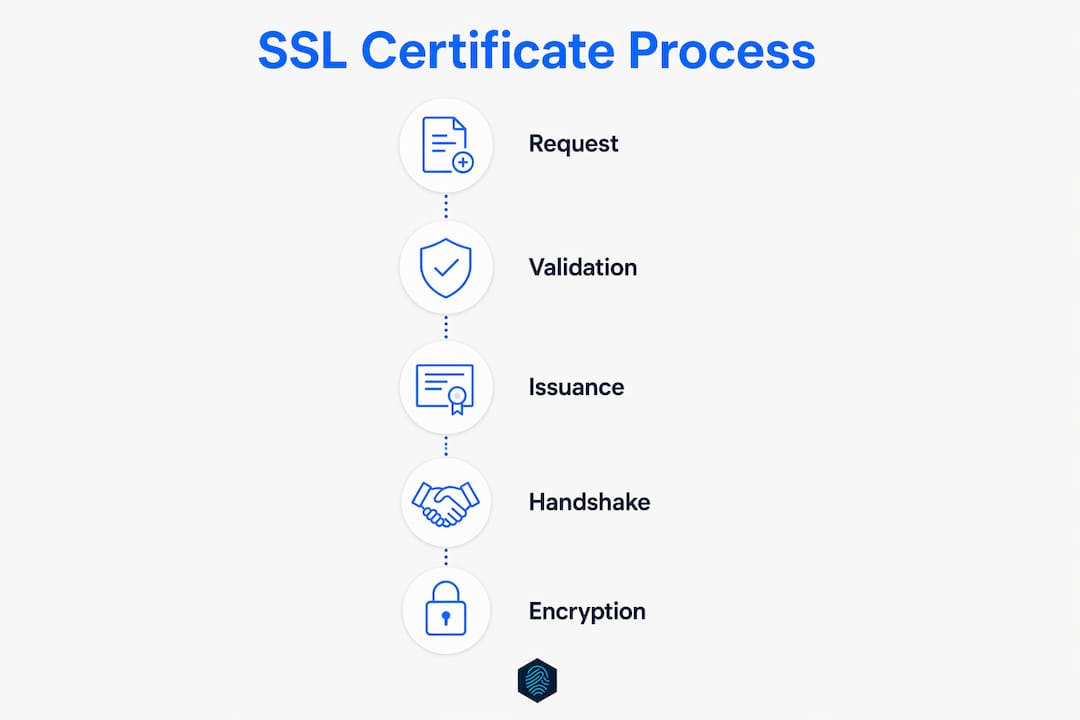
Getting an SSL certificate for your website is a practical process with clear steps. Here is how to approach it:
- Choose your validation level. Decide between DV, OV, or EV based on your site type and the sensitivity of data you collect. Review the SSL certificate options available to match your needs.
- Select a Certificate Authority or hosting provider. Let's Encrypt offers free DV certificates. Paid options from DigiCert, Sectigo, or your hosting provider add warranty coverage and support.
- Generate a Certificate Signing Request (CSR). Your hosting control panel typically handles this automatically. The CSR contains your public key and domain information.
- Complete domain or identity verification. For DV, this is usually a DNS record or email confirmation. OV and EV require submitting business documents to the CA.
- Install the certificate on your server. Most hosting providers, including inSave Hosting, offer one-click installation through the control panel. Follow the SSL setup guide if you need step-by-step instructions.
- Force HTTPS across your entire site. Update your .htaccess file or use your hosting panel to redirect all HTTP traffic to HTTPS automatically.
- Set up automated renewal. Automated renewal every 90 days is the recommended standard. Tools like Certbot handle this without manual intervention.
After installation, use a free checker like SSL Labs' SSL Test to verify your certificate is correctly configured and your server is not exposing outdated TLS versions. Check your site for mixed content errors using your browser's developer tools. Both steps take under ten minutes and prevent the most common post-installation problems.
If you are budget-conscious, free SSL certificates from Let's Encrypt are a legitimate and widely trusted option for most small business websites. The 90-day renewal cycle is shorter than paid certificates, but automation removes that burden entirely.
Key takeaways
An SSL certificate secures your website by verifying identity during the TLS handshake and enabling encrypted data transfer, making it non-negotiable for any site that handles user information.
| Point | Details |
|---|---|
| SSL vs. TLS terminology | The protocol is TLS, not SSL. The old name persists, but TLS 1.3 is the current standard. |
| Certificate purpose | Certificates verify identity during the handshake; the session key handles actual data encryption. |
| Three validation levels | DV, OV, and EV differ in identity verification depth, not encryption strength. |
| HTTPS and phishing risk | Over 90% of phishing sites use HTTPS, so the padlock alone does not confirm a site is trustworthy. |
| Automate renewal | Set up automated renewal to prevent expired certificate warnings that damage visitor trust. |
SSL certificates in 2026: what I keep seeing people get wrong
The most persistent mistake I see from small business owners is treating SSL as a one-time checkbox. They install a certificate, see the padlock, and consider the job done. Then six months later, the certificate expires over a holiday weekend, browsers start blocking their site, and they lose sales before anyone notices.
The second mistake is conflating encryption with identity verification. A padlock tells you the connection is encrypted. It says nothing about whether the site on the other end is legitimate. That is why choosing the right validation level for your business matters more than most guides acknowledge. A DV certificate is fine for a blog. It is not sufficient for a site where customers enter payment details and expect to see a verified business identity behind the transaction.
The "SSL is dead, TLS is everything" argument is technically correct but practically unhelpful for most website owners. What matters is that your hosting provider supports TLS 1.2 and 1.3, has deprecated TLS 1.0 and 1.1, and gives you a straightforward path to certificate management. The terminology debate is for protocol engineers. Your job is to pick a provider that handles the infrastructure correctly and keeps your site secure without requiring you to become a cryptography expert.
One thing I genuinely respect about the direction the industry has taken is the normalization of free DV certificates through Let's Encrypt. It removed the cost barrier that used to leave small sites unprotected. The remaining gap is awareness. Too many site owners still do not know that an expired certificate is worse than no certificate at all, because it actively signals failure rather than absence.
— Ihor
Secure your website with inSave Hosting's SSL solutions
inSave Hosting includes a free SSL certificate with every hosting plan, covering the basics for personal sites and small business domains right out of the box. For businesses that need stronger identity verification, inSave Hosting offers Domain Validation, Organization Validation, and Extended Validation certificates, all manageable from a single control panel.

Installation is handled through the hosting dashboard with no manual server configuration required. The support team assists with certificate setup, renewal configuration, and troubleshooting mixed content errors. If you are ready to secure your site or upgrade your current certificate, explore the full range of SSL certificate plans at inSave Hosting, or get started with a shared hosting plan that includes SSL from day one.
FAQ
What does an SSL certificate actually do?
An SSL certificate verifies your website's identity during the TLS handshake and enables encrypted communication between the browser and server. Without it, browsers display "Not Secure" warnings and block visitor access.
Is SSL the same as TLS?
SSL and TLS are related but not the same. TLS is the modern, secure replacement for SSL, with TLS 1.3 being the current standard. The term "SSL certificate" persists in common usage even though the underlying protocol is TLS.
How long does an SSL certificate last?
Paid SSL certificates are typically valid for one year. Free certificates from Let's Encrypt are valid for 90 days and are designed to be renewed automatically through tools like Certbot.
Do I need a paid SSL certificate or is free enough?
For most small business websites and blogs, a free DV certificate from Let's Encrypt provides sufficient encryption. Businesses handling payments or sensitive personal data should consider OV or EV certificates for stronger identity verification.
Can a site with HTTPS still be a phishing site?
Yes. Over 90% of phishing websites use HTTPS and free SSL certificates to appear credible. The padlock confirms an encrypted connection, not that the site is trustworthy. Always verify the domain name carefully before entering personal information.