
TL;DR:
- Nearly 80% of global web traffic is now encrypted, and free SSL certificates are the mainstream standard for securing websites.
- They provide browser-trusted encryption through automatable processes, reducing operational complexity for small businesses.
Nearly 80% of global web traffic is now encrypted, yet plenty of small business owners still pause when they see the word "free" next to anything security-related. The hesitation makes sense. Free usually means compromises somewhere. But free SSL at internet scale is not an experiment or a budget workaround. It is the mainstream standard. This article explains exactly how free SSL works, what it protects, where it falls short, and how to decide whether it is the right fit for your business website.
Table of Contents
- What is free SSL and how does it work?
- Why enable HTTPS? Security and trust explained
- Automation and ease: The operational advantage for SMBs
- Limitations and when to consider paid SSL
- Why most SMBs overthink SSL—and what actually works
- Next steps: Secure your website with the right SSL certificate
- Frequently asked questions
Key Takeaways
| Point | Details |
|---|---|
| Free SSL removes cost barriers | You can secure your site and data with HTTPS without any certificate fees. |
| Security and trust for visitors | HTTPS with free SSL keeps user data private and signals your site’s legitimacy. |
| Automation reduces workload | Free SSL solutions are easy to automate, preventing renewal mistakes and admin headaches. |
| Know free SSL’s limits | Upgrade to paid SSL if your business needs warranty, organization validation, or regulatory compliance. |
| Proper deployment is key | The main risks come from bad setup or expired certificates rather than using a free solution. |
What is free SSL and how does it work?
SSL stands for Secure Sockets Layer, though modern implementations actually use its successor, TLS (Transport Layer Security). Together, the terms refer to the technology that encrypts data traveling between your visitor's browser and your web server. When that encryption is active, your website address switches from HTTP to HTTPS, and visitors see a padlock icon in their browser bar.
A digital certificate is what makes this work. It is a small file installed on your server that confirms your domain is legitimate and establishes the encrypted connection. Certificates are issued by trusted Certificate Authorities (CAs). What "free SSL" means is that the CA charges nothing for issuing the certificate, while still delivering full encryption in transit between your visitors and your server.
The two most widely used free SSL providers are Let's Encrypt and Cloudflare.
Let's Encrypt is a nonprofit CA that launched in 2016 and changed the web security landscape by making certificate issuance completely automated and free. It uses a protocol called ACME (Automated Certificate Management Environment), which allows your hosting server to request, validate, and renew certificates without any manual steps.
Cloudflare Universal SSL works differently. When you add a domain to Cloudflare, it issues and renews free certificates automatically for domains activated on its network, protecting traffic between Cloudflare's edge and your visitors. You can also explore a broader overview of SSL certificates to understand all available options before choosing.
Here is a quick comparison of the two main free SSL options:
| Feature | Let's Encrypt | Cloudflare Universal SSL |
|---|---|---|
| Cost | Free | Free |
| Certificate type | Domain Validation (DV) | Domain Validation (DV) |
| Validity period | 90 days | 90 days |
| Renewal | Automated via ACME | Automated by Cloudflare |
| Encryption strength | Up to TLS 1.3 | Up to TLS 1.3 |
| Wildcard support | Yes (with DNS challenge) | Yes (on paid plans) |
| Setup complexity | Moderate (server access needed) | Low (DNS change only) |
Both options deliver genuine, browser-trusted encryption. The difference is mostly where the certificate lives and how your infrastructure is set up.
Pro Tip: Because free SSL certificates typically carry a 90-day validity period, you should confirm that your hosting environment handles automatic renewal before going live. A certificate that expires silently is one of the most common causes of unexpected site outages for small business owners.
- Free SSL uses the same encryption algorithms as paid certificates
- Let's Encrypt supports RSA and ECDSA key types
- Cloudflare manages the entire certificate lifecycle for you
- Both options are trusted by all major browsers worldwide
Why enable HTTPS? Security and trust explained
Knowing what free SSL is only matters if you understand why HTTPS is essential in the first place. The short answer: without it, everything your visitors send to and receive from your website can be read or changed by anyone positioned between them and your server.
"Unencrypted HTTP traffic can be viewed and modified in transit, creating privacy and integrity risks. Attackers can inject malware or ads into server responses when HTTPS is not enabled."
That is not a theoretical concern. On open Wi-Fi networks, coffee shops, airports, and hotel lobbies, this kind of interception is straightforward for anyone with basic tools. For a business website, the consequences go beyond privacy. They include:
- Stolen form data: Contact forms, login fields, and checkout pages send data in plain text over HTTP. Any interceptor can read customer names, emails, and payment details.
- Content tampering: Attackers can insert their own ads, redirect links, or malware into pages your visitors receive, without you ever knowing.
- Browser warnings: Google Chrome and other browsers now actively flag HTTP websites as "Not Secure," which damages trust and increases bounce rates immediately.
- SEO impact: Google has confirmed that HTTPS is a ranking signal. Sites still running on HTTP are at a search visibility disadvantage.
- Regulatory exposure: Depending on your industry and location, transmitting customer data without encryption may put you in violation of data protection laws.
Once your SSL certificate is active, always set up a server-side redirect that forces all HTTP requests to load over HTTPS. This one step prevents visitors from accidentally accessing the unencrypted version of your site. You can find practical steps in our data protection checklist and learn more about why security drives hosting choices for growing businesses.
Pro Tip: After switching to HTTPS, audit every page for "mixed content." That means images, scripts, or stylesheets still loading over HTTP even on an HTTPS page. Mixed content breaks the padlock icon, triggers browser warnings, and partially defeats the purpose of HTTPS. Tools like Why No Padlock or your browser's developer console can catch these issues fast.
HTTPS is not optional for any business that cares about customer trust, search visibility, or regulatory compliance. Free SSL makes it accessible without adding to your monthly overhead.
Automation and ease: The operational advantage for SMBs
For a small business owner or a lean IT team, the biggest practical benefit of free SSL is not actually the price. It is automation. Paid certificates from traditional CAs often require manual renewal processes: download the new certificate, install it on the server, update configuration files, test, and restart services. Do that wrong once, and your site goes down.
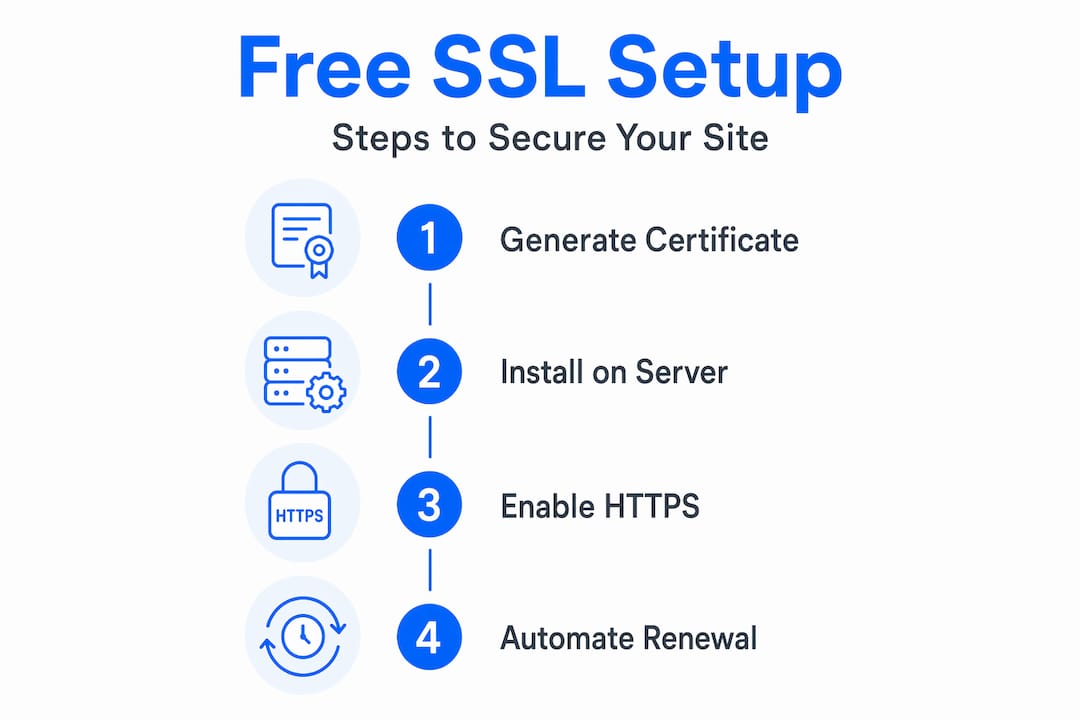
Free SSL through Let's Encrypt works through ACME-based workflows that handle everything automatically. Here is what that process looks like step by step:
- Your server runs an ACME client (like Certbot or a built-in hosting tool)
- The client contacts Let's Encrypt and proves you control the domain
- Let's Encrypt issues the certificate and the client installs it
- The client schedules automatic renewal well before the 90-day expiry
- You receive an alert only if something goes wrong
This is a meaningful operational win for anyone managing a small business website without a dedicated IT department. Certificate expiration outages are almost entirely preventable, and automation is the reason why. You can dig deeper into this topic in our guide on web hosting security for SMBs.
| Renewal process | Manual (traditional paid SSL) | Automated (free SSL via ACME) |
|---|---|---|
| Admin time per renewal | 30 to 60 minutes | Near zero |
| Risk of expiry outage | High if team misses deadline | Very low with proper setup |
| Cost per renewal | $10 to $200+ per year | $0 |
| Required expertise | Moderate (server access) | Low (one-time setup) |
| Frequency | Usually annual | Every 90 days, automatic |
The scale of adoption tells the full story. Let's Encrypt powered 762 million websites by 2025, up from 492 million just a few years earlier. That growth did not happen because the certificate is free. It happened because the automated workflow genuinely reduces burden for website operators at every level.

Cloudflare's approach is even simpler. Once your domain is pointed to Cloudflare's nameservers, the platform handles certificate issuance and renewal entirely in the background. No server commands, no ACME clients, no configuration files. This makes Cloudflare Universal SSL especially attractive for business owners who manage their own sites without technical support.
Limitations and when to consider paid SSL
Free SSL does a lot, but it is worth being honest about where it ends and where paid certificates begin. All free SSL options are Domain Validation (DV) certificates. DV means the CA has only verified that you control the domain. It does not verify your business name, physical address, or legal standing.
That distinction matters in specific situations. Free DV certificates may be insufficient when your business requires stronger identity signaling, warranty coverage, or a higher level of organizational vetting. In those cases, paid Organization Validation (OV) or Extended Validation (EV) certificates are the better choice even though the underlying encryption is identical.
| Certificate type | Free DV | Paid OV | Paid EV |
|---|---|---|---|
| Encryption strength | Full | Full | Full |
| Business identity verified | No | Yes | Yes (extended) |
| Legal name in certificate | No | Yes | Yes |
| Warranty/financial backing | None | Moderate | High |
| Browser display difference | Padlock | Padlock | Padlock (some show name) |
| Best for | Blogs, small business sites | Business and e-commerce | Finance, healthcare, legal |
Here is how to decide which certificate your site actually needs:
- Free SSL (DV) is right for you if you run a blog, portfolio, small business informational site, or a WordPress site without a checkout
- OV is worth considering if your site collects sensitive customer data, you work with enterprise partners who require it, or your business serves regulated industries
- EV makes sense if you operate in finance, healthcare, or legal services where clients and partners expect the highest level of identity assurance
You can browse domain validation SSL, organization validation SSL, and extended validation SSL options to match the right certificate to your actual requirements.
The key point here is proportionality. Most small business websites do not need OV or EV. But if a major client, compliance audit, or partner agreement requires one, knowing the difference upfront saves you from delays later.
Why most SMBs overthink SSL—and what actually works
Here is a candid observation after working with hundreds of small business website owners: the concern almost never comes from a thoughtful analysis of encryption standards. It comes from the word "free." There is a deeply ingrained belief that free means less safe, less professional, or less serious. That belief does not hold up when you look at the actual evidence.
The real risks to your website's security rarely come from the fact that your SSL certificate did not cost money. They come from misconfiguration. A certificate installed correctly on a well-managed server is not meaningfully safer because you paid $200 for it. But a certificate on a server that still serves pages over HTTP, allows insecure cookies, or loads mixed content? That is a real vulnerability, regardless of what the certificate cost.
The HTTPS deployment mechanics are where most issues actually occur. Forgetting to redirect HTTP to HTTPS. Leaving old links pointing to the unsecured version of your site. Setting session cookies without the Secure flag. These are the gaps that attackers and automated scanners actually look for. None of them have anything to do with whether you chose a free or paid certificate.
Use our website security checklist to work through the most common HTTPS deployment errors before and after you launch.
Pro Tip: Build a short launch checklist into your website deployment process. It should include: confirm HTTPS redirect is active, run a mixed content scan, verify that cookies use the Secure attribute, and test that the certificate auto-renewal is working. That 15-minute habit prevents the most common post-launch security embarrassments.
Spending more on a certificate does not fix a misconfigured server. Getting the fundamentals right does.
Next steps: Secure your website with the right SSL certificate
Making the switch to HTTPS is one of the highest-impact things you can do for your website's security, credibility, and search performance. And the barrier to getting started has never been lower.

At InSave Hosting, we include free SSL with every hosting plan, so your site is protected from day one without adding to your costs. If your business grows into territory where you need identity validation or warranty coverage, we offer a full range of SSL certificates for your site from domain validation all the way to extended validation. Our affordable shared hosting plans are built around performance and security together, including LiteSpeed servers, free CDN, and one-click HTTPS setup. Explore domain validation options if you want a straightforward, no-cost path to securing your site today.
Frequently asked questions
Is free SSL as secure as paid SSL for small business sites?
Yes, free SSL provides the same encryption strength as paid SSL for most sites. As Let's Encrypt confirms, the key difference is that paid options add identity validation and warranty coverage, not stronger encryption.
How long does a free SSL certificate last?
Free SSL certificates from providers like Let's Encrypt and Cloudflare are valid for 90 days and are designed to renew automatically, so expiration is rarely an issue with proper setup.
Are there situations where free SSL is not enough?
Yes. If your business needs organizational identity verification, financial warranty protection, or meets a regulatory requirement, a paid OV or EV certificate is the better choice even though the encryption level is the same.
What happens if my free SSL certificate expires?
If your certificate expires, visitors will immediately see browser security warnings that block access to your site. Automating certificate renewal through your hosting provider or an ACME client is the most reliable way to prevent this.
Can I switch from free SSL to paid SSL later?
Absolutely. You can upgrade from free SSL to a paid OV or EV certificate at any time through your hosting provider, and the transition typically requires only a new certificate installation with no downtime.