
TL;DR:
- A staging environment is a simulated copy of a production server used to test and validate changes securely before deployment. Proper setup involves matching production infrastructure, using sanitized data, and continuous refreshes to prevent discrepancies, while security practices guard against credential leaks. Integrating staging into automated DevOps workflows ensures reliable releases and reduces production risks.
A staging environment is a pre-production server setup that mirrors your live site so you can test and validate changes before they reach real users. Web developers and IT professionals rely on it as the final checkpoint in any deployment workflow. Skip it, and you are shipping code blind. Get it right, and you catch bugs, broken integrations, and performance regressions before they cost you. This guide covers the staging environment definition, how it differs from other environments, and the security and DevOps practices that make it work.
What is a staging environment and why does it matter?
A staging environment is a controlled replica of production that uses remote servers to test the effects of network latency and real service dependencies. It sits between your development environment and the live site, acting as the last line of defense before a release. Unlike a local dev machine or an isolated unit test runner, staging runs the same stack, the same configuration, and the same infrastructure your users will actually hit.

The purpose of staging environments is straightforward: validate that software works exactly as expected under production conditions. A feature that passes every unit test can still fail in production if it depends on a third-party API, a specific database version, or a CDN configuration that your local setup never replicates. Staging closes that gap.
Teams that skip staging discover problems in the worst possible place. A broken checkout flow, a failed login redirect, or a misconfigured SSL certificate lands directly in front of paying customers. The cost of fixing a production incident, including downtime, lost revenue, and user trust, almost always exceeds the cost of maintaining a proper staging setup.
How does a staging environment differ from development and production?
The three core environments in a standard deployment pipeline serve distinct purposes, and confusing them creates real risk.
| Environment | Purpose | Data | Access | Infrastructure |
|---|---|---|---|---|
| Development | Write and debug code | Synthetic or mocked | Developer only | Local machine or shared dev server |
| Staging | Final validation before release | Sanitized production snapshot | QA, leads, stakeholders | Mirrors production stack |
| Production | Serve live users | Real user data | Restricted, monitored | Full production infrastructure |
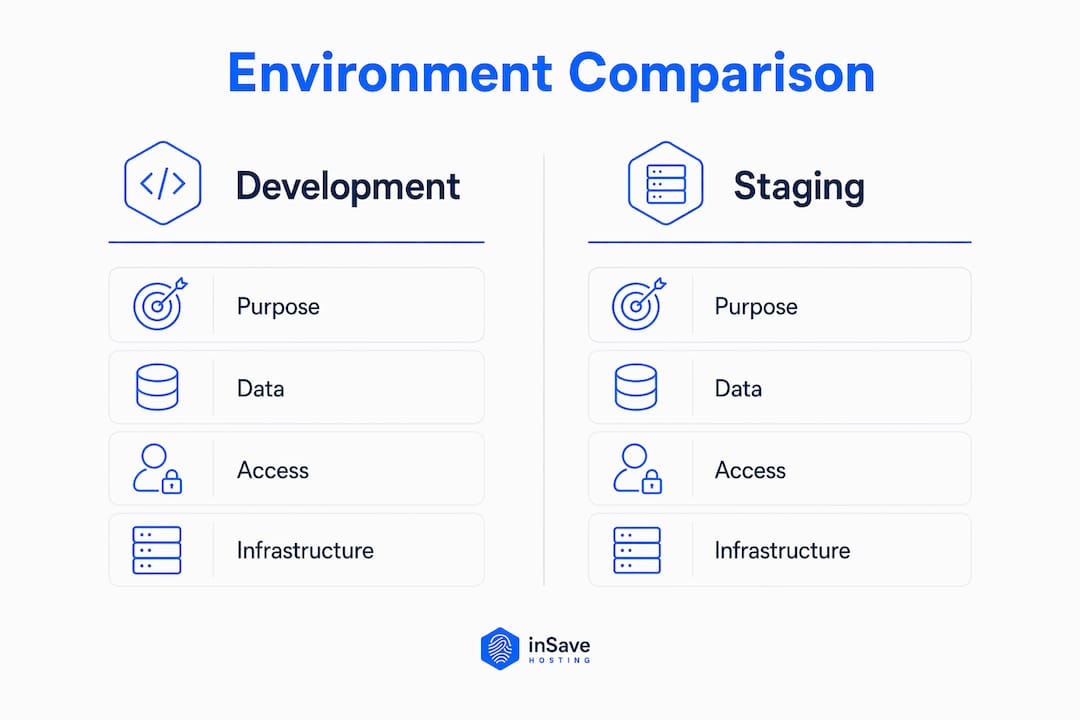
Development environments prioritize speed and flexibility. Developers break things intentionally, roll back freely, and use fake data. That freedom is the point. Production environments prioritize stability and security above everything else. Access is tightly controlled, changes are audited, and uptime is non-negotiable.
Staging sits in a unique position. It must be close enough to production to produce reliable test results, yet separate enough to avoid exposing real user data or live credentials. Environment parity is the most critical factor for staging effectiveness. Code that works on a small local instance can fail in production when it encounters real network conditions, larger data volumes, or different OS-level dependencies. Staging is only useful when it eliminates those surprises, not when it introduces new ones.
The key distinction developers often miss: staging is not just a bigger dev environment. It is a security boundary and a quality gate. Treating it as anything less undermines the entire purpose.
What are the best practices for setting up a reliable staging environment?
Setting up staging correctly requires deliberate decisions about infrastructure, data, and deployment pipelines. Cutting corners in any of these areas produces misleading test results.
Match your production stack exactly. Use the same operating system, web server, PHP version, database engine, and caching layer. If production runs LiteSpeed with LSCache and PHP8, staging must run the same. Any deviation creates a gap where bugs can hide.
Use sanitized production data. The gold standard for test data is a sanitized snapshot from production, with all personally identifiable information and payment data scrubbed before import. Synthetic data misses edge cases that real data exposes. A customer with an unusually long name, a legacy account format, or a multi-currency order history will break things that synthetic data never would. Sanitizing production snapshots gives you realistic coverage without the compliance risk.
Mirror your deployment pipeline. Every deployment to staging should use the same CI/CD scripts, environment variables, and migration steps as a production release. If you deploy manually to staging but use an automated pipeline for production, you are not testing your actual release process.
Budget for comparable resources. Experts recommend staging resources comparable to a smaller production server to avoid misleading performance metrics. An undersized staging server will make your application look slower than it actually is in production, or worse, mask memory issues that only appear under real load.
Refresh staging regularly. Staging drift happens when staging diverges from production through manual changes, configuration updates, or infrastructure differences that accumulate over time. A staging environment that has not been refreshed in three months is not testing production conditions. It is testing a historical snapshot with unknown deviations.
Pro Tip: Schedule a weekly or bi-weekly automated sync that pulls a fresh sanitized data snapshot and reapplies your infrastructure-as-code configuration. This keeps staging honest without requiring manual effort.
For a detailed walkthrough of the full process, the staging site setup guide covers common configuration errors and their security impact.
What are the key security risks in staging environments?
Staging environments carry security risks that most teams underestimate. The data is telling: 97% of Non-Human Identities carry excessive privileges, making poorly governed staging environments a high-risk vector for secrets leaks, affecting 79% of organizations with tangible damage in 77% of those cases. That is not a theoretical risk. It is a documented pattern with real financial and reputational consequences.
The most common mistake is reusing production credentials in staging. A developer copies a database connection string or an API key from the production config file and pastes it into the staging config for convenience. That key now lives in a less-secured environment, potentially accessible to more people, with weaker monitoring. Accidental use of live credentials in staging creates a hidden attack surface that can persist unnoticed for months.
Effective staging security requires a few non-negotiable practices:
- Separate secrets completely. Generate dedicated API keys, database credentials, and service tokens for staging. Never copy production secrets.
- Enforce strict access controls. Staging should not be publicly accessible. Restrict it to your team's IP range or require VPN access.
- Rotate credentials regularly. Apply the same rotation policies to staging secrets that you use for production. Stale credentials are an open door.
- Audit access logs. Monitor who accesses staging and when. Unusual access patterns are easier to catch in staging than in production.
- Apply NIST-aligned governance. NIST guidelines on identity and access management apply to staging as much as to production. Treat staging as a security boundary, not a sandbox.
Pro Tip: Use a secrets management tool like HashiCorp Vault or AWS Secrets Manager to inject environment-specific credentials at runtime. This eliminates hardcoded secrets from config files entirely.
For broader context on managing secrets and privileges in cloud-adjacent environments, securing cloud environments covers the same privilege management principles that apply directly to staging governance.
How do teams integrate staging into DevOps workflows?
Staging earns its place in a DevOps pipeline as the final gate before production. Here is how high-performing teams structure that integration:
- Automated deployment to staging. Every merge to the main branch triggers an automated deployment to staging using the same pipeline that will later deploy to production. This tests the deployment process itself, not just the code.
- Automated test execution. End-to-end tests, integration tests, and performance benchmarks run automatically against the staging environment after each deployment. Tools like Selenium, Cypress, or k6 validate user workflows at scale.
- Stakeholder sign-off. Staging is the place where product managers, QA leads, and business stakeholders verify user-facing features like logins, payment gateways, and shopping carts together before any release. This is the human checkpoint that automated tests cannot replace.
- External integration testing. Staging must connect to test or sandbox versions of third-party services, not live ones. Payment processors, email providers, and analytics platforms all offer sandbox environments for exactly this purpose.
- Rollback validation. Before deploying to production, teams should verify that the rollback procedure works in staging. A rollback plan that has never been tested is not a plan. It is a guess.
The staging workflow guide details how to wire these steps into a repeatable pipeline. Skipping any of them, especially stakeholder sign-off or rollback testing, is where teams get burned on release day.
Key Takeaways
A staging environment is only as reliable as its parity with production, its security posture, and the discipline of the team maintaining it.
| Point | Details |
|---|---|
| Staging definition | A pre-production server that mirrors production for final testing before release. |
| Environment parity | Match OS, stack, and data exactly; any gap creates a point of failure in testing. |
| Data management | Use sanitized production snapshots to catch real-world edge cases safely. |
| Security boundary | Never reuse production credentials; 79% of organizations experience secrets leakage damage. |
| DevOps integration | Automate staging deployments, run end-to-end tests, and require stakeholder sign-off before every release. |
Staging is a security boundary, not just a test server
I have reviewed enough post-incident reports to see the same pattern repeat. A team treats staging as a convenience, not a discipline. They reuse production credentials because it is faster. They skip the data refresh because the old snapshot "is probably fine." They deploy directly to production when the deadline is tight because staging "takes too long."
Every one of those shortcuts is a bet against yourself. The teams that invest in proper staging, with real parity, clean secrets, and automated pipelines, ship faster in the long run. They spend less time firefighting production incidents and more time building features. The upfront cost of maintaining staging is a fraction of the cost of a single serious production outage.
The security angle is the one I see underestimated most often. Developers think of staging as a technical environment, not a security perimeter. But a staging server with production API keys, accessible without VPN, and refreshed infrequently is an attack surface. It does not matter how good your production security is if staging is the weak link. Treat staging with the same seriousness you give production, and your entire deployment pipeline becomes more trustworthy.
— Ihor
inSave Hosting makes staging and production setup straightforward
Running a reliable staging environment starts with a hosting provider that gives you the infrastructure to do it right. inSave Hosting offers shared hosting plans built on LiteSpeed, PHP8, and MariaDB, the same stack you need to mirror a production environment accurately. Free SSL certificates cover both your staging subdomain and your live site, so your security configuration stays consistent across environments.

inSave Hosting also includes staging tools, free migration support, and WordPress hosting with one-click installation, making it practical to spin up a production-like environment without complex server configuration. If you are setting up a new project or moving an existing site, inSave Hosting gives you the performance and security features to support both environments from day one.
FAQ
What is the staging environment definition in simple terms?
A staging environment is a private, production-like server where developers test changes before releasing them to live users. It replicates the production stack, data, and configuration to catch bugs and integration failures before they affect real traffic.
How is staging different from a test environment?
A test environment typically runs isolated unit or integration tests with mocked data and dependencies. A staging environment runs the full application stack with sanitized real-world data and live-like service connections, making it the final validation step before production.
What data should you use in a staging environment?
The best practice is to use sanitized production snapshots with all personally identifiable information and payment data removed. This approach captures real-world edge cases that synthetic data misses while keeping the environment compliant with data protection requirements.
Why is staging environment security so critical?
Staging environments are a common source of secrets leakage because teams often reuse production credentials for convenience. With 97% of Non-Human Identities carrying excessive privileges, a poorly secured staging environment can expose production systems to unauthorized access.
How often should you refresh a staging environment?
Refresh staging at least every one to two weeks, or after any significant production infrastructure change. Staging drift, the gradual divergence from production through untracked changes, undermines test reliability and can cause staging results to stop reflecting real production behavior.