
Over 85% of new websites launched in 2026 rely on shared hosting, yet most business owners misunderstand what it actually offers. If you're managing a small to medium-sized business website, you've likely heard conflicting advice about shared hosting being too limited or unreliable. The reality is far more nuanced. Shared hosting remains the most practical entry point for SMBs seeking affordable, manageable web presence without sacrificing essential features. This guide clarifies exactly how shared hosting works, its genuine advantages for growing businesses, and when you might need to consider alternatives as your online presence expands.
Table of Contents
- What Is Shared Hosting And How Does It Work?
- Advantages Of Shared Hosting For Small To Medium-Sized Businesses
- Security And Performance In Modern Shared Hosting Environments
- Limitations Of Shared Hosting And When To Consider Alternatives
- Explore Affordable Shared Hosting Plans Today
Key takeaways
| Point | Details |
|---|---|
| Cost efficiency | Shared hosting splits server expenses among multiple users, making it the most affordable option for SMBs with limited budgets. |
| Automated management | Modern platforms handle security updates, backups, and performance optimization without requiring technical expertise. |
| Resource sharing trade-offs | While economical, shared environments can face performance issues if neighboring sites consume excessive resources. |
| Security improvements | Technologies like CloudLinux isolate websites to prevent cross-contamination and maintain stability across shared servers. |
| Growth flexibility | Start with shared hosting and upgrade to VPS or dedicated servers as traffic and complexity increase. |
What is shared hosting and how does it work?
Shared hosting places multiple websites on the same physical server, dividing resources like processor power, RAM, storage, and bandwidth among all users. Think of it as renting an apartment in a building where residents share utilities and common spaces. Each website gets its own directory and database, but the underlying infrastructure serves everyone simultaneously.
This model became the most commonly used hosting worldwide in 2026 because it balances accessibility with functionality. Hosting providers use lightweight virtualization to create boundaries between accounts, preventing one website from directly accessing another's files. The server's operating system allocates resources dynamically based on real-time demand, though no single site receives guaranteed minimums.
Key characteristics of shared hosting include:
- Centralized server management handled entirely by the hosting company
- Pre-installed control panels like cPanel or Plesk for easy administration
- Shared IP addresses across multiple domains unless you purchase a dedicated IP
- Resource pools that fluctuate based on collective usage patterns
- Automatic software updates applied at the server level
The technical setup involves the hosting provider maintaining the physical hardware, network connectivity, and security infrastructure. You simply upload your website files, configure your domain, and launch. This simplicity explains why newcomers gravitate toward shared hosting before exploring dedicated servers or more complex arrangements. The provider handles operating system patches, hardware maintenance, and network monitoring, freeing you to focus on content and business growth rather than server administration.
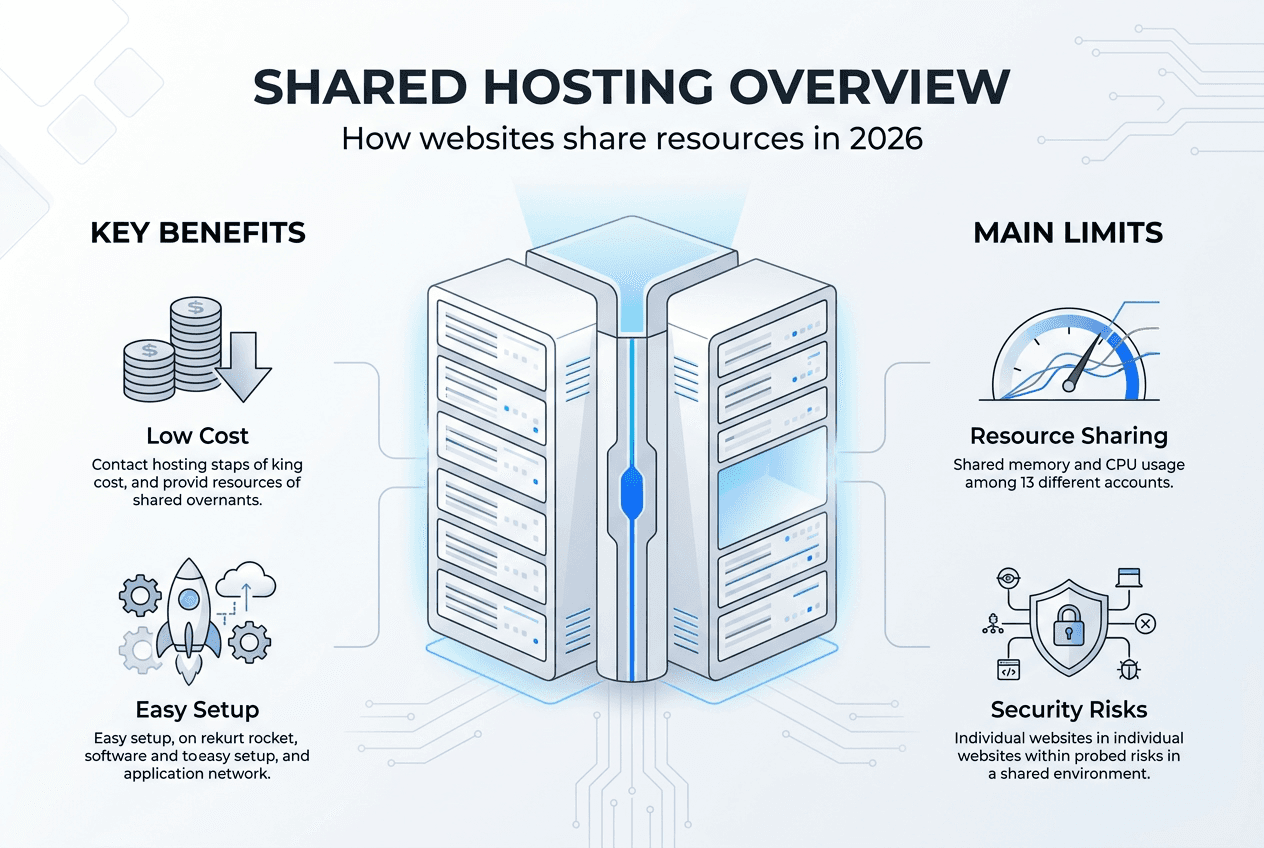
For most small business websites receiving moderate traffic, shared hosting provides sufficient power. A typical shared server might host 100 to 400 websites depending on the provider's capacity planning. Modern servers pack substantial processing power, so even shared resources often exceed what a basic business site requires during normal operations.
Advantages of shared hosting for small to medium-sized businesses
Cost effectiveness stands as the primary draw for SMBs operating on tight budgets. Monthly fees typically range from $3 to $15, a fraction of VPS or dedicated server costs. This pricing model works because infrastructure expenses distribute across hundreds of users, making enterprise-grade hardware accessible to businesses that couldn't otherwise afford it.
Shared hosting suits SMBs by removing technical barriers that would otherwise require hiring IT specialists. The hosting company manages server configuration, security patches, and performance tuning. You gain immediate access to professional-grade infrastructure without needing to understand Linux commands, database optimization, or network security protocols.
Practical features that benefit business owners include:
- One-click installers for WordPress, Joomla, and other popular platforms
- Automated daily backups protecting against data loss
- Free SSL certificates securing customer information and boosting search rankings
- Email hosting integrated with your domain name
- 24/7 technical support via chat, phone, or ticket systems
- Server-level caching that accelerates page load times automatically
These bundled services would cost hundreds of dollars monthly if purchased separately. Reliable hosting examples demonstrate how SMBs leverage shared environments to maintain professional online presence while controlling expenses. The managed nature means you avoid hiring developers for routine maintenance tasks.
Support teams provide crucial assistance when issues arise. If your website goes offline or you encounter configuration problems, experts respond quickly to diagnose and resolve technical complications. This safety net proves invaluable for business owners lacking deep technical knowledge. Many providers also offer migration services, transferring your existing site from another host at no additional charge.
Pro Tip: Look for hosts offering staging environments where you can test website changes before pushing them live, reducing the risk of breaking your production site during updates.
Shared hosting also simplifies scaling in the early stages. As your business grows, you can upgrade your plan within the same hosting environment, gaining more storage or bandwidth without migrating to entirely new infrastructure. This flexibility supports email hosting needs and allows integration with website builders for landing pages and promotional campaigns. The combination of affordability and comprehensive features makes shared hosting the logical starting point for businesses establishing their web presence, similar to how affordable marketing solutions help SMBs compete without enterprise budgets.

Security and performance in modern shared hosting environments
Security concerns often dominate discussions about shared hosting, but modern platforms employ automated measures that significantly reduce risks. Reputable providers run continuous malware scans across all hosted sites, quarantining infected files before they spread. Web application firewalls filter malicious traffic attempting SQL injection, cross-site scripting, or brute force attacks. These protections operate at the server level, defending all websites simultaneously.
CloudLinux technology isolates websites using containerization that limits resource consumption and prevents one compromised site from affecting neighbors. CageFS creates a virtualized file system for each account, making other users' data invisible even if an attacker gains access. This isolation addresses the notorious "bad neighbor" problem where a single poorly optimized or hacked site degrades performance for everyone on the server.
Performance optimization happens through multiple mechanisms. Server-level caching stores frequently accessed content in memory, delivering pages without repeatedly querying databases. LiteSpeed and similar technologies compile static versions of dynamic pages, dramatically reducing load times. Content delivery networks distribute your assets across global servers, serving visitors from geographically closer locations.
| Security Feature | Function | Benefit |
|---|---|---|
| Automated malware scanning | Daily checks for malicious code | Early detection prevents spread |
| Web application firewall | Filters attack traffic | Blocks common exploits automatically |
| Account isolation | Separate file systems per user | Limits cross-contamination |
| SSL certificates | Encrypts data transmission | Protects customer information |
| Automatic updates | Patches software vulnerabilities | Closes security gaps quickly |
Vulnerabilities do emerge, such as the Roundcube email flaw affecting thousands of servers in early 2026. Quality hosts respond immediately by deploying patches across their infrastructure. This centralized management actually becomes an advantage because updates apply universally rather than depending on individual site owners to take action.
Uptime reliability typically reaches 99.9% with professional providers, translating to less than nine hours of downtime annually. Redundant power supplies, network connections, and storage arrays prevent single points of failure. Support teams monitor server health continuously, addressing issues before they impact website availability.
Pro Tip: Enable two-factor authentication on your hosting control panel and use strong, unique passwords for your account to add an extra security layer beyond what the provider implements.
Choosing hosts with modern security stacks matters tremendously. Look for providers using current PHP versions, regularly updated server software, and proactive monitoring systems. Website backup services should run automatically with easy restoration options. Comprehensive website security packages often include DDoS protection, advanced firewall rules, and security audits that go beyond basic shared hosting defaults. While shared environments carry inherent risks from resource sharing, technological advances and vigilant management make them substantially safer than commonly perceived.
Limitations of shared hosting and when to consider alternatives
Shared hosting performs well under normal conditions but lacks resource guarantees that can cause problems during traffic spikes. If your site suddenly receives viral attention or runs a successful marketing campaign, the surge in visitors might exceed your allocated share of server resources. The hosting provider may throttle your site or display resource limit errors, frustrating potential customers during critical moments.
The "bad neighbor" effect remains a concern despite isolation technologies. If another website on your server gets hacked and launches spam campaigns or cryptocurrency mining operations, the entire server's performance degrades. Your site loads slowly even though you've done nothing wrong. While providers work to identify and suspend problematic accounts, resolution can take hours or days.
Shared IP addresses create complications for certain business needs. Email deliverability suffers if another site on your IP gets blacklisted for spam. Search engine optimization can be impacted if your IP address hosts low-quality or penalized websites. You also lack the ability to install custom software, modify server configurations, or access root-level controls that advanced applications require.
| Hosting Type | Monthly Cost | Resource Control | Performance | Best For |
|---|---|---|---|---|
| Shared | $3 to $15 | Minimal | Variable | New sites, blogs, small business pages |
| VPS | $20 to $100 | Moderate | Guaranteed allocation | Growing businesses, ecommerce stores |
| Dedicated | $100 to $500+ | Complete | Maximum | High-traffic sites, applications, enterprises |
| Cloud | $10 to $200+ | Scalable | Highly flexible | Variable traffic, development projects |
Signs you've outgrown shared hosting include:
- Regular resource limit notifications from your hosting provider
- Slow page load times despite optimization efforts
- Frequent downtime or error messages during peak hours
- Need for custom software installations or server configurations
- Handling sensitive customer data requiring enhanced security compliance
- Consistent monthly traffic exceeding 50,000 visitors
Large ecommerce operations particularly struggle on shared platforms. Processing hundreds of transactions daily demands guaranteed resources and enhanced security that shared environments cannot reliably provide. Payment processing regulations like PCI compliance become easier to maintain with dedicated infrastructure where you control the entire security stack.
When these limitations become apparent, transitioning to cloud servers offers scalability without the full cost of dedicated hardware. Cloud platforms allocate guaranteed resources while maintaining flexibility to handle traffic fluctuations. For maximum control and performance, dedicated servers provide entire machines exclusively for your use, eliminating neighbor effects entirely and granting root access for custom configurations. The key is recognizing when your business needs justify the increased investment in more robust hosting infrastructure.
Explore affordable shared hosting plans today

Understanding how shared hosting works empowers you to make informed decisions about your business website infrastructure. InSave Hosting delivers affordable shared hosting plans specifically designed for small to medium-sized businesses seeking reliable performance without complexity. Every plan includes free SSL certificates, automated daily backups, and 24/7 expert support to keep your site secure and accessible.
As your website grows, seamlessly upgrade to WordPress hosting plans optimized for speed and security with specialized caching and hardening features. Protect your online presence with comprehensive website security services that go beyond basic protections. Starting with shared hosting gives you the foundation to build your web presence affordably while maintaining flexibility to scale as your business demands increase.
What is shared hosting FAQ
How many websites can I host on a shared hosting account?
Most shared hosting plans allow unlimited websites within reasonable resource usage limits. Providers monitor CPU and memory consumption rather than counting domains. If you operate multiple small business sites with moderate traffic, a single shared account typically accommodates them all without issues.
Will shared hosting slow down my website?
Shared hosting performs well for sites receiving moderate traffic, typically under 30,000 monthly visitors. Modern server-level caching and optimization features maintain fast load times. Performance issues usually arise from poorly coded themes, oversized images, or excessive plugins rather than the hosting environment itself. Proper optimization keeps shared sites running quickly.
Can I upgrade from shared hosting without downtime?
Reputable providers offer seamless upgrades to VPS or cloud hosting with minimal disruption. The process typically involves migrating your files and databases to new infrastructure during low-traffic periods. Most hosts complete transitions within hours, and some provide temporary DNS routing to eliminate downtime entirely during the switch.
Is shared hosting secure enough for business websites?
Shared hosting provides adequate security for most small business sites through automated malware scanning, firewalls, and SSL encryption. However, businesses handling sensitive customer data, payment processing, or operating under strict compliance requirements should consider enhanced security measures or dedicated infrastructure for additional protection layers.
What happens if my website exceeds shared hosting limits?
Hosting providers typically send notifications when you approach resource limits, giving you time to optimize or upgrade. If you exceed limits during traffic spikes, your site may display temporary errors or load slowly until usage normalizes. Most hosts offer quick upgrade paths to shared hosting plans with higher allocations or more robust infrastructure to accommodate growth.
Do I need technical skills to manage shared hosting?
Shared hosting requires minimal technical knowledge because providers handle server management entirely. Control panels like cPanel offer intuitive interfaces for common tasks like installing WordPress, creating email accounts, and managing files. If you can navigate basic web interfaces, you can successfully operate a shared hosting account without programming or system administration experience.