
TL;DR:
- A cloud dedicated server provides exclusive physical hardware with cloud management and private networking, ideal for high-traffic or compliance-sensitive workloads. It guarantees predictable performance, hardware customization, and physical isolation, making it suitable for production databases, game servers, and regulated environments. For smaller or bursty workloads, shared virtual infrastructure or public cloud instances can be more flexible and cost-effective.
A cloud dedicated server gives you single-tenant physical hardware delivered with cloud-style management, private networking, and billing flexibility — and if your workload is high-traffic, compliance-sensitive, or latency-critical, it is almost certainly the right infrastructure model. For most production OLTP databases, payment-processing environments, and high-concurrency game servers, the performance guarantees and physical isolation that dedicated hardware provides cannot be replicated on shared virtual infrastructure.
Choose a cloud dedicated server when:
- Your application requires predictable CPU and I/O throughput with no noisy-neighbor risk
- Compliance frameworks (PCI DSS, HIPAA, SOC 2, NIST 800-53) mandate physical isolation or auditable single-tenant environments
- You run latency-sensitive workloads: real-time databases, game servers, financial transaction engines
- You need custom hardware configurations (NVMe arrays, GPU cards, high-memory nodes) that shared VMs cannot offer
- Data residency rules require your data to stay in a specific US region under contractual control
Skip it when:
- Your traffic is unpredictable and you need rapid horizontal scaling across dozens of nodes in minutes
- Your workload is stateless, bursty, or dev/test — a public cloud instance or VPS is cheaper and faster to spin up
- You have no in-house ops team and no managed service budget to cover patching and monitoring
The practical next step: run a sizing checklist against your concurrent-user count, dataset size, and compliance requirements, then request a quote or trial from inSave Hosting.
Pro Tip: Before committing to any dedicated tier, map your peak-hour CPU and memory utilization from your current environment. Undersizing by even 20% on a dedicated node hurts more than it would on a cloud instance, because you cannot burst.
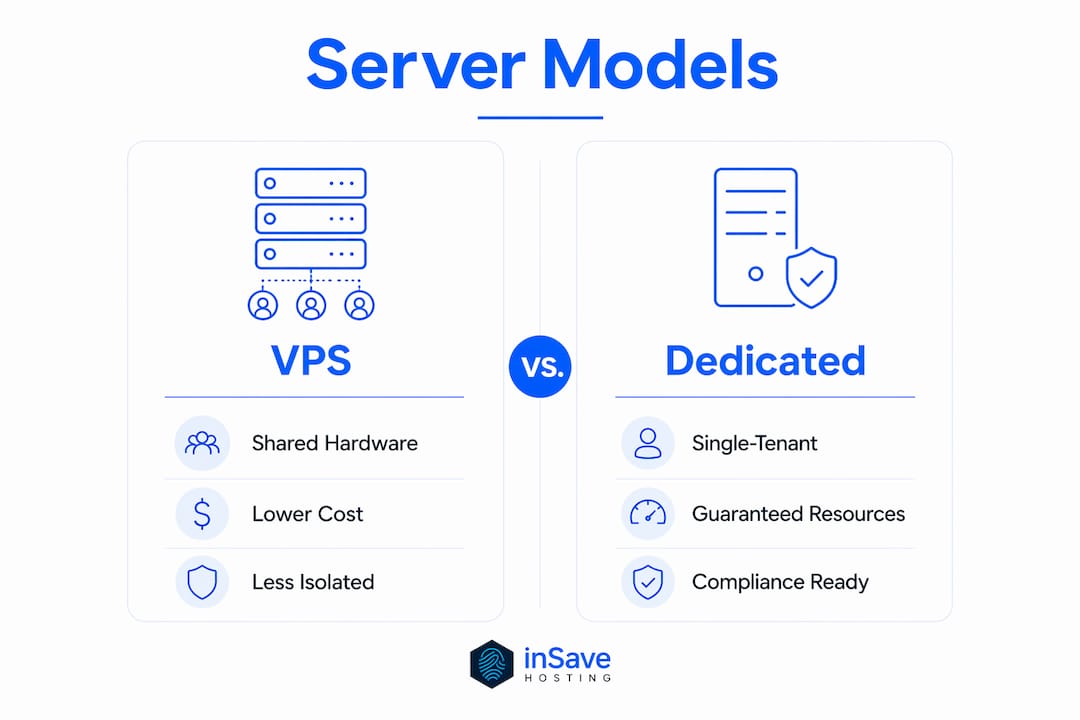
Table of Contents
- What is a cloud dedicated server and how does it work?
- What workloads actually benefit from dedicated hardware?
- How do cloud dedicated servers compare to VPS, public cloud, and on-prem?
- What should you size and specify before ordering?
- When does dedicated hardware actually matter for security and compliance?
- What drives the cost, and how long does provisioning take?
- How do you choose a provider? The evaluation checklist
- Key Takeaways
- The case for dedicated hardware is stronger than most guides admit
- inSave Hosting has dedicated server plans built for production workloads
- Useful sources and further reading
- FAQ
What is a cloud dedicated server and how does it work?
A cloud dedicated server is a physical, single-tenant machine housed in a provider's data center and delivered through a cloud management layer — meaning you get full hardware control alongside cloud APIs, private networking, and flexible billing. Unlike a VPS, which slices one physical host into many virtual machines, a dedicated server reserves every CPU core, every gigabyte of RAM, and every I/O lane for one customer only.
The architecture stacks in four logical layers:
- Hardware layer — physical CPUs, RAM DIMMs, NVMe or SATA drives, and NICs. Nothing is shared.
- Firmware and out-of-band management — IPMI or KVM-over-IP gives you console access even when the OS is unresponsive. You can reboot, reinstall, or inspect hardware sensors remotely.
- Optional hypervisor — some configurations let you run a Type-1 hypervisor (VMware ESXi, KVM) on top of the bare metal, so you can carve your own VMs internally while keeping the physical boundary.
- Cloud management and network overlay — provider APIs, a web control panel, private networking (sometimes called vRack or private VLAN), IP management, and billing metering sit at this layer.
Common management and control features you should expect from any serious provider:
- KVM/IPMI remote console for out-of-band access
- API-driven provisioning and OS reinstallation
- Snapshot and backup scheduling
- Private network connectivity (vRack, VLAN, or software-defined overlay)
- Public IP allocation and optional additional IPs
- Anti-DDoS scrubbing at the network edge
Quick glossary:
- KVM/IPMI — hardware-level remote management; lets you access the server as if you were physically in the data center
- vRack / private network — a dedicated Layer 2 or Layer 3 network segment connecting your servers without traversing the public internet
- Bare metal — a server with no hypervisor layer between the OS and the hardware
- NVMe — Non-Volatile Memory Express; a storage protocol that uses PCIe lanes for dramatically faster I/O than SATA SSDs
- Anti-DDoS — network-level traffic scrubbing that filters volumetric attack traffic before it reaches your server
- Hypervisor — software that creates and manages virtual machines on top of physical hardware
What workloads actually benefit from dedicated hardware?
The core value proposition is simple: guaranteed resources, physical isolation, and cloud-grade networking without the overhead of a shared hypervisor. That combination matters most when performance variability is not acceptable — when a 200ms latency spike costs you a transaction or a player.
The primary benefits in practice:
- Performance predictability — CPU cycles and I/O bandwidth are yours alone; no other tenant's workload can steal them
- Compliance and auditability — physical isolation satisfies requirements that virtual multitenancy cannot, including PCI DSS cardholder data environments and HIPAA-covered PHI storage
- Custom hardware options — GPU cards for AI inference, high-memory nodes for in-memory databases, NVMe RAID for ultra-fast storage
- Licensing advantages — some software licenses (Microsoft SQL Server, Oracle) are priced per physical core; a dedicated host lets you count only the cores you actually use
- Network performance — dedicated uplinks, private networking, and configurable bandwidth tiers that shared environments cannot guarantee
Use cases where dedicated hardware earns its cost
High-traffic e-commerce. A retailer running flash sales can see 10x normal traffic in minutes. The database tier needs consistent sub-10ms query times regardless of what else is happening in the data center. A dedicated node with NVMe storage and a private network to the application layer handles that without the jitter a shared VM introduces.
Large-scale OLTP databases. Dedicated hardware eliminates noisy-neighbor latency by guaranteeing CPU cycles and I/O bandwidth — a prerequisite for production databases running thousands of transactions per second. PostgreSQL or MySQL on a dedicated node with NVMe storage and 256 GB RAM performs fundamentally differently than the same database on a shared hypervisor.
Game servers. Multiplayer games are brutally sensitive to tick-rate consistency. A game server running 100+ concurrent players needs dedicated CPU threads and low-latency network paths. Shared infrastructure introduces jitter that players notice immediately.

AI and GPU workloads. Training jobs and inference endpoints need dedicated GPU memory and PCIe bandwidth. A cloud dedicated node with an NVIDIA A100 or H100 card gives you the full card, not a fractional slice.
Regulated workloads. For compliance-driven migrations, customers choose dedicated hardware to create an auditable separation that virtual multitenancy cannot satisfy. PCI DSS, HIPAA, and FedRAMP all have provisions that are easier to meet on single-tenant hardware.
A practical deployment pattern: run your steady-state database and application tier on dedicated servers, then connect them via private networking to a public cloud layer that handles elastic web traffic and batch jobs. That hybrid approach gives you performance guarantees where they matter and cost efficiency where they do not.
How do cloud dedicated servers compare to VPS, public cloud, and on-prem?
The primary differentiator is single-tenant hardware combined with cloud-style management — that combination sits in a distinct tier between shared virtual infrastructure and fully self-managed on-premises hardware.
| Model | Isolation | Elasticity | Typical cost profile | Best for |
|---|---|---|---|---|
| VPS | Shared physical host, isolated VM | Resize in minutes | Lowest entry cost | Dev/test, low-traffic sites, small apps |
| Public cloud instances | Shared physical host (usually), isolated VM | Near-instant horizontal scaling | Pay-per-second, can spike | Stateless, bursty, or microservice workloads |
| Cloud dedicated server | Single-tenant physical hardware | Add nodes in hours; no VM-level burst | Fixed monthly or hourly, predictable | High-performance, compliance-sensitive, latency-critical |
| On-prem bare metal | Single-tenant, fully self-managed | Weeks to months to add capacity | High CapEx, ongoing OpEx | Air-gapped, sovereign, or ultra-custom requirements |
How to decide. If your workload is stateless and bursty, public cloud instances win on cost and speed. If you need isolation and performance guarantees but cannot afford the capital expense of on-prem hardware, a cloud dedicated server is the right tier. If your compliance requirements demand air-gapped infrastructure or you have specific hardware that no provider stocks, on-prem is the only answer.
The hybrid pattern worth knowing: run steady-state, latency-sensitive workloads on dedicated servers and use public cloud capacity for elastic web tiers or batch processing. Private networking between the two environments keeps latency low and avoids sending sensitive data over the public internet. Some vendors market this integration explicitly, with fixed pricing on the dedicated tier and pay-as-you-go on the burst tier.
One nuance on licensing: software licensed per physical socket or core (Oracle, SQL Server with per-core licensing) can cost significantly less on a dedicated host than on a shared hypervisor where the license must cover all physical cores on the host.
What should you size and specify before ordering?
Start with your workload numbers, not the hardware catalog. Translate concurrent users, transactions per second, and dataset size into CPU, RAM, I/O, and network requirements before you look at SKUs.
A rough translation guide:
- CPU — count peak concurrent threads, not average load. A 32-core server running at 80% average utilization has no headroom for spikes.
- RAM — size for your working dataset plus OS overhead plus 20% buffer. In-memory databases (Redis, Memcached) and large PostgreSQL shared_buffers eat RAM fast.
- Storage — calculate IOPS requirements from your transaction rate. NVMe delivers 500,000+ IOPS; SATA SSD tops out around 100,000. For write-heavy workloads, check write endurance (TBW) ratings.
- Network — estimate peak outbound bandwidth, not average. A game server or media platform can saturate a 1 Gbps uplink during peak hours.
Spec-check questions to ask during procurement:
- What is the maximum sustained IOPS on the storage tier, and is it guaranteed or shared at the rack level?
- Is storage NVMe over PCIe or SATA SSD, and what RAID configuration is default?
- What is the committed network bandwidth per port, and how is burst handled?
- How many public IPv4 addresses are included, and what is the cost per additional IP?
- Is private networking (VLAN or vRack) available, and is there a fee?
- What is the provisioning SLA — hours or days?
- Are GPU cards available in the same data center region as your other nodes?
Sample configuration profiles
| Workload | CPU | RAM | Storage | Network | Extras |
|---|---|---|---|---|---|
| High-traffic e-commerce | 16-core | 64 GB | 2× NVMe 1 TB (RAID 1) | 1 Gbps unmetered | Daily snapshots, private VLAN |
| OLTP database | 32-core | 256 GB | 4× NVMe 2 TB (RAID 10) | 10 Gbps | Replication node, automated backups |
| Game server | 8-core (high clock) | 32 GB | 1× NVMe 500 GB | 1 Gbps low-latency | DDoS protection, KVM access |
Pro Tip: Before you accept delivery of a dedicated node, run a synthetic acceptance test: use fio for storage I/O benchmarks, iperf3 for network throughput, and a tool like sysbench for CPU and memory. Acceptance testing should include end-to-end latency under load and a network throughput check to validate published bandwidth and DDoS protections. If the numbers do not match the spec sheet, escalate before you migrate production data.
When does dedicated hardware actually matter for security and compliance?
Physical isolation is often required — not just preferred — when compliance or data-residency rules mandate that your data never share hardware with another tenant. Virtual multitenancy, even with strong hypervisor isolation, cannot satisfy every auditor or regulatory framework.
Compliance documents and proofs to request from any vendor:
- SOC 2 Type II report (request the full report, not just a summary letter)
- ISO 27001 certificate with scope statement
- PCI DSS Attestation of Compliance (AOC) if you process payment card data
- Data-residency statement specifying which US regions your data can occupy
- Business Associate Agreement (BAA) if your workload involves HIPAA-protected PHI
- Penetration test summary (within the last 12 months)
- Patch management and vulnerability disclosure policy
Compliance-driven scenarios
PCI DSS. Cardholder data environments require strict network segmentation and access controls. A dedicated server with a private VLAN to your payment application and no shared hypervisor layer simplifies your Qualified Security Assessor (QSA) audit considerably. This dedicated infrastructure model enables strict data residency and operational autonomy that shared cloud cannot match.
HIPAA. A BAA with your hosting provider is mandatory if the server stores or processes PHI. Dedicated hardware gives your compliance team a cleaner story: one physical machine, one tenant, documented access controls, and a signed BAA.
Government and sovereign workloads. FedRAMP-authorized providers and sovereign cloud patterns both rely on physical separation and documented chain-of-custody for hardware. Dedicated nodes in a specific US region satisfy data-residency requirements that multi-tenant cloud cannot.
US-specific considerations. Data residency in the US matters for ITAR-controlled data, certain federal contracts, and state-level privacy laws (CCPA, SHIELD Act). Confirm contractually that your provider will not migrate your data outside your specified region without written consent. Document that agreement as a contractual control in your compliance evidence package.
For practical cloud security controls at the operational level — encryption at rest, access control policies, patching cadence — treat vendor certifications as the floor, not the ceiling. Your own configuration choices determine whether a certified platform stays compliant in practice.

This article is general information, not legal or compliance advice. Confirm current regulatory requirements with a qualified compliance professional or your legal counsel for your specific situation.
What drives the cost, and how long does provisioning take?
The sticker price on a dedicated server is rarely the full cost. Hardware class is the largest driver, but managed services, bandwidth overages, additional IPs, software licensing, and support SLAs can add 30–60% on top of the base rate.
Primary cost drivers:
- Hardware class — entry-level single-socket servers cost less than dual-socket high-memory or GPU-equipped nodes
- Managed vs. unmanaged — managed services (OS patching, monitoring, incident response) add a monthly fee but reduce your ops burden significantly
- Bandwidth — unmetered ports cost more upfront; metered ports are cheaper until you exceed the included allocation
- Additional IPs — IPv4 addresses carry a per-IP monthly fee at most providers
- Backup and DR — automated daily backups, off-site replication, and snapshot retention all add cost
- Support SLA tier — 24/7 phone support with a 15-minute response SLA costs more than email-only support
Billing models and what to watch
- Monthly flat rate — predictable, good for steady-state workloads; most common for dedicated hardware
- Hourly billing — available at some providers; useful for short-term projects but can be more expensive over a full month
- Setup fees — some providers charge a one-time provisioning fee, especially for custom hardware configurations
- Overage policies — understand the per-GB rate for bandwidth overages before you sign; a traffic spike can generate a large unexpected bill
Sample cost scenarios (US market, approximate ranges)
- Entry-level — 8-core server, 32 GB RAM, 1 TB NVMe, 1 Gbps unmetered, unmanaged: roughly $80–$150/month
- Mid-range — 16-core, 64 GB RAM, 2× NVMe 1 TB RAID 1, 1 Gbps, managed with daily backups: roughly $250–$450/month
- High-end — 32-core, 256 GB RAM, NVMe RAID 10, 10 Gbps, managed, DR replication, premium support: $800–$2,000+/month
Provisioning timeline
- Standard catalog configurations with hardware in stock: typically 2–4 hours from order to login
- Custom hardware or non-standard configurations: 2–5 business days
- Region-limited or GPU-equipped nodes: up to 2 weeks if inventory is constrained
- OS reinstallation on an existing node: usually 15–45 minutes via the control panel
To speed provisioning: choose a standard OS image (Ubuntu Server LTS, CentOS Stream, Debian), avoid custom RAID configurations that require manual setup, confirm IP allocation before ordering, and have your SSH public key ready to inject at provisioning time.
How do you choose a provider? The evaluation checklist
Vendor selection should prioritize SLAs, compliance proofs, predictable pricing, and measurable performance guarantees — in that order. A provider that cannot produce a SOC 2 report or refuses to commit to a provisioning SLA is not ready for production workloads.
Evaluation checklist:
- Published uptime SLA with defined credit terms (what percentage credit for each hour of downtime?)
- SOC 2 Type II and ISO 27001 certificates available on request
- Data center locations in the US regions you need, with documented data-residency controls
- Anti-DDoS protection included at the network level, with published scrubbing capacity
- Private networking (VLAN or equivalent) available between your nodes
- IPv4 allocation policy and cost per additional IP
- Backup and snapshot options with documented retention periods
- Support response time SLAs by severity level (P1 vs. P2 vs. P3)
- API access for provisioning, monitoring, and automation
- Migration assistance or free migration for new customers
Exact questions to send vendors
- What is your provisioning SLA for standard catalog configurations, and what remedies apply if you miss it?
- Can you provide your current SOC 2 Type II report and ISO 27001 certificate for our security team to review?
- What are your scheduled maintenance windows, and how much advance notice do you provide?
- What is your patching policy for managed servers — who is responsible for OS and firmware updates?
- What network peering arrangements do you have, and what is your total DDoS scrubbing capacity?
- What performance baselines can you commit to in writing (IOPS, network throughput, CPU availability)?
- What is your process for data deletion and hardware sanitization at end of contract?
Red flags to walk away from:
- No published uptime SLA or SLA with no credit mechanism
- Opaque or bundled pricing with no line-item breakdown
- Refusal to share compliance reports or certifications
- Provisioning lead times measured in weeks for standard configurations
- No private networking option between servers
- Support only via ticket with no response time commitment
inSave Hosting for dedicated and cloud server workloads
inSave Hosting offers dedicated servers with a 99.9% uptime commitment, free SSL certificates, managed security features, and free migration support for new customers. The platform covers the full stack from shared and WordPress hosting up through VPS, cloud servers, and high-performance dedicated nodes — which means you can start on a smaller plan and move to dedicated infrastructure without switching providers. Their SMB-focused dedicated server guidance is worth reading before you finalize your spec.
Key Takeaways
A cloud dedicated server is the right choice when your workload requires guaranteed physical resources, compliance-grade isolation, and cloud-style management — and the wrong choice when you need rapid horizontal scaling or have a limited ops budget.
| Point | Details |
|---|---|
| Physical isolation is the core differentiator | Single-tenant hardware eliminates noisy-neighbor risk and satisfies compliance requirements that shared VMs cannot. |
| Size before you order | Translate peak concurrent users, IOPS requirements, and dataset size into specs before reviewing hardware catalogs. |
| Compliance requires documentation | Request SOC 2 Type II, ISO 27001, PCI DSS AOC, and a signed BAA (for HIPAA) from any vendor before signing a contract. |
| Hybrid patterns reduce cost | Run latency-sensitive workloads on dedicated nodes and use public cloud capacity for elastic or batch tiers. |
| inSave Hosting covers the full stack | inSave Hosting provides dedicated servers with 99.9% uptime, free SSL, managed options, and free migration support. |
The case for dedicated hardware is stronger than most guides admit
The conventional wisdom says "start with cloud instances and scale up when you need to." That advice is correct for stateless web tiers and batch jobs. It is genuinely bad advice for production databases, payment environments, and anything where latency variability has a direct business cost.
The argument against dedicated hardware usually comes down to cost and flexibility. Both objections are real but often overstated. On cost: when you factor in the per-core licensing savings on SQL Server or Oracle, a dedicated node frequently costs less than the equivalent virtual capacity over a 12-month period. On flexibility: the hybrid pattern — dedicated for steady-state, public cloud for burst — gives you most of the elasticity you actually need without sacrificing performance guarantees where they matter.
What most guides understate is the compliance angle. For any organization subject to PCI DSS, HIPAA, or a federal framework, the audit burden on a shared virtual environment is substantially higher than on a dedicated node. Auditors ask harder questions about hypervisor isolation, cross-tenant data leakage, and access controls when your workload shares physical hardware. A dedicated server does not make compliance automatic, but it removes an entire category of questions from the audit.
The practical pattern worth following: use dedicated hardware for your database tier and any workload that touches regulated data, and use public cloud instances for your application and web tiers. Connect them via private networking. That architecture gives you the performance and compliance posture of dedicated infrastructure where it matters, and the cost efficiency of shared cloud where it does not.
Pro Tip: Stage your migration with a production-like acceptance test before you cut over. Pre-warm your database buffer pool, run your full benchmark suite, and validate DDoS protection under simulated load. Discovering a misconfigured network ACL or an undersized storage tier during a test is a minor inconvenience. Discovering it during a production cutover is not.
inSave Hosting has dedicated server plans built for production workloads
If you have read this far, you know what to look for: guaranteed hardware, a real uptime SLA, compliance-ready infrastructure, and a provider that will not disappear when you have a P1 incident at 2 AM.

inSave Hosting delivers dedicated servers with a 99.9% uptime guarantee, free SSL certificates, daily backups, free migration from your current provider, and managed security features that cover patching and monitoring. The platform spans shared hosting, VPS, cloud servers, and dedicated nodes under one dashboard — so your infrastructure can grow without a provider change. Free SSL is included across plans, and wildcard SSL is available for multi-subdomain deployments. Support is available around the clock, with documented response commitments.
Check current dedicated server plans and request a quote at insave.hosting.
Useful sources and further reading
The resources below cover the standards, frameworks, and technical guidance referenced throughout this article. During vendor procurement, request the vendor-specific audit reports (SOC 2 Type II, ISO 27001 certificate, PCI DSS AOC) directly — do not rely on summary pages or marketing copy.
- NIST Special Publication 800-53 — Security and privacy controls for federal information systems; the baseline for many US compliance frameworks
- PCI Security Standards Council — Official PCI DSS documentation, self-assessment questionnaires, and QSA locator
- Cloud Security Alliance (CSA) — Cloud Controls Matrix and STAR registry for vendor security assessments
- NIST National Cybersecurity Center of Excellence — Practical implementation guides for cloud security and data protection
- HHS HIPAA Security Rule guidance — Official US Department of Health and Human Services guidance on HIPAA technical safeguards
- Bare-metal server — Wikipedia — Architecture overview and terminology reference
- inSave Hosting cloud security best practices — SMB-focused security controls and vendor verification checklist
- inSave Hosting dedicated server guide — Practical sizing and procurement advice for smaller organizations
Request vendor audit reports and data-residency statements in writing during procurement — a provider that cannot produce them within a reasonable timeframe is not ready for compliance-sensitive workloads.
FAQ
What is a dedicated cloud server?
A dedicated cloud server is a physical, single-tenant machine delivered through a cloud management platform, giving one customer exclusive use of all CPU, RAM, and storage resources alongside cloud-style APIs, private networking, and flexible billing. It differs from a VPS in that no other tenant shares the underlying hardware.
Can you set up your own cloud server on dedicated hardware?
Yes. Most providers let you choose your OS (including Linux distributions like Ubuntu Server LTS or Debian), configure RAID, and manage the server via KVM/IPMI and a control panel or API. Managed options are also available if you prefer the provider to handle OS patching and monitoring.
How much does a dedicated server cost per month?
Entry-level configurations typically run at moderate cost; mid-range managed servers with daily backups cost more; high-memory or GPU-equipped nodes with premium support can be expensive. The final cost depends on hardware class, bandwidth, additional IPs, managed services, and support SLA tier.
What are the main disadvantages of a cloud dedicated server?
The primary trade-offs are higher base cost compared to shared VMs, limited ability to scale horizontally in seconds (adding a new dedicated node takes hours, not seconds), and dependency on network connectivity for management access. Some managed configurations also restrict OS-level customization.
Does inSave Hosting offer dedicated servers with compliance features?
inSave Hosting provides dedicated servers with a 99.9% uptime SLA, free SSL certificates, managed security, and daily backups — features that support compliance documentation and audit readiness for SMB workloads.