
TL;DR:
- Optimizing website speed involves improving Core Web Vitals metrics like LCP, INP, and CLS to enhance user experience and search rankings. Prioritizing real user data, reducing server response time, optimizing images, and deferring render-blocking resources are essential steps for faster, more stable sites. Ongoing measurement, targeted fixes, and infrastructure improvements ensure sustained performance and better user engagement.
Website speed optimization is the practice of reducing page load time and improving Core Web Vitals metrics — LCP, INP, and CLS — to deliver faster, more stable experiences to real users. A slow website costs you rankings, conversions, and credibility. Google uses Core Web Vitals as a direct ranking signal, and every second of delay compounds the damage. This guide covers how to improve website speed using a prioritized, field-data-first workflow built for website owners and digital marketers who need results, not theory.
How to improve website speed using Core Web Vitals audits
The most effective starting point for any website speed optimization checklist is measuring what real users actually experience, not just what a lab test shows. Core Web Vitals target LCP under 2.5 seconds, INP under 200ms, and CLS under 0.1 for 75% of real-user traffic. That 75th percentile threshold matters because it means your slowest quarter of users determine your score, not the average.
Google's Chrome User Experience Report (CrUX) feeds these field metrics directly into PageSpeed Insights and Google Search Console. Lab tools like Lighthouse give you a controlled snapshot, but real-user data often reveals issues that synthetic tests miss entirely, especially on lower-end devices and slower mobile connections.
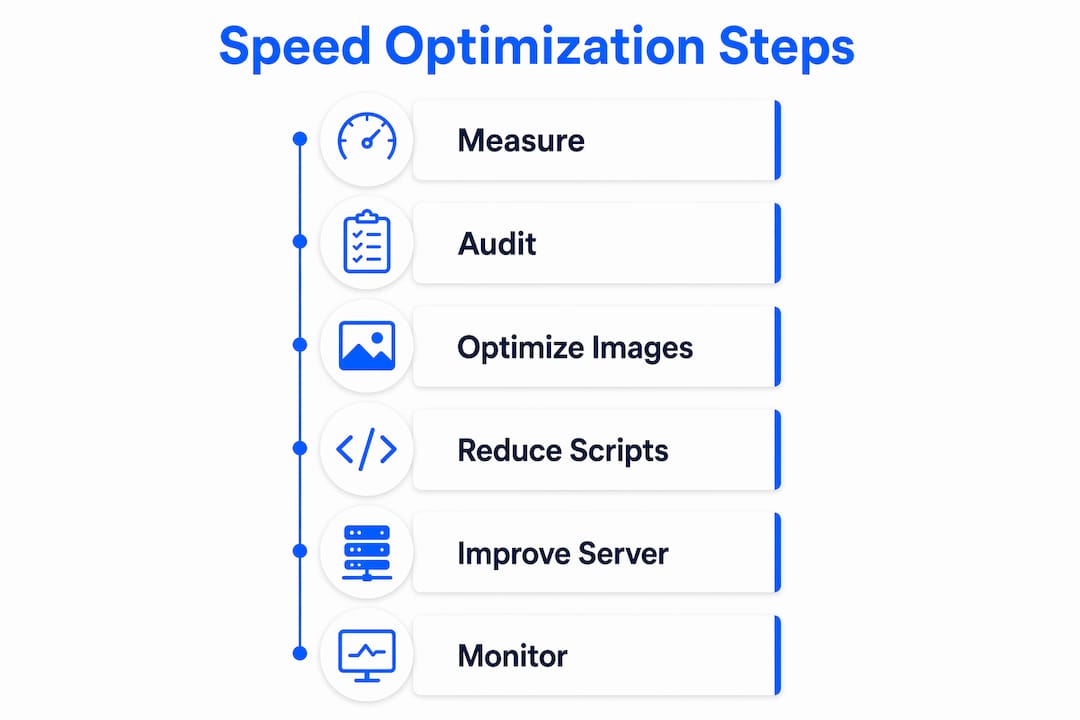
Here is a practical audit workflow to follow:
- Run a PageSpeed Insights report on your most important pages, starting with the homepage and top landing pages.
- Check the "Opportunities" section and sort fixes by estimated time savings in milliseconds.
- Cross-reference with Google Search Console's Core Web Vitals report to confirm which issues affect real users.
- Prioritize fixes that improve LCP first, since it is the most visible metric to both users and Google.
- Track your CrUX field data weekly after each change to confirm improvement.
| Metric | Good threshold | What it measures |
|---|---|---|
| LCP | Under 2.5s | Time to render the largest visible content element |
| INP | Under 200ms | Responsiveness to user interactions |
| CLS | Under 0.1 | Visual stability and layout shift |
Pro Tip: Starting with a Lighthouse audit and working through Opportunities by descending time savings is the fastest way to find high-impact fixes without guessing.
How do you reduce server response time and render-blocking resources?
Server response time, measured as Time to First Byte (TTFB), is the first bottleneck in any page load. CDN edge caching can reduce TTFB to under 50ms, but that requires architecture changes beyond simply installing a plugin. The practical path for most sites is enabling a CDN like Cloudflare, configuring server-side caching, and setting correct Cache-Control headers so both the CDN and browser cache assets effectively.
DNS lookup time adds hidden latency that most site owners overlook. Minimizing cross-domain requests and adding "dns-prefetch` hints for third-party domains reduces the time the browser spends resolving hostnames before it can even request a file. Switching to a fast DNS provider like Cloudflare DNS cuts lookup latency significantly on its own.
Render-blocking resources are the second major bottleneck. Browsers stop rendering any content until all blocking CSS and JavaScript in the <head> finish loading. Inlining critical CSS and deferring non-critical scripts can reduce LCP delays by 300 to 800ms. That is a meaningful gain for a change that takes under an hour to implement on most sites.
Key steps to eliminate render-blocking resources:
- Inline only the CSS needed to render above-the-fold content. Keep it under 14KB to avoid bloating your HTML.
- Add
asyncordeferattributes to non-critical JavaScript files so they load without blocking the parser. - Use HTTP/2 or HTTP/3 to allow multiple assets to load in parallel over a single connection.
- Enable 103 Early Hints on your server so the browser starts fetching critical assets before the full HTML response arrives.
- Preload critical fonts and set
font-display: swapto prevent layout shifts from font swapping.
Pro Tip: After deferring scripts, test your site thoroughly. Some scripts depend on DOM elements that may not exist yet when they execute asynchronously, which breaks functionality silently.
Image optimization best practices for faster load times
Images are the single largest contributor to page weight on most websites, and optimizing images is consistently the quickest way to cut load time. The format you choose has a direct impact on file size and rendering speed.

| Format | Compression vs. JPEG | Browser support | Best use case |
|---|---|---|---|
| JPEG | Baseline | Universal | Photos without transparency |
| WebP | 25-35% smaller | All modern browsers | General images and photos |
| AVIF | Up to 50% smaller | Chrome, Firefox, Safari 16+ | High-quality photos, hero images |
AVIF reduces file size up to 50% compared to JPEG at comparable visual quality. That translates directly into faster LCP times and lower bandwidth costs, especially on mobile. Use the <picture> element with AVIF as the first source and JPEG as the fallback to cover all browsers.
Responsive images are equally critical. The srcset and sizes attributes tell the browser which image file to download based on the user's screen width. Without them, a mobile visitor downloads a 2000px wide image to display it at 400px. That wastes bandwidth and delays LCP with no visual benefit.
One mistake that consistently damages LCP scores is applying loading="lazy" to the hero image. Hero images need eager loading with fetchpriority="high" so the browser treats them as a top priority. CMS platforms and optimization plugins often add lazy loading to all images by default, which means you may need to manually override the hero image attribute. Always set explicit width and height attributes on every image to prevent CLS from layout shifts as images load.
Pro Tip: Use a CDN with built-in image optimization, such as Cloudflare Images or Imgix, to automate format conversion and resizing at the edge without touching your codebase.
What JavaScript and CSS optimizations actually improve interaction speed?
INP, the metric that replaced First Input Delay in 2024, measures how quickly your page responds to every user interaction throughout the session. The primary cause of poor INP is long JavaScript tasks blocking the main thread, preventing the browser from processing clicks, taps, and keyboard input.
The most direct fix is reducing the amount of JavaScript that executes during page load. Code-splitting breaks large JavaScript bundles into smaller chunks that load only when needed. Tree shaking removes unused exports from your bundle at build time. Together, these two techniques can cut initial JavaScript payload by 30 to 60% on sites built with frameworks like React, Vue, or Angular.
Practical steps to reduce main-thread blocking:
- Audit unused JavaScript and CSS with Chrome DevTools Coverage tab and remove or defer what is not needed on initial load.
- Defer all non-essential third-party scripts, including chat widgets, analytics tags, and social embeds, until after the page becomes interactive.
- Use Next.js or Nuxt's built-in code-splitting and dynamic imports to load components only when they enter the viewport.
- Break up long tasks using
scheduler.yield()orsetTimeoutto give the browser time to handle user input between processing chunks. - Replace heavy JavaScript libraries with lighter alternatives where possible. Replacing Moment.js with Day.js, for example, cuts date-handling bundle size by over 90%.
Third-party scripts deserve special attention. A single marketing tag or A/B testing script can add hundreds of milliseconds of main-thread blocking. Audit every third-party script on your site using the page speed optimizer from Platter to identify which external resources are costing you the most.
How to monitor and iterate on website speed improvements
Measuring before and after every change is the only way to know whether an optimization actually worked. Using WebPageTest, Lighthouse, and real user monitoring together gives you both controlled lab data and field data from actual visitors. Never rely on a single tool or a single test run.
Follow this process for every optimization cycle:
- Record your baseline Core Web Vitals from Google Search Console before making any changes.
- Make one change at a time. Changing multiple variables simultaneously makes it impossible to attribute improvements or regressions.
- Run three to five Lighthouse tests after each change and average the scores to account for variability.
- Wait 28 days for CrUX field data to update in Search Console before drawing conclusions about real-user impact.
- Set up alerts in your real user monitoring (RUM) tool to notify you when LCP, INP, or CLS crosses a threshold.
Common mistakes that create regressions include applying loading="lazy" to the LCP image, inlining more than 14KB of CSS which increases HTML size and slows server response, and deferring scripts that other scripts depend on. Each of these is a frequent output of automated optimization plugins that apply rules without understanding page context.
Pro Tip: Use WebPageTest's filmstrip view to visually confirm that your LCP element loads at the expected time. Numbers alone do not tell you whether the right element is being measured.
Key takeaways
Improving website speed requires prioritizing Core Web Vitals field data, eliminating render-blocking resources, optimizing images to modern formats, and continuously measuring the impact of each change.
| Point | Details |
|---|---|
| Audit with field data first | Use Google Search Console and CrUX data before running Lighthouse to find real-user issues. |
| Target LCP as the top priority | LCP under 2.5s has the highest combined impact on user experience and Google rankings. |
| Convert images to AVIF or WebP | AVIF cuts file size up to 50% vs. JPEG, directly reducing LCP and bandwidth costs. |
| Defer third-party scripts | Non-essential scripts block the main thread and degrade INP scores throughout the session. |
| Change one variable at a time | Isolating each fix is the only reliable way to confirm what actually improved performance. |
What I've learned about website speed after years of watching sites struggle
Most site owners treat speed optimization as a one-time project. They run a PageSpeed Insights audit, fix the top three items, and move on. Six months later, a new plugin, a new marketing tag, or a new hero image has pushed LCP back above 3 seconds, and nobody noticed because nobody was watching.
The sites that maintain fast performance treat it as an ongoing discipline, not a sprint. They have monitoring in place. They review Core Web Vitals in Search Console monthly. They test new third-party scripts in a staging environment before deploying them to production.
I have also seen a pattern where teams spend weeks optimizing frontend code while running on a shared hosting plan with a 1.2-second TTFB. Frontend work matters, but if your server is slow, you are building on a weak foundation. Fixing hosting infrastructure first, whether that means switching to a faster server, enabling a CDN, or moving to a host that supports LiteSpeed and HTTP/2, often delivers more LCP improvement per hour of effort than any amount of JavaScript optimization.
The tools that promise a "perfect 100 score" are often the ones that create the most regressions. Automated optimization plugins that lazy-load every image, inline every CSS file, and defer every script do not understand your specific page structure. Use them as a starting point, then verify every change manually. A score of 85 with no regressions beats a score of 100 that breaks your checkout flow.
Incremental improvement compounds. A 200ms LCP gain this month and a 150ms gain next month add up to a meaningfully faster site by year end. Start with the highest-impact fixes, measure everything, and keep the process running.
— Ihor
How Insave helps you build a faster website from the ground up

The fastest frontend optimizations lose their impact when your hosting infrastructure cannot keep up. Insave is built specifically to remove that bottleneck. Every hosting plan includes LiteSpeed web server technology, LSCache, HTTP/2, PHP8, and free CDN integration, the same stack that enables sub-50ms TTFB on properly configured sites. For WordPress users, Insave's WordPress hosting pairs managed caching with one-click staging so you can test speed changes before they go live. If you are starting fresh or migrating an existing site, explore Insave's full hosting plans to find the infrastructure that matches your performance goals. Speed starts at the server level, and Insave gives you the foundation to build on.
FAQ
What is website speed optimization?
Website speed optimization is the process of improving Core Web Vitals metrics (LCP, INP, and CLS) and reducing page load time to deliver faster experiences to real users. It covers server configuration, image compression, code efficiency, and caching strategy.
How do I check my website's current speed?
Run your URL through Google PageSpeed Insights or Lighthouse to get both lab scores and field data from CrUX. Google Search Console's Core Web Vitals report shows real-user data aggregated over 28 days.
What is the fastest way to improve LCP?
Optimize your hero image by converting it to AVIF or WebP, setting fetchpriority="high", and removing any loading="lazy" attribute. Enabling CDN edge caching to reduce TTFB is the second highest-impact fix for most sites.
Does hosting affect website speed?
Hosting directly determines TTFB, which is the starting point for every page load. A server running LiteSpeed with edge caching and HTTP/2 support, like the infrastructure Insave provides, can reduce TTFB by hundreds of milliseconds compared to a standard shared host.
How often should I audit my website's performance?
Review Core Web Vitals in Google Search Console monthly and run a full performance audit after every significant site change, including new plugins, theme updates, or new third-party scripts.