
TL;DR:
- A professional email follows a clear structure with a proper address, focused message, and courteous closing. Using a credible address, concise subject line, and tailored greeting helps establish trust and ensures your message is understood. Crafting a clear body with one main point and ending with a specific call to action boosts response rates and professionalism.
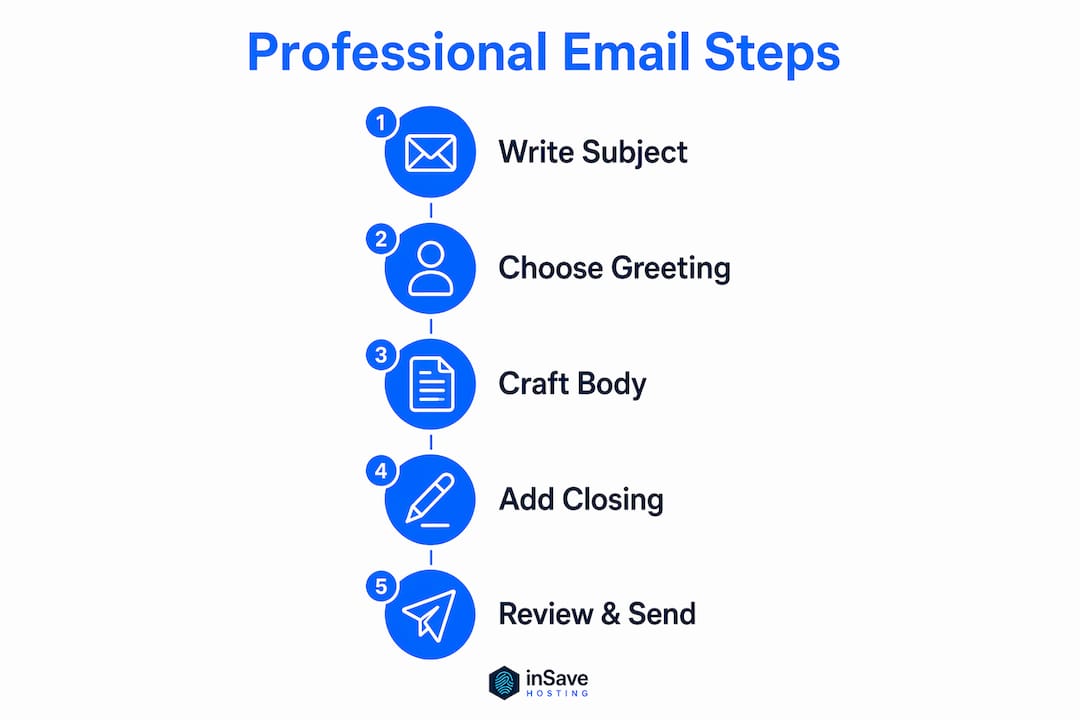
A professional email is defined as a structured written message that uses a clear subject line, a proper salutation, a focused body, and a courteous closing to communicate with clarity and respect. Knowing how to create professional emails separates professionals who get responses from those who get ignored. Every element of a well-crafted email signals competence before the recipient reads a single word of your message. Consistent email structure prevents messages from being overlooked and drives the recipient toward action. This guide covers each component with practical, expert-backed techniques you can apply immediately.
How to create professional emails: start with the right address

Your email address is the first thing a recipient sees. A poor address undermines your credibility before you write a single word. Using your real name or initials builds trust immediately, while nicknames, hobby references, or random numbers signal carelessness.
The standard format for a professional email address follows one of these patterns:
- firstname.lastname@yourdomain.com (e.g., john.smith@acmecorp.com)
- firstinitial.lastname@yourdomain.com (e.g., j.smith@acmecorp.com)
- firstname@yourdomain.com for solo practitioners or freelancers
A business domain matters as much as the name format. An address tied to your company or personal brand domain signals that you operate a real, established entity. Generic free-mail addresses work for personal use, but they reduce perceived authority in business contexts. For guidance on setting up a domain-based address, the email setup beginner's guide from inSave Hosting walks through the full process.
Pro Tip: Keep your address short enough to type from memory. If a recipient has to squint at a string of numbers and underscores, you have already created friction.
What makes a subject line effective?
The subject line determines whether your email gets opened or ignored. An effective subject line runs 40–60 characters, or roughly 5–8 words. That length fits most email preview panes without truncation. Longer subject lines get cut off on mobile, which is where a large share of business email is now read.
Strong subject lines share three traits: they name the topic, signal the action required, and avoid vague filler. Compare these examples:
- Weak: "Following up" or "Quick question"
- Strong: "Invoice #4421 Due Friday, March 6" or "Request: 30-Minute Call This Week"
- Weak: "Hi there" or "Important!!!"
- Strong: "Project Proposal for Q3 Review" or "Action Needed: Contract Signature by March 10"
The weak examples force the recipient to open the email just to understand the topic. The strong examples respect their time by delivering the point upfront. Adapt your subject line to the relationship. A formal client gets "Meeting Request: Budget Review" while a trusted colleague can receive "Budget call Thursday?" without losing professionalism.
Subject line rule: If you cannot summarize your email's purpose in 8 words, your message probably needs more focus before you send it.
Choosing the best email subject lines also depends on your sending infrastructure. Emails sent from a verified business domain reach inboxes more reliably than those from generic providers, which means your carefully crafted subject line actually gets seen.
How should you open a professional email?
The greeting sets the tone for everything that follows. Different greetings fit different levels of formality: formal recipients require "Dear [Full Name]" or "Dear Mr./Ms. [Last Name]," while internal colleagues or familiar contacts accept "Hi [First Name]" without any loss of professionalism.
Follow this approach when choosing your salutation:
- Formal external contact: "Dear Ms. Rodriguez," or "Dear Dr. Patel,"
- Professional but warm: "Hello James," or "Good morning, Sarah,"
- Internal team member: "Hi Marcus," or "Hey team," (only when the culture supports it)
- Unknown recipient: "Dear Hiring Manager," or "To Whom It May Concern,"
Avoid outdated openers like "To Whom It May Concern" when you can find the recipient's name with a quick LinkedIn search. Avoid overly casual openers like "Hey!" in any external business context. The opening sentence after your greeting should state your purpose directly. "I am writing to follow up on our March 3 meeting" works far better than "I hope this email finds you well," which adds no information.
Pro Tip: Time-sensitive greetings like "Good morning" work well in real-time conversations but can feel odd if the email sits in an inbox for two days. Use them selectively.
Crafting the body of a business email for clarity
The body of your email carries the actual message. Task-focused, concise messaging respects the recipient's time better than lengthy, filler-heavy paragraphs. Every sentence should move the message forward.
The single most common mistake professionals make is email cluttering. Mixing multiple unrelated topics in one message dilutes the purpose and confuses the recipient. Limit each email to one primary objective. If you need to address three separate issues, send three separate emails or use clearly labeled bullet points to organize them.
"Professionals recommend one primary objective per email and bullet lists when covering multiple points for readability."
Structure your body this way:
- Opening sentence: State the purpose immediately.
- Supporting detail: Provide context, data, or background in 2–3 short paragraphs.
- Bullet points: Use them when listing multiple items, steps, or options.
- Call to action: End with a specific next step. A clear call to action guides the recipient toward the response you need.
Short paragraphs of 2–4 sentences each are easier to scan than dense blocks of text. If your email requires more than 300 words, consider whether a phone call or meeting would serve the purpose better.
How to close a professional email the right way
A strong closing reinforces your professionalism and tells the recipient exactly what happens next. Weak closings like "Thanks" or no closing at all leave the message feeling unfinished. Strong closings match the tone of the email and include a complete signature.
Appropriate closing phrases by context:
- Formal: "Sincerely," "Respectfully," or "Yours faithfully,"
- Professional and warm: "Best regards," "Kind regards," or "With appreciation,"
- Internal or familiar: "Thanks," "Best," or "Talk soon,"
Your email signature should include your full name, job title, company name, and at least one direct contact method. A well-crafted email signature reinforces professional branding and can include social links, a company logo, or a brief disclaimer when appropriate. Think of it as a digital business card that travels with every message you send.
Before hitting send, run through this checklist:
- Proofread for typos and grammar errors. Even minor errors like typos can undermine your credibility instantly.
- Verify the recipient's name and email address in the "To" field.
- Confirm that any attachments you referenced are actually attached.
- Check the timing. Scheduling emails to avoid non-working hours or a recipient's vacation increases the likelihood of a timely response.
Key Takeaways
Writing professional emails requires a clear structure, a focused message, and attention to every detail from the address to the sign-off.
| Point | Details |
|---|---|
| Start with a professional address | Use your real name and a business domain to build credibility from the first impression. |
| Write a specific subject line | Keep it 40–60 characters and name the topic and required action clearly. |
| Match your greeting to the relationship | Use "Dear [Name]" for formal contacts and "Hi [Name]" for familiar colleagues. |
| Limit each email to one main topic | Mixing unrelated topics confuses recipients and reduces response rates. |
| Proofread and time your send | Check for typos, verify recipient fields, and avoid sending outside business hours. |
What I have learned from years of watching emails succeed and fail
Most professionals treat email as a chore rather than a communication skill. That mindset produces vague subject lines, bloated paragraphs, and closings that trail off without asking for anything. The emails that actually move projects forward share one quality: they make it easy for the recipient to say yes.
The biggest mistake I see is the "hope this finds you well" opener. It signals that the writer has not yet decided what they want to say. Cutting that line and replacing it with a direct purpose statement immediately sharpens the entire email. Recipients notice. They respond faster because they do not have to decode your intent.
Consistency matters more than most professionals realize. Using a standard format for every email, whether it is a cold outreach or an internal update, trains your recipients to trust your messages. They know where to find the key information, and they know you will not waste their time. That reputation compounds over months and years into a genuine professional asset.
The role of email hosting in business communication also deserves attention. A verified business domain does not just look more professional. It improves deliverability, which means your carefully written emails actually reach the inbox instead of the spam folder.
— Ihor
Professional email hosting that supports your communication
Polished email writing only works when your sending infrastructure matches your professionalism. A custom domain email address tied to reliable hosting signals credibility to every recipient before they read a word.

inSave Hosting provides professional email hosting built for small and medium-sized businesses that need reliability, security, and a branded address. With 99.9% uptime, free SSL certificates, and one-click setup, inSave Hosting removes the technical friction from getting your business email running. Explore the full range of email and hosting services to find the plan that fits your communication needs. A professional email address backed by dependable hosting is one of the simplest upgrades you can make to your business presence.
FAQ
What is a professional email address format?
A professional email address uses your real name or initials paired with a business domain, such as firstname.lastname@yourcompany.com. Avoid nicknames, numbers, or generic free-mail providers for business communications.
How long should a professional email subject line be?
The recommended length is 40–60 characters or 5–8 words. That range fits most email preview panes without truncation and communicates the topic clearly.
What greeting should I use in a formal email?
Use "Dear [Full Name]" or "Dear Mr./Ms. [Last Name]" for formal external contacts. For familiar colleagues, "Hi [First Name]" is appropriate without sacrificing professionalism.
How do I write a professional email body?
Focus on one main topic per email, use short paragraphs of 2–4 sentences, and include a specific call to action at the end. Bullet points help when you need to cover multiple items in a single message.
When is the best time to send a professional email?
Send emails during the recipient's standard business hours and avoid their vacation periods. Scheduling tools let you queue messages for the right time even when you write them outside of business hours.