
A 502 Bad Gateway means your proxy or load balancer got an invalid response, or no response at all, from the server behind it. That's different from a 504 Gateway Timeout, where the connection was fine but nothing came back in time. Before you touch any config file, run three checks:
- Read the proxy error log. The exact wording (
connect() failed,upstream timed out,prematurely closed connection) tells you which of three failure modes you're in. - Verify the upstream process is actually running. A crashed PHP-FPM pool or a dead Node process is the single most common cause.
- Run a curl from the proxy host straight to the upstream. This separates a network/socket problem from an application problem in about ten seconds.
Pro Tip: Before you restart anything, copy the exact log line, its timestamp, and your curl output into a scratch file. Half of 502 incidents get "fixed" by a random restart nobody can later explain.
Key Takeaways
Fixing a 502 Bad Gateway comes down to reading the proxy error log first, reproducing the request with curl, and checking the upstream process before touching anything else.
| Point | Details |
|---|---|
| Read the log first | The exact "upstream" clause in the proxy error log tells you which failure mode you're dealing with. |
| Reproduce with curl | Use curl --resolve from the proxy host to separate edge failures from origin failures in seconds. |
| Don't restart the proxy blindly | Restart the upstream process (PHP-FPM, Node, Docker container) instead, and only touch the proxy if logs point there. |
| Size workers from real data | Base pm.max_children on measured worker memory usage, not a guess, to avoid silent exhaustion. |
| Managed hosting reduces recurrence | inSave Hosting's monitored PHP-FPM pools and CDN integration address several root causes covered above before they reach production. |
Table of Contents
- Fastest Fixes to Try Before Deep Debugging
- What Does 502 Bad Gateway Actually Mean?
- What Causes a 502 Bad Gateway Error?
- How Do You Diagnose a 502 Error?
- Platform-Specific Fixes for 502 Errors
- What Do Common 502 Error Log Messages Mean?
- How Do You Prevent Future 502 Errors?
- Reduce 502 Risk With Managed Hosting Infrastructure
- Sources
- FAQ
Fastest Fixes to Try Before Deep Debugging
Do these in order. Each one either resolves the problem or eliminates a suspect.
- Restart the upstream, not the proxy.
systemctl restart php-fpm,pm2 restart app, ordocker restart <service>. Restarting NGINX or your load balancer first just resets healthy connections and buys you nothing. - Bypass the CDN and hit the origin directly. This confirms whether Cloudflare, a CDN, or your own server is generating the 502.
curl -v --resolve yourdomain.com:443:ORIGIN_IP https://yourdomain.com/
- Check what's actually listening.
ss -lnp | grep 9000(or whatever port/socket your app should be on) tells you in one line whether the upstream is even reachable. - Pull recent logs before you change anything.
tail -n 100 /var/log/nginx/error.logjournalctl -u php-fpm --since "10 minutes ago"dmesg | tail -n 50(catches OOM kills)nginx -T(dumps the full effective config, useful for spotting a stalefastcgi_pass)
If you disable a WAF rule or CDN proxying to test, put a calendar reminder to turn it back on. Leaving origin IPs exposed after a debugging session is how sites get scraped or DDoSed a week later.
What Does 502 Bad Gateway Actually Mean?
A 502 is the gateway's way of saying "I forwarded your request, and what came back wasn't a valid HTTP response, or nothing came back at all." Per RFC 9110, that's the formal definition: the server acting as a gateway or proxy received an invalid response from an inbound server it was consulting.
It's easy to lump 502, 504, and 500 together. They're not the same failure:
- 502 = the proxy heard back, but the response was garbage, empty, or the connection dropped mid-response.
- 504 = the proxy never heard back in time. The upstream might be fine, just slow.
- 500 = the application responded, and that response was an error. The handoff worked; the code didn't.
The fastest rule of thumb in gateway debugging: diagnose from the application outward. Check the origin server before you touch the proxy, and check the proxy before you touch the CDN.
If your proxy config has an aggressive proxy_read_timeout, a genuinely slow endpoint can present as either a 502 or a 504 depending on exactly how the connection dies. Don't assume the status code alone tells you the fix.
What Causes a 502 Bad Gateway Error?
Most 502s trace back to one of seven root causes, and the proxy error log usually tells you which one within the first line.
Upstream not listening (connection refused). Your proxy is configured to talk to a port or Unix socket that nothing is bound to. Usually caused by a crashed process, a wrong port in fastcgi_pass, or a socket path that changed after a PHP version upgrade. Check with ss -lnp and compare against your fastcgi_pass or proxy_pass directive.
Upstream timed out. The backend is alive but too slow to respond within the proxy's window. This points to a slow database query, an external API call with no timeout, or workers so busy that new requests queue past the deadline. Increasing the timeout can help you confirm the diagnosis, but raising it permanently just delays the symptom while the slow code stays slow.
Upstream prematurely closed the connection. The worker started responding and then died mid-stream. This is almost always a crash or an out-of-memory kill. Check dmesg for OOM-killer entries and your PHP-FPM error logs for segfault messages.
TLS or handshake mismatches at the edge. If Cloudflare's SSL mode is set to "Full" but your origin certificate is self-signed or expired, the edge can't complete a handshake with the origin and returns a 502 to the visitor.
DNS resolution problems. Some proxies cache upstream hostname resolution. If your backend's IP changed (a container redeployed, a DNS record updated) and the proxy hasn't reloaded, it's still trying to reach a dead address.
Resource exhaustion. PHP-FPM's pm.max_children limit gets hit, or the box is out of CPU or memory headroom. New requests have nowhere to go, and the proxy reports a 502 instead of queuing them.
Oversized or malformed upstream responses. A backend returning headers larger than NGINX's proxy_buffer_size will get truncated and rejected as invalid, producing a 502 even though the application logic ran fine.
How Do You Diagnose a 502 Error?
Work in this order: logs, then reproduce, then upstream, then system. Skipping ahead wastes time and risks restarting the wrong service.
- Read the proxy error log first. Search for the word "upstream" specifically. That clause tells you which of the causes above you're dealing with, and gives you a timestamp to correlate against everything else.
- Reproduce the request from the proxy host with curl. Use
--resolveto force resolution to the origin IP and confirm you're hitting the right server:
curl -v --resolve api.example.com:443:10.0.0.5 https://api.example.com/health
Compare that response against what a real client sees. If curl succeeds but the browser fails, the problem is between the client and your edge, not your origin.
- Check whether the upstream process is running and healthy.
systemctl status php-fpm,pgrep -f gunicorn,pm2 list, ordocker psdepending on your stack. - Check sockets and ports directly.
ss -lnpshows what's actually bound. For Unix sockets, confirm the file exists and has the permissions your proxy user expects:ls -la /run/php/php-fpm.sock. - Check system-level failures.
dmesg | grep -i oom,journalctl -k, andjournalctl -u php-fpmcatch kernel-level kills and service crash loops that application logs miss entirely. - Use slowlog and request IDs to trace slow requests if the log points to a timeout rather than a crash. PHP-FPM's slowlog captures the exact PHP stack trace of a request that blew past its threshold, which is far faster than guessing.
- If a CDN or edge proxy sits in front of your origin, bypass it and retest. This single step, confirmed against a growing body of incident write-ups, separates edge-generated 502s from origin-generated ones faster than anything else on this list.
Platform-Specific Fixes for 502 Errors
NGINX and PHP-FPM
Confirm the socket or port in fastcgi_pass matches the pool's listen directive in www.conf. A mismatch after a PHP version update is one of the most common causes of a sudden 502 on a site that worked yesterday. Check ownership with listen.owner, listen.group, and listen.mode, and verify with ls -la on the socket file. Run nginx -T to confirm the config that's actually loaded, not just what's on disk. Set emergency_restart_threshold and emergency_restart_interval in php-fpm.conf so a crash loop triggers a master restart instead of a prolonged outage.

Cloudflare and Other Edge Providers
A Cloudflare-branded 502 error page (with Cloudflare's own styling) means the edge generated the error, not your origin. Check the response HTML and the CF-Ray header to confirm. Bypass Cloudflare with curl --resolve against the origin IP directly. If you're using Cloudflare Tunnel, check cloudflared logs. Confirm your SSL/TLS mode isn't set to "Full (strict)" against a self-signed origin cert, and that Cloudflare's IP ranges are allowlisted in any WAF rules you run at the origin.
AWS Application Load Balancer
Check target group health checks first: an ALB returns 502 when a registered target returns a malformed HTTP response or closes the connection unexpectedly. Confirm your backend's keepalive timeout is longer than the ALB's idle timeout; a mismatch here causes the ALB to see connections drop mid-response.
Vercel and Serverless Functions
A FUNCTION_INVOCATION_FAILED error surfacing as 502 usually means the function hit its memory or execution time limit, or threw an unhandled exception. Check function logs for the stack trace, then reduce payload size or raise the configured limits.
Node.js and Python Backends
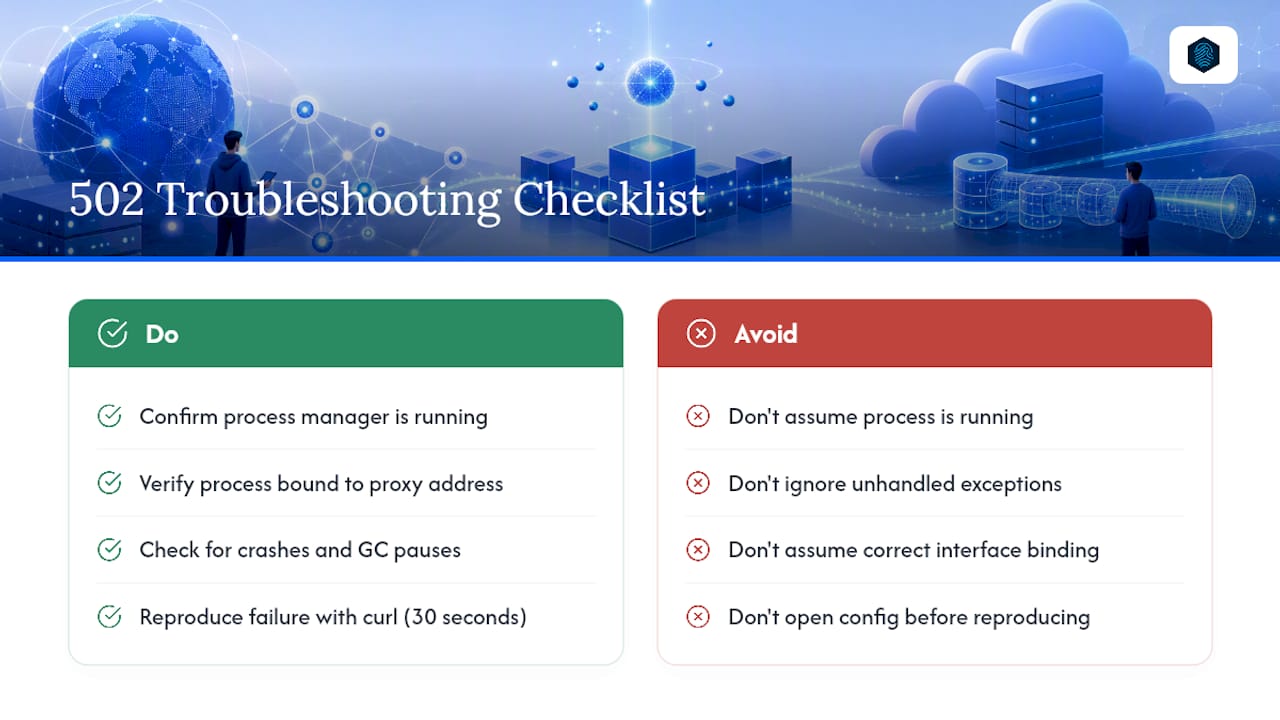
Confirm the process manager (pm2, systemd, supervisord) actually has the process running and bound to the address your proxy expects, not 127.0.0.1 when the proxy expects a different interface. Unhandled exceptions that crash the process, or garbage collection pauses long enough to miss the proxy's timeout window, both surface upstream as a 502.
Pro Tip: Whatever platform you're on, reproduce the failure with curl before you open a config file. It takes thirty seconds and tells you whether you're fixing an edge problem, a network problem, or an application problem.
What Do Common 502 Error Log Messages Mean?
Your error log's exact phrasing is the fastest diagnostic tool you have:
connect() failed (111: Connection refused)— nothing is listening on the configured port or socket. Check the process is running, and confirm the port/socket in your config withss -lnporlson the socket file.upstream timed out (110: Connection timed out) while reading response header— the backend is alive but slow. Enable slowlog, profile the endpoint, and only raise the timeout as a temporary diagnostic, never a permanent fix.upstream prematurely closed connection— a worker crashed mid-response. Checkdmesgfor OOM kills and your PHP-FPM error log for segfaults.no live upstreams— every backend in the pool failed its health check. Check pool membership, DNS resolution, and whether a deploy took every instance down at once.- A Cloudflare-branded 502 with a
CF-Rayheader — the edge generated the response. Bypass withcurl --resolveto confirm whether the origin is actually the problem.
How Do You Prevent Future 502 Errors?
Fixing the immediate incident is table stakes. Preventing the next one means changing how the origin is monitored and sized.
- Instrument the origin, not just the edge. PHP-FPM slowlog, request IDs threaded through access logs, and synthetic checks that curl the origin directly from outside the proxy all catch problems before users report them.
- Push load off dynamic routes with edge caching and WAF rules. Fewer requests hitting PHP-FPM directly means fewer chances of worker exhaustion during a traffic spike.
- Size
pm.max_childrenfrom measured data, not guesswork. Check actual RSS per worker under load, then divide available RAM (minus headroom for the OS and other services) by that number. - Tune timeouts to fail fast. A timeout long enough for legitimate slow requests but short enough that a hung connection doesn't tie up a worker for minutes.
- Check disk usage, swap policy, file descriptor limits, and SELinux/AppArmor contexts. A full disk or a denied socket permission produces a 502 that looks nothing like a resource problem in the logs.
Pro Tip: A monitoring setup that alerts on rising PHP-FPM queue depth catches worker exhaustion twenty minutes before it becomes a 502 storm, not after.
Why PHP-FPM Worker Exhaustion Is the Silent 502 Cause
When every PHP-FPM worker is busy, the next request has nowhere to go, and NGINX surfaces that as a 502 or an empty response rather than a queue. A rough sizing check: measure average worker RSS (say 40MB), multiply by pm.max_children (say 20), and confirm that total leaves real headroom against available RAM, not just what's technically free. Enable slowlog at a 3 to 5 second threshold as a first step. It costs nothing and shows you exactly which requests are eating your worker pool.
How We Triage 502 Incidents at inSave Hosting
We follow the same sequence every time: logs first, then reproduce from the proxy, then upstream processes, then system-level checks, and edge last. The habit that saves the most time is not restarting the proxy when the upstream is the actual problem; it just scatters the evidence you need to find the real cause.
Reduce 502 Risk With Managed Hosting Infrastructure
Every fix in this article assumes you're the one watching the logs, sizing the workers, and rebuilding the socket permissions after a PHP upgrade. inSave Hosting builds those safeguards into the platform instead of leaving them to a 3 AM pager alert.

Managed PHP-FPM pools come sized and monitored, with automated restarts when a worker pool crashes rather than a support ticket sitting unanswered. Built-in CDN integration and free SSL handling eliminate two of the most common edge-to-origin mismatches covered above: certificate errors and DNS drift after a deploy. The 360 monitoring layer flags queue depth and resource pressure before they turn into a customer-facing 502, and daily backups mean a bad deploy doesn't turn into a multi-hour outage while you rebuild from scratch.
If recurring 502s are eating your on-call time, compare inSave Hosting's shared and WordPress-optimized plans and move the worker sizing and monitoring off your plate.
Sources
- HTTP 502 Bad Gateway - MDN Web Docs
- What is 502 Bad Gateway and how to fix it — Visual Sentinel
- 502 Bad Gateway in WordPress — Jorijn knowledge base
FAQ
Does a 502 Bad Gateway Mean I'm Blocked?
No. A 502 is a structural handoff failure between the proxy and the upstream server, affecting all visitors, not a per-user block from a security filter.
How Do You Fix a 502 Bad Gateway?
Read the proxy error log for the exact upstream message, reproduce the request with curl from the proxy host, then check whether the upstream process is running and has available workers.
Is a 502 Error My Fault?
Usually it's a server-side or infrastructure issue like a crashed process, a full worker pool, or a socket mismatch, not something a website visitor caused or can fix from the browser.
How Long Does a 502 Bad Gateway Last?
It lasts until the underlying cause is resolved. That's often a quick process restart if the upstream crashed, but it can stretch for hours if the root cause is a persistent resource limit or misconfiguration.
Is 502 the Same as a 504 Gateway Timeout?
No. A 502 means the proxy got an invalid or empty response; a 504 means the proxy never got a response back within its timeout window at all.